Travel connectivity guide
Salto eSIM: Mobile Internet for Your Trip
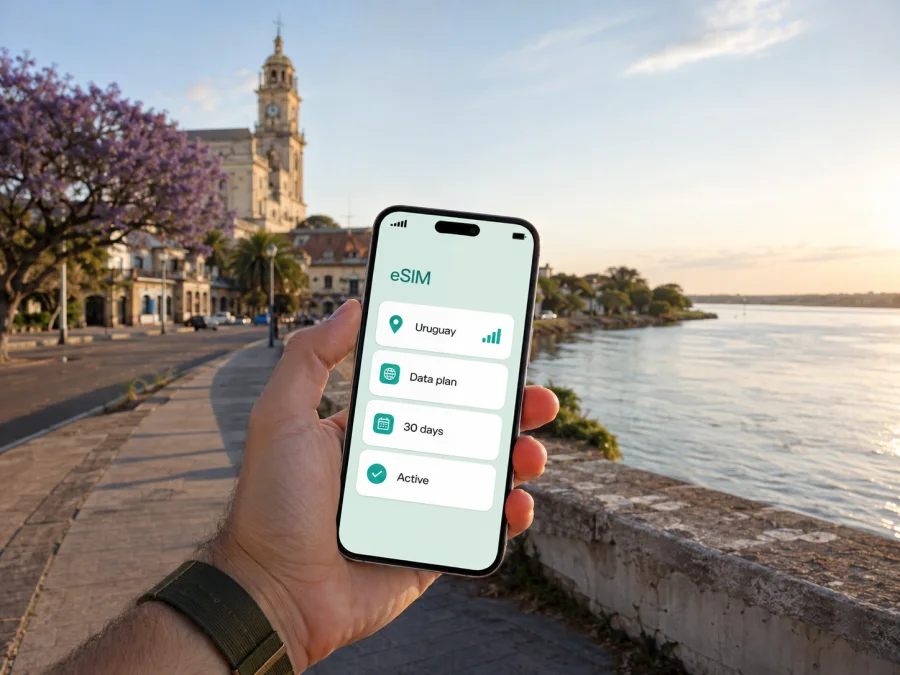
Salto eSIM: mobile connection and internet for your trip
Salto is a practical base for exploring northwestern Uruguay, spending time near the Uruguay River or continuing toward the region’s thermal resorts. It is also a city where a working map, a message to a hotel and an online booking can be useful from the first minutes after arrival. An eSIM, or digital SIM, lets you prepare mobile internet for the trip without removing the physical SIM card from your phone.
Kaspersky eSIM Store is an app and website that helps you choose, arrange and activate an eSIM with a suitable prepaid plan for mobile internet while travelling abroad. You can review the destination, data allowance, validity period and price of a selected plan before you travel. The right choice for Salto depends less on the name of the city than on the way you will use your phone: a short city stay, a business visit, a thermal-resort weekend and a longer route through Uruguay create different data needs.
Quick answer: when an eSIM helps in Salto
An eSIM can be useful if you want to use maps after landing, contact a transfer or hotel, check bus information, translate a message, order a ride where available, or stay in touch while moving between the city centre and nearby attractions. It can also reduce reliance on public Wi‑Fi and let you keep your regular physical SIM available for calls or messages, subject to your home operator’s settings and charges.
The most important points are straightforward:
- Choose a plan that covers Uruguay, not just a place name used in your itinerary.
- Match the validity period to the whole time you expect to use mobile data.
- Estimate traffic from navigation, messaging, photos, video calls and work rather than from the number of days alone.
- Check that your phone supports eSIM and is not locked to an operator before paying.
- Remember that a travel eSIM is normally for mobile data; a regular phone number, voice calls and SMS are not included unless the chosen plan explicitly says otherwise.
Arrival in Salto: prepare the first hour
The first need for mobile internet often appears before sightseeing: finding an address, showing a reservation, contacting a transfer or checking a bus journey. Salto can be reached by road and has Nueva Hespérides International Airport, but schedules and transfers can change. Confirm your booking and keep the accommodation address offline.
For an airport arrival, install the eSIM before leaving home if your phone and plan allow it. Installation requires an internet connection, so using your home Wi‑Fi is usually more convenient than trying to complete every step after landing. You can leave the travel eSIM switched off until you are ready to use it. If the profile is installed but mobile data does not start immediately, allow a little time for the device to register on an available local network and review the plan’s activation conditions.
Before leaving, save your first address and reservation offline, keep the QR code or profile available, charge the phone and review whether data roaming is disabled on your home SIM. The eSIM does not replace sensible preparation; it gives you another way to use mobile data when you do not want to search for a physical SIM immediately after arriving.
Moving around the city: maps, addresses and transport
Salto’s central streets, riverfront and commercial areas are manageable on foot for many short visits, while a hotel near the outskirts, the airport or a thermal area changes the distances involved. Use the city’s actual location in your itinerary when choosing a plan, but base your data estimate on movement. Navigation is usually light on data when used for short periods; repeated route searches, photo uploads and video can consume considerably more.
Mobile internet is especially useful when a day contains several small decisions. You might check whether a café is open, send your location to a companion, read a message from a host, confirm a reservation or compare a route before crossing town. These actions do not require a large data allowance individually, but they are frequent during travel. Downloading maps and reservations on Wi‑Fi before going out can make the eSIM last longer and provides a fallback when reception changes.
If you use a taxi or ride service, check the exact pick-up point and keep the address in text as well as on a map. For local buses or intercity coaches, check the current timetable before travelling; schedules can change.
Your accommodation and route affect the data you need. A central stay may involve walking, maps and messages; an outer-area hotel may require more transfer planning; a thermal-resort visit adds reservations and a return journey; a business trip may include documents and calls in messengers. These are planning scenarios, not promises about a particular service, so confirm opening hours and transport options for your dates.
How to choose an eSIM plan for a Salto trip
Start with the route, then the traffic. If your journey begins and ends in Salto, a Uruguay plan may be the relevant direction. If you will continue to another country, cross a border or add several stops, check whether the selected plan includes the next destination. A country plan and a regional plan can have different conditions, so read the scope rather than assuming that neighbouring geography means included service.
Next, choose validity. A short stopover still needs a plan that is active when you intend to use it. For a longer stay, compare the validity period with your arrival and departure days, including transfers and excursions. The exact start of validity and the moment data begins to be used depend on the conditions of the selected plan and how it is activated.
Then estimate traffic using your actual habits:
- Light use: text messages, occasional maps, weather checks and online tickets.
- Regular travel use: daily navigation, photo sharing, searches, translation and messaging.
- Work use: email, document access, frequent calls in messengers and occasional tethering, if the plan and device support it.
- High use: video, large uploads, continuous hotspot use or frequent streaming.
Video and automatic backups can use much more data than a route search. If you are unsure, review which apps can use cellular data and disable background refresh for non-essential services. A plan with a larger allowance may be more convenient for a work-heavy trip, but the appropriate option depends on the conditions and price displayed for the destination when you choose it.
At the middle of your planning, you can choose an eSIM plan for a trip to Uruguay and compare the currently displayed destination, traffic allowance, validity and price. Kaspersky eSIM Store helps you complete that selection through its app or website; the underlying mobile service and network conditions depend on the applicable local operator arrangements and the chosen plan.
What to check before purchase
Compatibility is not just a matter of phone brand. The model, region of sale and operator lock can affect whether eSIM can be added. Before purchasing, check whether your device supports eSIM and confirm that it is unlocked for use with another operator. If the device has two SIM profiles, review which line will be used for mobile data and whether your phone permits both lines to remain active.
Read the plan details in full. Pay attention to:
- destination or regional coverage stated for the plan;
- data allowance and whether the plan expires after a defined period;
- the activation conditions and when validity begins;
- whether data sharing or hotspot use is allowed;
- any instructions about data roaming for the eSIM;
- the support route if installation or activation needs attention;
- refund and transfer conditions before the eSIM is used.
Do not infer voice service from the presence of a signal indicator. The travel eSIM is intended for mobile internet unless the specific plan says otherwise. Your usual number can remain on the physical SIM for calls or SMS, but your home operator may charge for roaming or calls abroad. Disable data roaming on the home line if you do not want it to become the source of mobile data.
How to install and activate eSIM before or after arrival
The exact menu names vary by device and operating-system version. Begin with a compatible, unlocked phone, an internet connection and access to the QR code or eSIM profile provided after purchase. For detailed steps, use the Android installation instructions or the iOS installation instructions.
A clear installation sequence
- Check eSIM compatibility and confirm that the phone is not operator-locked.
- Connect the phone to Wi‑Fi or another working internet connection.
- Open the mobile-network settings and choose the option to add an eSIM or mobile plan.
- Scan the QR code from the email or profile, or follow the on-screen installation flow.
- Label the new profile so that you can identify it as your travel line for Uruguay.
- Keep your regular line for calls and messages if you need it, and select the eSIM as the mobile-data line.
- Leave data roaming disabled on the home SIM unless your home operator’s conditions call for another setting.
- When you are ready to use the travel plan, turn on the eSIM and follow its activation instructions.
- If the plan requires data roaming on the eSIM, enable it only for that profile and confirm that the home line is not selected for data.
Installation and activation are separate actions. The plan’s conditions determine when to activate it; connection may take a few minutes. After arrival, use hotel Wi‑Fi if you need to install it then.
After activation, open a short map route and send a test message so you can confirm which SIM is selected for data. Turn off automatic updates and large media downloads if your allowance is limited. Save the return address and next transport point offline, especially for a thermal-resort outing. If you cross into Argentina, review the plan before the border; a Uruguay plan should not be assumed to cover another country. If data fails, confirm that the eSIM is on, selected for data and configured according to its roaming requirement, then wait a few minutes before contacting support. Avoid deleting the profile while troubleshooting.
Salto eSIM checklist
Use this checklist the day before departure:
- [ ] I know my first address in Salto and have saved it offline.
- [ ] I have checked eSIM compatibility and operator unlocking.
- [ ] I have chosen a plan for Uruguay with validity covering the full relevant route.
- [ ] I understand the data allowance and which apps use the most traffic.
- [ ] I know whether the eSIM requires data roaming to be enabled.
- [ ] I have decided whether my regular SIM should remain active for calls and SMS.
- [ ] I have the QR code or profile access and a reliable internet connection for installation.
- [ ] I have read the conditions about activation, transfer and refund.
- [ ] I have an offline copy of reservations and transport details.
The short version is simple: prepare the profile on Wi‑Fi, select the right data line after arrival, and check the destination and validity whenever your route changes.
Frequently asked questions
Is an eSIM useful if I stay only in central Salto?
Yes. Maps, messages, reservations and transport coordination can make mobile data useful even on a short stay. Downloading maps and booking details over Wi‑Fi reduces data use.
Can I keep my usual number active?
Usually, a dual-SIM phone that supports eSIM can keep the physical SIM available while the eSIM is selected for data. Check eSIM compatibility before purchase. Calls and SMS on the home line remain subject to your operator’s roaming terms, so check that it is not selected for data by mistake.
Does a Salto eSIM include calls and SMS?
Not necessarily. The travel eSIM is generally intended for mobile internet and does not provide a regular number, voice calls or SMS unless the chosen plan explicitly includes them. Messengers can handle calls and messages through data.
Should I install the eSIM before flying?
It is often convenient to install it on stable Wi‑Fi before departure. Whether you activate it immediately or later depends on the plan’s conditions. Installation after arrival is also possible with internet access and the profile details.
Do I need another plan after crossing the border?
Possibly. Check the destination scope before leaving Uruguay; do not assume a Uruguay plan covers Argentina or another country unless its displayed conditions say so.
What if apps do not load after activation?
Confirm that the travel eSIM is on and selected for data, review its data-roaming requirement, make sure the home SIM is not selected for data, wait a few minutes and contact support if the settings are correct but data still does not work.
Prepare mobile internet for Salto
For a city break, a thermal-resort visit or a longer route through Uruguay, the useful sequence is the same: check the device, select the destination, compare traffic and validity, install the profile on Wi‑Fi, and activate the correct data line when you are ready. Kaspersky eSIM Store helps you choose, arrange and activate an eSIM plan through its app or website, while the plan’s exact conditions remain the point of reference for your trip.
Choose an eSIM plan for your Salto itinerary after checking your route, device and expected data use. That small preparation can make the first map search, hotel message and regional transfer easier to manage when you arrive.


