Travel connectivity guide
Saly eSIM: Mobile Internet in Senegal
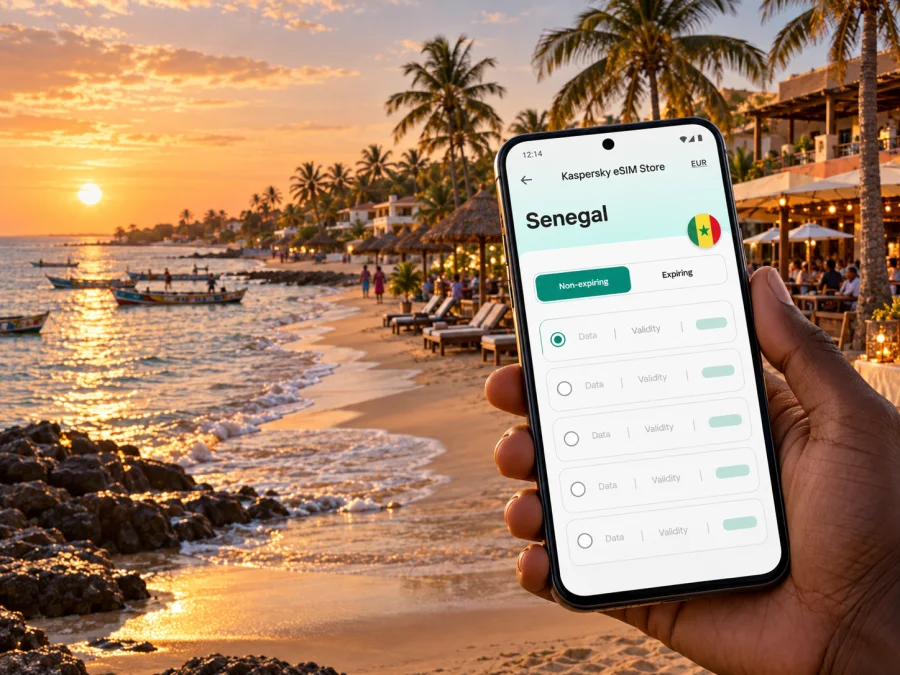
Saly eSIM: mobile connection and internet for your Senegal trip
Saly is a beach resort on Senegal’s Petite Côte, south of Dakar and close to the regional centre of Mbour. A phone with working mobile data can make the first hours easier: confirm a pickup, message your accommodation, check a route, translate a menu, or find a shop after you arrive. Planning an eSIM before travelling gives you another way to get online without replacing your physical SIM, provided your phone supports eSIM and the selected plan covers Senegal.
Saly is spread along the coast rather than arranged around one compact old-town centre. Your accommodation, beach access, restaurants and planned excursions may be in different parts of the resort or nearby communities. Save the exact hotel or villa address, keep a map available offline as a backup, and decide how you will connect before leaving the airport. This guide explains how to plan mobile internet for Saly, what to check when choosing an eSIM, and where a connection is most useful around town.
What mobile data helps with in Saly
For many visitors, a Saly stay combines quiet time at the coast with short practical trips. Mobile internet is useful for everyday tasks rather than only for navigation:
- sharing your arrival time with a driver or host;
- checking the address and entrance of a hotel, guesthouse or rental;
- opening maps while travelling between the airport, Saly and Mbour;
- arranging a restaurant booking or confirming opening hours;
- translating a message or reading directions in French;
- using messaging and voice apps to keep in touch with family or colleagues;
- checking transport arrangements for an excursion along the Petite Côte.
An eSIM plan is generally a data connection, not a replacement phone number. Calls and SMS over the ordinary mobile network are not included unless the selected plan specifically says so. Keep your usual SIM active for calls or verification messages if you need it, and check your home operator’s roaming settings and rates before departure. Messaging and internet calls may use mobile data, but their availability and quality depend on the connection at the time.
Arriving in Saly: plan the airport handoff
Most international visitors travelling to Saly will arrive through Blaise Diagne International Airport (AIBD), near Diass. Saly is not in Dakar, so do not assume that a transfer booked to central Dakar will take you all the way to your resort. Confirm the destination and drop-off point directly with your accommodation or driver. A direct car transfer can be a practical choice with luggage; public transport and onward connections may require extra planning. Current transport options, operating hours and fares can change, so verify them close to your travel date.
Before boarding, save the driver’s contact, accommodation address and arrival instructions offline. Agree on a meeting point or a message to send once you have collected your bags.
A practical arrival sequence is:
- Connect to airport Wi-Fi, if available, or use the connection you already have.
- Confirm the pickup point and the vehicle details with your driver.
- Check the route to Saly and share your live location only if you want to.
- Keep the destination address visible in a screenshot in case you lose data during the drive.
- After reaching your accommodation, test mobile data before relying on it for the next outing.
If your flight lands late or you have a tight connection, prepare the eSIM and save essential information before departure.
Choose a plan for your actual Saly itinerary
A city name can help you plan, but the country or regional coverage description on the plan is what matters for service eligibility. Look for Senegal in the plan details, then review its data allowance, validity period, activation rules and any limits on tethering. A plan for Senegal may be a better match for a stay based in Saly than one intended for a different country; if your trip continues across borders, check every destination before you buy.
Kaspersky eSIM Store is an app and website where you can choose, purchase and activate an eSIM with a suitable plan for mobile internet during an international trip. It does not replace checking the selected plan’s own terms.
Estimate data needs from your habits, not trip length alone. Messaging and maps generally use less data than video calls, cloud photo backup or streaming. If you work remotely or share a connection, allow more headroom and confirm hotspot rules.
| Trip pattern | Likely data use | What to check |
|---|---|---|
| A few beach days with messaging and directions | Light to moderate | Validity must cover the whole stay; keep media downloads on Wi-Fi. |
| A week with daily maps, browsing and restaurant searches | Moderate | Check the allowance and whether background apps use data. |
| Remote work with calls or frequent file transfers | Higher and less predictable | Verify hotspot rules, signal needs at your lodging, and a backup connection. |
| A multi-stop route beyond Saly | Depends on the route | Confirm that every country on the itinerary is included. |
These are planning categories, not guaranteed usage amounts. App settings, photo quality, automatic updates and video resolution can change consumption substantially. Before departure, turn off automatic app updates over mobile data, pause cloud photo syncing if appropriate, and download entertainment or large files on Wi-Fi.
Coverage and local mobile options
Saly is part of the Petite Côte travel area, with Mbour nearby and smaller coastal destinations farther along the shoreline. Reception can differ between a beachfront property, a road, a building interior and a moving vehicle. A plan’s country-level listing does not promise identical signal in every room or at every point on the coast. Ask your accommodation whether Wi-Fi is available and where it works well, especially if you expect to work online.
Senegal has local mobile providers, and their products and eligibility conditions are not necessarily the same as a travel eSIM. For example, Orange Senegal currently describes its digital eSIM route through Max it as initially available to existing identified customers with an Orange Money account. A visitor should verify eligibility before relying on that route; this is Orange’s stated process, not a rule for every eSIM option in Senegal. If you are considering another local option, check its current visitor requirements, payment method and activation process directly.
If you are comparing travel eSIM options for the country, review the available eSIM options for Senegal and compare the displayed allowance and validity against your itinerary.
Think about connectivity as a practical backup plan:
- At the resort: use the accommodation’s Wi-Fi for large downloads and software updates; switch to mobile data when you leave.
- On the road: download the route or pin the destination before departing, then use live navigation if the connection permits.
- At a restaurant or shop: save the place name and address in advance instead of relying on an exact search at the door.
- During an outage: reconnect to Wi-Fi, check that the correct line is selected for mobile data, and retry after moving to a place with better reception.
eSIM compatibility and preparation
Before selecting a plan, check that your exact phone variant supports eSIM and is not carrier-locked. Device names alone can be misleading: regional versions of the same model may have different SIM capabilities, and software settings vary by manufacturer. Check whether your device is compatible with eSIM and confirm the result with the phone maker or your carrier if anything is unclear.
Install system updates before travelling, confirm you can access your account and email, and keep installation details on a second screen or printed copy if setup uses a QR code. Follow your device’s instructions if you cannot scan a code displayed on the phone being configured.
A pre-trip checklist:
- [ ] Your phone supports eSIM in its exact regional variant.
- [ ] The phone is unlocked for use with another provider’s profile.
- [ ] The plan explicitly includes Senegal and covers your dates.
- [ ] You understand when validity begins: purchase, installation, first connection or another stated event.
- [ ] You know whether data roaming must be enabled for the travel eSIM.
- [ ] Your accommodation address and airport pickup details are saved offline.
- [ ] Your primary SIM is labelled clearly so you can choose the right line for data and calls.
Install and activate before relying on the connection
Follow the provider’s current instructions because menu labels differ between iOS and Android, and activation rules depend on the plan. Install only when you have a stable internet connection and time to complete setup. Some eSIM profiles can be installed only once or may not be transferable after activation, so do not delete a profile to troubleshoot unless the provider’s support team tells you to.
For step-by-step help, see the eSIM installation instructions for Android or the eSIM installation instructions for iOS. In general, the setup involves adding the eSIM profile, choosing it as the mobile-data line, and following the plan’s activation guidance. On some devices, data roaming needs to be enabled for that eSIM; confirm this in the plan instructions rather than changing settings on every line.
Test the connection on Wi-Fi before you leave. Select the Senegal eSIM for data, turn off Wi-Fi briefly and open a lightweight web page. If it fails, check activation status, the data line and any roaming requirement. Restarting may help; deleting a profile can make recovery harder.
Keep your home SIM’s roaming data disabled if you want to avoid accidental charges, while leaving voice and SMS available if your home plan allows that configuration. Dual-SIM behaviour differs by phone, so review the status bar and settings after switching lines. If you use a hotspot, monitor battery use and data consumption; tethering can use data quickly when a laptop synchronises files or downloads updates.
Getting around: maps, pickups and short excursions
A map is especially helpful when your accommodation is set back from the main road or has a name shared by several listings. Save a pin, not just a property name, and confirm the entrance or nearby landmark with your host. In Saly, as in many resort areas, the route shown on a map may not tell you whether a gate is open to visitors or which driveway is used. A quick message before setting out can prevent a confusing arrival.
Mbour is the closest larger urban centre and a common point of reference for services and transport in the area. If a driver or host uses “Mbour” as a meeting location, confirm whether they mean the town centre, a station, a market, or another precise point. A pin shared in a message is clearer than a broad locality name. For excursions to places such as Somone, Ngaparou, Nianing or Joal-Fadiouth, save the return plan as well as the outward route; transport frequency and availability can vary by time and season.
For a day trip, prepare a small set of saved information before leaving Saly:
- The destination pin and an alternate spelling of its name.
- The contact number for your driver or guide.
- The return pickup time and exact meeting point.
- A screenshot of the route and any ticket or booking details.
- A portable battery if you expect to navigate and take photos throughout the day.
Mobile data is useful when plans change, such as a delayed pickup or a route adjustment. Keep enough battery for the return journey and share the destination and meeting point before separating.
Work, longer stays and family travel
Saly can be a holiday base as well as a place for meetings or a longer stay. If you need to join work calls, ask the hotel or rental about Wi-Fi quality in the actual room, not only in common areas. A phone data plan may be useful as a backup, but a country plan’s stated allowance and tethering terms determine whether it can support a laptop. Test video calls early in the stay and keep a low-bandwidth option ready, such as audio-only participation or sending documents in advance.
For families, agree on how everyone can find the accommodation and contact the group. A child’s device may not support eSIM, and not every tablet has cellular connectivity. Confirm each device separately; if only one phone has data, save key addresses on everyone’s device and identify a meeting point that does not depend on mobile service. Do not assume that sharing one eSIM profile across several phones is permitted.
For a longer stay, compare the convenience of a travel eSIM with a local mobile service based on your needs. A local service may provide a local number or domestic calling options, but signup requirements, available products and payment methods can differ. A travel data eSIM may be simpler for internet access while keeping your regular number active, but it may not include calls or SMS. Select based on the task you need to solve, not on the label alone.
Common connection problems and practical fixes
The eSIM is installed but there is no data. Check that it is enabled and selected for mobile data. Confirm that the plan includes Senegal, has started according to its terms and has remaining allowance. Check whether data roaming is required for that profile.
The phone shows signal but apps do not load. Turn Wi-Fi off and on, then confirm mobile data is enabled for the eSIM. Try a simple web page. If only one app fails, its own settings or permissions may be the cause.
The connection is slow indoors. Move closer to an exterior window or outside, then retry. Building materials and local network conditions can affect reception. Use the accommodation Wi-Fi where suitable and download maps or documents before the next trip.
The QR code will not scan. Increase screen brightness on the device displaying it, clean the camera lens, and follow the provider’s manual entry steps if available. Do not repeatedly scan or delete an already installed profile without checking the plan’s instructions.
You are not sure whether activation has started. Check the plan details for the trigger that begins validity. Some plans start on installation or first network connection; others use different rules. If the wording is unclear, ask support before installing.
Try this order: verify plan validity; select the eSIM for data; check roaming settings; toggle airplane mode or restart; move location; then contact the provider with a status screenshot and time of the problem.
Frequently asked questions
Is Saly in Senegal or in a separate country-level network area?
Saly is a resort destination on Senegal’s Petite Côte. Choose a plan whose terms explicitly cover Senegal; the fact that the article is about Saly does not create a separate city tariff or guarantee a particular network at every address.
Will an eSIM give me a Senegalese phone number?
Usually a travel eSIM for mobile data does not provide an ordinary local phone number, calls or SMS unless the plan says otherwise. Keep your existing number for calls and verification codes, subject to your home operator’s terms.
Can I set up the eSIM after arriving at Blaise Diagne Airport?
You may be able to, but setup depends on having internet access, a compatible unlocked phone and the plan’s activation rules. Installing and testing before departure is more predictable. Keep pickup information offline in case the connection takes time to register.
Should I choose a plan based on the number of nights in Saly?
Use both the length of your trip and what you will do online. Check the plan’s validity period and data allowance, then consider maps, messaging, remote work, video and hotspot use. Dates alone do not indicate how much data you need.
Can I use the same eSIM in Saly and on a trip to another country?
Only if the plan terms include that country or region. Confirm all destinations in your itinerary before purchase and check whether the plan remains valid across borders.
Is Wi-Fi enough for a Saly visit?
It may cover much of your time at your accommodation, depending on its service and your room. Mobile data is useful while travelling, checking directions or coordinating pickups. Many visitors use both and keep essential details available offline.
What should I do if I need a local number?
Check current local operator offers and visitor eligibility directly. Requirements can include identification, registration or a particular payment method. A data-only travel eSIM should not be treated as a substitute for a local calling plan.
A simple plan for staying connected
Before departure, check compatibility, choose a Senegal plan that fits your dates and data habits, and save your address and transfer details offline. Install and test the eSIM with a stable connection. In Saly, use Wi-Fi for large downloads and mobile data for navigation and messages; keep an offline map as a backup.
When you are ready, use Kaspersky eSIM Store to choose an eSIM plan for your trip to Senegal, review its data allowance and validity, and follow the installation guidance for your device. Prepare the profile in advance so you can focus on your arrival, the coast and your time in Saly.


