
Travel connectivity guide
Samana eSIM for mobile internet travel
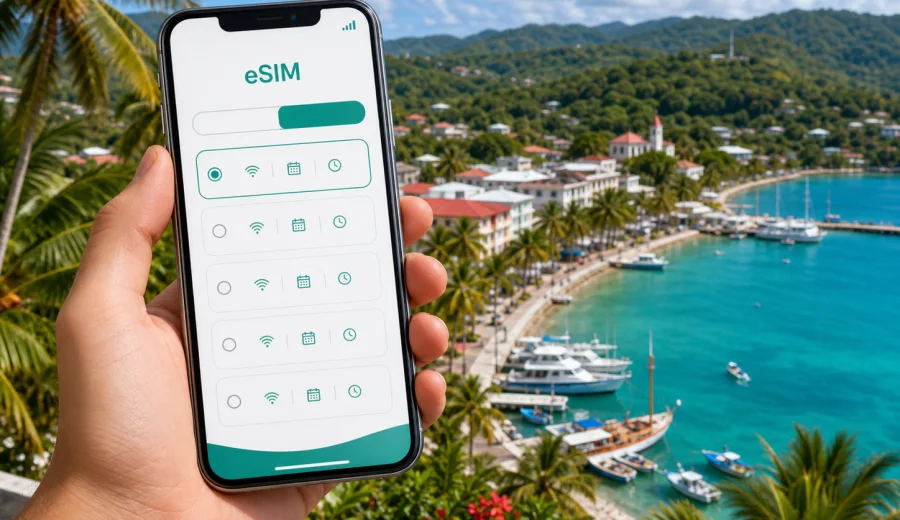
Samana eSIM: mobile connection and internet for your trip
Samana is one of the most rewarding places in the Dominican Republic to explore slowly. You may arrive for the bay, beaches, boat trips, whale-watching season, a hotel stay near Las Terrenas, or a road trip toward Las Galeras and Playa Rincon. In all of these scenarios, mobile internet matters from the first minutes of the trip: you need maps, transport messages, hotel details, booking confirmations, restaurant searches, translation, and a reliable way to stay in touch.
An eSIM helps you prepare mobile internet for Samana without looking for a physical SIM card after arrival. With a compatible phone or tablet, you can install a digital SIM profile, choose a suitable data plan for the Dominican Republic, and use mobile data for daily travel tasks. Kaspersky eSIM Store is an app and website where you can quickly choose, arrange, and activate an eSIM with a suitable plan for mobile internet during an international trip.
Why mobile internet matters in Samana
Samana is spread out. The name may refer to Santa Barbara de Samana, the bay area, the wider province, and the peninsula routes that connect hotels, beaches, hills, ports, and small towns. A plan that looks simple on a map can involve taxi coordination, road navigation, boat meeting points, weather checks, and changes to restaurant or tour times.
Mobile internet is useful for:
- navigating from Samana El Catey International Airport to your hotel;
- sharing your location with a driver or hotel reception;
- checking ferry, boat, or excursion details before leaving the marina;
- using maps between Santa Barbara de Samana, Las Terrenas, Las Galeras, El Limon, and Playa Rincon;
- confirming restaurant opening hours and tour pickup points;
- managing work calls or urgent emails from a hotel, cafe, or apartment;
- using messengers for calls, photos, and trip updates;
- avoiding dependence on public Wi-Fi in places where it may be slow, crowded, or unavailable.
Arrival scenarios: airport, transfer, and first hour online
Many visitors reach Samana through Samana El Catey International Airport, while others arrive by road from Santo Domingo, Puerto Plata, Punta Cana, or other parts of the Dominican Republic. In each case, the first online tasks are similar: find your route, contact the driver, confirm the address, and check whether the hotel needs an arrival time.
If you land at the airport, mobile data helps before you leave the terminal area. You may need to open a booking confirmation, message a transfer service, check the route to Las Terrenas or Santa Barbara de Samana, or compare the travel time to a hotel on the bay. If you arrive by road, mobile internet helps with checkpoints in the route: fuel stops, detours, shared location, or last-minute changes from the accommodation.
For Samana, it is sensible to install your eSIM before travel and activate it when the plan conditions allow. This avoids relying on airport Wi-Fi or searching for a local SIM point after a long flight. If your plan starts only when it connects to a supported local network, you can prepare the installation in advance and turn the eSIM line on after landing. Always check the exact conditions of the selected plan, because validity period and activation logic can differ.
Where eSIM is especially useful around Samana
Samana city is a gateway to nearby towns and outdoor routes. Even if your hotel provides Wi-Fi, you may spend much of the day away from it. A prepared eSIM plan can support the moments when fixed internet is not available or not practical.
| Travel situation in Samana | Why mobile data helps | Practical tip |
|---|---|---|
| Transfer from Samana El Catey | Driver messages, maps, hotel address | Save your hotel address offline too |
| Santa Barbara de Samana waterfront | Restaurants, marina, boat meeting points | Keep tour confirmations available on your phone |
| Las Terrenas day or hotel stay | Navigation, beach stops, ride coordination | Share live location if meeting a driver |
| Las Galeras and Playa Rincon | Longer routes, weather checks, photos | Download offline maps before leaving town |
| El Limon waterfall trip | Meeting points, timing, messages | Charge your phone before the excursion |
| Business or remote work | Email, calendar, video call backup | Do not depend only on hotel Wi-Fi |
Choosing an eSIM plan for Samana
For a city article, the relevant destination is the country where the city is located. Samana is in the Dominican Republic, so you should look for an eSIM plan that covers the Dominican Republic or a wider regional plan that explicitly includes it. Do not choose a plan only because the city name appears in your itinerary; coverage terms are usually defined by country or region.
Start with three questions:
1. How many days will you stay in and around Samana?
2. Will you mostly use maps and messengers, or will you upload many photos and join video calls?
3. Will your route stay in the Dominican Republic, or will it continue through several Caribbean destinations?
For a short beach break, a modest data allowance may be enough if you use hotel Wi-Fi for large uploads. For a longer trip with rented car navigation, cloud photo backups, and regular work tasks, choose a larger package. If you expect to move beyond the Dominican Republic, compare country and regional options carefully and choose only a plan that matches your actual route.
Simple data estimate for Samana
Use this as a planning guide, not as a guarantee. Apps, phone settings, video quality, maps, and background sync can change actual consumption.
| Trip style | Typical mobile data tasks | What to consider |
|---|---|---|
| Weekend stop | Messaging, maps, ride coordination, reservations | Keep video and cloud backups on Wi-Fi |
| One-week holiday | Daily maps, social updates, translation, restaurant searches | Choose enough data for beach days away from hotel Wi-Fi |
| Road-trip base | Navigation to Las Terrenas, Las Galeras, El Limon, Playa Rincon | Allow extra data for maps and repeated route checks |
| Work trip | Email, calendar, hotspot backup, file review | Check whether tethering is allowed in the plan terms |
| Family trip | Several phones, photos, messaging, shared routes | Each traveler may need a separate compatible device and plan |
How to install eSIM before or after arrival
You can usually install an eSIM before the trip while you still have stable home Wi-Fi. Activation details depend on the selected plan, so read the plan conditions before turning on data roaming or selecting the eSIM line.
General setup flow:
1. Check that your phone or tablet supports eSIM and is not carrier-locked.
2. Choose the Dominican Republic as the destination, or choose a regional plan that includes it.
3. Review data allowance, validity period, price, activation rules, and any hotspot conditions.
4. Arrange the selected plan through the site or app.
5. Install the eSIM profile using the on-screen steps or the QR code provided after purchase.
6. When you are ready to use it, select the eSIM line for mobile data.
7. If required by the plan or device, enable data roaming for the eSIM profile.
8. Test mobile data with a small task such as opening a map or sending a message.
For device-specific setup, use the official Kaspersky eSIM Store guides: Android installation instructions and iOS installation instructions. Follow the steps for your device model and operating system version, because menus can differ.
Compatibility checklist before you buy
Before arranging any eSIM plan for Samana, check compatibility. eSIM is available on many recent smartphones and tablets, but not every device supports it, and some phones may be locked by a carrier. A travel data plan will not help if the device cannot install or use the eSIM profile.
Check the following:
- your exact phone model supports eSIM;
- the device is not locked to a single carrier;
- the operating system is updated enough to manage eSIM profiles;
- you have internet access for the installation step;
- you know which line will be used for calls, SMS, and mobile data;
- your primary SIM and eSIM settings will not create unexpected roaming charges.
You can use Check your device before buying. If your device is not compatible, consider using another compatible phone, relying on a different travel connectivity option, or checking whether someone in your group can manage navigation and bookings from a compatible device.
If you want to prepare before departure, you can choose a suitable eSIM plan for a trip to Samana through the Dominican Republic destination page in Kaspersky eSIM Store. Review the data allowance, validity period, destination, price, and activation instructions before arranging the plan.
Practical city scenarios
For Las Terrenas beach stays, choose enough data for maps, restaurant searches, ride messages, and photo sharing, then use hotel Wi-Fi for large backups. For a short stop in Santa Barbara de Samana, prioritize installation before arrival and a plan that covers both arrival and departure days. For day trips to El Limon, Las Galeras, or Playa Rincon, download offline maps, save pickup details, and keep mobile data for updates, route checks, and messages after the excursion.
For business or remote work, choose the plan more conservatively. Email and messaging are light, but file sharing, video calls, cloud documents, and hotspot use can consume more data than expected. If you have an important call, test your connection early and keep a backup location with stable Wi-Fi.
To reduce data use, turn off automatic app updates on mobile data, pause cloud photo backup until Wi-Fi, reduce video quality, save documents offline, and track remaining data during the trip.
What to check in the plan details
Before confirming your choice, read the plan information carefully. Do not rely only on the destination name or data size. Look for:
- destination coverage: Dominican Republic or a relevant region that includes it;
- data allowance: enough for your planned use;
- validity period: covers arrival, full stay, and departure;
- activation rule: when the validity starts;
- hotspot or tethering policy: important for laptops and shared devices;
- top-up options: useful if the trip becomes longer or data use is higher;
- support information if installation or activation is unclear.
If you travel with family or colleagues, each person should check their own device and data needs. One plan on one phone may not cover everyone unless hotspot use is allowed and practical.
Quick preparation checklist for Samana
Before departure:
- check eSIM compatibility and carrier lock status;
- choose a data plan for the Dominican Republic;
- install the eSIM profile while you have stable Wi-Fi;
- save the QR code or setup details in case you need to review them;
- download offline maps for Samana, Las Terrenas, Las Galeras, and El Limon routes;
- save hotel, transfer, and tour confirmations offline;
- pack a power bank if you plan long day trips;
- decide which SIM line will handle mobile data.
After arrival:
- turn on the eSIM line according to the plan instructions;
- select it for mobile data;
- enable data roaming for the eSIM if the instructions require it;
- test maps and messaging;
- keep hotel Wi-Fi for large uploads and system updates;
- monitor remaining data during the trip.
This preparation keeps the connection task simple and leaves more attention for the trip itself.
FAQ: eSIM for Samana
Do I need a Samana-specific eSIM?
Usually no. Choose a plan for the Dominican Republic or a regional plan that clearly includes it. Coverage terms are generally defined by country or region, not by individual city.
Can I install eSIM before flying to Samana?
In many cases, yes. Installing before departure is convenient, but the plan start time depends on the selected conditions. Read the activation and validity rules first.
Does eSIM include a phone number?
Many travel eSIM plans focus on mobile internet and do not include a standard phone number, voice calls, or SMS unless the plan states otherwise.
Is hotel Wi-Fi enough in Samana?
Hotel Wi-Fi helps with large uploads, but it does not help during transfers, beach days, boat trips, restaurant searches, or road navigation.
What if my phone does not support eSIM?
Use the compatibility check before arranging a plan. If your device does not support eSIM or is carrier-locked, use another connectivity option or a compatible device.
Choose an eSIM plan for your Samana trip
Samana rewards travelers who stay flexible: a morning boat plan can turn into an afternoon beach route, a hotel transfer can change time, and a day trip can require extra navigation. With Kaspersky eSIM Store, you can choose the Dominican Republic as your destination, review available plan conditions, install eSIM on a compatible device, and activate it according to the instructions for your trip.
If Samana is on your route, prepare an eSIM plan for the Dominican Republic before the trip so maps, messages, hotel details, and daily travel tasks are ready when you need them.