Travel connectivity guide
Samarkand eSIM: Mobile Internet for Your Trip
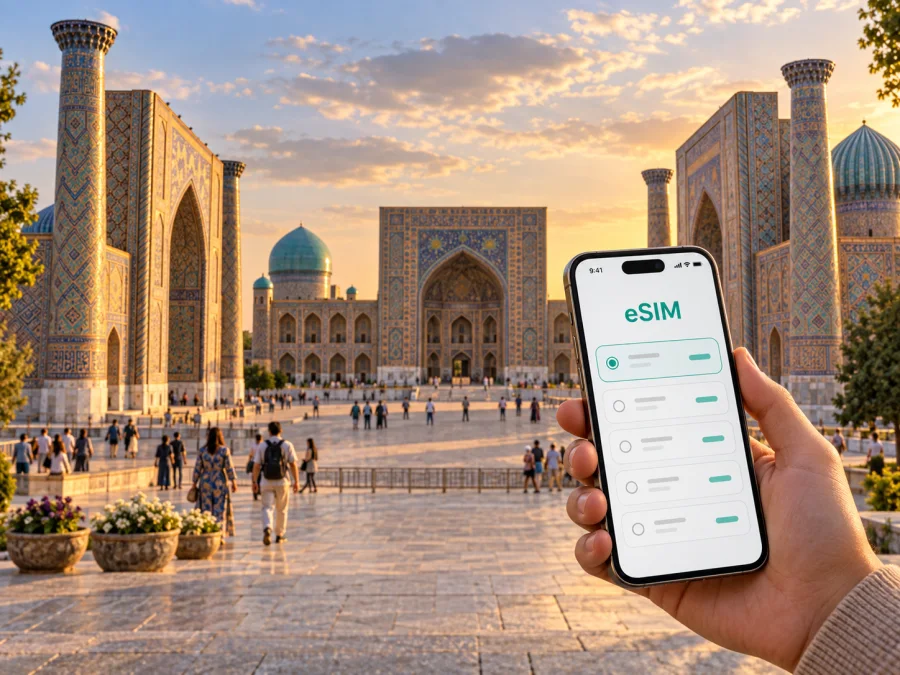
Samarkand eSIM: A Practical Guide to Mobile Connection and Internet
Samarkand rewards a little planning. The city’s great monuments sit within a broad urban area, and a day can move quickly from the airport or railway station to a hotel, then on to Registan Square, the old trading streets, a restaurant, and another landmark after sunset. A dependable way to check maps, messages, reservations, and transport details helps those transitions feel easier.
An eSIM is a digital SIM profile for a compatible phone. It can help you prepare mobile internet for Uzbekistan without swapping a physical SIM. Kaspersky eSIM Store is an app and website for choosing, purchasing, and activating an eSIM plan for mobile internet abroad. Terms depend on the plan you select.
Why mobile internet helps in Samarkand
Samarkand is not a city to experience from one square alone. The monumental ensemble at Registan is a natural reference point, but visits often extend to Gur-e-Amir, Bibi-Khanym Mosque, Siab Bazaar, Shah-i-Zinda, and the Afrasiab area. These places are spread across the city, so a map is useful for understanding distances and choosing whether to walk, take public transport, or arrange a car for the next leg.
Mobile data is useful in the small in-between moments as much as at a landmark. You may need to confirm a hotel entrance, message a driver, translate a menu, check a train detail, or find a nearby place to eat. If your plans change, online maps also make it easier to compare the route from where you are rather than returning to your accommodation to reconnect.
A city visit can include several kinds of travel in one day:
- Arrival: locate the onward transfer point, share your estimated arrival time, and find the hotel address.
- Sightseeing: move between the historic centre, the bazaar, and sites farther along the same day’s route.
- Meals and errands: check opening details provided by a venue, read a digital reservation, or send a location pin.
- Work: join a scheduled call from your hotel or keep colleagues updated while moving between meetings.
- Departure: confirm station or airport arrangements and keep the next address available offline as a backup.
The point is to have useful information ready when a route, meeting time, or pickup point needs attention.
Getting oriented after arrival
Samarkand International Airport is within the city, while the railway station serves travellers arriving by train from other Uzbek cities. Your first route will depend on which point you use, where your accommodation is, and whether you have arranged a transfer. Save the hotel address in both its written form and as a map pin before setting out; a saved pin can be easier to share than describing a street or entrance in a message.
Confirm the exact destination and pickup arrangement. A hotel may be close to a landmark while vehicle access is on another street, so use the property’s map pin. Keep the agreed meeting point visible and message your driver if arrival timing changes.
A simple arrival checklist:
- Keep the hotel name, address, and contact details accessible.
- Confirm the pickup point before leaving the terminal or station area.
- Check the route and estimated travel time in a map app, then follow local signs and instructions.
- Send your location only to the person or service you intend to meet.
- Once checked in, save the next day’s key stops and the route back to your accommodation.
Transport availability and travel times vary with the time of day, traffic, and destination. Check your route shortly before setting out and confirm any transfer with your hotel.
The historic centre: plan by clusters
Registan Square is the clearest starting point for many first-time itineraries. Its three madrassas create a strong visual centre, and the surrounding streets make it easy to continue on foot toward other central sights. Instead of pinning every stop as a separate cross-city journey, group nearby places together and leave time for pauses, meals, and the walk between them.
One useful cluster is Registan, Bibi-Khanym Mosque, and Siab Bazaar. The bazaar is an active market rather than a museum stop, so the pace and experience differ from a timed monument visit. A second cluster can pair Gur-e-Amir with central streets and a meal nearby. Shah-i-Zinda and the Afrasiab area work well as a separate outing because they sit farther from the main Registan cluster; check the map before deciding whether to combine them with other stops.
| Visit pattern | What it helps with | A practical mobile-data use |
|---|---|---|
| Registan and central streets | A first orientation walk | Keep a map pin for your return point and look up the next stop |
| Bibi-Khanym and Siab Bazaar | Combining architecture with market time | Share a meeting location if your group separates |
| Gur-e-Amir and nearby central stops | A focused visit with time for a meal | Check a reservation or message someone about a change |
| Shah-i-Zinda and Afrasiab | A longer visit away from the central cluster | Compare the outward and return routes before leaving |
| Hotel, station, or airport transfer | Moving between visitor logistics and sightseeing | Confirm the address and agreed pickup point |
Use this as a planning aid, not a timetable. Check current opening details and transport conditions before committing to a tight schedule.
Walking, vehicles, and the space between landmarks
The historic core is rewarding on foot, though a full itinerary may involve longer connections. Check that the map route reaches the entrance you need; walls, courtyards, and busy roads can make a short-looking route less direct on the ground.
For a longer leg, check the options available at that time. Samarkand has urban bus and tram services, taxis, and pre-arranged transfers. Routes and operating times can vary, so check current local information. If travelling by car, share a map pin as well as the destination name.
A working map and messaging app help if a visit runs long, your group separates, or you change the next stop. Keep your phone charged and download an offline map as a backup.
Choose accommodation with your routes in mind
Accommodation near the historic centre can simplify walks to major sights; a stay elsewhere may suit a longer visit, budget, or meeting location. Compare the actual address with your itinerary rather than relying only on labels such as “central” or “near Registan.”
Useful questions to ask before confirming a stay:
- Is the entrance easy to identify from the street, and can the property share a map pin?
- How will you travel between the property and the monuments you most want to see?
- Does the hotel provide Wi-Fi, and is mobile data useful as a backup for the journey and time outside?
- If you arrive by train or plane, can the property confirm a transfer or explain the best arrival point?
- Will you need to return to the hotel during the day, or can you plan an uninterrupted route between sights?
Check walking and vehicle routes separately, and use the property’s directions for the final approach.
A mobile-data plan for a city stay
Choose an eSIM plan around the way you expect to use your phone, not an imagined “average traveller.” A short visit built around saved maps and occasional messages has different needs from a work trip with video calls, frequent uploads, and cloud documents. Consider the length of your stay, whether you will visit places outside Samarkand, and how often you use data-heavy services.
A useful estimate begins with your habits:
| Your pattern | Likely sources of data use | Planning question |
|---|---|---|
| Light use | Maps, messaging, occasional searches | Can you download directions and media while connected to Wi-Fi? |
| Regular sightseeing | Navigation, translation, photos shared online | How often will you look up routes or send images during the day? |
| Work on the move | Email, document access, calls, hotspot use if supported | Does the selected plan fit your work tools and expected call length? |
| Multi-stop trip | Repeated route checks and travel coordination | Does the plan cover every country or region on your itinerary? |
Usage varies: video, photo backup, updates, and hotspot use consume more data than maps or text messages. Review the plan’s allowance, duration, destination, and conditions. Hotel Wi-Fi can be useful for large downloads, leaving mobile data for navigation and communication outside.
For a city-centred visit, compare options for Uzbekistan with your travel dates and expected use before you leave. Explore eSIM plan options for Uzbekistan and choose an allowance and validity period that suit the full itinerary. Kaspersky eSIM Store provides the app and website flow for selecting, purchasing, and activating an eSIM plan; connectivity itself depends on the selected plan and the local network conditions where you travel.
Prepare your eSIM before the trip
Install an eSIM before departure or when you have a stable connection. Before purchase, check whether your device supports eSIM and confirm it is not carrier-locked. Models can differ by market, so check your exact device.
Keep order and activation details available, and use Wi-Fi if installation requires it. Read the plan terms: validity and activation rules vary. Installing before travel can avoid needing an internet connection to complete setup after landing.
The installation guides are available for Android and iOS. Follow the guide for your operating system and the specific information shown with your plan.
A compact preparation checklist:
- Check device eSIM support and carrier-lock status.
- Confirm that the plan covers Uzbekistan and the dates of your visit.
- Review data allowance, validity, activation, and any roaming instructions.
- Install the eSIM while you have a reliable connection and time to follow each step.
- Keep your usual SIM settings clear so you know which line is selected for mobile data.
- Save important addresses and travel details for offline access as well.
An eSIM plan for mobile internet does not necessarily include a standard phone number, voice calls, or SMS. Check the plan details. If those services are not included, you can use internet-based messaging or calling apps when connected, while keeping another line available for calls if your device and plan allow it.
Getting around for work or a short stopover
Business visits leave less room for detours. Keep meeting addresses and contacts accessible, check routes between appointments, and allow time to find the entrance or meet a driver.
For a short stopover, choose one area, such as Registan and the nearby historic core. Leave a buffer for the return journey, especially if you have a meeting, luggage, or onward train.
A practical workday sequence might look like this:
- Confirm the first appointment’s address and entrance.
- Save the next meeting point and check whether the journey is walkable.
- Share a revised arrival estimate if the schedule changes.
- Use Wi-Fi for large files where practical and mobile data for coordination on the move.
- Recheck the route to your station, airport, or hotel before leaving the last stop.
Set routes before walking, then check again at junctions or when plans change.
Trips beyond Samarkand
If you continue to another Uzbek city by train, check the departure station, ticket, and arrival point. Allow time to transfer from the historic centre and verify the station name on the day.
If you continue to another city or cross a border, check that your selected eSIM plan covers the next destination as well as Uzbekistan. Do not assume that a plan for one country applies to a neighbouring country or that coverage conditions are identical across a route. Review the destination list, data allowance, and validity before you travel, and keep tickets and accommodation details available offline.
Download offline maps where available and keep accommodation and station details saved. These backups help if your battery runs low or service is limited.
Common questions
Is an eSIM useful for a short visit to Samarkand?
It can help if you need maps, messages, or reservations away from Wi-Fi. Suitability depends on your device, data habits, and plan terms.
Will an eSIM give me a local phone number?
Not necessarily. A mobile-data plan may not include a number, voice calls, or SMS. Check the plan details; internet calling apps use data.
Should I install the eSIM before arriving?
Installing before travel can simplify setup, provided you check when validity begins and follow the plan instructions.
What should I do if maps are unavailable?
Check that the intended eSIM is selected for mobile data and review the plan instructions, including whether data roaming must be enabled. Keep an offline map and saved hotel address as backups.
Choose an eSIM plan for Samarkand
Prepare your mobile internet before the journey: use Kaspersky eSIM Store to select, purchase, and activate an eSIM plan for your trip to Uzbekistan. Review the available Uzbekistan eSIM options and check the destination, data allowance, validity, and activation terms that fit your stay in Samarkand.


