Travel connectivity guide
Samsung Galaxy A36 128GB eSIM: compatibility
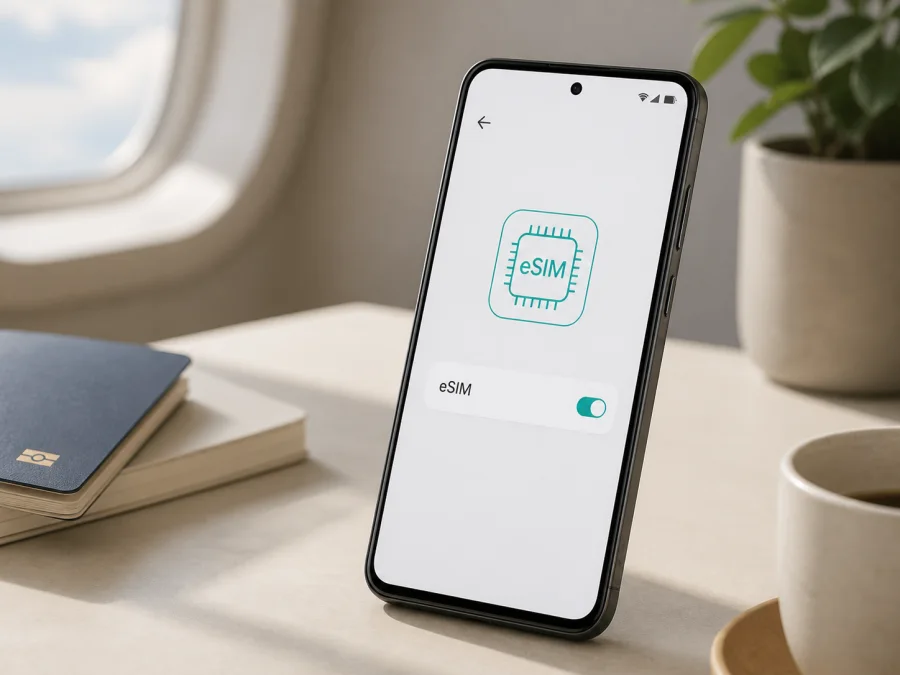
Samsung Galaxy A36 128GB eSIM compatibility and setup
If you are taking a Samsung Galaxy A36 128GB abroad, eSIM can make mobile data easier to arrange before departure or after arrival. It is a digital SIM profile stored in the phone, so you can add a travel data plan without removing the physical nano-SIM. That lets you keep your everyday line available while using a separate line for data in another country.
Samsung’s current official specifications list eSIM for Galaxy A36 5G variants, including an official 128GB configuration, while Samsung warns that service can vary by country and carrier. Confirm the phone’s EID and eSIM menu before buying a plan.
Direct answer: does Samsung Galaxy A36 128GB support eSIM?
Yes, a compatible Samsung Galaxy A36 128GB can use eSIM. Samsung’s product information for an official 128GB Galaxy A36 5G configuration lists an embedded SIM and combinations such as SIM 1 + SIM 2 and SIM 1 + eSIM.
However, a seller’s short product name is not proof. “Samsung Galaxy A36 128GB” identifies the family and storage, while the full model code, market, carrier configuration and software build determine what the handset actually supports. A regional version may have a different SIM tray or firmware, and a carrier lock can prevent a travel profile from being used even when eSIM hardware is present.
Treat the answer as “supported if this handset shows an EID and offers Add eSIM.” If either check is missing, pause before purchasing. Do not rely on a generic compatibility list, a marketplace title, the presence of 5G or another Galaxy A36 variant.
What eSIM does on this phone
An eSIM is an embedded, rewritable SIM. Instead of inserting a card, you download a mobile-plan profile using a QR code, an automatic activation flow or manual details supplied with the plan. The profile then registers on a supported network according to the plan’s conditions.
For travel, keep your main physical SIM for your usual number and select the travel eSIM for mobile data. A travel eSIM normally provides mobile internet rather than a local number; voice calls and SMS are included only if the plan says so. Check hotspot, tethering and data-roaming conditions.
Samsung Galaxy A36 128GB: compatibility details
| Item | What the device name tells you | What you must verify |
|---|---|---|
| Exact variant | Samsung Galaxy A36 128GB | Full model code and country of sale |
| Product family | Galaxy A36 5G family | Regional SIM and firmware configuration |
| Storage | 128GB | Storage alone does not prove eSIM support |
| RAM | Not included in the requested name | Market-specific configuration and model code |
| Physical SIM | Nano-SIM is listed for compatible dual-SIM versions | Actual tray and SIM manager |
| eSIM | Listed for compatible 128GB regional configurations | EID and Add eSIM in Settings |
| Networks | 4G LTE and 5G Sub6 support varies by model | Bands and plan coverage at the destination |
| Software | Android with Samsung’s One UI interface | Current update and menu wording |
| Lock status | May differ for carrier-sold phones | Unlocked-device confirmation |
RAM is not assigned a number because it is not in the requested name and can differ by market. Do not turn Samsung Galaxy A36 128GB into another memory, color or regional variant.
Why region, carrier and software matter
Samsung’s specifications are market-specific. One country page can list Nano-SIM and Embedded-SIM together, while another may show a different SIM combination. Samsung support says eSIM service may vary by country and carrier, so check your unit.
Regional model codes can have different trays, firmware packages and bands. One territory may expose SIM 1 + eSIM while a related configuration prioritizes two physical SIMs. A plan may use a QR code, automatic download or manual activation and has its own destination and network rules. An update cannot be assumed to add unsupported hardware.
How to verify eSIM compatibility on the handset
Use Wi-Fi for this check; you do not need to buy a plan or scan a QR code.
- Open Settings.
- Tap Connections.
- Open SIM manager or SIM card manager. Wording varies by One UI version and language.
- Look for Add eSIM, Add mobile plan or a similar option.
- Go to Settings → About phone → Status information or Status and look for EID. Samsung also notes that the EID may be printed on the original box.
- If both are present, record the information privately for support or provisioning. Do not publish a full EID.
EID is the identifier for the embedded SIM; it is not the IMEI, serial number, phone number or activation code. A carrier may ask for it, although a QR-code installation often does not require manual EID entry.
If Add eSIM appears but EID does not, restart the phone, install any pending official update and check again. If EID exists but the menu is missing, the feature may be restricted by the region, carrier, software or a work policy. If neither appears, assume this handset is not ready for eSIM until Samsung or the seller confirms otherwise.
You can use the Check your device checklist before selecting a plan. This prevents purchasing a profile that cannot be installed.
Compatibility checklist before purchase
- [ ] The phone is the exact Samsung Galaxy A36 128GB variant you intend to use.
- [ ] The full model code and sales market are known.
- [ ] EID is visible under About phone and Status information.
- [ ] Add eSIM or Add mobile plan appears in SIM manager.
- [ ] The phone is unlocked, or travel eSIM use is confirmed by the original carrier; Wi-Fi is available.
- [ ] The plan covers every country, region or route, with enough allowance and validity.
- [ ] You know when validity starts and whether roaming or hotspot use is allowed.
- [ ] Roaming is off on the home SIM unless intended, and the QR code can be shown on another screen.
If any of the first four boxes fails, do not purchase simply because a listing says “Galaxy A36.” If the phone passes but the destination or plan check fails, the issue is with the plan match rather than the eSIM hardware.
How to install and activate an eSIM
Install before departure when possible, while you have stable Wi-Fi and time to request help. Downloading the profile and connecting to a local network are not always the same event. Read the plan conditions so you know when its validity begins.
Prepare the phone and plan
- Charge the Samsung Galaxy A36 128GB and connect it to reliable Wi-Fi.
- Complete a normal Android and One UI update if one is offered.
- In the Kaspersky eSIM Store app or website, review the destination, allowance, validity, activation rule and restrictions.
- Keep the QR or activation code ready on a second screen, label the lines “Home” and “Travel,” and decide which line should provide data.
After these checks, Kaspersky eSIM Store can help you choose, arrange and activate an eSIM with a suitable mobile-data plan for a foreign trip. It is an app and website for that preparation and management; it is not a mobile operator, network owner or mobile-internet provider.
Install with a QR code
- Open Settings → Connections → SIM manager and tap Add eSIM or Add mobile plan.
- Choose Scan QR code from service provider and scan the code supplied with the plan.
- Wait for the profile to download, confirm its name and label it “Travel” or with the destination.
- Choose the travel eSIM as mobile data if you want the home SIM for calls or messages, then finish activation.
- Remember that a profile can appear in SIM manager before it registers on a destination network.
Samsung also describes two alternatives. A pre-assigned plan may download automatically after you tap Add eSIM. If the plan supplies an activation code, choose Add using activation code and enter it exactly. Do not guess an address, add spaces or reuse a one-time code.
For detailed device steps, see the Android eSIM installation instructions. The corresponding iOS eSIM installation instructions are useful when comparing platforms or helping another traveler. These links explain installation; compatibility for Samsung Galaxy A36 128GB still comes from the handset’s EID and SIM manager.
Activate mobile data for the trip
Open Settings → Connections → SIM manager, select the travel profile and turn it on. In mobile-data settings, choose the travel eSIM. If the plan requires data roaming, enable it for that profile only. Keep roaming off on the home line unless you deliberately want to use it abroad.
When you arrive, allow a few minutes for registration, then test a simple webpage with Wi-Fi disabled. If the plan gives a network-selection instruction, follow it rather than guessing. Do not delete a profile while troubleshooting: a single-use QR code may not work again, and removing a profile does not necessarily cancel the plan.
Travel scenarios for Samsung Galaxy A36 128GB
Arrival and airport use
If the plan permits pre-installation, set it up at home and wait to activate it according to the plan’s rule. After landing, turn on the travel eSIM, select it for data and use maps, translation, transport apps and messages without searching for public Wi-Fi. Keep the home SIM available only if its roaming conditions suit you.
Short city trip
Compare duration as well as gigabytes, use Wi-Fi for large downloads where practical and monitor usage in Android’s data settings or the plan profile.
Multi-country route
Confirm every stop before selecting a country, regional or route plan. At each border, check the active data line, roaming and network selection; coverage in one country does not automatically extend to the next.
Work and hotspot
Hotspot and tethering depend on the plan. If allowed, set a data warning and pause automatic backups because a laptop can consume a package quickly.
An eSIM does not automatically change your phone number. Internet calling and messaging use data; ordinary calls and SMS follow the selected line and its carrier conditions. If verification depends on your home number, confirm how you will receive the message without accidentally enabling costly roaming.
Troubleshooting common problems
The eSIM option or EID is missing
Check About phone → Status information, restart and install pending official updates. Confirm the full model code and market. If EID and Add eSIM remain absent, ask Samsung or the seller about the exact unit.
The QR code will not scan
Use Add eSIM inside SIM manager, increase the second screen’s brightness and hold the phone steady. Display the code elsewhere if necessary. Use manual activation only with details supplied by the plan; never invent an SM-DP+ address.
The profile downloads but will not activate
Check Wi-Fi, date and time, destination, activation window and whether the QR code was already used. A carrier lock or regional build can cause the same symptom. Restart once, then contact support with model code, software version and error message.
The profile is active but there is no internet
In SIM manager, confirm the travel profile is on and selected for mobile data. Check Airplane mode, mobile data, roaming and automatic data switching. Use manual network or APN values only when provided by the plan.
Data uses the wrong line
Select the travel eSIM under Mobile data, disable roaming on the home SIM and turn off automatic switching. With Wi-Fi off, check the line indicator with a small test.
Service disappears after a border crossing
Check that the new country is included. Toggle the travel profile off and on, restart and confirm roaming. If service does not return, contact support before deleting the eSIM.
FAQ
Is 128GB enough to determine eSIM support?
No. Storage is part of the variant, but eSIM depends on regional and carrier configuration. Samsung lists eSIM for compatible 128GB Galaxy A36 5G configurations; EID and Add eSIM show what your handset exposes.
Can I use a physical SIM and eSIM together?
Compatible configurations list dual-SIM combinations involving a nano-SIM and eSIM. The available combination depends on the market, software and carrier, so choose the travel eSIM for data deliberately.
Does the travel eSIM include a phone number?
Not necessarily. These plans are generally for mobile internet; voice calls and SMS are included only when expressly stated.
Can I transfer the eSIM to another phone?
Do not assume it. Some profiles have single-installation or transfer rules. Check conditions or ask support before removing it from Samsung Galaxy A36 128GB.
Key takeaways
Samsung Galaxy A36 128GB can be eSIM-compatible, and current official Samsung specifications list the function for compatible 128GB regional versions. Confirm EID, Add eSIM, unlock status and destination coverage; storage and 5G alone are not enough.
Final device check and travel eSIM
Before payment, verify the EID, open SIM manager, confirm Add eSIM, check the complete model code and ask about carrier unlocking. Then use the Kaspersky eSIM Store app or website to choose and arrange an eSIM with a suitable mobile-data plan for the country, region or route of your trip. Compare the allowance, validity and activation rule, install it with a reliable connection and activate mobile data on the travel profile when ready.
First prove that Samsung Galaxy A36 128GB can accept the profile, then choose the travel eSIM that fits the journey. If a regional detail is unclear, obtain confirmation before purchase.


