Travel connectivity guide
Samsung Galaxy S20 128GB eSIM Compatibility
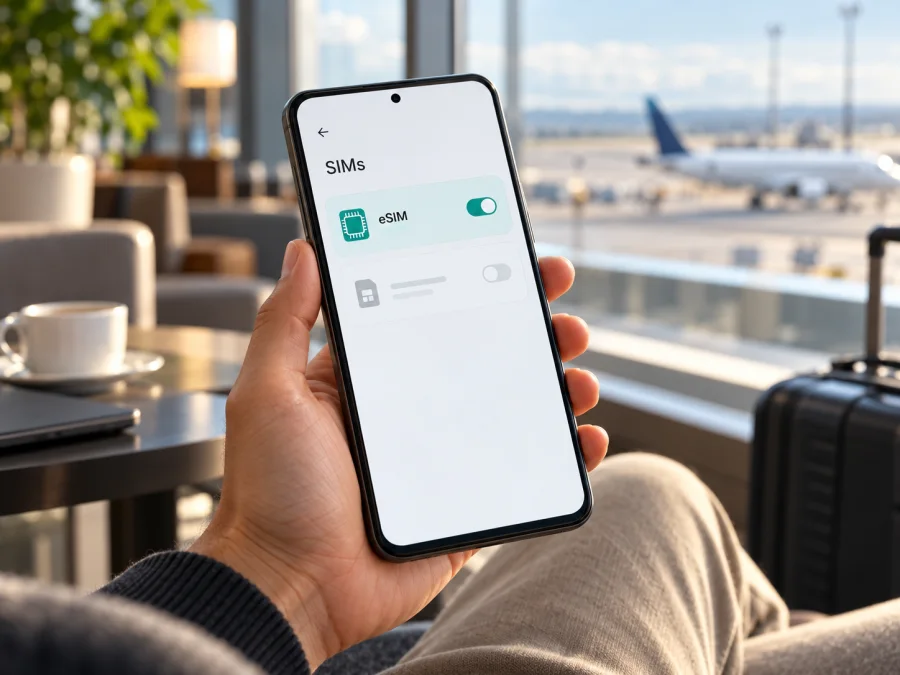
Samsung Galaxy S20 128GB eSIM: compatibility and setup
The Samsung Galaxy S20 128GB may support eSIM, but “128GB” alone does not identify the phone’s regional model or software configuration. Samsung lists Galaxy S20 models as eSIM-capable, while also warning that availability can depend on the country of origin and mobile carrier. So the useful answer is conditional: an eligible Galaxy S20 128GB can use eSIM, but you should confirm the exact handset in its settings before choosing a travel plan.
That check matters for an older phone or a device bought second-hand or imported. Two phones sold with the same storage can have different model numbers, firmware, carrier settings, and eSIM menus. A plan’s destination coverage is a separate question from whether the handset can install an eSIM profile.
Does Samsung Galaxy S20 128GB support eSIM?
Samsung’s support information for the Galaxy S20 range lists eSIM support for the S20 and S20 5G, and its current Galaxy eSIM guidance includes the Galaxy S20 family among supported devices. The same guidance says eSIM may not be supported in every country of origin. That means the family-level listing is useful evidence, but it cannot certify every individual 128GB unit.
| Item | What can be said about this variant |
|---|---|
| Name supplied | Samsung Galaxy S20 128GB |
| Storage in the name | 128GB; this does not uniquely identify the regional SKU |
| eSIM status | Supported on listed Galaxy S20 versions, but not guaranteed for every market or carrier configuration |
| Physical SIM | Galaxy S20 models use a Nano-SIM tray; tray options can vary by version |
| Proof to check on your phone | An EID and an Add eSIM option in Settings |
| Before buying a travel plan | Confirm the exact phone, carrier unlock status, destination and plan conditions |
The table deliberately does not infer a processor, 4G or 5G capability, RAM amount, or model code from “128GB.” Those details depend on the specific unit and are not part of the name provided here. The article is about the exact Samsung Galaxy S20 128GB query, not a claim that every Galaxy S20 variant behaves identically.
Why regional and carrier versions can differ
Samsung sells phones for different markets and through different carriers. The shared “Galaxy S20” name describes a family, not one universal hardware and firmware package. The model code printed in Settings or on the original packaging is more useful when checking a particular phone. A carrier-branded model may also carry its own software configuration, and a handset that has been imported may have originated in a country where eSIM availability differs.
Check the EID and eSIM menu yourself
Before purchasing a plan, use both checks below. Menu wording may differ with Android version, One UI version, carrier software, or language. You can use Settings search for “EID,” “SIM manager,” or “eSIM” if a label is not where you expect.
- Look for the EID. Open Settings → About phone → Status information (on some releases the path may be About phone → Status). Look for an EID, a long identifier associated with the embedded SIM. Samsung says the EID may also be printed on the phone’s box. Treat it as device information: share it only with a provider that needs it for setup.
- Look for Add eSIM. Open Settings → Connections → SIM manager. Check for Add eSIM or a similar option. If you see only physical SIM controls, search Settings once and restart the phone before deciding that the feature is absent.
- Check the software and model code. In Settings → About phone, note the model number. In Settings → Software update, check whether an update is available, then restart and check the SIM manager again. An update may correct menus or carrier configuration, but it is not a promise that an unsupported regional model gains eSIM.
- Confirm the carrier lock. If you have a working SIM from another carrier, test it if convenient, or ask the original carrier to verify the lock status. A phone being able to use one physical SIM does not prove that it is unlocked.
- Ask Samsung or the seller about the exact code. If the EID or menu is missing or the results conflict, give support the model number and country where the phone was sold. Ask whether that precise variant supports eSIM in its current software configuration.
Quick compatibility checklist
- [ ] The exact model code is recorded, not just “Galaxy S20 128GB.”
- [ ] An EID appears in the phone’s status information or on its original box.
- [ ] Settings → Connections → SIM manager offers Add eSIM.
- [ ] The phone is not locked to a carrier that blocks the intended profile.
- [ ] The chosen plan supports the country or region on your itinerary.
- [ ] You have stable Wi-Fi or another internet connection for installation.
If you have verified the device but still want a second check, check your device. Make this check before you pay for a plan. A model-family support list is a starting point; the menu and EID on your own handset are more decisive for the specific unit.
What to check before selecting a travel eSIM
To browse current destination options and check the plan details for your route, visit Kaspersky eSIM Store. It is an app and website where you can choose, complete and activate an eSIM with a mobile-data plan for an international trip. Confirm the destination, data allowance, validity, activation timing, hotspot conditions, and any device requirements shown for the plan before proceeding.
Install and activate an eSIM on Samsung Galaxy S20 128GB
- Open SIM manager. On the phone, go to Settings → Connections → SIM manager.
- Start adding a profile. Tap Add eSIM. Depending on software and carrier, the wording may instead refer to adding a mobile plan.
- Choose an installation method. Select Scan QR code and scan the code supplied with your plan. If scanning is unavailable, choose the manual activation-code option only when the provider has supplied the required details.
- Wait for the download. Keep the phone connected to Wi-Fi while the eSIM profile downloads. Follow the on-screen prompts to finish adding it. If Android asks for a label, use a clear name such as “Travel data.”
- Choose when to use it. In SIM manager, make sure the new profile is enabled. You can leave it installed and disabled until you are ready, if the plan’s activation terms allow this.
- Set mobile data to the travel eSIM. Open Settings → Connections → SIM manager and choose the new eSIM under Mobile data. Keep your usual line selected for calls and texts if you still need it, and check that data switching will not route data through your home SIM unexpectedly.
- Follow the plan’s network settings. Once at the destination, turn on mobile data for the eSIM. Some travel eSIMs require Data roaming to be enabled on that eSIM profile. This is a setting that allows that profile to connect to a partner network; it does not change the plan’s data allowance. Follow the specific plan instructions and keep roaming disabled on your home line if you want to avoid using its roaming service.
- Allow time for registration. The profile may take several minutes to connect after installation or arrival. If the plan provides an APN, use the exact value and steps supplied for that plan rather than guessing.
For a more detailed Android walkthrough, see Kaspersky eSIM Store’s Android installation instructions. The iOS installation guide is intended for iPhone users and is included for travelers managing more than one device; it is not the setup path for this Samsung phone.
Use the eSIM for data during a trip
Hotspot use can be useful for a laptop or another device, but only use it if both the phone and the plan permit tethering. A hotspot can use data quickly, particularly for cloud backups, system updates, video meetings, and streaming. Consider pausing automatic downloads, photo backups, or app updates until you are on Wi-Fi if you want to manage the allowance.
Common problems and what to try
There is no Add eSIM option. Check for an EID and verify the model code. Install any available official software update, restart, and search Settings again. If the option remains absent, ask Samsung or the seller whether the exact regional variant supports eSIM. Do not buy on the assumption that the menu can be added later.
The QR code will not scan. Increase screen brightness on the device displaying it, clean the camera lens, and hold the camera steady. Make sure the QR code is for the eSIM purchase you are installing and has not already been used. If the camera cannot read it, use the manual method only when the provider gives a manual activation code. Do not post the QR code publicly.
The profile download fails. Check that Wi-Fi works, disable any captive portal that needs a browser sign-in, restart the phone, and try again once. Confirm that the profile has not already been installed on another device and that the code has not been consumed. If the error continues, contact the plan’s support team with the error text and order details; never send passwords or account login codes.
The eSIM installs but shows no service. Confirm that the profile is switched on and supported at your current location. Select it for mobile data, check airplane mode, and wait briefly for network registration. If required by the plan, enable data roaming on the travel profile and verify the APN. Restart once if settings are correct. A profile may not connect before reaching a destination covered by the plan.
The phone connects but data does not work. Make sure the travel eSIM, not the home SIM, is selected for mobile data. Check the plan’s remaining allowance and validity in the account where you arranged it. Confirm any APN instructions exactly. If your phone has two active SIMs, disable automatic data switching temporarily so you can see which line is supplying data.
The phone is locked or the original carrier is unclear. A carrier lock is controlled by the carrier that applied it. Ask that carrier to confirm the lock status and available unlock process. Changing the data line, restarting, or scanning another QR code will not remove a network lock.
The signal is weak or intermittent. Move to an area with better reception, toggle airplane mode briefly, and allow network selection to refresh. Buildings, underground transport, distance from a cell site, and local network conditions can affect service. If the plan permits manual network selection, follow its instructions; do not assume that another network is included.
Practical travel scenarios
Frequently asked questions
Is Samsung Galaxy S20 128GB definitely eSIM-compatible?
Not from the storage name alone. Samsung lists Galaxy S20 models as supporting eSIM, but says availability can depend on country of origin and carrier. Confirm the EID and Add eSIM menu on the exact phone and check its model code.
Can I use eSIM and a physical SIM at the same time?
The available combinations depend on the exact S20 version and software. Samsung’s UK S20 guidance says supported models can use a physical SIM and eSIM, but no more than two SIMs can be active at once. Check SIM manager on your phone and do not assume that two physical SIMs plus eSIM can all operate together.
Will a travel eSIM give me a phone number?
Usually a travel data plan is for mobile internet and does not include an ordinary phone number, calls, or SMS unless its terms say otherwise. You can keep using internet messaging or calling apps where your accounts and connection allow.
Should I enable data roaming?
Only for the profile that needs it, and only when its instructions require it. Some travel eSIMs need data roaming to connect to a local network. Check that mobile data is assigned to the travel eSIM and review your home operator’s roaming settings separately.
Is eSIM setup the same on every Galaxy S20?
The general path is usually Settings → Connections → SIM manager, but the labels and available options can vary by software, carrier and region. If Add eSIM is missing, verify the exact model and ask Samsung or the seller rather than following instructions for a different S20 variant.
Final check before you travel
For Samsung Galaxy S20 128GB, treat eSIM compatibility as something to verify on the exact handset. Samsung’s model-family information is positive, but regional availability can differ. Check for the EID, find Add eSIM in SIM manager, confirm the phone is carrier-unlocked, and make sure the plan includes every destination on your itinerary.
Once those checks pass, Kaspersky eSIM Store can help you choose, complete and activate an eSIM with a mobile-data plan for an international trip. Review the plan’s destinations, allowance, validity, activation timing, and tethering conditions before you proceed. Install over a stable connection, assign mobile data to the travel eSIM when you are ready, and follow any profile-specific roaming or APN instructions. If compatibility is uncertain, resolve it with Samsung or the seller before purchasing; if the phone does not support eSIM, use a supported device or another suitable connection option.


