Travel connectivity guide
Samsung Galaxy S21+ 5G 128GB eSIM: Compatibility
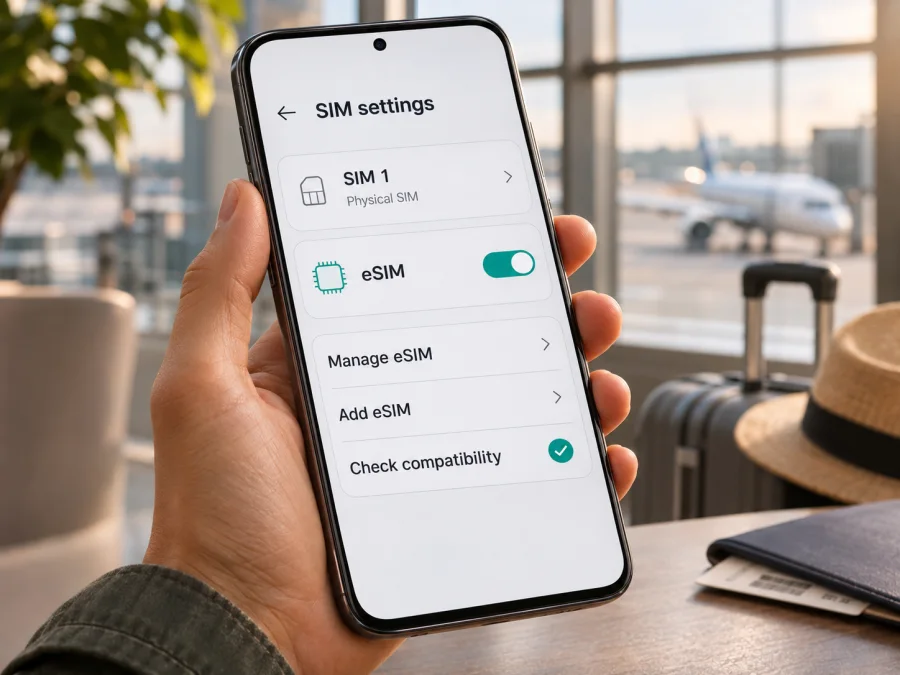
Samsung Galaxy S21+ 5G 128GB eSIM: compatibility and setup
The Samsung Galaxy S21+ 5G 128GB belongs to a phone family that Samsung lists as supporting eSIM. That is a useful starting point, but it cannot confirm every individual handset: eSIM availability can differ by the country the phone was made for, its exact model code, carrier configuration and installed software. Before choosing a travel plan, check the settings on your own phone and confirm that it is not locked to a carrier.
The 128GB storage option does not by itself determine eSIM support. Samsung’s published specifications for the US unlocked Galaxy S21+ 5G list an embedded SIM alongside the physical SIM slot, while Samsung’s current eSIM guidance cautions that a listed Galaxy model may still lack eSIM in some countries of origin. Because the request does not identify a country, model code or operator, the practical answer is: the S21+ 5G family supports eSIM, but verify the exact 128GB unit before purchase.
Quick compatibility summary
| Item | What to know |
|---|---|
| Device named in this guide | Samsung Galaxy S21+ 5G 128GB |
| Family-level eSIM status | Samsung includes Galaxy S21+ in its eSIM-capable Galaxy list |
| Exact-unit status | Depends on regional variant, model code, carrier configuration and software |
| Storage capacity | 128GB is a storage option; it is not a separate eSIM feature |
| Settings path to check | Settings → Connections → SIM manager → Add eSIM |
| What to confirm before a travel plan | An EID or Add eSIM option, carrier-unlocked status, destination and plan terms |
Samsung’s menu names can vary slightly by One UI version and mobile operator. A phone showing “Add eSIM” is a stronger indicator than the family name alone, though you should still ensure the phone is unlocked and the intended plan is supported.
Does the Samsung Galaxy S21+ 5G 128GB support eSIM?
At the model-family level, yes: Samsung’s current Galaxy eSIM compatibility information includes Galaxy S21 and Galaxy S21+ among supported devices. Samsung’s US product specification for the unlocked Galaxy S21+ 5G also identifies its SIM type as “SIM 1 + Embedded SIM.” These details support eSIM availability for supported variants; they do not establish that every handset sold under the same retail name has the feature enabled.
There is no single region-independent answer for an unspecified 128GB unit. The “128GB” label describes storage, not the eSIM hardware or firmware. Devices with the same marketing name may have different model codes for different markets, and carrier-sold devices can have different software or network restrictions. A later update may change available menu wording, but it should not be assumed to add eSIM support to a variant that lacks it. Check your device itself rather than relying only on a listing, box description or another owner’s phone.
A useful way to think about the result is:
- “Add eSIM” is present and an EID is displayed: the handset has a usable eSIM facility; check carrier lock status and plan compatibility next.
- The phone is in Samsung’s supported family list, but the option is missing: regional, carrier or software differences may apply. Check the model code, install available official updates and ask the seller or original carrier to confirm the exact unit.
- No EID and no eSIM option after those checks: treat eSIM support as unconfirmed. Do not buy a plan on the assumption that the Galaxy S21+ name guarantees it.
A plan provider cannot override missing device support or a carrier lock. If you cannot confirm compatibility before travel, use a supported alternative such as an unlocked phone that explicitly shows an eSIM option, or ask your home carrier about roaming on your existing SIM.
Regional and carrier versions: what can vary?
Samsung devices are sold in market-specific variants. Find the complete code under Settings → About phone → Model number and compare it with the original box. Galaxy S21+ models use an SM-G996 family identifier followed by market-specific characters; the whole code is useful when asking Samsung, the seller or the original carrier about eSIM.
Samsung cautions that eSIM may be unavailable in some countries of origin even when a model family appears on its support list. Carrier-sold phones can also have a SIM lock or restricted eSIM provisioning. An EID confirms that the handset has eSIM capability, but does not prove that another provider’s profile will be accepted while the device is locked.
The operator market matters as well: the selected plan must cover your destination and support the device. A 5G-capable phone does not guarantee 5G on every travel plan; the regional variant, local network and plan determine available service. Before buying an imported or second-hand phone, ask for its full code and a live demonstration of SIM manager → Add eSIM and the EID.
How to check eSIM on your phone
Check the handset before buying a plan, with the phone connected to Wi-Fi if you need an update.
- Record its identity: open Settings → About phone and note the complete model code and country of sale.
- Check SIM manager: open Settings → Connections → SIM manager and look for Add eSIM. Wording can vary by One UI version. Do not proceed into installation until ready.
- Look for an EID: enter
*#06#in the dial pad, or search Settings for “EID” / check About phone → Status information. If available, an EID should appear with the device identifiers. Keep EID and IMEI private. - Update and restart: use Settings → Software update → Download and install, then check SIM manager again. An update may resolve a software issue but cannot guarantee support on every regional version.
- Confirm the lock and plan: ask the original carrier whether another provider’s eSIM is allowed. Verify destination coverage, validity, data amount and activation rules with the plan seller.
Before purchase, use this quick compatibility checklist:
- [ ] The complete model code and country of sale are known.
- [ ] Add eSIM appears in SIM manager, or an EID is shown in device information.
- [ ] The phone is not carrier-locked against the intended plan.
- [ ] The plan covers the destination and its validity and activation terms fit the trip.
If “Add eSIM” and EID are both missing, treat support as unconfirmed and ask Samsung or the seller about the exact variant before purchase. Check your device compatibility.
Before you install: prepare the phone and the trip
An eSIM profile is downloaded to the device, so install it on the phone you will carry. Do not delete it as a troubleshooting shortcut: some QR codes are single-use. Before departure, confirm the device and carrier lock, arrange reliable Wi-Fi for setup, keep the activation details available, and review the plan’s destination, data, validity and activation timing.
If you keep a physical SIM for calls or texts, use SIM manager to choose which line handles mobile data. Disable automatic data switching if you want to avoid unintentional use of the home SIM. Check your home operator’s roaming charges before leaving that line active.
How to install and activate an eSIM on Galaxy S21+
Samsung’s menu labels can vary by software and carrier. Follow the plan’s own instructions, stay on reliable Wi-Fi, and use only the QR code issued for your purchase.
- For Samsung’s Android flow, see the Android eSIM installation guide. For setup on an iPhone, see the iOS eSIM installation guide.
- On the phone, open Settings → Connections → SIM manager → Add eSIM. If the option is missing, pause and recheck compatibility.
- Choose Scan QR code, or use the manual/app installation method supplied with the plan. Follow the prompts to download the profile.
- Label and enable the new profile. In SIM manager, select it for Mobile data and leave your regular line selected for calls if needed.
- At the destination, enable Data roaming for the travel eSIM only if its instructions require it. Allow a few minutes to register. Enter an APN or select a network only when the plan instructions specify the details.
- Turn off Wi-Fi briefly and test a lightweight webpage. Confirm that the travel eSIM is selected for data and that the plan is active.
Profile installation, plan activation and the start of data usage can be separate events. Check the terms for the selected plan so you know whether its validity starts at purchase, installation, first connection or a scheduled time.
Using the eSIM during a trip
For a single-country stay, choose a plan that covers the destination and matches the trip length and expected use. Maps, messages and browsing usually consume less data than video streaming, cloud backups or hotspot use. For a multi-country route, confirm every stop is included; a plan covering one country may not include a neighboring country, layover or territory.
After arrival, enable the travel profile and set it as the mobile-data line. Keep your regular SIM for your usual number if required, but check roaming fees and disable automatic data switching if necessary. Many travel plans are data-only and do not provide a regular number, voice calls or SMS; internet calls and messages can work through apps using the eSIM data connection.
Kaspersky eSIM Store is an app and website that helps you choose and activate an eSIM with a suitable mobile-data plan for an international trip. Once compatibility is confirmed, you can browse current travel eSIM options and compare destination, data, validity and activation terms. Mobile service is delivered through the applicable network provider.
Troubleshooting common issues
- “Add eSIM” is missing: check the full model code, country of sale, updates and EID. If both the menu and EID are absent, ask Samsung or the seller to confirm the variant before buying a plan.
- The QR code will not scan: increase the brightness of the screen displaying it, clean the camera lens and scan from SIM manager. If it is displayed on the same phone, use the provider’s app or manual method. Check whether the code has already been used.
- The profile installs but there is no signal: confirm the eSIM is enabled and selected for mobile data; turn off airplane mode; restart; check destination coverage and validity. Apply roaming, network or APN settings only as instructed by the plan.
- Signal appears but data does not work: switch Wi-Fi off, confirm mobile data is assigned to the travel eSIM and check that the plan has started and has remaining data. Disable automatic data switching while troubleshooting.
- Data works but calls or SMS do not: the plan may be data-only. Keep your regular SIM enabled if you need its number and check home-carrier roaming charges.
If the problem continues, contact the plan provider with the model code and a description of the screen. Do not share an activation QR code, EID or IMEI publicly.
FAQ
Does every Samsung Galaxy S21+ 5G 128GB have eSIM?
No. Samsung lists the S21+ family as eSIM-capable, but support may depend on the country of origin and exact variant. Check the EID and Add eSIM on your own phone, then confirm it is unlocked.
Does 128GB identify the eSIM version?
No. It is the storage capacity and does not establish eSIM support.
Can I keep using my physical SIM?
Supported variants can use a physical SIM with eSIM, but available dual-SIM functions vary. Use SIM manager to choose the data line and check roaming fees with your home carrier.
Does a travel eSIM include a phone number?
Many are data-only. Check the plan terms; you can often keep your normal number on the physical SIM and use messaging apps over mobile data.
When should I install the profile?
Install before departure only if the plan permits it. Read when validity begins because purchase, installation and first data use may be different events.
Will 5G work with every eSIM plan?
No. The local network, plan and regional phone variant determine whether 5G is available; the phone may use LTE instead.
What if I cannot confirm the variant?
Ask Samsung, the original carrier or seller to check the full model number and EID. If support remains unclear, use a confirmed compatible unlocked device or ask your home carrier about roaming.
Final check before you travel
For the Samsung Galaxy S21+ 5G 128GB, the family-level answer is eSIM-capable, with regional and carrier qualifications. Your own handset is ready only when its settings show an eSIM option or EID, its carrier status allows another provider’s profile, and the plan covers your destinations. Check all three before purchase, install the profile using the supplied instructions, and select the travel eSIM for mobile data when you want to use it. Then choose a plan by destination, trip length, data needs and activation rules—not by the phone’s 5G or 128GB label alone.


