Travel connectivity guide
eSIM for Samsung Galaxy S21 Ultra 8GB RAM
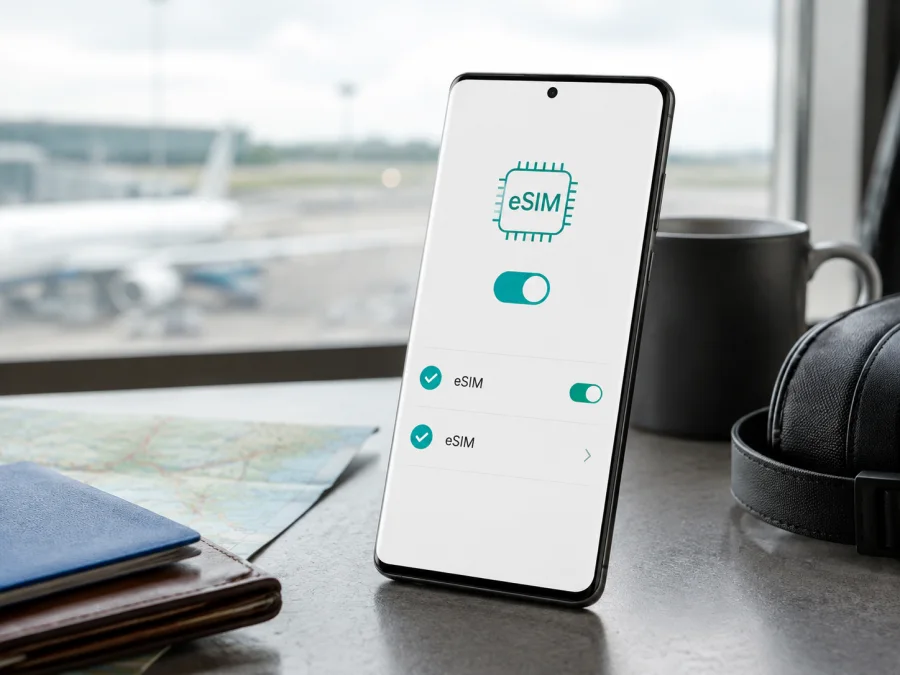
eSIM for Samsung Galaxy S21 Ultra 8GB RAM
If you have a Samsung Galaxy S21 Ultra 8GB RAM and want mobile data while travelling, the short answer is: eSIM support is available on supported Galaxy S21 Ultra variants, but the RAM amount or product name alone cannot guarantee it. Samsung's current support guidance lists Galaxy S21 Ultra among Galaxy phones that support eSIM and states that eSIM service can vary by country, carrier, model and software version. The decisive check is therefore the actual phone in your hand: its model number, firmware and SIM Manager menu.
For a trip, eSIM can help you prepare mobile data without removing your everyday physical SIM. Kaspersky eSIM Store is an app and website where you can choose a destination, arrange an eSIM with a travel data plan and activate it on a compatible phone. It is not a mobile operator, network owner or provider of mobile internet.
At a glance
| Check | What it means for Samsung Galaxy S21 Ultra 8GB RAM |
|---|---|
| Exact device name | Samsung Galaxy S21 Ultra 8GB RAM. |
| eSIM | Supported on listed Galaxy S21 Ultra variants, subject to market, carrier and software availability. |
| RAM | 8GB is the memory detail in the requested name. RAM does not switch eSIM on or off. |
| SIM use | A compatible unit may use eSIM with a physical SIM; available combinations vary. |
| Travel data | The installed eSIM can be selected as the mobile-data line. |
| Calls and SMS | A travel data eSIM normally does not add a phone number, calls or SMS unless its plan says otherwise. |
| Main warning | An operator lock or regional restriction can prevent another eSIM from working. |
Does Samsung Galaxy S21 Ultra 8GB RAM support eSIM?
Samsung's current Galaxy eSIM support guide lists the Galaxy S21, Galaxy S21+ and Galaxy S21 Ultra families among compatible Galaxy phones. Samsung's specifications for S21 Ultra variants also show a SIM configuration that includes an embedded SIM. These manufacturer details support a practical answer of “yes, on supported variants.” They do not prove that every retail unit sold under a similar name exposes the feature.
Samsung explicitly warns that eSIM service may vary by country and carrier. A network must support eSIM activation, and the phone's software must show the required controls. Carrier-branded and unlocked versions can have different capabilities. Menu wording can also change with One UI updates. For that reason, use the family-level information as a starting point and the handset's EID or Add eSIM option as the final check.
There is a naming detail worth keeping clear. Some catalogues append “5G” to the family name, while the requested name is Samsung Galaxy S21 Ultra 8GB RAM. This article preserves the supplied wording. A 5G label, RAM label or storage label is not an eSIM test; the model number and settings are more reliable.
Why 8GB RAM does not decide compatibility
RAM describes working memory for apps and system tasks. eSIM capability depends on the built-in eSIM component, regional configuration, carrier restrictions and software. Two phones with the same RAM can expose different SIM features, while different storage or memory configurations can share eSIM support when they belong to the same supported regional variant.
Regional, carrier and software differences
The same family name can cover different market configurations. Carrier firmware may limit activation methods, and an operator lock may reject a travel eSIM from another provider even when the phone has eSIM hardware. One UI can use different labels after an update, so the model code and current settings matter more than an old screenshot. Device support also does not mean that every plan covers every country: check destination, route, data allowance, validity and activation rules separately.
An absent Add eSIM option is a warning, not an invitation to force the installation. It may signal a regional or carrier limitation, unsupported software or a different menu path. Confirm the device before you pay for a plan.
Why eSIM can help in a trip
An eSIM can be useful when you want mobile data after landing without finding a physical SIM shop or opening the SIM tray. If the configuration allows it, keep your everyday number on the physical SIM and select the travel eSIM for mobile data. The exact dual-SIM behaviour depends on the model, market and carriers involved.
Maps, translation, ride-hailing, two-factor sign-in, messaging and booking apps can all benefit from a data connection. For a business trip, install the profile before departure and leave it off until arrival when the plan permits delayed use. For a multi-country route, check that the regional plan includes every country; the phone's 5G branding does not decide this. Some plans start validity on installation, others on first connection or under an activation window, so read the conditions before installing at home.
Compatibility check before purchase
The safest order is to verify the phone first and choose the travel plan second. Check your device before paying for an eSIM plan, especially if the phone was imported, bought second-hand or originally sold through a carrier.
Use this checklist before ordering:
- [ ] The phone is the requested Samsung Galaxy S21 Ultra 8GB RAM, not another Galaxy S21 model.
- [ ] The exact model number is recorded from Settings > About phone or the packaging.
- [ ] EID is visible in status information, or SIM manager shows Add eSIM, Add mobile plan or equivalent wording.
- [ ] The phone is not restricted by an operator lock.
- [ ] Wi-Fi or another active data line is available for installation.
- [ ] The software is compatible with the current Samsung eSIM menu and the plan's activation method.
- [ ] Destination, route, data amount, validity and activation rules match the trip.
- [ ] You know whether the selected plan is data-only and how calls or messages will work.
- [ ] Deletion, transfer, refund and support conditions are clear before installation.
How to find the EID
Samsung's support instructions say the EID can be found on the phone's packaging or under Settings > About phone > Status. Menu labels can vary slightly by One UI version. An EID is strong evidence that the phone has an eSIM component, but the carrier and plan must still support activation.
Next, open Settings > Connections > SIM manager. A compatible configuration commonly shows Add eSIM, Add mobile plan or a related option. The screen should offer an eSIM download, QR-code scan or manual activation details. If neither EID nor an eSIM option appears, pause the purchase and confirm the model with Samsung or the original carrier.
How to install and activate eSIM
The labels below follow Samsung's Galaxy workflow. One UI, market and carrier software may use slightly different wording. Start only after the compatibility checks pass.
1. Connect the phone to the internet
Join Wi-Fi or make sure another active line has mobile data. The phone needs connectivity to download the eSIM profile.
2. Open the SIM manager
Open Settings, tap Connections, then open SIM manager. Look for Add eSIM, Add mobile plan or similar wording. If the option is missing, stop and resolve compatibility.
3. Start eSIM setup
Tap the add-eSIM option. Use carrier discovery or a pre-assigned plan only when the plan instructions support it. Otherwise choose QR-code scanning or manual entry.
4. Scan or enter the details
Point the camera at the QR code from the Kaspersky eSIM Store profile or activation message. Keep the entire code visible and avoid glare. If scanning fails, use manual activation only with the exact server and code fields supplied for that eSIM.
5. Confirm the profile download
Read the plan name shown by Android and confirm it is the intended travel profile. If Android says the code has already been used, do not repeatedly scan it; check the plan instructions or contact support.
6. Name the profile
Give the profile a clear label such as “Travel” or the destination name. A clear label avoids confusion.
7. Choose the data line
When Android asks which SIM should handle mobile data, select the travel eSIM if you want it active now. If you installed it before departure, keep your everyday data line selected until arrival when the plan rules permit delayed use. Check the choice again in SIM manager.
8. Set data roaming if required
A travel eSIM may need data roaming because it connects through a partner network outside your home country. Enable roaming for the travel profile only when the plan instructions require it. Keep roaming disabled on your everyday line if you want to avoid accidental home-line charges.
9. Wait for registration
Allow several minutes for the profile to register. A restart can help apply the configuration. Confirm that the travel eSIM is selected for data and test a simple webpage or message. Profile installation, plan activation and first network registration can happen at different times.
For more detail, see the Android eSIM installation instructions and the iOS eSIM installation instructions. The Android guide is relevant for Samsung Galaxy phones; the iOS page helps when a traveller manages a second Apple device.
Using eSIM for mobile internet abroad
Before takeoff, install the profile with reliable internet if the plan's activation rule suits early installation. On arrival, turn on the travel eSIM, choose it for mobile data and check that the home SIM is not selected for data by mistake. Keep the usual line enabled only when its roaming terms are acceptable.
During the trip, monitor the active data line and plan balance. Cloud backups, video, system updates and hotspot use can consume data quickly. Check the next country before crossing a border because a regional plan works there only when its included destinations and network arrangements allow it. At the end, switch data back to the normal line and remove the travel eSIM only after checking reuse, transfer and refund conditions. Calls and SMS are excluded unless the selected plan expressly includes them.
Common problems and checks
The QR code will not scan
Increase the screen brightness showing the code, clean the camera lens, remove glare and show the full code. Confirm that the phone has internet access. If the code is reported as used, stop retrying and check support or manual activation rules.
Add eSIM is missing
Return to Settings > Connections > SIM manager and check Settings > About phone > Status for EID. If both are absent, confirm the model code, market variant, carrier lock and software version. A generic Galaxy S21 Ultra listing cannot settle a regional eSIM question.
The profile downloads but there is no service
Select the travel eSIM for mobile data, make sure it is switched on and review the required roaming setting. Confirm that the plan covers the current country and that its validity has begun. Move to a location with signal, wait a few minutes and restart the phone.
Data uses the home SIM
Open SIM manager and verify the mobile-data preference. Disable automatic data switching if you want the travel eSIM to be the only data line. Check the active profile in the status bar where available.
The phone is locked
Contact the original carrier about unlocking. Do not assume that a working physical SIM or visible EID means the phone accepts every other network.
Internet is slow or unstable
Check the active line, signal, plan coverage, remaining data and validity period. Try another location and restart the phone. Do not diagnose the issue only from a 5G icon; local network, plan and destination conditions also matter.
FAQ
Does Samsung Galaxy S21 Ultra 8GB RAM support eSIM?
Yes, supported Galaxy S21 Ultra variants can support eSIM, and Samsung's current support list includes Galaxy S21 Ultra. The individual answer still depends on country, carrier, model code and software. Confirm EID or Add eSIM before purchase.
Does 8GB RAM guarantee eSIM?
No. RAM is a memory specification, not an eSIM switch. Regional hardware, carrier firmware and the SIM Manager controls determine whether a profile can be added.
Will a travel eSIM give me a normal phone number?
Usually not. In this context it is for mobile internet, while ordinary calls and SMS are excluded unless the selected plan says otherwise. Messaging and calling apps can use the data connection.
Do I need data roaming?
Sometimes. A travel profile may require roaming to connect through a partner network. Enable it for that profile only when instructed and review the home SIM separately.
What should I do if activation fails?
Check internet access, EID, Add eSIM, the selected data line, roaming, coverage and destination validity. Restart once after correcting settings. If the issue remains, contact support with the exact model code and order details; do not share the QR code publicly.
Final device check and travel eSIM choice
Before selecting a travel eSIM for Samsung Galaxy S21 Ultra 8GB RAM, confirm all three parts of the chain: the phone exposes EID or Add eSIM, it is not restricted by its original operator, and the chosen plan covers the destination for the dates you need. Then compare data allowance, validity, activation rule and support conditions with your route.
When those checks are complete, Kaspersky eSIM Store can help you choose a destination and suitable eSIM plan, complete the order through the app or website, and follow the activation steps for mobile internet abroad. Verify the exact phone before purchase, install with reliable internet, select the travel eSIM for data at the right time and recheck the active line after arrival.


