Travel connectivity guide
Samsung Galaxy S23 FE 256GB eSIM: Setup Guide
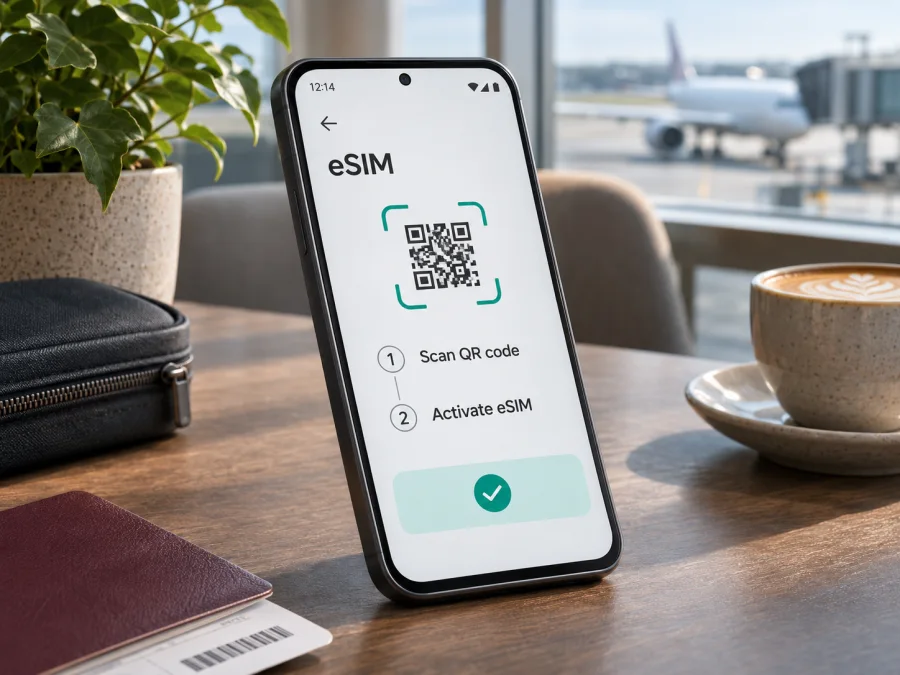
Samsung Galaxy S23 FE 256GB eSIM: compatibility and setup
The Samsung Galaxy S23 FE 256GB is listed as an eSIM-capable model in Samsung’s current Galaxy eSIM support information. The storage capacity does not determine eSIM support: the important checks are the phone’s regional model, software, carrier configuration, and whether the specific unit exposes eSIM settings. Samsung cautions that eSIM availability can vary with the country of origin, so treat the model-family listing as a strong starting point, then confirm on the handset before choosing a travel plan.
For a trip, eSIM can add a mobile-data profile without replacing the physical SIM already in the phone. You can keep your regular line available for calls or messages where your home operator allows it, and select the travel eSIM for mobile data. The details depend on the travel plan and local network; check its destination, validity, data allowance, activation timing, roaming requirements, and device conditions before installation.
Does Samsung Galaxy S23 FE 256GB support eSIM?
Generally, yes. Samsung’s current support page, “Galaxy eSIM and supported network carriers,” lists Galaxy S23 FE among supported devices. Samsung’s device user guide also describes adding an eSIM through Settings → Connections → SIM manager → Add eSIM, including scanning a QR code. Samsung’s US business specification sheet separately lists eSIM as a feature and offers 128GB and 256GB storage options. These sources confirm support for the model family and show that a 256GB configuration exists; they do not mean that every handset sold under the same commercial name has identical regional firmware or carrier permissions.
Samsung says that an eSIM may not be supported depending on the phone’s country of origin, even when the model appears on the supported-device list. Support information can also be presented differently across Samsung’s regional pages. For example, the current Samsung India list names Galaxy S23 FE, and the current Samsung Germany list names it as well; Samsung’s US-facing materials may group support by product series or carrier configuration. These differences do not establish that a particular country-wide version is always enabled or always disabled. Check the exact unit, not just a search result or a retailer’s short product title. Samsung support information reviewed November 5, 2026.
The “256GB” in this device name identifies internal storage. It is not an eSIM edition and does not by itself establish radio bands, SIM tray layout, or regional software. A seller may use the same retail name for units intended for different markets. A carrier-branded handset may also have settings or restrictions that differ from an unlocked handset. If eSIM is essential, ask the seller for the full model code and country or market of origin, and ask the carrier whether the device is unlocked and can activate an additional eSIM profile.
| Item | What to know |
|---|---|
| Exact device variant | Samsung Galaxy S23 FE 256GB |
| eSIM status | Samsung lists Galaxy S23 FE as supporting eSIM; verify the particular regional unit in Settings |
| Storage meaning | 256GB refers to storage, not a separate eSIM capability |
| Regional differences | Samsung notes that support may depend on the country of origin; availability and carrier provisioning may vary |
| On-device path | Settings → Connections → SIM manager → Add eSIM |
| Usual installation method | Scan the provider’s QR code or follow the plan’s manual activation details |
| Travel use | Select the travel eSIM for mobile data when you reach its covered destination, following the plan instructions |
| Before purchase | Confirm eSIM menu/EID, carrier unlock status, destination, plan terms, and activation conditions |
This answer is about eSIM hardware and Samsung’s supported-device list. It does not guarantee that every operator in every market will provision the phone, that a given travel plan covers a particular destination, or that cellular service will be available in every location. The local operator market and the handset’s regional status are separate checks: the handset must be able to store and enable an eSIM, while the plan must be valid for the destination and permitted on that device.
What regional and operator versions can change
Regional variation matters if the phone was imported, bought second-hand, or sold with a carrier contract. Samsung’s device list names Galaxy S23 FE but warns that eSIM may not be available depending on the country of origin. A shared commercial name and 256GB capacity do not guarantee identical firmware, SIM configuration, or carrier permissions.
Ask the seller for the full model code and market of origin. Confirm the phone is unlocked and that its eSIM feature is enabled in that market. Carrier-branded devices can have extra activation restrictions; an eSIM menu also does not guarantee that a particular provider accepts the device. Ask the specific operator or plan provider whether it supports that model code and destination. Carrier support and local service conditions are separate from the handset’s eSIM hardware.
How to check eSIM support on your phone
Do this on the Samsung Galaxy S23 FE 256GB you plan to use, before you buy a plan. Menu names can vary slightly by Android and One UI version; search Settings for “SIM manager” if the displayed labels differ.
- Open Settings. Use the Settings app on the phone, not a screenshot or specification page from another unit.
- Tap Connections. This section contains SIM and mobile-network controls on Samsung Galaxy phones.
- Open SIM manager. Look for an option such as Add eSIM or Add mobile plan. If it appears, the phone’s software exposes an eSIM setup flow.
- Check the EID if available. In Settings, open About phone → Status information (or search Settings for EID). An EID is an identifier associated with the phone’s eSIM capability. Availability and menu placement may vary by software version. Do not publish or send the full identifier in an open forum.
- Confirm the exact model code. Find it under About phone and compare it with the seller’s details. Keep the full code when asking Samsung or the seller about regional support.
- Ask about the network lock. Confirm that the phone is not restricted to another operator and that any carrier-specific eSIM activation conditions have been met.
- Check with the plan provider. Confirm that the exact device version is accepted and that the plan covers the destination and intended use.
The presence of Add eSIM is a useful on-device check, but it cannot confirm the plan’s country coverage or whether a network will register at your destination. An EID is also a useful compatibility signal, but use the setup menu and provider’s eligibility guidance together. If neither EID nor an add-eSIM option is visible, update the phone through its normal software-update setting, restart it, and check again. If it remains absent, contact Samsung with the model code before purchasing; do not assume a QR code will bypass a missing eSIM function.
Compatibility checklist before buying
- [ ] I checked Settings → Connections → SIM manager on the actual phone.
- [ ] I found an Add eSIM option or verified the EID and model code with Samsung.
- [ ] I know the phone’s market or country of origin, especially if it was imported.
- [ ] The handset is unlocked, or the carrier confirmed that an additional eSIM is allowed.
- [ ] The exact model code is accepted by the provider for the chosen plan.
- [ ] The plan covers every country or region on my route.
- [ ] I understand when installation is allowed, when validity starts, and whether data roaming must be enabled.
- [ ] I have stable internet access for installation and will keep the QR code or activation details available.
Check your device compatibility before selecting a plan. If you cannot verify the model or carrier status, pause the purchase and get confirmation from Samsung, the seller, or the operator that will activate the profile. The safest decision is based on the specific phone and service, not the storage size or the model name alone.
Prepare the eSIM for a trip
Use stable Wi-Fi and keep the QR code available on a second screen or printout. Read the plan terms first: destination, data allowance, validity, activation trigger, installation method, and any roaming requirement. Installation and activation may happen at different times, so follow the selected plan’s instructions. A QR code may be single-use; do not delete an installed profile unless the provider confirms it can be restored.
Kaspersky eSIM Store is an app and website where you can choose, arrange, and activate an eSIM with a plan for mobile data during an international trip. Review the displayed plan conditions and confirm your device before choosing an option. Network service depends on the applicable plan and local operator arrangements.
How to install an eSIM on Samsung Galaxy S23 FE 256GB
Samsung’s user guide gives this general route. Menu labels can vary slightly by One UI version or carrier; follow the instructions supplied with your plan.
- Connect to the internet. Use Wi-Fi or another stable connection.
- Open SIM manager. Go to Settings → Connections → SIM manager.
- Add the profile. Tap Add eSIM, then choose the QR-code option if available.
- Scan or enter details. Scan the provider’s code, or enter its manual activation details exactly as supplied. If the QR is on this phone, display it on another screen.
- Wait for download. Keep the connection active while the profile is added; this may take several minutes.
- Label and configure it. Give the profile a recognizable name and choose which line handles mobile data, calls, and messages.
- Follow the activation timing. Some plans can be installed before departure and enabled later. Check when validity starts.
See the Android eSIM installation instructions for Android setup and the iOS eSIM installation instructions if helping someone using a compatible iPhone. Do not assume a profile can be moved or reinstalled; that depends on its provider.
Select the travel eSIM for mobile data
In Settings → Connections → SIM manager, enable the installed profile and select it for mobile data when you are ready to use it. Keep the home SIM available for calls or texts only if needed and if its roaming terms are acceptable. The data line can differ from the line selected for calls and messages, so review each choice. Disable automatic data switching if you want to avoid the phone falling back to your home SIM.
At your destination, follow the plan’s instructions for roaming. Some travel eSIMs require data roaming for the eSIM to connect to a partner network. If so, enable it for that profile specifically and check charges on your home SIM. Test the connection with Wi-Fi turned off. If it does not connect, verify that your destination is covered and the plan is active before changing other settings.
A travel eSIM may be data-only. Unless plan terms say otherwise, it does not include a regular phone number, voice calls, or SMS. Internet messaging and calling apps can use mobile data, subject to their own requirements. For a multi-country route, verify that every stop is covered; a country-specific profile may not work across a border. Network availability and speed depend on local operators, location, and conditions.
Troubleshooting common eSIM problems
“Add eSIM” is missing
Search Settings for SIM manager and EID, install available software updates, and restart. Check the full model code and country of origin. If the option is still absent, ask Samsung or the seller whether eSIM is enabled for that regional unit. Do not buy a plan until this is confirmed.
The QR code will not scan or the profile will not download
Make sure the whole code is visible, the camera lens is clean, and the phone has working Wi-Fi. If the QR code is displayed on the Galaxy S23 FE itself, open it on another screen or enter manual details if the provider offers them. Confirm the code has not already been used. If download fails, retry on a trusted connection and follow the provider’s recovery instructions; do not post the code publicly.
The eSIM is installed but there is no service
Check that the profile is enabled, your destination is covered, and the plan is active. Set the travel eSIM as the mobile-data line and enable roaming for that profile if the plan requires it. Turn airplane mode off, restart, and test from another location. If the provider permits manual network selection, use its recommended settings. A profile alone does not guarantee service outside its coverage or validity.
Data uses the wrong SIM or does not load
In SIM manager, check the data-line choice separately from calls and messages. Disable automatic data switching if you do not want the phone to move to your home SIM. Confirm mobile data and any required roaming or APN details for the travel profile, then temporarily turn off Wi-Fi for a test. Check your plan allowance and validity. If only one app fails, test another app before changing settings.
Setup is stuck or the eSIM was deleted
Wait on stable Wi-Fi and check SIM manager before repeating installation. Do not delete more profiles or reset network settings as a first step. Some QR codes are single-use, so check the provider’s reinstall policy before scanning again. Contact the provider for activation recovery and Samsung for missing device controls.
When requesting help, include the exact model code, software version, error message, and setup stage. Keep QR activation details and the full EID private. Contact the plan provider for plan activation, Samsung or the seller for handset support, and the relevant operator about network lock or local eligibility.
Frequently asked questions
Does every Samsung Galaxy S23 FE 256GB have eSIM?
Samsung lists Galaxy S23 FE as eSIM-capable, but says support can depend on the phone’s country of origin. Check Add eSIM or EID on your actual unit and confirm the model code and carrier status.
Does 256GB storage affect eSIM support?
No. The storage label does not establish eSIM capability. Regional hardware, software, and carrier restrictions are the relevant checks.
Can I keep a physical SIM and use an eSIM?
SIM options depend on the specific model and software. Check SIM manager and ask your operator which lines can be active together. Choose the preferred line for data, calls, and messages separately.
Do I need an EID to install a travel eSIM?
Installation usually uses a QR code or manual activation details. EID can help Samsung or the provider confirm capability, but follow the provider’s installation instructions and keep identifiers private.
Should I install before travel, and when does validity start?
Installing on reliable Wi-Fi before departure can be convenient, but follow the plan’s activation schedule. Installation and the start of validity may be different events; check the plan conditions and avoid enabling it too early if that starts the plan.
Do I need data roaming?
Some travel profiles require roaming to connect to a partner network. Enable it only as instructed and for the travel profile. Check possible charges on your home line.
Will a travel eSIM include calls or a number?
Do not assume it does. Unless the plan says otherwise, treat it as mobile data only. Internet calling and messaging apps can work over data subject to their own requirements.
Can I move the eSIM to another phone?
That depends on the provider and profile. A QR code may be single-use, and an installed profile may not transfer. Check transfer and reinstallation terms before resetting or replacing the phone.
Is Kaspersky eSIM Store the mobile operator?
No. Kaspersky eSIM Store is an app and website where you can choose, arrange, and activate an eSIM plan for mobile data during an international trip. Network access depends on the applicable plan and local operator arrangements.
Final check before your trip
Samsung’s current device information lists Galaxy S23 FE as eSIM-capable, and its user guide describes the add-eSIM flow. Samsung also notes regional variation. For your Samsung Galaxy S23 FE 256GB, confirm Add eSIM or EID on the actual handset, note its model code and market of origin, and check that the original operator has not locked it.
Before arranging a travel plan, verify the destination, data allowance, validity, activation timing, installation method, and roaming requirements. Install the profile over stable internet, label it clearly, and select it for mobile data at the appropriate time. Kaspersky eSIM Store can help you review and choose an eSIM plan for mobile data on an international trip; the network service depends on the plan and local operator arrangements. Confirm compatibility before choosing.


