Travel connectivity guide
Samsung Galaxy S24 FE 128GB eSIM
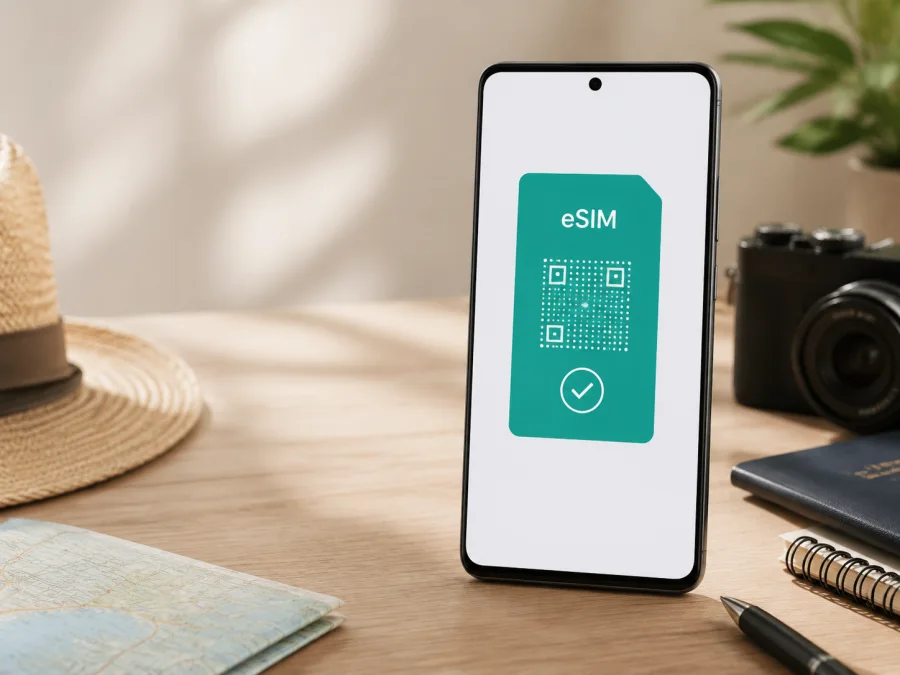
Samsung Galaxy S24 FE 128GB eSIM
If you own a Samsung Galaxy S24 FE 128GB and need mobile internet while travelling, the short answer is yes: eSIM is supported on this device family in the regional versions documented by Samsung. Current official product specifications for 128GB versions list an embedded SIM and combinations such as SIM 1 + eSIM or Dual eSIM. Samsung’s support guidance also includes Galaxy S24 FE among compatible Galaxy devices and notes that eSIM service can vary by country and carrier.
That qualification matters. “Samsung Galaxy S24 FE 128GB” identifies storage, not the sales country, carrier firmware, or network-lock status. A market or carrier configuration can affect activation. Kaspersky eSIM Store is an app and website that helps you choose, order, and activate an eSIM with a suitable mobile-data tariff for an international trip, not a mobile operator or network owner.
Quick answer: does Samsung Galaxy S24 FE 128GB support eSIM?
Yes, Samsung documents eSIM for Galaxy S24 FE, and official regional pages for 128GB devices show an embedded SIM. On a compatible, unlocked handset, you can normally add a digital SIM profile in the SIM manager, keep a physical nano-SIM active where the local configuration permits it, and choose which line supplies mobile data.
For your own phone, the answer is “yes, if the eSIM controls are present and the handset is eligible in its market.” Check for an EID and Add eSIM, then confirm that the plan covers your destination.
Key specifications for this page
| Item | What to confirm |
|---|---|
| Exact device variant | Samsung Galaxy S24 FE 128GB |
| Storage | 128GB, as stated in the device name |
| eSIM | Listed by Samsung for Galaxy S24 FE regional versions |
| Physical SIM | Nano-SIM is listed on regional specifications |
| SIM combinations | SIM 1 + SIM 2, SIM 1 + eSIM, or Dual eSIM may appear by market and software |
| Network | Regional sheets include 4G LTE and 5G Sub6; bands depend on the market model and local network |
| Carrier status | Confirm that the handset is unlocked |
| Travel purpose | Mobile data through a compatible eSIM tariff |
The supplied name contains 128GB and no separate RAM, carrier, colour, country, or 5G suffix. Do not treat this page as a guide for a different storage or sales variant. If a seller gives you an extra model code, compare it with the phone you will use.
Why regional and carrier versions can differ
Samsung publishes specifications by market. One official 128GB page may show SIM 1 + eSIM, while another also lists Dual eSIM. These entries confirm the relevant regional version, not identical menus or carrier support for every phone under the family name. Band combinations, firmware, activation rules, and operator profiles may differ. Samsung states that eSIM service varies by country and carrier; an operator or eSIM plan provider must support activation for both the device and destination.
A carrier lock is separate from eSIM hardware. An unlocked phone may accept an eligible travel profile; a restricted phone may reject activation. An EID does not remove a lock. The action may be called “Add eSIM” or “Add mobile plan” under Settings > Connections > SIM manager.
Check compatibility before buying a travel eSIM tariff
<a id="kesim-device-compatibility"></a>
Before selecting a tariff, complete this check on the exact Samsung Galaxy S24 FE 128GB you will carry. Repeat it if the phone or carrier software changes.
Compatibility checklist
- Confirm the model. Open Settings > About phone and compare the details with the device you purchased. Keep the full name Samsung Galaxy S24 FE 128GB in your records, along with any model code or market suffix.
- Find the EID. Look in About phone or Status information for an EID entry. Some builds show it in a SIM-information screen. An EID strongly indicates an eSIM component, but it does not prove that every carrier or tariff can activate.
- Find Add eSIM. Open Settings > Connections > SIM manager. Look for Add eSIM, Add mobile plan, or equivalent wording. If the option is absent, do not assume it will appear after payment.
- Check the lock. Ask the original carrier or seller whether the phone is unlocked. A travel eSIM does not remove an operator restriction.
- Check software and internet. Install official updates, restart, and check SIM manager again. Prepare reliable Wi-Fi because the profile usually needs internet to download.
- Check the tariff. Confirm the country, region, or route, data allowance, validity period, activation conditions, roaming requirement, hotspot rules, and top-up or refund terms.
If the EID is visible and Add eSIM is available, the handset is a good candidate for a compatible travel profile. If either check fails, pause and confirm the exact market version with Samsung or the seller. If the phone passes but the plan fails, investigate carrier or tariff eligibility rather than blaming the 128GB storage variant.
What the EID does and does not tell you
The EID identifies the embedded SIM hardware. Enter it only in a trusted activation flow and do not post it publicly. It does not provide a plan, phone number, data allowance, roaming permission, or coverage, so pair it with the SIM manager, unlock, and tariff checks.
For a final compatibility check, use Check your device before selecting a tariff.
Choose a plan when the checks are complete
After the phone passes the compatibility and unlock checks, Kaspersky eSIM Store can help you prepare for the next step. In the app or on the website, choose the country, region, or route, compare the available data allowance and validity period, and select an option that fits your expected use. The service helps you choose, order, and activate an eSIM tariff for mobile internet abroad; the underlying network and coverage depend on local operator arrangements and the selected tariff.
Match the allowance to your usage: maps and messaging consume less than video calls, streaming, or hotspot use. Check whether the tariff is country-specific or regional, when validity starts, and what happens when the allowance ends. Travel eSIMs are generally for mobile data, not a replacement number; ordinary calls and SMS are not included unless stated.
How to install and activate eSIM on Samsung Galaxy S24 FE 128GB
Prepare stable Wi-Fi, a charged phone, the QR code or profile details, and the tariff conditions. If the code is displayed on the Samsung Galaxy S24 FE 128GB itself, open it on another screen. For guidance, see the Android installation instructions and the iOS installation instructions.
1. Connect to the internet
Join trusted Wi-Fi before starting and keep it active until the profile downloads. If you are abroad, install over reliable hotel or airport Wi-Fi and test mobile data before leaving.
2. Open the SIM manager
Go to Settings > Connections > SIM manager and tap Add eSIM or Add mobile plan. If Samsung offers a simple setup flow, review the displayed plan before continuing.
3. Scan the QR code
Choose the QR-code option and scan the code in your Kaspersky eSIM Store profile or activation message. Follow the prompts to download the profile. If manual details are supplied, enter them exactly as shown; do not guess missing characters.
4. Name and enable the line
Give the profile a clear label such as Travel or the destination. Enable it after download. Do not delete an existing line unless you have confirmed that you no longer need it and that the tariff permits the change.
5. Select mobile data
When asked which SIM should handle data, choose the travel eSIM when you want to use its allowance. Keep the home line for calls only if that suits your roaming preferences. Check Mobile data in Connections.
6. Set roaming and test
Enable data roaming for the travel profile only when required. This does not make roaming free on your primary line. Turn off Wi-Fi briefly, wait for registration, and open a webpage or map. Activation can take a few minutes and depends on the local network.
Using the eSIM for mobile internet during a trip
Before departure: complete the EID, Add eSIM, and unlock checks while you have normal connectivity. You may install before travel if allowed, but validity may begin on installation or first connection. Follow the tariff’s wording.
On arrival: enable the travel profile in SIM manager and select it for mobile data. Confirm that the home SIM is not selected for data. Turn on data roaming for the travel line if required. If the phone offers automatic data switching, disable it when you want strict control over which line uses data.
During the trip: monitor allowance and validity in the Kaspersky eSIM Store profile or app. Use Wi-Fi for large updates, restrict background data, and check the tariff before using a hotspot.
Practical scenarios
- Weekend in one country: choose a country-specific tariff for light data use, install over Wi-Fi, and activate on arrival.
- Work trip: estimate data for meetings and check hotspot rules. If data stops, first verify that the travel eSIM is selected.
- Multi-country route: confirm every country is included. A country-only tariff can stop working after a border crossing.
- Return home: select the home SIM for data and turn off roaming for the travel profile. Keep it installed only if you may use it again and the terms allow it.
Common problems and checks
Add eSIM is missing
Confirm the model and market, look for an EID, install updates, and restart. If the control remains absent, ask Samsung or the seller about your regional version. Do not infer compatibility from another country’s product page or another person’s S24 FE.
The QR code will not scan
Increase the brightness of the screen showing the code, clean the lens, and hold the phone steady. Use another screen if needed. Confirm that the code belongs to this purchase and has not been used. Enter manual details carefully if provided.
The profile will not download
Reconnect to Wi-Fi, turn off Airplane mode, and retry from Settings > Connections > SIM manager. Check storage and automatic date and time. Inspect SIM manager before scanning again in case the profile is already installed.
The eSIM is installed but there is no data
Make sure the profile is enabled and selected for mobile data. Confirm Mobile data is on, roaming is enabled for the travel profile when required, and the home SIM is not selected. Move to coverage, toggle Airplane mode briefly, and check activation status in the app or website.
Signal is present but apps are offline
Test a webpage, then check Data saver, a data limit, and app restrictions. Change APN settings only when the tariff instructions or support team provide the values; do not invent an APN. Disable Wi-Fi while testing.
The wrong SIM is using data
Return to Settings > Connections > SIM manager and select the travel eSIM under mobile data. Turn off automatic data switching if available. Dual-SIM behaviour depends on the market version and carrier software.
The tariff ends unexpectedly
Review when validity started, data consumed, and whether another line or hotspot used the allowance. Check the tariff details and balance in the Kaspersky eSIM Store profile. If the timing does not match, contact support instead of deleting the profile.
FAQ
Is eSIM supported on Samsung Galaxy S24 FE 128GB?
Yes. Samsung’s official regional specifications and support materials document eSIM for Galaxy S24 FE versions, including 128GB listings. Check your market, carrier, software build, and unlock status.
Does 128GB storage determine eSIM compatibility?
No. eSIM availability depends on regional hardware, firmware, and carrier conditions. Confirm the EID and Add eSIM control.
Can I use a physical SIM and eSIM together?
Often yes. Samsung lists SIM 1 + eSIM, and some regional pages list Dual eSIM. Active combinations depend on the market and carrier.
Will a travel eSIM give me a normal phone number?
Usually not. The travel use case is mobile internet. Calls and SMS are not included unless the tariff says so; messaging and calling apps can use the data connection.
Do I need to remove my home SIM?
Usually no. Keep it for important calls or messages if desired, but disable home-line data roaming or select the travel eSIM for data.
Can I move the eSIM to another phone?
Do not assume that you can. Transfer and reinstallation depend on the profile and tariff conditions. Check before deleting it or changing devices.
Is Kaspersky eSIM Store a mobile operator?
No. It is an app and website that helps you choose, order, and activate an eSIM with a suitable mobile-data tariff for an international trip. It does not own a cellular network or provide network coverage.
Final device check and trip eSIM choice
Before paying for a tariff, verify four points on the exact Samsung Galaxy S24 FE 128GB you will take: an EID is visible, Add eSIM is present in SIM manager, the handset is not carrier-locked, and the tariff covers your destination. Then compare data allowance, validity, activation timing, roaming requirements, hotspot rules, and support or refund conditions.
If those checks match, use Kaspersky eSIM Store on the website or in the app to choose and order an eSIM tariff, install it over reliable internet, and select it for mobile data. Keep the device and regional details handy if you need help.
In brief
Samsung Galaxy S24 FE 128GB is eSIM-capable in Samsung’s documented regional versions. Verify the EID, SIM manager, carrier unlock status, and destination tariff before purchase. Then eSIM can provide mobile data abroad without a physical SIM swap.


