Travel connectivity guide
Samsung Galaxy S25 Edge 128GB 5G eSIM
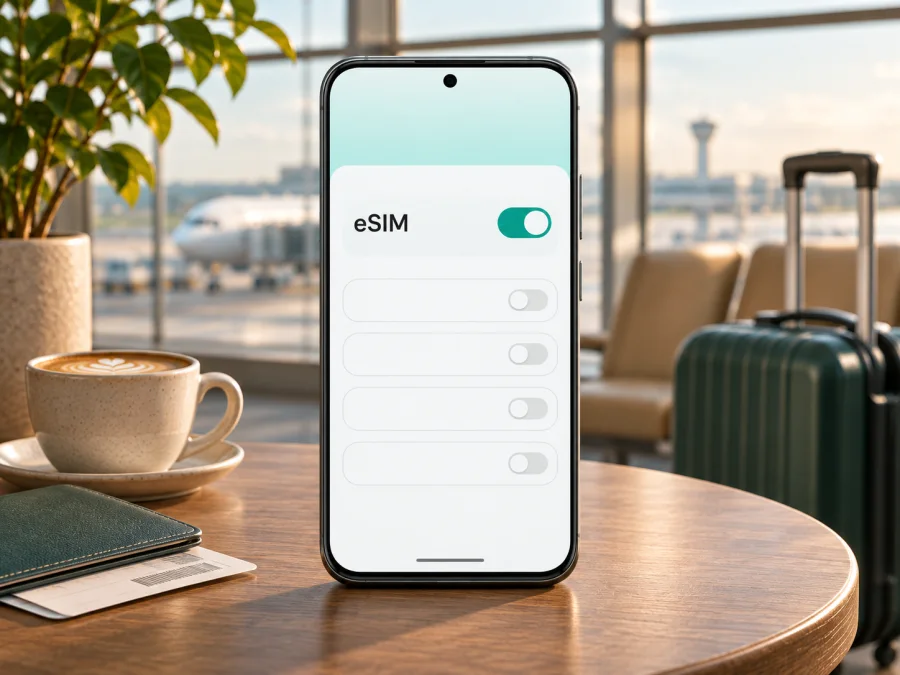
Samsung Galaxy S25 Edge 128GB 5G eSIM: compatibility and travel setup
If you are considering the Samsung Galaxy S25 Edge 128GB 5G for a trip, the key question is whether the particular phone in your hands can install an eSIM profile. Samsung lists the Galaxy S25 Edge family among its eSIM-capable Galaxy devices. However, I could not verify a Samsung-listed 128GB S25 Edge configuration: current official specifications I checked show 256GB and 512GB options. Treat the storage wording in a seller listing as something to confirm, not as proof of a distinct supported model. The regional model code, country of origin, software and carrier lock matter more to eSIM capability than the storage label.
Practical answer: the S25 Edge family supports eSIM, but that does not confirm every regional or carrier version described as “Samsung Galaxy S25 Edge 128GB 5G.” Before buying a plan, check the exact handset for an EID and an Add eSIM option. If either is missing, confirm the model code and market with Samsung or the seller before proceeding. This guide keeps the requested device name intact and separates what Samsung confirms about the family from what remains uncertain about this exact 128GB variant.
What is confirmed about this device?
Samsung’s current eSIM support information includes Galaxy S25 Edge in its compatible Galaxy device family. Samsung also cautions that eSIM availability can depend on the country of origin and the carrier. Separately, Samsung product pages currently show S25 Edge storage configurations of 256GB and 512GB; I did not find an official 128GB S25 Edge listing in the markets checked. That gap is not enough to conclude that a phone advertised with this name is counterfeit or that it lacks eSIM. It does mean the exact product identity should be checked rather than inferred from a title or marketplace description.
The “5G” part of the name describes a network capability; it does not, by itself, prove that eSIM is enabled. Likewise, 128GB of storage neither enables nor disables eSIM. A device may have the required eSIM hardware but still lack the feature because of a regional configuration, carrier restrictions, software or provisioning. The clearest practical check is on the handset itself, followed by confirmation with Samsung or the seller if the result is ambiguous.
| Item | What can be said carefully |
|---|---|
| Device name for this guide | Samsung Galaxy S25 Edge 128GB 5G |
| eSIM on the Galaxy S25 Edge family | Listed by Samsung as supported |
| Exact 128GB configuration | Not verified in the Samsung product specifications checked; confirm the model code and seller documentation |
| Regional availability | Samsung notes that eSIM support can depend on country of origin and carrier |
| How to check the phone | Look for an EID and Settings → Connections → SIM manager → Add eSIM |
| What a travel eSIM needs | A compatible, unlocked handset, a suitable plan, and an internet connection during installation |
Why the exact regional version matters
The same phone name can cover regional model codes with different SIM configurations. Samsung’s family list is useful, but it does not guarantee that every unit has identical menus or carrier provisioning. Carrier-branded devices may also be locked or restricted. Before buying, ask for the full model number, market of sale, unlock status and return terms. Compare the model number on the phone with the box and purchase documents.
The “128GB” description should be reconciled with the seller because current official S25 Edge listings checked show 256GB and 512GB. It could be a listing error or another configuration, but the available evidence does not establish which. Storage and eSIM are separate specifications: storage size does not prove eSIM works, and a 5G label does not establish eSIM support. If the menu is absent, updates or regional and carrier settings may be involved; confirm with Samsung before concluding that the hardware is incompatible.
Finally, phone support and plan availability are separate checks. Your handset must accept eSIM, and the selected provider must support the profile and destination. Local coverage, network bands and plan conditions affect service; compatibility alone does not promise signal everywhere.
Check eSIM support before buying a plan
Run these checks before paying for a plan, while you still have Wi-Fi:
- Find the EID. Open Settings → About phone → Status information and look for EID. The location can vary by software. An EID is a useful sign of eSIM hardware, not a promise that a carrier will activate its plan.
- Check SIM manager. Go to Settings → Connections → SIM manager and look for Add eSIM.
- Record the model code. Find it under About phone and compare it with the box. Ask Samsung or the seller about that exact code and market.
- Confirm unlock status. Ask the seller or current carrier whether another provider’s profile can be added.
- Update and recheck. Install available Android updates over Wi-Fi, restart, and inspect SIM manager again.
- Check plan requirements. Confirm destination, dates, activation timing and device requirements before purchase.
For more help, check your device’s compatibility. An EID and Add eSIM are strong practical indications that the phone can add a profile. If either is missing or the 128GB listing is unclear, ask Samsung to confirm the full model before buying. A family-level listing and a 5G badge cannot resolve regional restrictions.
Prepare an eSIM for a trip
An eSIM is a digital SIM profile downloaded to a compatible device. A travel plan can provide mobile data abroad without replacing your physical SIM. Compare destination coverage, trip length, data allowance, validity and activation terms with your itinerary and expected use.
Kaspersky eSIM Store is an app and website where you can choose, purchase and activate an eSIM plan for mobile data during an international trip. It is not a mobile operator or network owner. Availability and coverage depend on the selected plan and the networks it uses, so review current terms. A travel data plan does not include a regular phone number, calls or SMS unless the offer explicitly says so. Check your home carrier’s roaming conditions if you keep that SIM active.
If your phone passes the checks, browse eSIM plans for your trip. The homepage is a starting point, not a country-specific tariff or a guarantee of service. Check that the destination and plan terms match your route.
Install an eSIM on the Samsung Galaxy S25 Edge
Install over a stable connection, preferably Wi-Fi. Keep the QR code on another screen or paper; the phone cannot scan itself. Protect the code because it may contain installation credentials. Follow your plan’s instructions if they differ from these general steps.
- Confirm support and unlock status. Check for an EID and Add eSIM.
- Connect to Wi-Fi. Keep the connection available during download.
- Open SIM manager. Go to Settings → Connections → SIM manager.
- Tap Add eSIM. Choose QR scanning, a manual activation code or simple setup if offered.
- Enter the issued details. Confirm the code belongs to your plan and has not been used.
- Download the profile. Follow the prompts and wait; this can take several minutes.
- Label the line. Use a clear name such as “Travel data.”
- Select the data SIM. Choose the travel line when ready; keep your home SIM for calls or SMS if desired and supported.
- Set roaming as instructed. Some plans require it on the travel eSIM. Check that it is not unintentionally enabled on your home line.
- Wait for registration. At your destination, allow a few minutes and check line settings before deleting a profile that does not connect.
Menu names vary by software and market. See the Android eSIM installation guide. The iOS eSIM installation guide is for a different compatible device; Galaxy S25 Edge uses Android.
Install now, use later
Check when validity starts. Some plans begin at installation; others start at first connection to a supported network. If the plan’s period starts at installation, follow its timing guidance and wait if needed. If it recommends setup at home, install over Wi-Fi and leave the travel line off until needed if the terms allow. Do not delete a profile to pause it unless the provider confirms that it can be reinstalled; some QR codes are single-use.
Use the eSIM while travelling
On arrival, open SIM manager and confirm that the travel profile is on and selected for mobile data. If you keep two lines active, check the default data SIM carefully. You can keep your home SIM available for calls or texts if you understand its roaming charges. Some phones switch data lines automatically when one has weak service; turn off automatic data switching if you want to prevent the home line taking over.
Enable data roaming on the travel eSIM only when the plan’s instructions require it. This setting can let the profile use a partner network; it does not mean Kaspersky eSIM Store owns or supplies that network. If you want to avoid home-network data charges, disable roaming on the home line and verify the selected data SIM.
Maps and messaging may use little data, while video, hotspot use and cloud backups can consume it quickly. Check the plan’s account for the provider’s balance; the phone’s data counter may update differently. A data-only plan supports internet apps but does not automatically provide a normal number, calls or SMS. Check your home carrier’s terms if you keep its SIM active.
Troubleshooting: no eSIM option or no data
“Add eSIM” does not appear
Check for an EID, record the model code, install available updates and restart. If the option is still missing, ask Samsung or the seller to confirm eSIM availability for the exact model, market and carrier software. Ask them to explain the 128GB designation if that is how the phone was listed.
The profile will not download
Check Wi-Fi, QR readability and whether the code was already used. Do not repeatedly scan a single-use code. Save the error message and contact the plan provider; do not post activation details publicly.
The profile installs but does not connect
Confirm the travel eSIM is switched on and selected for data, and check destination coverage and activation timing. Enable roaming on that line if instructed. Briefly toggle airplane mode or restart to trigger a new network search. Use manual network selection only when the provider names a supported network.
Data uses the wrong SIM, apps fail or speed is low
In Settings → Connections → SIM manager, select the travel eSIM for data and disable automatic data switching if needed. Check mobile data, plan validity, allowance and app permissions. Test with Wi-Fi off. Do not change access-point settings without instructions from the provider. Local coverage, network bands, congestion and the plan affect speed; 5G in the device name does not promise 5G service at every location.
Contact Samsung or the plan provider before deleting a profile or resetting the phone. A deleted eSIM may not be reinstallable with the same QR code. Keep order details and error messages private along with your activation credentials.
Frequently asked questions
Does the Samsung Galaxy S25 Edge 128GB 5G support eSIM?
Samsung lists the Galaxy S25 Edge family as eSIM-capable. I could not verify the exact 128GB configuration in the official specifications checked, and country of origin or carrier can affect availability. Check the phone’s EID, Add eSIM menu and model code before buying a plan.
Is the 128GB model the same as the 256GB or 512GB model?
The storage label alone does not establish that. Current Samsung product pages checked show 256GB and 512GB configurations. Verify the seller’s model code and market, then check the handset itself; do not assume a 128GB listing is a standard configuration.
Does 5G mean eSIM will work?
No. 5G and eSIM are separate features. Check for the EID and Add eSIM, and ask Samsung about the exact regional model if either is missing.
Can I keep my usual number while using a travel eSIM?
Often, if the phone and carrier support dual SIM. Set one line for data and the other for calls or messages as needed. Check roaming charges; a travel data plan does not automatically include a number or SMS.
Should I turn on data roaming?
Only if the travel plan instructs you to, and on that eSIM line. Disable roaming on your home SIM if you want to avoid accidental data use there.
Can I transfer the eSIM to another phone?
Do not assume so. Check the plan’s transfer and reinstall terms before removing the profile, and contact the provider if you need to change devices.
Does this eSIM include calls and text messages?
Not unless the plan explicitly says so. A data plan can support internet messaging and app calls, but it does not create a regular phone number.
Final check before you travel
For the Samsung Galaxy S25 Edge 128GB 5G, Samsung confirms eSIM support for the Galaxy S25 Edge family, but I could not confirm the exact 128GB configuration among the official storage options checked. Regional and carrier restrictions may apply. Before paying, check the EID, Add eSIM, model code, market and unlock status; resolve any mismatch with Samsung or the seller.
Then choose a destination plan by coverage, data allowance, validity and activation rules. Install over Wi-Fi, select the travel line for data when appropriate, and enable roaming on that line only if instructed. You can browse available travel eSIM plans after confirming the destination and terms match your trip.


