Travel connectivity guide
Samsung Galaxy Z Flip4 128GB eSIM Guide
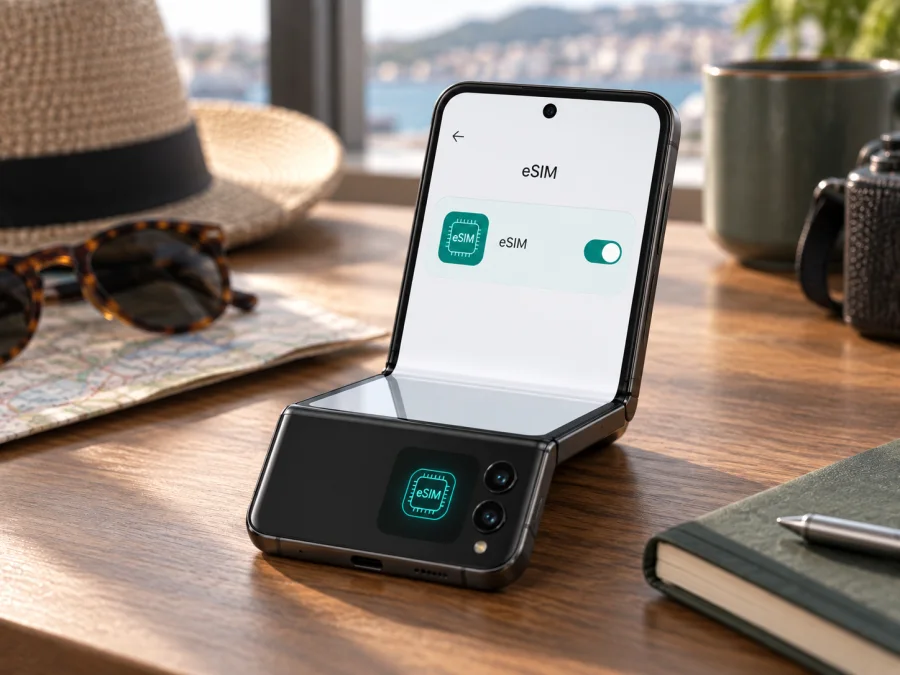
Samsung Galaxy Z Flip4 128GB eSIM compatibility and setup guide
The Samsung Galaxy Z Flip4 128GB can use eSIM on supported regional and carrier versions. Samsung lists the Galaxy Z Flip4 among Galaxy devices with eSIM capability, and its specifications for 128 GB variants in several markets show a physical SIM slot plus an embedded SIM. However, the model name and storage capacity alone cannot confirm that every individual handset has eSIM enabled. Samsung notes that eSIM availability may depend on the country where the device originated, the carrier, and the software version. A device-level check for an EID and an option to add an eSIM is still needed before choosing a travel plan.
This distinction matters for imported, refurbished, carrier-branded, or previously modified phones. If your Z Flip4 shows an EID and the eSIM setup option in Settings, it is a good sign that its embedded SIM hardware and software are available. You must still confirm the handset is unlocked and that the provider of the plan supports the device. If either check is missing or unclear, ask Samsung or the original carrier to verify the exact model code and region.
At a glance
| Item | What to know |
|---|---|
| Exact device variant | Samsung Galaxy Z Flip4 128GB |
| eSIM capability | Supported on eligible versions; verify the individual phone |
| Storage | 128 GB; storage does not determine eSIM availability |
| SIM setup | Depending on the version, a nano-SIM can work alongside an eSIM |
| Typical eSIM menu | Settings → Connections → SIM manager → Add eSIM |
| Best pre-purchase check | Confirm EID, Add eSIM, regional support, and carrier unlock status |
| Travel use | A compatible eSIM plan can provide mobile data abroad; plan terms vary |
The storage figure is included because it is part of the exact model name being checked. It does not indicate a special eSIM edition: Samsung’s regional product specifications show 128 GB Galaxy Z Flip4 configurations with embedded SIM support, but support still has to be confirmed on the specific unit. A phone that shares the same commercial name may have a different sales code, market configuration, carrier profile, or software build.
Does Samsung Galaxy Z Flip4 128GB support eSIM?
Generally, yes, on supported versions. Samsung’s official Galaxy eSIM compatibility information includes the Z Flip4, and Samsung product specifications for 128 GB models in markets such as Spain and Greece list a SIM tray together with eSIM. This means the 128 GB capacity is not, by itself, a reason the phone cannot use eSIM.
That general answer is not a guarantee for every device sold as Samsung Galaxy Z Flip4 128GB. Samsung’s support guidance states that eSIM may not be supported depending on the country of origin. Carrier versions can also differ in firmware, network configuration, or restrictions. Some carriers support eSIM activation while others do not, and a carrier lock can prevent a travel profile from connecting even when the phone has eSIM hardware. A software update can change the available menu or the activation flow, so the exact phone should be checked with its current software.
Think of compatibility as three separate checks:
- Device capability: Does this Z Flip4 expose an EID and eSIM controls?
- Unlock status: Can it accept a profile from a different provider, or is it restricted to its original carrier?
- Plan and network support: Does the selected travel eSIM plan work with the phone’s bands and the networks available at the destination?
A successful check of the first item does not automatically answer the second or third. Likewise, seeing “Dual SIM” in a general product description does not prove that a particular unit can download every eSIM profile. Confirm the exact phone before paying for a plan, especially if the device was purchased second-hand or in another country.
Why regional versions can differ
Galaxy Z Flip4 units have different model and sales codes by market. Local rules, carrier agreements, firmware, and carrier configuration can affect which eSIM controls appear. Samsung lists the Z Flip4 as eSIM-capable but warns that support may depend on the country of origin. Carrier-branded phones can also restrict activation, and an “unlocked” label from a seller is not proof that every network restriction has been removed.
Check the model code under Settings → About phone and ask Samsung or the original carrier about that exact code and sales region if the menus are unclear. Keep eSIM capability separate from network compatibility: the profile may install, yet the plan still needs to support the destination and the phone’s network bands. Coverage varies by location. A data plan should not be assumed to include a phone number, ordinary calls, or SMS unless its terms say so.
Check EID and eSIM settings before buying
Connect to Wi-Fi, install available official software updates, then check the phone’s identifiers and SIM settings.
Check for an EID
- Open Settings → About phone → Status information (the label can vary).
- Look for EID. You can also enter
*#06#in the dialler, although a carrier may disable this shortcut.
An EID is the identifier associated with an embedded SIM. Its presence is strong evidence of eSIM capability, but it does not confirm that the phone is unlocked or that a particular plan will work. Share the full identifier only with support when needed, not in a public post.
Check for Add eSIM
Open Settings → Connections → SIM manager and look for Add eSIM. The available setup methods can vary by region and software. If both EID and the eSIM option are absent, restart, update, and check the exact model code. Ask Samsung or the original carrier whether eSIM is enabled for the device. A factory reset does not add missing hardware support; do not reset unless advised and your data is backed up.
Compatibility checklist
- [ ] The phone is the exact Samsung Galaxy Z Flip4 128GB variant.
- [ ] EID and Add eSIM are present.
- [ ] The phone is unlocked or its original carrier confirms it accepts another provider’s profile.
- [ ] The plan supports the device, destination, installation method, and local network.
- [ ] Wi-Fi or another internet connection is available for profile download.
Check your device before purchasing a plan, especially if the handset is imported, refurbished, or carrier-branded.
Install and activate an eSIM
Read the plan terms first: check destinations, data allowance, validity, activation timing, and whether data roaming is required. Connect to Wi-Fi. Many QR codes are single-use, so keep the instructions available and do not delete a profile while troubleshooting unless the provider confirms it can be reinstalled.
Add a plan by QR code
- Go to Settings → Connections → SIM manager → Add eSIM.
- Choose the QR-code option and scan the code supplied for your plan. If it is displayed on this phone, use the provider’s manual or in-app method instead.
- Follow the prompts to download the profile. Keep the phone online until setup finishes.
- In SIM manager, enable and label the profile, for example “Travel.”
- Select the travel eSIM for Mobile data. Set calls and messages separately if you want to keep your home line active.
If your provider supplies manual activation details, enter them exactly as provided. Never share the QR code or activation details; they may allow another person to install the profile. When you arrive, enable data roaming for the travel profile if its instructions require it. Check that the home SIM is not selected for data if you want to avoid its roaming charges.
Installation and validity may start at different times. Some plans start when installed, others on first connection or at a stated time. Confirm this before installing early. An eSIM needs internet for download, and may take a few minutes to register after arrival. Follow the provider’s restart or network-selection instructions.
See the Android eSIM installation guide for this phone or the iOS eSIM installation guide for a companion Apple device. Kaspersky eSIM Store is an app and website where travellers can choose, arrange, and activate an eSIM with a mobile-data plan for an overseas trip. Check compatibility and plan terms before proceeding.
Using the eSIM while travelling
A travel eSIM can keep maps, transit details, messaging, translation, and bookings available when you arrive. Choose a plan that covers every country on the itinerary and fits your expected use. For a multi-country trip, confirm all included destinations. Compare the allowance, validity, activation timing, tethering rules, and any speed limits rather than assuming plans work alike.
Before departure: Verify EID, Add eSIM, and unlock status. Install over Wi-Fi if the plan timing allows, label the line, and save setup instructions somewhere accessible offline. Review roaming settings for your regular line with its carrier.
On arrival: Enable the travel profile, choose it for mobile data, and turn on its data roaming if required. Start with automatic network selection. If it does not connect, toggle airplane mode or restart once and allow time for registration. Follow the provider’s preferred network instructions where applicable.
Between destinations: Confirm the next country is covered and the plan is still valid. Monitor data use and check tethering conditions before relying on a hotspot. Download maps or tickets for offline access as a backup.
Many travel eSIMs are data-only and do not include a conventional number, voice service, or SMS. Internet calling and messaging apps can use data; check with your home carrier if you need your usual number for verification messages. Kaspersky eSIM Store’s app and website help travellers choose, arrange, and activate an eSIM for mobile internet abroad. Availability and service depend on the selected plan and destination.
Troubleshooting common problems
“Add eSIM” is missing
Check for an EID, update the software, and verify the model code and sales region. Ask Samsung or the original carrier whether that version supports eSIM and whether it is unlocked. A menu shown for another region may not match your phone.
The QR code will not scan
Confirm it belongs to this plan and has not already been used. Improve lighting and screen brightness. If the code is displayed on the Z Flip4, request manual details or use the provider’s supported app. Avoid repeated attempts with a single-use code.
The profile installed but has no service
Confirm it is enabled and selected for data, the plan is active, and the destination is included. Enable roaming for the travel eSIM if required. Toggle airplane mode or restart, then check network selection. Installation can succeed before the plan is activated or local coverage is available.
Mobile data still does not work
Make sure mobile data uses the travel line and check the plan’s remaining data and validity. Use automatic network selection first. Enter APN settings only when the provider supplies them; do not guess. Check for a software update and confirm date and time are automatic.
The wrong SIM is roaming, or I need to change phones
Recheck the data default in SIM manager and disable roaming for the home line if desired. Watch for automatic data switching. Many profiles cannot be transferred or reinstalled freely; ask the provider about transfer or reissue before deleting one.
Frequently asked questions
Does every Samsung Galaxy Z Flip4 128GB support eSIM?
No. Samsung identifies the model family as eSIM-capable and regional 128 GB specifications list embedded SIM, but country of origin, carrier configuration, software, and lock status can affect an individual phone. Check its EID and Add eSIM option.
Does 128 GB determine eSIM support?
No. Storage describes capacity; it does not establish eSIM availability.
Can a physical SIM and eSIM be used together?
Eligible regional versions support a physical SIM plus eSIM, subject to software and carrier conditions. Use SIM manager to choose the active profiles and data line.
Can the plan be installed before travel, and does it include calls?
Often it can be installed early, but validity may start at installation or first connection. Check the plan terms. Many travel plans are data-only and do not include a number, voice, or SMS.
EID is present, but my plan does not connect. Why?
EID confirms an embedded SIM identifier, not that the device is unlocked or a specific plan is supported. Check profile status, data-line selection, destination, validity, roaming, and provider-supplied APN settings.
Final check before your trip
For the Samsung Galaxy Z Flip4 128GB, Samsung’s published information supports eSIM on eligible versions. Treat your own phone as compatible only after confirming its EID and the Add eSIM option, checking that it is not restricted by its original carrier, and confirming the selected plan supports your destination and device. Regional, carrier, and software differences can affect the result.
Before purchase, check the itinerary, data allowance, validity, activation timing, and whether data roaming must be enabled for the travel profile. Install over Wi-Fi when appropriate, keep the QR code private, and avoid deleting a profile during troubleshooting until its provider confirms that it can be restored. Once compatibility and plan conditions are clear, the Kaspersky eSIM Store app and website can help you choose, arrange, and activate an eSIM for mobile data on an overseas trip. A few minutes of checking at home can make setup more predictable when you arrive.


