Travel connectivity guide
Samsung Galaxy Z Fold3 5G 512GB eSIM
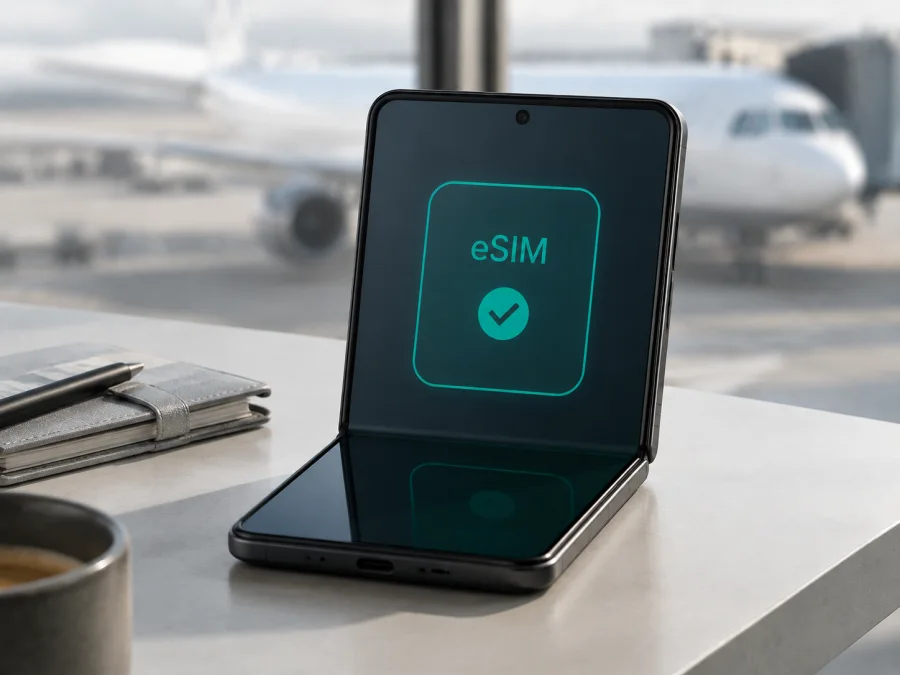
Samsung Galaxy Z Fold3 5G 512GB eSIM: compatibility and setup
The Samsung Galaxy Z Fold3 5G 512GB is a foldable 5G smartphone with eSIM capability on eligible regional and carrier variants. Samsung’s specifications for 512GB versions list an embedded SIM, and Samsung’s current Galaxy eSIM support guidance includes the Galaxy Z Fold3 series. That does not mean every handset sold under this family name will expose the feature: eSIM availability can depend on the country of origin, exact model code, carrier, SIM-lock status and installed software.
For a trip, the practical answer is therefore: yes, Samsung Galaxy Z Fold3 5G 512GB can be used with a travel eSIM when the individual phone shows an eSIM option and is unlocked for another network. Check the phone itself before purchasing a plan. The 512GB storage size does not activate or remove eSIM by itself; the radio configuration and regional firmware are what matter.
What eSIM means for Samsung Galaxy Z Fold3 5G 512GB
An eSIM is a digital SIM profile built into the phone. Instead of inserting another plastic card, you download a mobile plan to the embedded SIM and select it for mobile data. This is useful when you want to keep your everyday physical SIM in the tray and add a separate data profile for a foreign country or region. The phone can then keep the main number available for calls or messages while the travel profile is selected for data, subject to the rules of the networks and plan.
Kaspersky eSIM Store is an app and website where you can choose, arrange and activate an eSIM with a suitable tariff for mobile internet during a trip abroad. It is not a mobile operator and does not own the network used by the profile. The actual connection depends on the selected plan, the local network available in the destination, the phone’s compatibility and the conditions shown when you choose the plan.
Quick compatibility answer
Samsung Galaxy Z Fold3 5G 512GB supports eSIM on supported configurations. Samsung’s official product specifications for 512GB regional models identify an embedded SIM alongside Nano-SIM support. Samsung’s Galaxy eSIM documentation also lists Galaxy Z Fold3 among the Galaxy devices that support eSIM, while stating that eSIM service may vary by country and carrier. Samsung carrier-specific documentation makes the same point in a different way: some North American versions are described as eSIM capable, with functionality dependent on the carrier.
This distinction matters if the phone was imported, refurbished or originally sold for a different market. A European, Asia-Pacific or other international 512GB variant may show the eSIM controls, while a carrier-customised version can have a different menu or restrictions. Treat the official family-level specification as confirmation that the feature exists for eligible variants, not as a promise for every used listing.
The most reliable decision is made on the actual Samsung Galaxy Z Fold3 5G 512GB in your hands:
- Open Settings and go to Connections.
- Open SIM manager.
- Look for Add eSIM, Add mobile plan or a comparable option.
- Open the phone information screen by dialing *#06# and check whether an EID is displayed, if this code works on your software.
- Confirm with the seller or carrier that the device is not SIM-locked.
An EID is the identifier associated with the phone’s eSIM function. Seeing an EID is a strong sign that the embedded SIM is present, but a plan can still fail if the carrier blocks eSIM activation or the phone is locked. If there is no EID and no option to add an eSIM, do not assume that a QR code will unlock the feature. Samsung notes that this capability cannot normally be enabled by the end user when the configuration does not include it.
Samsung Galaxy Z Fold3 5G 512GB: key compatibility facts
| Item | What to expect |
|---|---|
| Exact device covered here | Samsung Galaxy Z Fold3 5G 512GB |
| Form factor | Foldable Android smartphone with a cover display and an inner display |
| Mobile generations | 4G LTE and 5G support vary by network, band and destination; the device name includes 5G |
| Physical SIM | Nano-SIM on supported regional configurations |
| eSIM | Embedded SIM/eSIM is supported on eligible 512GB regional and carrier variants |
| Best on-device proof | Settings > Connections > SIM manager > Add eSIM, plus an EID in device information |
| Main compatibility conditions | Unlocked device, enabled eSIM firmware, supported local or travel plan, internet access during download |
| Storage variant | 512GB; storage capacity does not determine regional eSIM availability |
| Travel data role | Select the eSIM as the line for mobile data; data roaming may need to be enabled for that profile |
What to check before buying an eSIM tariff
Complete the following checklist on the exact handset, not only on a product page or box:
- [ ] The name and model code on the phone match the intended Samsung Galaxy Z Fold3 5G 512GB listing.
- [ ] Settings > Connections > SIM manager contains Add eSIM, Add mobile plan or an equivalent control.
- [ ] The device information or *#06# screen shows an EID.
- [ ] The phone is not locked to the original carrier, or the carrier has confirmed that another eSIM can be added.
- [ ] Android and Samsung software are updated as far as the seller or carrier supports.
- [ ] The phone can connect to Wi-Fi or another working line during eSIM installation.
- [ ] The selected plan covers every country or region on the itinerary.
- [ ] The plan’s data allowance, validity period, activation conditions and refund rules suit the trip.
- [ ] You know which profile will be used for mobile data after installation.
- [ ] You have an offline copy of the QR code or activation details before leaving home.
For a used or imported Samsung Galaxy Z Fold3 5G 512GB, ask for a SIM manager screenshot and the exact model code. “Dual SIM” can mean two physical cards and does not always prove that the eSIM menu is enabled.
The seller’s country is not enough to establish compatibility. Imported, refurbished and carrier-customised phones can have different firmware, so verify the handset and confirm that the selected plan covers the destination before payment.
For a compact second check, check your device for eSIM compatibility before selecting a travel plan. Keep that check separate from the plan’s coverage question: one confirms that Samsung Galaxy Z Fold3 5G 512GB can host a profile, and the other confirms that the profile is intended for your journey.
How to install an eSIM on Samsung Galaxy Z Fold3 5G 512GB
Charge the phone, connect it to Wi-Fi, keep the QR code on another screen, and have the plan’s activation details ready. Many profiles are intended for one installation, so do not scan an unverified code or move it casually to another phone.
1. Confirm the phone
Open Settings > Connections > SIM manager. Confirm that Add eSIM or Add mobile plan is visible and that the phone is not locked to its original carrier.
2. Open setup
Tap Add eSIM and choose the automatic plan, QR-code scanner or manual activation option that matches the details supplied with the plan.
3. Scan or enter the details
Scan the QR code from another screen and keep the phone steady. If manual entry is offered, type the activation details exactly as supplied; do not substitute an ordinary password or APN value.
4. Download the profile
Review the plan name and confirm the download. Keep Wi-Fi on while the profile installs. The process can take several minutes while the carrier authorises it.
5. Name and enable the line
Name the profile after its destination. Leave it disabled if preparing at home and the plan’s conditions allow later activation; otherwise enable it for a controlled test.
6. Set mobile data
In SIM manager, select the travel eSIM for mobile data. Keep the physical SIM for calls or messages if needed, and review automatic data switching so the phone does not unexpectedly fall back to the home line.
Use the Android eSIM installation instructions for a longer walkthrough. The iOS eSIM installation instructions are for iPhone and are included for cross-device reference; Samsung Galaxy Z Fold3 5G 512GB follows the Android workflow.
How to activate and use eSIM mobile data on a trip
Downloading a profile and using it on a network are separate events. A plan may begin its validity at download, activation or first connection, depending on its conditions. Read that wording before enabling the line. You can usually install over Wi-Fi before takeoff and keep the profile disabled until arrival.
At the destination, open Settings > Connections > SIM manager, enable the travel eSIM, select it for mobile data and enable data roaming for that profile if the plan needs roaming on a partner network. A roaming switch cannot add coverage that the plan does not include. Turn off data roaming for the home SIM if you want to avoid accidental use, then test with Wi-Fi off by loading a webpage or sending an internet message.
The 5G label on Samsung Galaxy Z Fold3 5G 512GB does not guarantee 5G on every trip. The plan, partner network, supported bands and local conditions determine the connection; LTE may be the available option and is sufficient for maps, tickets, translation and messaging.
Travel scenario: installing before departure
Check EID and Add eSIM at home, install over Wi-Fi, label the profile and leave it disabled if allowed. On arrival, disable airplane mode, enable the travel profile, select it for data and test a webpage.
Travel scenario: keeping your home number
Keep the Nano-SIM available for calls or messages and use the travel eSIM for data. Set each preference separately, because calls, texts and data can use different lines. Disable automatic data switching if you want stronger control over home-line usage.
Common problems and checks
Add eSIM is missing
Check the exact model code, update supported Samsung software and restart. If there is still no Add eSIM or Add mobile plan and no EID, the regional or carrier configuration may not support it. A plan cannot create missing hardware support.
The QR code will not scan
Use the Add eSIM scanner, increase the brightness of the other screen and remove glare. A code that is expired, already used or assigned to another device may fail. Record the error and ask the plan’s support team for the correct next step.
The profile will not download
Reconnect to stable Wi-Fi, check the date and time, confirm the activation details and note the exact error. A carrier or regional restriction can block download even when the phone has eSIM hardware.
The profile is installed but there is no service
Confirm that the eSIM is enabled and selected for data, check the destination and roaming permission, and toggle airplane mode once. Use automatic network selection unless support gives you a specific network. Local coverage trouble is not proof that Samsung Galaxy Z Fold3 5G 512GB lacks eSIM support.
Data uses the wrong line
Return to SIM manager and set the travel eSIM as mobile data. Disable automatic data switching and home-line data roaming if you want to prevent fallback charges. Check these controls again after a restart or profile update.
The phone is locked
An eSIM cannot reliably overcome a carrier lock. Ask the original carrier whether the exact model can be unlocked and whether eSIM activation is allowed. A network lock is different from a screen lock or Samsung account lock.
FAQ
Does Samsung Galaxy Z Fold3 5G 512GB support eSIM?
Yes, eligible 512GB configurations support eSIM, and Samsung’s official specifications and Galaxy eSIM guidance document the feature. Regional and carrier variation means you should still confirm EID and Add eSIM on the actual handset.
Can I use a Nano-SIM and eSIM together?
Usually, on an eligible dual-SIM configuration. Select the travel eSIM for data and review call, text and automatic-switching preferences. The supported combination can depend on the model and carrier.
Does a travel eSIM include a phone number?
Not necessarily. The travel tariffs described here are intended for mobile internet and do not include ordinary calls, SMS or a separate number unless the selected plan says otherwise. Messaging apps can work over data.
What if EID is present but activation fails?
Check that the eSIM is enabled, mobile data points to it, roaming is allowed when required and the plan covers the current country. Record the error and contact the plan’s support team. EID confirms an eSIM identity, not activation by every carrier.
Conclusion
Samsung Galaxy Z Fold3 5G 512GB is a suitable travel-eSIM candidate when its regional or carrier configuration exposes the embedded SIM and the phone is unlocked. Samsung documents the feature but makes regional, carrier and software variation explicit. Check the EID and Add eSIM menu, confirm destination conditions, install over Wi-Fi and assign the profile to mobile data when ready.
Final device check and travel eSIM choice
Before paying for a travel plan, check the exact Samsung Galaxy Z Fold3 5G 512GB in Settings > Connections > SIM manager: confirm Add eSIM, note the EID, verify that the phone is unlocked and make sure the software is current. Choose an eSIM tariff for every destination, compare its data allowance and validity with your trip, and confirm whether roaming must be enabled. Install it on reliable internet, keep the QR code available, and select the travel eSIM for mobile data when you are ready to travel. Kaspersky eSIM Store helps you choose, arrange and activate that eSIM travel tariff through its app or website; the compatible local network and the tariff’s conditions determine the connection.


