Travel connectivity guide
Samsung Galaxy Z TriFold 1TB 5G eSIM
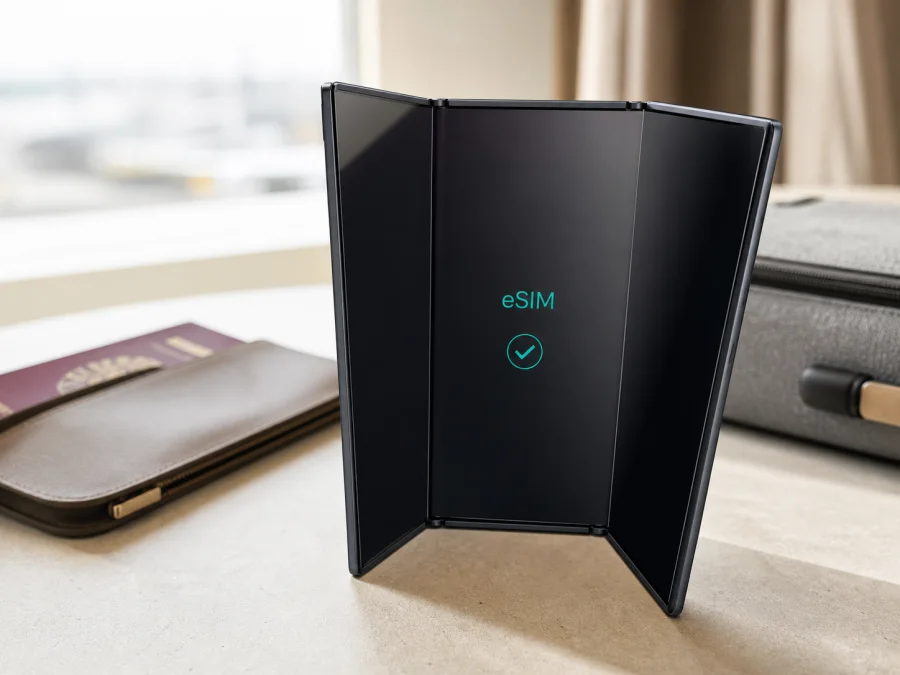
Samsung Galaxy Z TriFold 1TB 5G eSIM compatibility and setup
If you own a Samsung Galaxy Z TriFold 1TB 5G and want a travel eSIM, the short answer is yes—with an important qualification. Samsung lists the Galaxy Z TriFold family with support for up to two Nano-SIM cards and Multi eSIM, while warning that eSIM availability can vary by software version, region and carrier. Check the phone before selecting or paying for a plan.
The “1TB” label identifies storage and “5G” the cellular generation; neither guarantees eSIM on every regional or carrier version. Confirm the unit with an EID or an Add eSIM option in SIM manager. If neither appears, ask Samsung, the seller or the carrier to verify the exact model and market.
Quick answer
Samsung officially lists Galaxy Z TriFold among its eSIM-capable Galaxy devices, and its specifications include Multi eSIM. The Samsung Galaxy Z TriFold 1TB 5G can therefore work with a travel eSIM. Compatibility is conditional, however: the phone’s software, region of origin, carrier configuration and network plan all matter. Confirm the device menu and EID before purchase.
An eSIM is a digital SIM profile stored in the phone instead of on a removable card. In a trip, it can serve as a separate mobile-data line while your everyday SIM remains available, subject to the phone’s dual-SIM behavior and carrier rules. A travel eSIM in this context is for mobile internet abroad; it is not automatically a replacement for your regular number, voice service or SMS.
Samsung Galaxy Z TriFold 1TB 5G at a glance
| Item | What it means for eSIM use |
|---|---|
| Device | Samsung Galaxy Z TriFold 1TB 5G |
| Storage | 1TB internal storage; storage does not determine eSIM support |
| Mobile generation | 5G; actual access depends on network, market, bands and plan |
| SIM capability listed by Samsung | Up to two Nano-SIM and Multi eSIM |
| Decisive checks | EID in device information or Add eSIM in SIM manager |
| Important conditions | Software version, region, carrier configuration, network plan and device lock |
| Useful travel setup | Select the travel eSIM for mobile data and keep the usual line only when needed |
For an imported or second-hand phone, check the model number, country of sale and carrier status because tray and software can differ.
Does Samsung Galaxy Z TriFold 1TB 5G support eSIM?
Samsung’s official global specifications describe Galaxy Z TriFold as supporting up to two Nano-SIM cards and Multi eSIM. Samsung’s support information also includes it among Galaxy phones that support hybrid eSIM use. That is a positive manufacturer-level answer for the family.
It is not a guarantee for every individual unit. Samsung explicitly notes that eSIM availability may vary with software version, region and carrier, and that the mobile network plan must support eSIM. A phone intended for another market, customized by a carrier or still locked to an operator can show a different result.
For the exact Samsung Galaxy Z TriFold 1TB 5G, the safe conclusion is: the family is eSIM-capable, but your purchase is confirmed only when the unit shows an EID or Add eSIM and the chosen plan is accepted by the relevant network. The 1TB storage configuration neither proves nor disproves eSIM, and neither does the 5G marking.
Why region and carrier matter
Regional software can affect the SIM tray, menu options and whether eSIM provisioning is exposed. Carrier policy can limit dual-SIM functions, while a network lock can reject a profile from another provider. An EID is strong evidence of eSIM hardware, but it does not override a regional restriction or operator lock.
The plan must cover the destination and use a supported network; a QR-code scan alone does not guarantee service.
What to check before buying a travel eSIM
Complete this checklist before paying for a data plan, particularly if the Samsung Galaxy Z TriFold 1TB 5G was imported, bought from a carrier or activated in another country.
- Confirm the exact phone. In Settings > About phone, record the model name and model number. Make sure it is the requested 1TB 5G variant.
- Look for an EID. This identifier is associated with the phone’s eSIM hardware. It is useful evidence, but the plan and network still need to be compatible.
- Look for Add eSIM. Open the SIM manager and check for Add eSIM, Add mobile plan or similar wording.
- Update the software. Install available official Android and One UI updates, restart the phone and inspect the menu again.
- Check the network lock. Ask the original carrier or seller to confirm unlock status. Do not assume that a paid-off phone accepts every eSIM.
- Check the route. Make sure the plan covers every country or region on the itinerary, including border crossings or a second destination.
- Read the terms. Review data allowance, validity, activation conditions, tethering rules and speed limitations. Ordinary calls and SMS are not included unless stated.
- Prepare an internet connection. Keep Wi-Fi or another working data line available while the profile downloads.
If the EID and Add eSIM checks pass, the phone is a good candidate. If one is missing, pause the purchase and obtain unit-specific confirmation. You can Check your device before choosing a plan, then compare the destination, data amount and validity period in Kaspersky eSIM Store.
How to find EID and Add eSIM
Check for Add eSIM
- Open Settings.
- Tap Connections.
- Open SIM manager.
- Look for Add eSIM, Add mobile plan or similar wording.
- Confirm that the phone can start adding a profile, but do not scan a QR code unless you are ready to install it.
If only physical SIM slots are shown, update the software, restart and check again. Then verify the model number, country of origin and carrier status. An absent option may reflect a regional or carrier configuration; it does not prove that every Samsung Galaxy Z TriFold 1TB 5G lacks eSIM.
Check for an EID
- Open Settings.
- Tap About phone.
- Open Status information or the page containing SIM details.
- Look for EID and keep it private if support requests it.
Some versions place EID on a SIM-status page. If EID is visible but Add eSIM is absent, software or carrier policy may restrict activation.
Install an eSIM on Samsung Galaxy Z TriFold 1TB 5G
Use stable Wi-Fi or another working data line. Keep the QR code on a second screen because the same phone normally cannot scan its own displayed code. See the Android eSIM installation instructions for the general flow.
1. Verify the purchase
Open the eSIM details in Kaspersky eSIM Store and confirm the destination, allowance and validity. Make sure the order is complete and the profile is for mobile data.
2. Open the SIM manager
Go to Settings > Connections > SIM manager and tap Add eSIM. If the option is missing, stop and return to the EID and regional checks rather than trying random codes.
3. Scan or enter the activation details
Choose the QR-code option and scan the code from another display. If manual activation details are supplied, enter them exactly. Do not reuse a QR code that has already been installed if the plan treats it as one-time use.
4. Download the profile
Keep Wi-Fi connected while the profile downloads. This can take several minutes and may fail if the code expired, was already assigned or the connection was interrupted.
5. Name and select the line
Label the profile Travel data or with the destination name. Select it for mobile data and review the voice, SMS and data defaults so the home line is not selected accidentally.
6. Configure roaming and activation
A travel eSIM may require Data roaming because it uses a partner network abroad. Enable it for that profile only when required, and consider disabling roaming data for the home line. Some plans begin validity at installation, others at first connection, so follow the plan conditions.
After activation, wait for registration and test a small web request with Wi-Fi off. The first connection can take a few minutes. For an iPhone, the iOS eSIM installation instructions describe the corresponding flow; the Samsung Galaxy Z TriFold 1TB 5G uses Android settings.
Use eSIM for mobile internet while travelling
Keep the everyday line for important calls or messages and make the travel eSIM the mobile-data line. Dual-SIM behavior depends on the phone software and networks.
Activate before departure
If allowed, install over Wi-Fi at home and label the profile. Leave it off or unselected for mobile data until the trip begins if that matches the activation terms. On arrival, enable it, select it for data and test the connection.
Activate after arrival
Keep purchase details offline and use airport Wi-Fi or another temporary connection to download the profile. Select it for data, enable roaming if required and keep the QR details until it works.
Keep two lines or cross borders
You can often keep the home SIM for messages while the travel eSIM handles data. Check the default voice and SMS line before calling. For a multi-country route, confirm every destination is covered; a country plan may not cover a border crossing or territory. Monitor data usage and download maps over Wi-Fi.
Kaspersky eSIM Store is the app and website where you can choose a destination, review an eSIM tariff, complete the order and activate the profile for mobile internet during an overseas trip. It is not the mobile operator, network owner or mobile-internet provider.
Troubleshooting common problems
No Add eSIM option or EID
Check Settings > Connections > SIM manager, update Android and One UI, restart, and inspect About phone for EID. If both are absent, verify the model number, region and carrier status. Ask Samsung, the seller or carrier about this exact unit before buying.
QR code will not scan
Increase the other screen’s brightness, clean the lens, keep the code flat and show it fully. Use Add eSIM, not the regular camera shortcut. A code can fail after expiry, previous use or an interrupted installation.
Profile will not download
Reconnect to reliable Wi-Fi, check automatic date and time, and retry only if permitted. Confirm that the profile was not assigned to another device. Keep any activation error for support.
Installed profile has no service
Confirm that the profile is on and selected for mobile data. Check the destination, roaming requirement, airplane mode and network selection. Wait, then try automatic selection. An installed profile can still fail if the plan, destination, carrier or regional configuration is incompatible.
Home SIM uses data or service is intermittent
Open SIM manager > Mobile data, choose the travel profile and disable automatic data switching. Turn off home-line roaming data if appropriate. Intermittent service can reflect coverage, congestion, maintenance, an uncovered region or the plan’s speed policy. The 5G icon does not mean 5G is available everywhere; LTE may be used instead.
Profile was deleted or the phone was reset
Do not assume that the same QR code can restore a deleted profile. Some profiles are single-use or tied to the first installation. Check the plan terms and contact support before deleting or resetting an active eSIM.
FAQ
Is the 1TB version eSIM-compatible?
Samsung lists the Galaxy Z TriFold family with Multi eSIM, so the Samsung Galaxy Z TriFold 1TB 5G is a strong candidate. Confirm the unit with EID or Add eSIM because software, region and carrier can change availability.
Does 5G guarantee eSIM?
No. 5G describes cellular network technology; eSIM depends on hardware, firmware, market configuration and the supported plan.
Can I keep my regular SIM installed?
Usually, a compatible TriFold can use a physical Nano-SIM and eSIM arrangement, subject to the unit and carrier. Select the travel eSIM for data and review the defaults. Do not assume every combination is available on every carrier version.
Will a travel eSIM provide a phone number?
Not usually. In this context it is for mobile internet. A regular number, voice calls and SMS are not included unless the plan says so. Messaging and calling apps can use the data connection.
Should I install before flying?
It depends on the activation rule. Some plans start validity at installation or first connection. Read the terms and use Wi-Fi while access is reliable.
Is Kaspersky eSIM Store an operator?
No. Kaspersky eSIM Store is an app and website that helps you choose, order and activate an eSIM tariff for mobile internet during an overseas trip. It does not own the destination network or replace your mobile operator.
Final device check before your trip eSIM
Before choosing a plan for the Samsung Galaxy Z TriFold 1TB 5G, confirm:
- The model number, 1TB storage variant and region match the phone you will carry.
- An EID is visible, or Settings > Connections > SIM manager shows Add eSIM.
- The phone is not restricted by an operator lock that could reject the profile.
- Android and One UI are current, and internet access is ready for installation.
- The destination, route, data allowance, validity and activation rule fit the trip.
- The travel profile is labelled, selected for mobile data and configured for data roaming when required.
- The home line’s roaming data and automatic data switching match your preference.
If these checks are clear, use Kaspersky eSIM Store to choose the destination and review a suitable eSIM tariff, then install and activate it using the steps above. If EID or Add eSIM is missing, wait for confirmation of the exact regional and carrier version before purchasing.


