Travel connectivity guide
San Bernardino eSIM for Mobile Internet in Paraguay
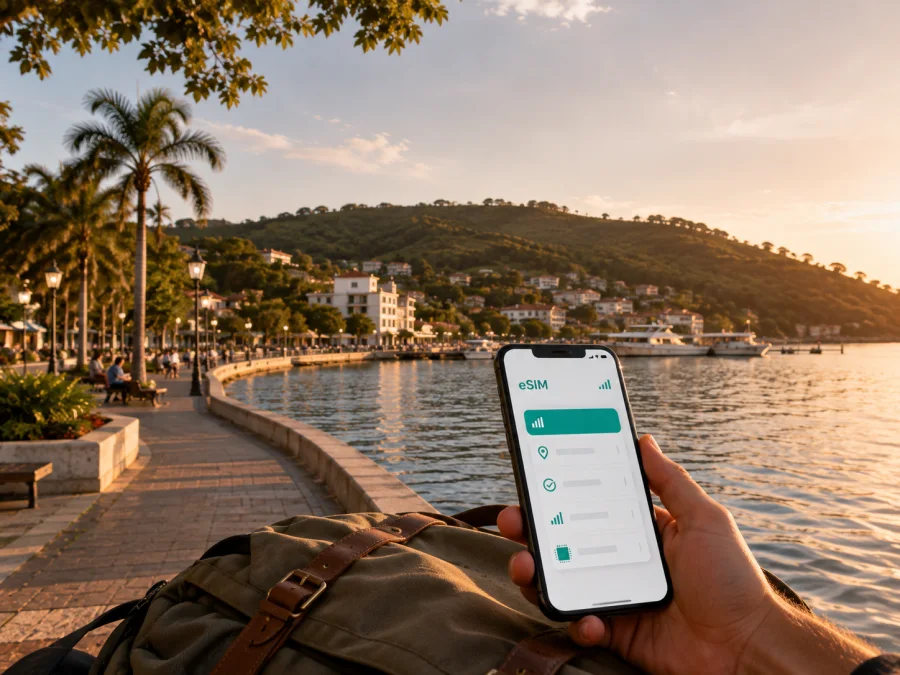
San Bernardino eSIM: Mobile Connection and Internet for a Paraguay Trip
San Bernardino is a lakeside destination in Paraguay’s Cordillera Department, about 50 kilometres from Asunción. Its Lake Ypacaraí shore, resort atmosphere and summer activity mean a traveller may move between the centre, costanera, accommodation and nearby towns in one trip. Mobile internet helps without depending on café, hotel or airport Wi‑Fi.
An eSIM, or virtual SIM card, is useful when your phone supports it and is not locked to a mobile operator. You can prepare the profile before leaving, keep your usual physical SIM available for messages if needed, and select which line handles mobile data after you arrive. Kaspersky eSIM Store is an app and website where you can choose, arrange and activate an eSIM with a suitable plan for mobile internet during an overseas trip. The underlying service follows the conditions of the selected plan and local communications partners, so the important details are the destination, traffic allowance, validity period and activation rules.
Why San Bernardino calls for a travel-ready connection
San Bernardino is more than a single waterfront stop. You may meet a driver after arriving from Asunción, find a guesthouse on a quieter street, walk toward the lake, and use navigation to reach food, a viewpoint or a nearby town such as Ypacaraí, Areguá or Caacupé.
The city’s rhythm changes with the season: summer usually brings more visitors and movement around the lakeside area, while other periods may be calmer. Data lets you check a property message, call a ride through an app, translate a menu, confirm a meeting point or update a route outdoors.
The practical value is not a promise of a particular speed or signal in every street. Review the plan description and keep an offline backup of your accommodation address, reservation details and first route.
Arriving from Asunción and planning the first hours
Most international visitors first travel through Asunción and then continue overland. Silvio Pettirossi International Airport is the capital’s main airport, and the road journey to San Bernardino is often around an hour. Traffic, weekends, weather and large events can change that estimate.
Before leaving the airport or Asunción, make sure your phone can perform the tasks you will need during the transfer:
- open the map area around San Bernardino;
- show the accommodation name and address;
- receive a message from the property or driver;
- check the route if the meeting point changes;
- access a translation tool;
If you arrange a transfer, ask for the exact property name, street and nearby reference point rather than only “the lake” or “the centre”. Holiday homes, inns and cabins may sit beyond the busiest waterfront streets, so keep the written address in a note.
For a self-drive itinerary, download the local map area before departure. If you use a bus or shared transfer, confirm the current departure location and timetable locally because intercity schedules and seasonal services can change.
A simple arrival checklist
- Charge the phone before leaving the airport.
- Save the accommodation address in a note and the map app.
- Confirm the line selected for mobile data.
- Check any data-roaming requirement for the travel eSIM.
- Test maps and messaging before the road journey.
This preparation reduces the chance that the first task in San Bernardino will be searching for public Wi‑Fi.
Choosing an eSIM plan for the way you travel
There is no single correct data allowance. A two-day stop with maps and messages differs from a week of work, photo uploads and video calls. Choose by your activities in San Bernardino, not by the city’s size alone.
| Travel pattern | Typical data use | What to consider |
|---|---|---|
| Lakeside weekend | Navigation, restaurant searches, ride apps and social posts | Leave room for repeated map use and photo sharing. |
| Several-day holiday | Daily navigation, messaging, browsing and occasional media | Compare the validity period with your complete itinerary, not only nights in the city. |
| Business visit | Email, cloud documents, authentication and video calls | Allow extra traffic and check how your work apps behave on mobile data. |
Read the plan as a set of conditions, not just a traffic number. Check data, validity, destination, expiry, activation timing, top-up options and refund terms. These details vary. If your itinerary extends to another country, verify that country separately instead of assuming a Paraguay plan covers it.
Kaspersky eSIM Store helps you review the available option for Paraguay and complete the selection through the app or website. Check the plan’s traffic and validity against your dates. The destination is the country because a city trip uses the country plan; it is not a separate San Bernardino network or city product.
Staying online around the lake and in the centre
Think about San Bernardino as a set of short movements rather than a single waterfront stop. The costanera and lakeside spaces are natural orientation points for a first walk; the centre is practical for food, errands and meeting people; accommodation farther from the shore may require a car, taxi or ride service. Mobile data helps you check a map, find a pickup point, translate a short exchange and reach your lodging without repeatedly searching for Wi‑Fi.
Near Lake Ypacaraí, save the name and address of your lodging before setting out and mark one clear meeting point. Keep the phone protected from heat, water and direct sun, and carry a power bank if you plan to use the camera and navigation for several hours. In the centre, treat map pins and opening times as useful guidance and confirm details directly when a reservation matters.
San Bernardino’s cultural stops include Casa Hassler and Casa Büttner, while promenades and viewpoints give a walk more than one possible route. Group nearby stops and save the return route. If you stay outside the busiest streets, request the exact address, check-in process and late-arrival instructions in advance, then keep them offline.
Transport and navigation in San Bernardino
San Bernardino is better approached with a flexible transport plan. A private car or arranged transfer is useful for airport journeys, accommodation outside the centre and excursions. Taxis and app-based rides may suit short trips, but availability can depend on time, weather and the season. Walking is pleasant for some central and lakeside segments, yet it is not a substitute for transport when your lodging is farther away or when you are carrying luggage.
Use mobile data for three separate tasks:
- Before leaving: compare the route and identify where you will meet the driver.
- During the trip: monitor the route and send an update if the arrival time changes.
- At the destination: save the return route and the next pickup point.
When travelling from Asunción, build in extra time for traffic rather than planning a connection with no margin. Summer weekends and events can bring more cars to the city and the road approaches. If you are heading onward to Caacupé, Areguá, Ypacaraí or another destination in Paraguay, check the road conditions and the current transport option on the day. A city guide can tell you the general geography; it cannot guarantee a live timetable.
Label saved places “hotel”, “lake meeting point” or “airport transfer”. Clear names help when you are tired; keep the address in plain text too.
Business visits, stopovers and trips from the city
A business itinerary may combine a meeting in Asunción, a stay by Lake Ypacaraí and a return to the capital or airport. Save the meeting address and documents offline, confirm the calendar time zone and carry a charging cable. An eSIM is mainly a mobile-internet option: it does not automatically add a conventional phone number, voice calls or SMS unless the selected plan says otherwise. Decide which line should receive calls and which should carry data.
For a day trip or brief overnight stay from Asunción, install the travel profile before departure if the plan rules allow it, save the costanera and accommodation as map favourites, and keep a time buffer for the return.
The city can serve as a base for trips toward Areguá, Caacupé or nearby Ypacaraí. These are itinerary ideas, not fixed schedules, so check current transport, opening hours and weather on the day. Note the destination, departure point, return option and accommodation address. If the route crosses into another country, confirm that destination separately; proximity alone does not establish coverage.
Once your route and data needs are clear, choose an eSIM plan for a trip to Paraguay and review its conditions before installation. This is useful for a lakeside weekend, a business stay or a short stopover that continues through the Cordillera region.
How to install and activate an eSIM
Complete these checks before starting:
- confirm that the phone supports eSIM and is not operator-locked;
- connect the phone to a stable internet connection for installation;
- keep the QR code or activation profile available;
- charge the phone sufficiently for the setup;
- decide whether the eSIM will be used for mobile data after arrival.
Before choosing a plan, check whether your device supports eSIM. Model names can vary by market, and a phone that looks similar to a supported model may have a different regional configuration.
1. Review the plan details
Use the app or website to check the selected Paraguay plan, traffic, validity and activation conditions.
2. Add the eSIM profile
Open mobile-network settings, choose the option to add a mobile plan or eSIM, and follow the prompts with the supplied QR code or profile details.
3. Name the new line
Give the profile a clear name such as “Paraguay data” to avoid selecting the wrong line after landing.
4. Select mobile data
Choose the travel eSIM for mobile data when ready. Keep your primary line available for the functions you want and review data switching.
5. Enable the required data setting
If required by the plan or device, enable data roaming for the eSIM line. Check which line a roaming setting affects.
6. Test the connection
Open a map, load a simple page and send a message. Activation can take several minutes. If data does not work, recheck the data line, required roaming setting and plan conditions.
For device-specific steps, use the Android installation instructions or the iOS installation instructions. If you install before travelling, use the profile after arrival only if the plan’s activation rules allow it. Validity may begin at installation, activation or first network use.
Managing data during the trip
Maps, photo backups, video and automatic updates can consume more traffic than messages. Pause cloud photo uploads, turn off automatic updates over mobile data and download often-used map areas in advance. Review balance and expiry in the app or website instead of guessing. If the eSIM stops working, record the phone model, selected data line, time of the problem and any error message before contacting support.
Do not remove a working eSIM while troubleshooting. A profile may not be transferable or reinstallable after activation under the plan conditions. First check the instructions, connection settings and compatibility, and keep the QR code and order details secure.
FAQ about eSIM use in San Bernardino
Is San Bernardino suitable for an eSIM travel plan?
Yes. The city is a practical test case for mobile data because a visit can combine an airport or capital transfer, accommodation, lakeside walking and trips around Cordillera. Choose a plan for Paraguay and verify its conditions before departure.
Do I need a separate city plan for San Bernardino?
No. A city visit uses the plan for the country to which the city belongs. The important checks are Paraguay as the destination, the plan’s validity, traffic allowance and applicable network conditions.
Can I use the eSIM for normal phone calls?
Usually no, unless the selected plan explicitly includes those services. Travel eSIM plans are intended for mobile internet and do not automatically add a conventional phone number, voice calls or SMS. Use internet messaging apps when appropriate.
Should I install the eSIM before leaving home?
It can be convenient, especially for a short stopover, but follow the plan’s activation rules. Keep a stable internet connection for installation and check whether validity starts at installation, activation or first use.
What if the phone does not connect after landing?
First check that the eSIM is enabled, selected for mobile data and configured with any required data-roaming setting. Confirm that the device is compatible and that the plan is valid for Paraguay. Restarting the phone may help; if the issue remains, contact support with the order and device details.
Final preparation checklist
Before travelling to San Bernardino, confirm the following:
- the phone supports eSIM and has no operator lock;
- the Paraguay destination and plan validity match the itinerary;
- the traffic allowance fits maps, messaging and work needs;
- the accommodation address and arrival instructions are saved offline;
- the QR code or activation profile is available;
- Android or iOS installation steps are within reach;
- the travel eSIM is clearly named in the phone settings;
- data roaming requirements are understood;
- the first transfer and return route have a time buffer;
- the support contact path and order details are easy to find.
San Bernardino rewards a flexible schedule: start by the Lake Ypacaraí shore, move through the centre at your own pace, and leave room for a longer lunch, a viewpoint or a change in transport. Preparing the mobile-data part in advance keeps those choices simple. When you are ready, select an eSIM plan for your Paraguay itinerary in Kaspersky eSIM Store, review the conditions, install the profile on a compatible device and activate it when your trip requires mobile internet.


