Travel connectivity guide
San Fernando eSIM: Mobile Internet Guide
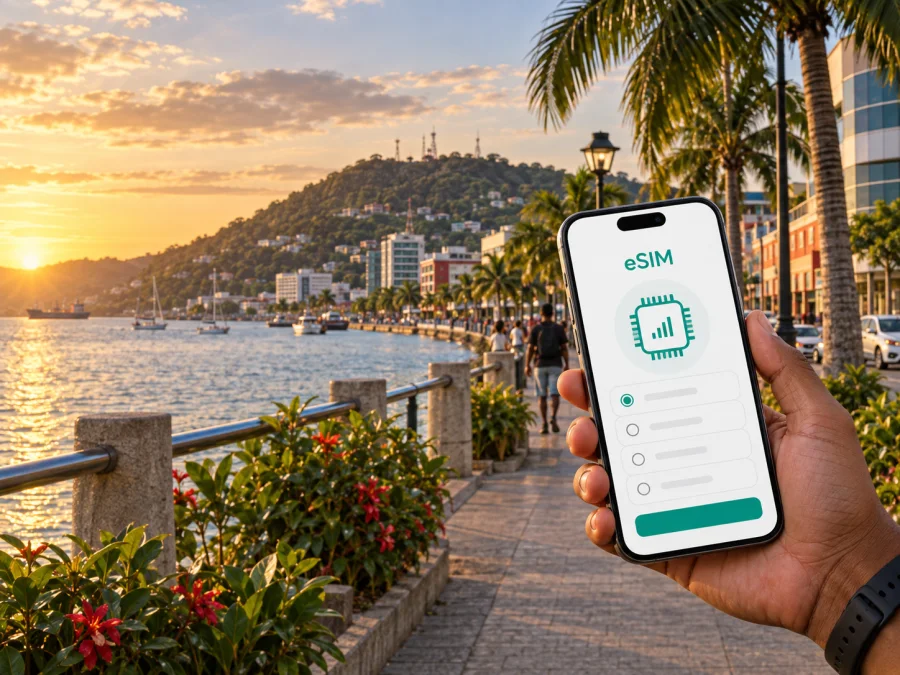
San Fernando eSIM: mobile connection and internet for your trip to Trinidad and Tobago
San Fernando is a practical base for exploring southern Trinidad, meeting local teams, or continuing toward towns and nature sites beyond the city. A reliable mobile internet plan matters from the moment you leave the airport: you may need a map for the road south, a message to your hotel, a ride confirmation, or a translation while you are still carrying luggage. An eSIM, or digital SIM, can help you prepare that connection without removing your everyday physical SIM card.
Kaspersky eSIM Store is an app and website where you can choose, arrange, and activate an eSIM with a suitable mobile-data plan for an international trip. The eSIM is intended for mobile internet; it does not automatically replace your usual phone number, calls, or SMS unless the selected plan says otherwise. This guide explains how to plan the San Fernando part of your journey, choose data for the way you actually travel, and avoid common setup problems.
Why mobile internet is useful in San Fernando
The city centre, waterfront, residential areas, business locations, and roads leading toward southern Trinidad can all form part of one itinerary. Your phone is useful for practical decisions that change during the day.
You may use mobile data to:
- confirm the address and check-in instructions for a hotel or guesthouse;
- keep a map available while moving between the centre, the waterfront, and nearby communities;
- contact a driver or accommodation after the road journey from the airport;
- check a meeting location and share your arrival time with colleagues;
- translate a message, save a reservation, or send documents while working away from your office;
- use messaging and internet calling apps when your eSIM plan is data-only.
You can keep your home SIM available for verification messages, if your operator permits that arrangement, while using the travel eSIM for mobile data. Exact behaviour depends on the plan, device, local conditions, and settings, so keep the hotel address, booking reference, and basic route offline too.
San Fernando arrival: plan the first hour
International visitors commonly begin a Trinidad itinerary at Piarco International Airport and then continue south by road. Do not wait until you are outside the terminal to discover that the eSIM has not been installed or that your phone is still using the wrong data line.
Use this arrival sequence:
- Before departure, save your accommodation name, address, phone number, and check-in window in your notes.
- Install the eSIM while you have a stable internet connection, but keep the profile turned off if you do not want the validity period or data use to begin before the trip. The exact activation conditions depend on the plan.
- At the airport, connect the eSIM to mobile data only after checking which line is selected for data.
- Keep data roaming enabled for the travel eSIM only when the installation instructions or plan conditions require it.
- Test one small task, such as opening a map or sending a message, before leaving the airport area.
- If you are meeting a driver, share the meeting point and your live arrival status before you move away from the agreed area.
This approach is useful for a late arrival, a short connection, or a traveller going directly to a meeting.
Central San Fernando, the waterfront, and the city’s slopes
For a first stay, it helps to think of San Fernando in functional zones rather than as a list of attractions. The central streets around High Street and Harris Promenade are useful reference points for errands, meals, appointments, and orientation. The waterfront and Kings Wharf area offer a different setting, while the city’s elevated viewpoints and surrounding residential areas can make a direct route less obvious than it looks on a map.
San Fernando Hill is one of the city’s defining landmarks. Official tourism information describes it as a protected area of about 100 acres and around 200 metres high, with views toward the Gulf of Paria and the southern landscape. Access conditions can change, so check locally before making it the fixed point of a schedule. Mobile data helps with practical information and transport coordination.
The city also works as a base for trips that begin in San Fernando but continue elsewhere. Consider the complete route, not just the hotel pin, when choosing a country-level plan.
Choosing an eSIM plan for a San Fernando itinerary
Start with your route and habits, then compare the available plan conditions. The right amount of data differs for a conference traveller using hotel Wi-Fi and a family that uploads photos or shares a hotspot.
| Travel pattern | Typical mobile-data tasks | What to compare |
|---|---|---|
| Short stopover | Messages, a map, ride coordination, booking details | Short validity, modest data allowance, activation timing |
| City break | Navigation, restaurant searches, photos, messaging, occasional calls in apps | Enough data for several active days and the full stay |
| Business visit | Email, cloud documents, video meetings, two-factor sign-in, hotspot use | Allowance, validity, tethering conditions, backup Wi-Fi |
| Southern Trinidad route | Maps between towns, accommodation changes, uploads, transport coordination | Country coverage in the plan, validity across the route, recharge rules |
The figures shown on a plan page are more useful than a generic promise about speed. Check the data allowance, validity, country or regional scope, start of use, and any fair-use or top-up conditions. If a plan is data-only, plan to keep calls and messages in internet apps or retain your home SIM for normal service where roaming charges are acceptable.
When you are ready to compare options, choose an eSIM plan for a trip to Trinidad and Tobago. This country page is the appropriate destination for San Fernando; a separate city URL is not needed.
Estimate data for your route
Do not choose a plan by destination name alone. For light use, allow for messages, occasional navigation, email, and searches. Regular use adds daily route checks, uploads, and internet calls. Remote work, media, hotspot use, or several devices require more allowance; confirm tethering conditions first. Match the plan to the whole stay and route, not just the first two evenings in central San Fernando.
How to install and activate an eSIM
Installation is easiest before departure, when you can use dependable Wi-Fi and read the instructions without rushing. Have the QR code or profile details available, but do not delete your existing SIM. For detailed steps, use the Android installation instructions or the iOS installation instructions.
Before you begin, check whether your device supports eSIM and confirm that it is not locked to another operator. Some models and regional versions differ, so the model name by itself is not always enough.
Before departure
- Connect the phone to Wi-Fi.
- Confirm that the selected plan is intended for Trinidad and Tobago and that its validity matches your dates.
- Open the mobile-network settings and choose the option to add an eSIM or mobile plan.
- Scan the QR code or follow the profile instructions.
- Label the new line clearly, for example “Travel data”, so that it is easy to identify later.
- Leave your home line available for calls or verification messages if needed, but select the travel eSIM for mobile data when you arrive.
On arrival
- Open the SIM or mobile-network settings.
- Turn on the travel eSIM.
- Select it as the line for mobile data.
- Turn off data switching if your phone could move data back to the home line.
- Enable data roaming for the travel eSIM only when required by the plan or device.
- Test a map and a message, then check which line is shown as active.
The connection may take several minutes and depends on the device and local network. If the profile does not activate, do not repeatedly delete and reinstall it. Check the plan conditions, selected data line, roaming settings, signal, and internet access first. If the issue remains, contact support with the order details and device model.
Moving around the city without losing your way
San Fernando travel is easier when you separate navigation into short, verifiable stages: airport to accommodation, accommodation to the centre, centre to waterfront, and city to the next stop. This reduces the impact of a changed pickup point or a map pin at the wrong entrance.
A practical movement checklist
- Save the accommodation pin and the written address.
- Search by name and address, not only by a shortened business name.
- Confirm the pickup point before ordering or meeting transport.
- Keep a screenshot of the route for the next leg of the journey.
- Use official or pre-arranged transport information and confirm local conditions.
- Allow extra time when crossing between the centre, residential areas, and the waterfront.
- For work, send the meeting address to a colleague before leaving the hotel.
For central walks, a downloaded map and saved addresses may be enough. For several neighbourhoods or a drive beyond the city, live data helps with delays and changed meeting points.
Hotels, apartments, and longer stays
Accommodation Wi-Fi should not be your only plan for arrival, a late check-in, or a day away from the property. Ask for the exact entrance when a property has several map results, save the details, and share a map pin as well as the written address. If you stay in Gulf View, Pleasantville, Marabella, or another community around the city, use the full address rather than a neighbourhood name alone. For a longer stay, review balance and validity before deciding whether a top-up is needed.
Business trips and remote work in San Fernando
San Fernando is a useful base for meetings and site visits in southern Trinidad. Plan the mobile connection alongside a charger and offline copies of essential documents.
Before the meeting day:
- Save the venue address, host contact, and meeting time offline.
- Download documents you may need if the signal or Wi-Fi changes.
- Check whether your plan permits hotspot use before sharing data with a laptop.
- Set cloud backups and system updates to Wi-Fi.
- Test a short internet call or document upload before the first appointment.
An eSIM can simplify the data side of a trip, but it is not a guarantee of a particular speed or uninterrupted service. Keep a fallback such as hotel Wi-Fi, a second meeting point, or a colleague’s number in your notes.
Short trips from San Fernando
Many itineraries use San Fernando as a starting point rather than a final stop. You might travel to another town or return north after a southern meeting. Check whether the eSIM plan applies across Trinidad and Tobago rather than assuming a city reference limits it to San Fernando.
Prepare a route card before leaving: save the full starting address, destination and map pin, transport contact, departure window, a backup contact, and your remaining data allowance and validity.
Keep offline information for longer routes; it protects you from a dead battery, a delayed transfer, or a temporary signal change.
What to check before buying
Use this checklist before you pay for any eSIM plan for San Fernando:
- [ ] The destination is listed as Trinidad and Tobago or in a region that includes it.
- [ ] The validity period covers the dates when you expect to use mobile data.
- [ ] The data allowance fits navigation, messages, work, uploads, and hotspot use.
- [ ] Your phone supports eSIM and is not operator-locked.
- [ ] You know which line will be used for mobile data and whether data roaming is required.
- [ ] You know whether calls, SMS, tethering, and top-ups are included or excluded.
- [ ] You have the installation instructions and access to Wi-Fi for setup.
- [ ] You have saved critical addresses and booking details offline.
Conditions can vary by plan, so read the plan page and accompanying instructions.
Common questions
Is eSIM useful for a short stop in San Fernando?
Yes, it can be useful when your first tasks are checking a transfer, opening a map, messaging accommodation, or continuing to another destination. Choose the validity and data allowance around the actual stopover rather than buying more capacity than you need.
Does the eSIM include a phone number?
Not necessarily. Unless the chosen conditions state otherwise, treat the eSIM as a mobile-data option without a separate number, ordinary calls, or SMS. Internet messaging and calling apps can work over the data connection.
What if my phone shows no connection after landing?
Check that the eSIM is turned on, selected for mobile data, and allowed to use data roaming when required. Check the signal, restart the phone if appropriate, and wait a few minutes. Do not remove the eSIM before checking the plan instructions or contacting support.
A calm setup for your San Fernando trip
The most reliable preparation is simple: match the plan to the whole Trinidad itinerary, install the eSIM over Wi-Fi, verify compatibility, and decide which SIM will handle mobile data. Save the first transfer details and key addresses before arrival. In San Fernando, use live data for maps, messages, transport, bookings, and work; keep larger downloads for Wi-Fi.
Kaspersky eSIM Store helps you compare the destination, data allowance, and validity of available eSIM options, then follow a clear path to installation and activation. When your device and travel route are ready, choose an eSIM plan for your San Fernando trip and prepare your mobile internet before the journey.


