
Travel connectivity guide
San Jose eSIM for Costa Rica travel
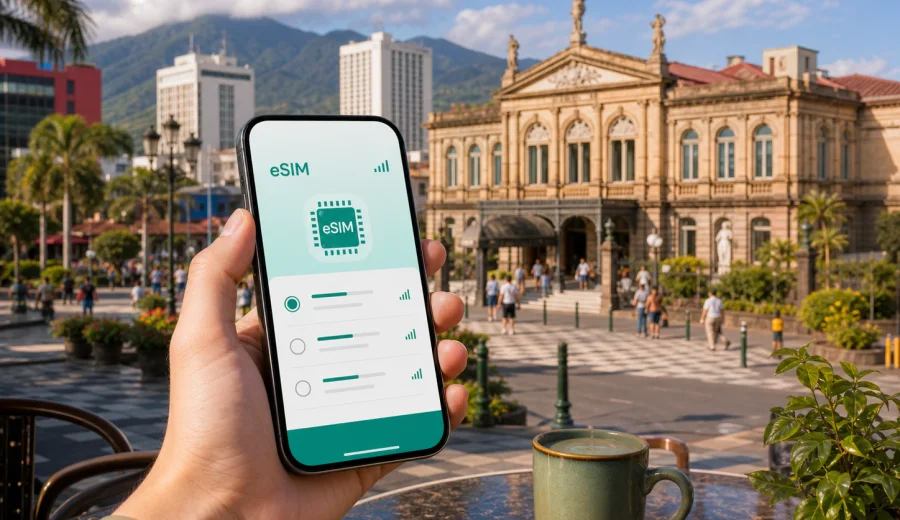
San Jose eSIM: mobile connection and internet for a city trip to Costa Rica
San Jose is often the first practical stop in Costa Rica: the airport arrival, the first hotel check-in, the place where you confirm a shuttle, meet colleagues, recover from a long flight, or spend one day before continuing to volcanoes, cloud forests, or the coast. In that kind of trip, mobile internet is not a small convenience. It helps you find the right terminal exit, call a ride, message your hotel, check a bus route, translate a menu, and keep maps open when traffic or directions change.
An eSIM can make this first stage simpler because you do not need to look for a physical SIM card immediately after landing. With a compatible phone, you can prepare a digital SIM profile before departure or install it when you have Wi-Fi, then use mobile data according to the terms of the selected tariff. For San Jose, that matters most between places: airport to hotel, hotel to meeting, museum to cafe, bus terminal to onward route.
This guide focuses on San Jose as a city, not on Costa Rica in general. It covers arrival, local movement, useful districts, business trips, short stopovers, day trips from the capital, and the mobile data decisions that make each scenario easier.
Why mobile internet matters in San Jose
San Jose is compact compared with many capital cities, but it is not always simple for a first-time visitor. Addresses can be descriptive, peak-hour traffic can slow down plans, and a single travel day may involve more than one transport mode. You may land at Juan Santamaria International Airport, stay in San Jose or nearby Escazu, take a ride to Barrio Escalante for dinner, visit museums around the city center, and leave from a bus terminal the next morning.
Mobile data helps with the details that are hard to plan perfectly:
- checking the route from the airport before you get into a car;
- sharing your live location with a hotel, colleague, or travel companion;
- confirming opening hours for restaurants, museums, coworking spaces, and shops;
- using map apps while walking through the city center;
- translating Spanish signs, menus, and messages;
- receiving booking updates for hotels, shuttles, and domestic tours;
- keeping messaging apps available when hotel Wi-Fi is weak or unavailable.
Public Wi-Fi can help in hotels, cafes, and some business venues, but it is not a full travel plan. The problem is usually not one long period offline; it is many small gaps when you need a map, confirmation code, or ride request. An eSIM helps cover those gaps with mobile internet on your own device.
Arrival at San Jose airport
Most international visitors reach San Jose through Juan Santamaria International Airport, which is outside the city in Alajuela. The drive into San Jose can be quick in light traffic and much longer during busy periods. If your first destination is downtown San Jose, La Sabana, Escazu, Santa Ana, or an airport-area hotel, it is useful to have internet before you leave the arrivals area.
The first hour is often when mobile data has the highest value. You may need to:
1. Check the exact hotel address and entrance.
2. Message your host or reception desk.
3. Compare a ride app, hotel transfer, or official taxi option.
4. Track the route and estimated arrival time.
5. Confirm whether you should go directly to San Jose or stop in Alajuela.
If you already installed your eSIM profile before the flight, you can turn on the eSIM line after arrival and follow the activation instructions for the selected tariff. Some tariffs begin validity when activated or when the eSIM first connects to a supported local network, so read the conditions before you travel. If you prefer to install after landing, use a secure Wi-Fi connection and keep your confirmation details accessible offline.
San Jose areas where data use changes
Different parts of San Jose create different mobile internet habits. A museum walk is not the same as a business day with cloud documents, and a hotel in Escazu is not the same as a hostel near a bus terminal. Thinking by district helps you choose a realistic data amount.
| San Jose area | Typical trip use | Why mobile data helps |
|---|---|---|
| City center | Museums, National Theatre area, markets, short walks | Maps, opening hours, translation, ride pickup points |
| La Sabana | Hotels, park visits, stadium events, business stays | Ride apps, messaging, navigation across wider roads |
| Barrio Escalante | Restaurants, cafes, evening plans | Restaurant searches, reservations, route checks after dark |
| Escazu and Santa Ana | Business hotels, malls, meetings, longer stays | Transport coordination, work messaging, hotspot backup |
| Alajuela airport area | Late arrivals, early departures, first night stays | Transfer updates, hotel messaging, flight changes |
| Bus terminal areas | Onward travel to beaches, mountains, or other cities | Ticket details, route confirmation, location sharing |
If your trip is centered on downtown walks and hotel Wi-Fi, a smaller data package may be enough. If San Jose is your base for several meetings, ride app use, cloud documents, and day trips, choose a tariff with more data and enough validity days for the full stay.
eSIM, roaming, physical SIM, or Wi-Fi
There is no single best option for every traveler. The right choice depends on how long you stay in San Jose, how much mobile data you use, and whether you want to spend time arranging connectivity after arrival.
| Option | Good for | Trade-off to consider |
|---|---|---|
| eSIM | Travelers with compatible phones who want mobile data without a physical SIM | You must check device compatibility and tariff conditions before purchase |
| Standard roaming | Short stays where your home operator has a clear roaming package | Costs and data limits can vary significantly by operator |
| Local physical SIM | Longer stays where you want a local SIM arrangement | You may need to visit a store and manage setup locally |
| Public Wi-Fi | Hotel work sessions and low-data travelers | Coverage is limited to venues and may not help during transit |
For a San Jose stopover or city break, eSIM is often practical because the setup is digital and can be prepared before the trip. It is especially useful if you plan to keep your physical SIM in the phone for bank messages, calls, or other home-number services while using the eSIM for mobile data.
Check your device before you choose an eSIM
Before buying any eSIM tariff, confirm that your phone or tablet supports eSIM and is not locked to one operator. This prevents one of the most common travel problems: paying for a digital SIM profile that your device cannot install or use.
Use the compatibility check before you finalize your plan: Check your device.
Also review these points:
- Your device should support eSIM.
- Your device should not be carrier-locked.
- Your operating system should be up to date enough to manage eSIM profiles reliably.
- You should know where to switch mobile data between your primary SIM and eSIM.
- If required by the selected tariff, data roaming for the eSIM line may need to be enabled.
An eSIM generally gives mobile internet, not a standard local phone number. Voice calls and SMS are not included unless the conditions of a specific tariff say otherwise. For most San Jose travel scenarios, messaging apps, email, maps, and ride apps are the main use cases.
How much data do you need in San Jose?
Data use depends less on the city and more on your habits. Maps, messaging, email, and translation use relatively little data. Video calls, cloud backups, social video, and tethering can use much more. San Jose adds one practical factor: because you may rely on rides, maps, and booking updates between neighborhoods, you may use data more often than you expect even on a short stay.
Use this planning guide:
| Trip style | Typical duration | Practical data approach |
|---|---|---|
| Airport stopover with one hotel night | 1-2 days | Small package for maps, messaging, ride apps, and flight updates |
| Weekend in San Jose | 2-4 days | Moderate package for navigation, restaurant searches, photos, and daily messaging |
| Business trip | 3-7 days | Larger package if you need work apps, internet calls, or hotspot backup |
| San Jose plus day trips | 5-10 days | More data and enough validity for transfers outside the city |
| Costa Rica itinerary starting in San Jose | 1-3 weeks | Choose by total route, not just the capital stay |
If you regularly stream video or upload many photos on mobile data, choose a larger package. If you use hotel Wi-Fi for heavy tasks and mobile data only outdoors, a smaller package may be enough. Disable automatic cloud backups and app updates on mobile data before you leave home.
Prepare eSIM before your San Jose flight
The smoothest approach is to prepare connectivity while you are still calm, connected to home Wi-Fi, and not standing in an arrival hall with bags. Before departure, you can review available options, choose a tariff for Costa Rica, install the eSIM profile on a compatible device, and keep the activation details easy to find.
When you are ready to compare options, you can prepare an eSIM tariff for your trip to San Jose through the Costa Rica page. Choose by data volume, validity period, and the way you expect to use mobile internet during the city part of your trip and any onward route.
A simple pre-flight checklist:
- Save your hotel address and first transfer details offline.
- Install the eSIM while you have reliable Wi-Fi, if the tariff instructions allow pre-installation.
- Keep your primary SIM active if you need bank messages or calls on your usual number.
- Check whether the eSIM should be activated before departure or only after arrival.
- Turn off mobile data for apps that may use large background traffic.
- Download offline maps for the San Jose area as a backup.
The goal is not to rely on one connection method for everything. A good travel setup combines eSIM mobile data, saved offline details, and hotel Wi-Fi for heavier tasks.
Installing and activating your eSIM
Installation steps can vary by device and by tariff instructions, but the general idea is simple: you add an eSIM profile to a compatible phone, label it clearly, and then select it for mobile data when you want to use it. If you are not familiar with the process, follow the device-specific guides: Android installation guide and iOS installation guide.
For a San Jose trip, label the line in a way that is easy to recognize, such as "Costa Rica data" or "Travel eSIM." Then check these settings before you depend on it:
1. The eSIM profile is installed.
2. Mobile data is assigned to the eSIM line when you want to use the tariff.
3. Data roaming is enabled for the eSIM line if the tariff instructions require it.
4. Your primary line is still available for calls or SMS if needed.
5. Background data use is controlled for heavy apps.
If the phone does not connect immediately after arrival, do not repeatedly delete and reinstall the eSIM profile unless the instructions say to do so. First check mobile data selection, roaming settings for the eSIM line, airplane mode, and whether you are in an area with local network coverage.
Practical San Jose scenarios
Late arrival
Late flights can make every small task feel more complicated. Keep the hotel name, address, and booking number saved offline. After landing, use mobile data to message reception, confirm the ride pickup point, and share your expected arrival time. If you are staying near the airport, check whether your hotel shuttle has a specific meeting point.
Business visit
San Jose meetings may be spread between downtown, La Sabana, Escazu, Santa Ana, and business hotels outside the historical center. Mobile data helps with calendar changes, ride coordination, messaging, document access, and backup internet for light tasks. For video meetings, use hotel or office Wi-Fi when available and keep eSIM data as a fallback.
One-day city walk
If you have one free day, mobile internet helps you move between the National Theatre area, museums, markets, cafes, and parks without turning the day into a route-planning exercise. Use maps for walking directions, but also keep an eye on traffic if you need to return to the airport or a bus terminal later.
Food and cafe plans
Barrio Escalante and other dining areas are easier with mobile data because opening hours, reservation rules, and ride pickup points can change. If you are meeting someone, location sharing is often more useful than trying to describe a corner or storefront.
Onward travel from San Jose
Many Costa Rica itineraries begin in San Jose and continue to La Fortuna, Monteverde, Manuel Antonio, Tortuguero, the Caribbean coast, or the Pacific beaches. Even if the capital is only your starting point, you may need data for shuttle messages, bus terminal directions, weather checks, and accommodation updates. Choose your eSIM tariff for the whole route if San Jose is only the first part of the trip.
Data-saving tips in the capital
San Jose is a good place to use Wi-Fi for heavy tasks and mobile data for movement. The difference can help you avoid using your package too quickly.
Use mobile data for:
- maps and ride apps;
- messaging and location sharing;
- email confirmations;
- translation;
- digital tickets and booking updates;
- light web searches while moving.
Use Wi-Fi when available for:
- operating system updates;
- app updates;
- long video calls;
- photo and video backups;
- streaming;
- large file downloads.
Before leaving the hotel, open your map route and destination details while on Wi-Fi. During the day, your eSIM data then supports live updates rather than loading everything from zero.
Short stopover plan for San Jose
If you have less than 24 hours in the area, do not overbuild your route. A practical stopover plan keeps you connected enough to handle transfers and one or two city experiences.
| Time available | Suggested focus | Connectivity priority |
|---|---|---|
| 6-8 hours | Airport hotel, meal, rest | Flight updates, hotel messages, ride coordination |
| 12 hours | City center visit or dinner area | Maps, return route, opening hours |
| 24 hours | One neighborhood plus a planned activity | Navigation, bookings, messaging, photo sharing |
For a short stopover, eSIM is useful because you can avoid spending limited city time on a SIM-card errand. The key is to prepare before arrival and keep the package size realistic.
What travelers often overlook
The most common mobile internet mistakes in San Jose are simple and avoidable:
- choosing a tariff that expires before the full Costa Rica route ends;
- forgetting to check whether the phone supports eSIM;
- installing the eSIM only when there is no reliable Wi-Fi;
- letting photo backups use mobile data automatically;
- assuming eSIM includes a local phone number;
- forgetting to switch mobile data from the home SIM to the travel eSIM;
- using the airport arrival moment to make every decision from scratch.
The better approach is to decide the essentials before departure: device compatibility, data amount, validity period, installation timing, and first-day route. That leaves fewer moving parts for arrival.
FAQ: eSIM and mobile internet in San Jose
Is eSIM useful if I stay only one night in San Jose?
Yes. It can help with airport transfer, hotel messaging, maps, ride apps, and flight updates. For a one-night stay, choose a data amount that matches light travel use rather than a large work-heavy package.
Should I install the eSIM before flying to Costa Rica?
If the tariff instructions allow it, installing before departure can make arrival easier. Activation and validity rules depend on the selected tariff, so read the conditions carefully before you turn the eSIM on for mobile data.
Can I keep my regular SIM active?
On many dual-SIM phones, you can keep your regular SIM available for calls or SMS and use the eSIM for mobile data. Settings vary by device, so check your phone before the trip.
Does eSIM include calls and SMS in Costa Rica?
In this travel context, eSIM is mainly for mobile internet. Calls and SMS are not included unless a specific tariff says so. You can usually use internet-based messaging and calling apps over mobile data.
Is public Wi-Fi enough in San Jose?
Public or hotel Wi-Fi may be enough for some tasks, but it will not help reliably during airport transfer, street navigation, ride pickup, or route changes. Mobile data gives you more control when you are between venues.
Final checklist before you leave for San Jose
Use this checklist the day before travel:
- Your phone supports eSIM and is not locked to one operator.
- You selected a Costa Rica tariff with enough data and validity.
- You understand when the tariff validity starts.
- Your eSIM installation instructions are saved.
- Your hotel address and airport transfer details are available offline.
- Automatic backups and app updates are limited on mobile data.
- You know how to switch mobile data between SIM lines.
- You have a charger or power bank for navigation-heavy days.
San Jose is a city where mobile internet supports the practical parts of travel: arrival, transport, hotel communication, work messages, neighborhood movement, and onward plans. With Kaspersky eSIM Store, you can choose, arrange, and activate an eSIM tariff for mobile internet in a compatible device before or during your trip. Before you go, choose an eSIM tariff for your Costa Rica trip and keep your first day in San Jose easier to manage.