Travel connectivity guide
San Juan eSIM for Mobile Internet and Travel
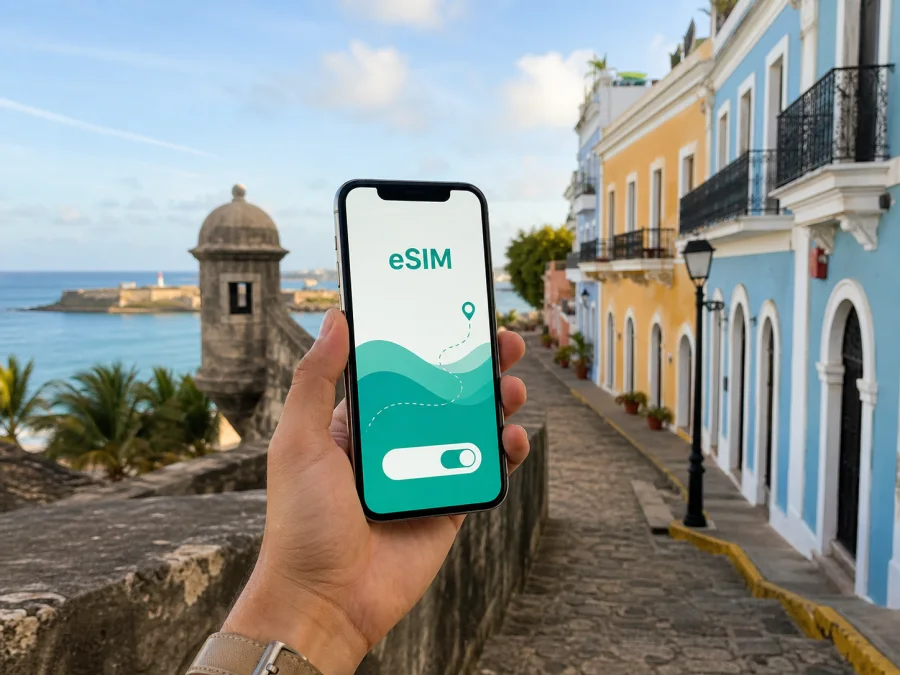
San Juan eSIM: mobile connection and internet for city trips
San Juan is the kind of destination where mobile internet becomes part of the itinerary from the moment you leave the airport. You may need the address of a hotel in Isla Verde, a ride to Old San Juan, a map for a walk around the forts, a message to a colleague in Hato Rey, or a boarding update before a trip onward through Puerto Rico. An eSIM can help you prepare that connection without waiting to buy a physical SIM card after landing.
This guide focuses on using an eSIM during a stay in San Juan: planning before departure, estimating data, moving through districts and checking activation. Kaspersky eSIM Store is an app and website where you can choose, arrange and activate an eSIM with a suitable mobile-data plan for an overseas trip. The plan’s network, validity, data allowance and other conditions depend on the option you select.
Why mobile internet matters in San Juan
San Juan combines a historic core, beach areas, hotel districts, residential neighborhoods and a wider metropolitan area. Each setting creates a different daily need for data.
In Old San Juan, you may spend the day walking between plazas, museums, cafés and waterfront viewpoints. In Condado or Isla Verde, you may switch between a hotel, beach, restaurants and rides. Business travel adds offices and meeting venues around Hato Rey or Miramar; a city break may continue by ferry or road beyond the capital.
An active mobile connection is useful for:
- opening maps while deciding between two streets or entrances;
- checking a pickup point and sharing your location with a driver;
- confirming hotel, restaurant or meeting details;
- using messaging apps for family, colleagues and travel companions;
- keeping a hotspot available for a laptop in a work scenario, if the selected plan and device support tethering.
San Juan arrival: prepare before you leave the airport
Most visitors arrive through Luis Muñoz Marín International Airport, commonly identified by the code SJU, in the wider San Juan metropolitan area. Your first online tasks are usually simple but time-sensitive: open the accommodation address, contact a pickup service, check the route to the first district, and let someone know that you have arrived.
Before the flight, save the details you will need even if your phone is temporarily offline:
- The complete accommodation address and reservation number.
- Check-in instructions and the name of your airport transfer, if arranged.
- A screenshot of the first route and a short list of essential contacts.
This is a backup in case the phone needs a restart, the eSIM still needs configuration, or a location is difficult to find. Once the travel profile is active, live maps and messaging reduce the need to search for public Wi‑Fi immediately after arrival.
If your accommodation is in Isla Verde, the airport transfer is usually the first city connection to organize. For Condado, Miramar or Old San Juan, confirm the exact drop-off point rather than relying on a broad district name. A precise pin or written instruction helps avoid a detour.
Match your data plan to the way you will use the city
There is no single correct data allowance for every San Juan visit. The right choice depends on the length of the stay, how often you use maps, whether you upload photos and whether your laptop will share the connection.
| Travel pattern | Typical online tasks | What to consider when choosing |
|---|---|---|
| Short stopover | Arrival messages, a few routes and ride coordination | A smaller package may be enough if photos and video are limited |
| District-based weekend | Maps, restaurant searches, messaging and posts | Allow for repeated navigation and background use |
| Multi-district stay | Rides, walking routes, bookings and map checks | A larger allowance may be more comfortable |
| Business or regional route | Work data, hotspot use and navigation beyond the center | Check allowance, tethering and destination scope |
Use the plan details as the source of truth: data volume, validity, destination scope, activation, top-up and refund terms can differ. Check whether validity begins at installation, activation or first connection according to the selected option.
To keep usage predictable, turn off nonessential updates and cloud photo backup over mobile data. Download maps or entertainment on a trusted connection so more allowance remains for navigation and messages.
Choose a district and keep the same connection routine
Old San Juan
Old San Juan is the historic district of cobbled streets, colorful façades, plazas, museums, restaurants and major fortifications. Walking is central, so maps, location services and messaging are often more useful than streaming. Save the hotel location and a few meeting points before leaving. A precise shared pin is better than describing a narrow street entrance.
Condado and Isla Verde
Condado combines hotels, restaurants and beach access with short trips to other parts of San Juan. Isla Verde is close to SJU and can suit an early departure or a short stopover. In both areas, keep check-in messages, pickup details and the exact destination ready. If the visit stays local, a modest allowance may work; if either district is only the first stop on a wider route, choose for the complete itinerary.
Santurce and Miramar
Arts, dining, residential streets and cultural venues can mean several short journeys in one evening. Download key addresses and leave some data for map rerouting, last-minute messages and ride coordination.
Hato Rey and the metro area
Hato Rey is associated with offices, shopping and business travel. The Tren Urbano serves selected metro corridors, but it is not a door-to-door option for every hotel or attraction. Combine walking, bus, train, taxi or a ride service as needed, and confirm the final street address. For meetings, keep the venue, entrance and contact person in one note.
When you are ready, choose an eSIM plan for a trip to Puerto Rico after comparing the conditions that match your San Juan itinerary. The link is for the country page because city travel in San Juan uses the Puerto Rico destination selection.
Walking, rides and public transport: use data as a travel tool
San Juan travel often mixes walking, rides, buses and train connections. Keep maps and messages available so you can make the next route decision while moving between districts.
For walking
- Pin the starting point and destination before leaving.
- Check the correct entrance, not only the attraction name.
- Use battery-saving settings and carry a power bank for a long day.
For rides and taxis
- Confirm a reachable pickup point and compare the written address with the pin.
- If needed, send a nearby landmark and street name.
For public transport
- Check the route and operating information before setting out.
- Confirm the walking segment between the stop and your hotel or venue.
Keep a copy of your reservation and next destination offline, especially outside the main hotel areas.
Business trips and short stopovers
San Juan may be the main destination or one stop before another part of Puerto Rico. A short stopover needs a different setup from a week of meetings.
The business-day scenario
Before leaving your accommodation, send large files and download documents over Wi‑Fi. During the day, use the eSIM for messages, email, navigation and meeting updates. Video calls and laptop hotspots can consume data quickly, so review the package before using them.
Keep work and personal lines clearly labeled. Select the travel eSIM as the mobile-data line if that is your plan, and decide whether calls on your primary line should remain enabled. A travel eSIM may be data-only: regular calls or SMS are not included unless the plan states otherwise. Messaging apps can use the data connection.
The stopover scenario
For a short stay, install only what you need, keep airport and hotel details offline, and plan one compact route. Match the data plan to the stopover length and decide in advance whether you will upload photos, stream media or share a hotspot.
If San Juan is one point on a longer Puerto Rico itinerary, check the plan’s destination scope and validity before purchase.
Install and activate the eSIM carefully
Installation is easiest with stable internet, enough battery and access to the purchase email or profile. Complete as much as possible before departure, but check when the plan begins before activating the travel line.
Before buying, check that the phone supports eSIM and is not locked to another operator. Check your device compatibility before selecting a plan. The exact menu names vary by operating system and device model.
A practical setup sequence
- Review the selected plan’s country or regional scope, data allowance, validity and activation conditions.
- Confirm eSIM support and make sure the device has no operator restriction.
- Connect to reliable Wi‑Fi or another working data connection for the installation step.
- Open the phone’s mobile-network settings and choose the option to add a mobile plan or eSIM.
- Scan the QR code from the purchase email or Kaspersky eSIM Store profile, or follow the device’s supported installation flow.
- Label the new line clearly, for example “Puerto Rico travel”, so it is easy to identify.
- Choose which line should handle mobile data and review data-roaming settings for the travel eSIM if the plan requires them.
- Keep the primary line’s data roaming disabled if you want to reduce the chance of accidental roaming charges.
- After arrival, turn on the travel line and allow a short period for network registration according to the plan instructions.
- Open a webpage or messaging app, confirm that mobile data works, and check which line is shown as active.
For device-specific details, use the Android eSIM installation instructions or the iOS eSIM installation instructions. Keep the QR code and purchase information available until setup is complete. An eSIM profile generally should not be deleted during a trip unless support or the plan instructions tell you to do so; transfer to another device may not be possible after activation under the profile’s conditions.
What to check before purchase and after landing
Use this checklist before you leave:
- [ ] San Juan and the rest of the planned route fit the selected destination.
- [ ] The phone supports eSIM and is not operator-locked.
- [ ] The data allowance matches maps, messaging, work and media use.
- [ ] The validity period matches the actual travel dates.
- [ ] You know when validity starts and whether activation requires a first connection.
- [ ] The device is charged and you have the QR code or installation details.
- [ ] You understand the primary-line settings, including data roaming.
- [ ] Hotel addresses and essential reservations are saved offline.
After landing in San Juan:
- Confirm that the travel eSIM is enabled.
- Verify that it is selected for mobile data.
- Check whether data roaming for that eSIM is required by its instructions.
- Test a simple webpage or message before leaving the airport area.
- If the connection does not appear, recheck the selected data line, airplane mode, roaming setting and device restart instructions before deleting the profile.
Do not remove the eSIM after a failed first test. The cause may be a setting or plan condition; if the issue remains, contact the purchase support route with the device model, profile status and steps completed.
Common questions about using an eSIM in San Juan
Is an eSIM useful for a short San Juan visit?
It can help with airport arrival, directions, messaging and rides without arranging a physical SIM card. Match the allowance and validity to the actual stopover.
Can I keep my usual number active?
On a compatible dual-line device, you may be able to keep the primary line for calls or messages while selecting the travel eSIM for data. Settings and operator conditions differ; keep primary-line data roaming under control.
Does the travel eSIM include a phone number?
Not necessarily. These plans are intended for mobile internet and may not include a number, ordinary calls or SMS; check the specific plan. Messaging and calling apps can use the data connection.
Will one plan cover every part of Puerto Rico?
That depends on the selected plan’s destination scope and conditions. If you travel beyond San Juan, read the stated scope and validity instead of making assumptions.
Can I use the eSIM as a hotspot?
Possibly, depending on the plan and device. Confirm tethering support because laptop updates, cloud sync and video calls can consume data quickly.
What if I arrive with no connection?
Use the saved hotel details, then verify that the travel line is on, selected for data and configured according to the plan. Restart if needed, check the profile status, and get guidance before deleting it.
A simple San Juan connection plan
The reliable routine is simple: save destination details offline, compare data and validity with your itinerary, check compatibility, install on a stable connection, and select the travel profile for data. In San Juan, use it for directions in Old San Juan, pickups in Condado, meetings in Hato Rey and the next leg beyond the capital.
When you are ready to prepare your trip, select an eSIM plan for your San Juan itinerary. Kaspersky eSIM Store helps you choose, arrange and activate an eSIM for mobile internet abroad; review the exact conditions of the option you select and check your device before installation.


