Travel connectivity guide
San Martin de los Andes eSIM: Travel Data Guide
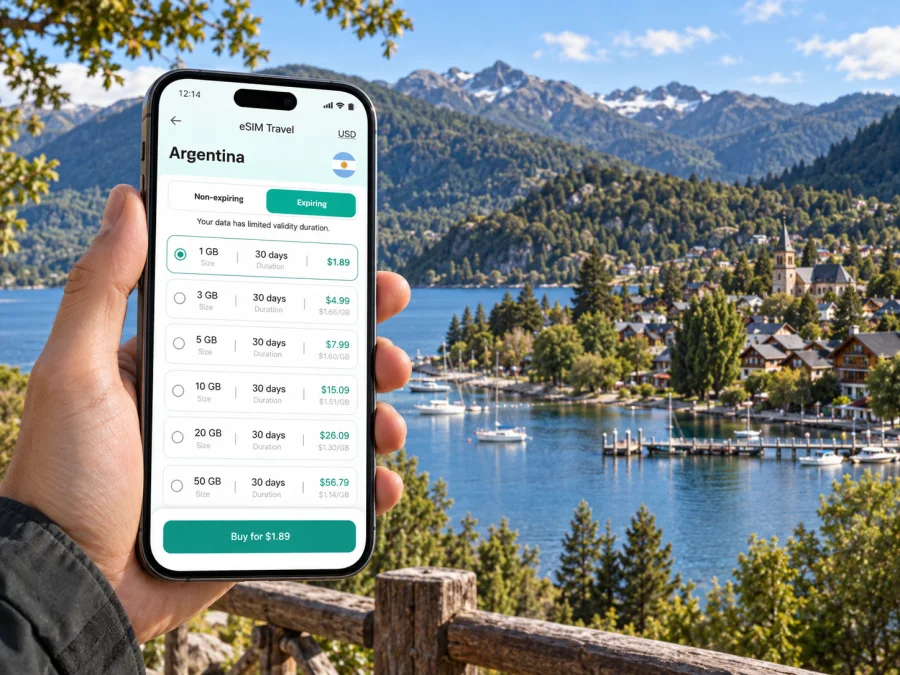
San Martin de los Andes eSIM: mobile connection and internet for your trip
San Martin de los Andes is a compact Patagonian town on the shore of Lake Lácar, in Argentina’s Neuquén Province. The lakefront, central streets and mountain roads shape how a visit works: you may arrive by air or road, walk between the centre and the waterfront, then head out toward Chapelco, Lanín National Park or the Seven Lakes route. Mobile internet can help with each transition, especially when you need to check a transfer, confirm a booking or keep a map available while plans change.
An eSIM is a digital SIM profile that can be installed on a compatible, unlocked device. For a trip to San Martin de los Andes, it can be a practical way to prepare mobile data before departure and avoid relying only on hotel or café Wi-Fi. It does not replace local knowledge or guarantee reception on every road: signal availability depends on the route, local network coverage, terrain and the conditions of your plan.
Start with the shape of the town
San Martin de los Andes sits in a valley beside Lake Lácar. Many visitor essentials cluster around the centre and the lakefront, so a first orientation is straightforward: identify your accommodation, the main street area, the waterfront and the point where your onward road begins. A map downloaded for offline use is still helpful; a data connection lets you check live details, search for a business and message your host when you are online.
The central area is a useful base if you want to walk to restaurants, shops, services and the Costanera. Staying farther from the centre may mean a quieter setting or easier access to a particular trail or road, but it can also make transfers and evening returns more dependent on a car, taxi or prearranged ride. Before booking, compare the address with your actual itinerary rather than relying only on a hotel’s description of its location.
| Your plan | A useful location question | What mobile data can help you do |
|---|---|---|
| Short city stay | Can you walk from the accommodation to the centre and Lake Lácar? | Check an address, walking directions and opening details |
| Ski or mountain day | How will you reach the Chapelco area and return? | Confirm a pickup point or contact your driver |
| Seven Lakes drive | Where will you start, stop and refuel? | Review the route and send updates when signal is available |
| Work trip | Is the lodging close to your meeting or a reliable transport option? | Coordinate changes and use maps between appointments |
Distances and journey times vary with the exact address, road conditions, season and transport choice. Save the address and meeting point before leaving a place with Wi-Fi, and keep a screenshot of essential booking details as a backup.
Arriving at Chapelco Airport
The local airport is Aviador Carlos Campos, commonly called Chapelco Airport. It is outside the town, about 21 km away by road according to Neuquén tourism information. Plan a transfer, rental car or other onward journey from the terminal. Flight schedules and ground transport can change, so check arrangements for your travel date.
Before boarding, save the name and address of your accommodation in a notes app, along with the transfer contact and confirmation number. If you expect to meet a driver, agree on the pickup point and what to do if the flight is delayed. Once you land, mobile data may help you send a message or check updated details, but do not make your entire airport plan depend on having a signal immediately.
A useful arrival sequence is:
- While connected to airport or home Wi-Fi, download the town map for offline access.
- Store your accommodation address, booking confirmation and transfer details on the phone.
- Confirm which SIM is selected for mobile data and that data roaming is enabled for the travel eSIM if its instructions require it.
- After landing, use the agreed pickup point and message your contact if plans have changed.
- Once in town, check that navigation is set to the correct destination before walking or driving away.
Avoid sharing a one-time verification code or sensitive account details in a public arrival area. Keep the phone charged, and carry a charging cable or power bank if you will continue directly to a long road transfer.
Moving around between the centre and the lake
The Costanera beside Lake Lácar is close to the central area, and it is one of the clearest landmarks for getting oriented. A walk along the waterfront can be part of an arrival day, a pause between activities or a simple way to understand how the town sits against the lake and surrounding slopes. Use a map to confirm the route back to your accommodation, particularly after dark or when the weather changes.
For local trips beyond an easy walk, check transport options for the exact time and destination. Do not assume that a city-style transit network, late-night service or frequent ride availability will match what you are used to elsewhere. Ask your lodging host or a local visitor-information desk which options are operating, and save the return plan before setting out. If you use a taxi or prearranged transfer, confirm the fare or booking terms directly with the provider.
Navigation apps are useful for orientation, but mountain roads and trail access can involve conditions that a screen cannot assess. Follow posted restrictions, use current local advice and do not treat a map route as confirmation that a road or trail is open.
Where to stay and what to check before booking
The best area depends on the reason for your visit. The centre suits travellers who want to reach shops, dining and the lakeside on foot. Lodging near an excursion pickup point may simplify an early start. A property farther out can work well when you have a rental car or a confirmed transfer, but check how you will get back after dinner or an evening event.
Look at the full address, not only the listing map pin. Ask whether the property provides Wi-Fi, whether it is available in the room, and whether you can contact the host outside reception hours. Wi-Fi is useful for larger downloads and calls; mobile data offers another way to check directions or send a short update while out, where local coverage and your eSIM plan allow it.
For a business stay, confirm practical details before booking: the room’s workspace, the check-in window, the route to the meeting, and whether the accommodation has a backup contact method. If a meeting is time-sensitive, download the invitation and address and arrange your ride in advance. A mobile connection can support coordination, but it is sensible to keep key information available offline.
Plan mobile data around the itinerary
A city break focused on the centre may use data mostly for maps, messaging, restaurant searches and transport coordination. A longer stay that includes road excursions can involve more navigation checks, weather or road updates, photo sharing and communication with hosts. Video calls, cloud backups and automatic photo uploads can consume data quickly, so consider your own habits when choosing a plan.
Kaspersky eSIM Store is an app and website where you can select, arrange and activate an eSIM with a suitable data plan for an international trip. Before choosing, compare the destination, data allowance, validity period and activation instructions shown for the plan. You can review eSIM options for Argentina and select an option that fits your travel dates and expected use.
A practical estimate starts with your routine rather than a generic daily number:
| Use during the trip | Likely data pattern |
|---|---|
| Maps and short messages | Light, though repeated route searches add up |
| Browsing and booking checks | Moderate, depending on pages and attachments |
| Photo sharing and social feeds | Variable; video and automatic uploads use more |
| Video calls or streaming | High compared with maps and messaging |
This is a planning guide, not a promise of usage or coverage. Your device settings, apps and media quality affect consumption. Turn off automatic app updates and photo backup over mobile data if you want to control background use. Download music, maps and long-form media over Wi-Fi before a drive.
Day trips from San Martin de los Andes
The town is a starting point for trips into a larger landscape, and the route matters as much as the destination. The Seven Lakes route follows National Route 40 between San Martin de los Andes and Villa La Angostura, through scenery associated with lakes and the Lanín and Nahuel Huapi national parks. The regional tourism authority describes the route as fully paved; that does not remove the need to check current road conditions, weather, closures and local guidance before departure.
A self-drive day gives you control over stops, but requires attention to fuel, daylight, road conditions and the time needed to return. An organised excursion may reduce driving responsibilities, but confirm its departure and return points before booking. Public transport options and schedules can vary, so verify the specific service if you plan to travel without a car.
For any road outing:
- Download the route map and save the starting point while connected.
- Leave extra time for viewpoints, meal stops and changing conditions.
- Check whether the places you plan to visit have facilities or mobile reception; do not assume they do.
- Carry water, suitable clothing and any required equipment for the activity.
- Tell someone your intended route if you will be away for much of the day.
- Keep the return plan independent of a single message or live map update.
Nearby destinations may include lakeside areas and communities along the Seven Lakes corridor, as well as places reached by other roads from town. Choose an excursion based on the time available and the season, and confirm access locally. The point of a mobile connection on these trips is to support planning at the edges of the route; scenery, terrain and network conditions can interrupt that connection.
eSIM preparation before you leave
An eSIM works only when the device supports eSIM and is not restricted by a carrier lock. Check your phone’s specifications and travel-plan instructions before purchase; you can check whether your device supports eSIM. Keep your usual number available if you need it for calls or account verification, and confirm which line will handle mobile data.
A sensible setup sequence is:
- Choose a plan for Argentina after comparing its allowance, validity and stated activation conditions with your itinerary.
- Use a stable Wi-Fi connection to install the eSIM according to the on-screen instructions. Some plans begin their validity at installation or first network connection, so check the plan details.
- Label the travel line clearly in your phone settings, such as “Travel data.”
- Set the travel eSIM as the mobile-data line when you intend to use it; enable data roaming only as directed by the plan instructions.
- Keep the QR code or installation details accessible until setup is complete, and avoid deleting an installed eSIM unless the instructions say it can be reinstalled.
- Once in Argentina, check the line selection and connection status. If data does not work, review the plan instructions, restart the phone if appropriate and contact the relevant support channel.
You can follow the Android eSIM installation instructions or the iPhone eSIM installation instructions. Menu names differ by device and operating-system version, so follow the instructions that match your model. Do the initial setup before departure when practical, but review the plan’s activation timing first.
When mobile data is limited or unavailable
A connection can vary between the built-up centre, the airport road, mountain slopes and remote stretches. Save the essentials in advance: accommodation details, transport confirmations, a map, and any instructions for a booked activity. If a page will be important later, keep a screenshot or note rather than expecting to reload it.
If the phone shows no data connection, take a calm sequence of checks:
- Confirm that the travel eSIM is enabled and selected for mobile data.
- Check whether airplane mode is off and whether the plan’s required data-roaming setting is enabled.
- Move to a safe place with a clearer view of the surroundings, then wait briefly for the phone to register.
- Restart the device if the plan instructions recommend it.
- Use Wi-Fi to review installation details or contact support if the issue continues.
A lack of signal in one place does not by itself show that the eSIM has failed. Terrain, the local network and temporary conditions all matter. Keep Wi-Fi as a useful backup in hotels and cafés, and avoid entering sensitive account details on an unknown public network unless you trust the connection and have taken your usual precautions.
Make the connection part of the itinerary
For San Martin de los Andes, the practical approach is to plan in layers: keep addresses and bookings offline, use mobile data for live coordination where service is available, and verify local transport and road conditions before each outing. That combination works for a lakeside walk, an airport transfer, a meeting across town or a longer drive along the Seven Lakes route.
Before travelling, compare the Argentina plan options with your dates and expected data use, check your device, and read the activation instructions. Kaspersky eSIM Store’s app and website let you choose, arrange and activate an eSIM for an international trip. Choose an eSIM data plan for your trip to Argentina and set it up in time for your journey.


