Travel connectivity guide
San Pedro Sula eSIM: Mobile Internet Guide
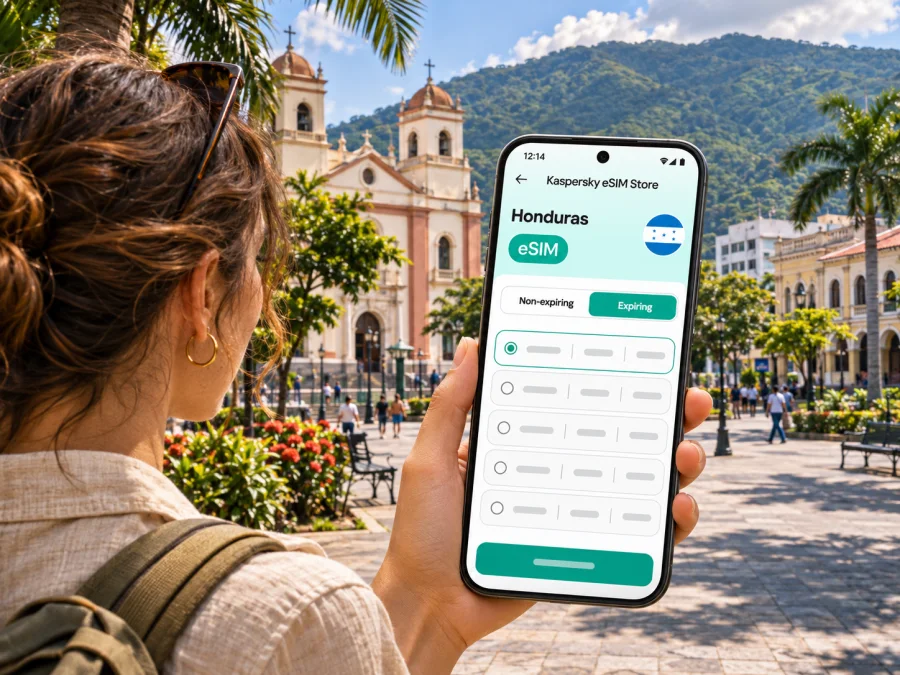
San Pedro Sula eSIM: mobile connection and internet for your trip
San Pedro Sula is Honduras’s main commercial hub in the north-west, and many visitors arrive here before continuing to the Caribbean coast, the Bay Islands or other parts of the country. A reliable mobile data plan can make the first hours easier: check your hotel address, message your driver, follow a route from the airport and keep travel details available while you move around the city.
An eSIM can provide mobile data without replacing the physical SIM already in your phone. It is useful for maps, messaging, ride coordination, email and online bookings, provided that your phone supports eSIM, is not locked to another carrier and the selected plan covers Honduras. Coverage and speed can vary by network, location, building and time of day, so treat connectivity as a travel tool with an offline backup rather than a guarantee.
Arriving at Ramón Villeda Morales International Airport
The airport serving San Pedro Sula is Ramón Villeda Morales International Airport (SAP), located in the municipality of La Lima, about 21 km south-east of the city according to Honduran aeronautical information. That means your journey does not end at the terminal: you still need to travel from La Lima into San Pedro Sula or onward to another destination.
Before landing, save your accommodation’s full address in Spanish as well as English, along with a phone number or booking reference. If someone is collecting you, confirm the meeting point and vehicle details before leaving the terminal. A mobile connection helps you exchange updates, but download the information in advance in case airport Wi-Fi or mobile data takes time to connect.
A simple arrival sequence:
- Keep your passport, booking details and transport instructions accessible offline.
- Connect to airport Wi-Fi if available, or enable your travel eSIM after landing according to its activation instructions.
- Confirm the pickup point with your driver or hotel before walking outside.
- Check the route and estimated journey in a map app, then keep the destination visible for the driver.
- Once you reach your accommodation, save its location for the return journey.
Why data helps once you are in the city
San Pedro Sula is a working city as well as a base for travel. You may use mobile internet to locate a hotel, arrange a meeting, translate a short message, check opening information, navigate between appointments or share your live location with a travel companion. These tasks are usually light on data, while video calls, cloud backups, streaming and uploading many photos can use considerably more.
A practical way to estimate your data needs is to list what you expect to do rather than choose a plan by trip length alone.
| Typical use | How to keep data use predictable |
|---|---|
| Maps and route checks | Download an offline city or regional map before departure; use live directions when needed. |
| Messaging and ride coordination | Prefer text and location sharing over repeated video calls. |
| Email and work chat | Turn off automatic downloads of large attachments if you do not need them. |
| Photos and documents | Upload on trusted Wi-Fi when convenient; pause automatic cloud sync over mobile data. |
| Video meetings or streaming | Use Wi-Fi where practical, or allow extra data if these are essential. |
| Translation and search | Save key addresses and phrases; keep some phone functions available offline. |
Getting around: keep the destination and route clear
San Pedro Sula has a broad urban area, so the practical question is often not simply “How far is it?” but “Which entrance, landmark or exact address should the driver use?” Ask your host or meeting contact for a precise destination, not only a neighborhood name. If the location is inside a large hotel, shopping complex, market or event venue, confirm the correct entrance or pickup point.
Use your phone to prepare, then stay attentive to your surroundings. Before setting out, check the destination, route and expected travel mode. When plans change, stop somewhere appropriate to review the map instead of trying to navigate while crossing a road or getting into a vehicle. For a pre-arranged transfer, confirm the driver and vehicle using the details provided by the hotel or transport company; do not assume that a map pin alone identifies the right car.
A phone’s live location can help a colleague or companion follow your progress, especially if you are arriving separately. Agree in advance who will receive it and when you will stop sharing. Keep a paper or offline note of the hotel name, address and contact number in case the battery runs low or service is interrupted.
A useful navigation routine
- Search for the full venue name and address before leaving.
- Compare the map result with the address supplied by your host; similarly named places can be confusing.
- Save the destination and a nearby landmark for offline access.
- Keep a power bank available on long days, and reduce screen brightness when appropriate.
- If mobile data drops, use the saved map and ask staff at a trusted venue to help confirm the next step.
Central San Pedro Sula and places to visit
The municipal tourism guide identifies Parque Central Luis Alonso Baraona at 3rd Avenue and 1st Street in the city centre. The same municipal guide lists the Museum of Anthropology and History in the central area and Mercado Guamilito in Barrio Guamilito, around 6th–7th Streets and 8th–9th Avenues. Those specific locations can help you plan a visit, but confirm current opening hours and access before setting out, since schedules can change.
The municipal tourism page also describes Reserva El Merendón and Sendero Bella Vista in the Merendón mountain area. These are different from a quick downtown stop: check the route, weather, access requirements and transport arrangements before you go. Download maps and essential details ahead of time because a city-centre data plan or signal should not be assumed to work continuously on a mountain trail.
Choosing an eSIM for San Pedro Sula
Start with the full itinerary. If San Pedro Sula is your only stop, a Honduras destination plan may be enough. If you are continuing to La Ceiba, the coast, another Honduran city or across a border, compare the coverage area and validity against every part of the route. Do not infer regional coverage from a city name or from the fact that a plan is listed for Honduras; read the specific conditions shown for the plan.
Kaspersky eSIM Store is an app and website that helps you choose, arrange and activate an eSIM with a suitable data plan for an international trip. Before deciding, review the destination, data amount, validity, activation method and any plan limitations displayed. You can check the available options for Honduras and compare them with your travel dates and expected use.
For a quick comparison, consider these questions:
| Check | Why it matters |
|---|---|
| Does the plan include Honduras? | A city guide or regional label does not by itself confirm the plan’s destination list. |
| When does validity begin? | Some plans start on installation or activation; others follow different terms. Verify the displayed rules. |
| Is the data allowance suitable? | Maps and messaging use less than regular video calls or cloud uploads. |
| Is the phone compatible and unlocked? | A supported eSIM profile cannot be installed on a device that lacks eSIM capability or is carrier-locked. |
| Does the plan provide data only? | Travel data eSIMs may not include a local phone number, voice calls or SMS unless expressly stated. |
| What happens after the allowance is used? | Check whether data stops, slows or can be topped up under the selected plan’s terms. |
Honduras has local mobile operators, and operator eSIM availability is specific to each operator, device and customer type. The fact that an operator supports eSIM in Honduras does not establish that a particular international travel plan uses that operator or has the same coverage. Choose based on the product details presented for your plan, and keep your usual SIM available if you still need your regular number for calls or verification messages.
Device compatibility and preparation
Check your exact phone model and regional version before you travel. Devices sold under the same product family can differ by market, and an eSIM option may be absent on some variants. Your phone should also be carrier-unlocked if you intend to install an eSIM from another provider. Check whether your device is compatible, then confirm the result in the manufacturer’s settings or support information for your precise model.
Before departure, prepare the phone while you still have dependable internet access:
- Install pending system updates and charge the device.
- Make sure you can sign in to your Kaspersky eSIM Store account and access the purchase details.
- Read whether the eSIM should be installed before the trip or only when you are ready to use it.
- Keep the QR code or installation instructions available on a second screen or printed copy if the process requires scanning.
- Do not delete a working eSIM profile casually; reinstalling or transferring it may depend on the provider’s rules.
- Keep your primary SIM active if you need its number, and review its roaming settings and charges with your home operator.
Installation and activation: a careful sequence
The exact steps depend on your phone and the selected plan. Follow the instructions shown after purchase rather than relying on a generic sequence alone. If you want to prepare in advance, check when the validity period starts; installing a profile and activating data service are not necessarily the same event.
- Connect to a stable Wi-Fi network and open the eSIM installation details.
- Add the eSIM in your phone’s cellular settings, using the QR code or manual details provided for that plan.
- Label the line clearly, for example “Honduras data”, so you can distinguish it from your regular SIM.
- Choose which line should use mobile data. Keep calls and SMS on your usual number if that is what you need and your settings allow it.
- At the time specified by the plan, switch on the eSIM line and select it for mobile data.
- If the plan instructions require data roaming for that eSIM, enable it for that line only and check the plan terms. Avoid changing roaming settings for your home SIM without understanding its charges.
- Open a simple webpage or messaging app to confirm that data works. If it does not, check the selected data line, the plan’s activation status and the provider’s troubleshooting steps.
Kaspersky eSIM Store provides separate setup guides for Android and iOS. The instructions on your device may use slightly different menu labels depending on its manufacturer and software version.
Avoid installing the same profile repeatedly or removing it as a first troubleshooting step. Some profiles are restricted to one installation or device. If the line does not connect, first confirm that the plan is active, the eSIM is selected for data, airplane mode is off and the phone has restarted its network connection. Then follow the plan’s support instructions.
Work trips, meetings and short stays
For a business visit, a data connection can support calendar updates, email, navigation and messaging between the airport, hotel and meeting locations. Save meeting addresses in full, including the building or venue name. If a colleague is meeting you, agree on a fallback point such as the hotel lobby in case flight delays or a missed message disrupt the original plan.
If you are in San Pedro Sula only for a same-day connection, prioritize essentials: confirm the onward ticket and terminal details with the carrier, save the next destination and transport contact, and avoid relying on an ambitious sightseeing schedule. The airport lies outside the city, so travel into town and back should be planned with a realistic buffer based on current conditions and advice from your transport provider.
Extending the trip beyond the city
San Pedro Sula is often a starting point for travel elsewhere in Honduras. Your eSIM choice should match the entire route, not just the first hotel. Review destination coverage for every stop and check whether the plan’s validity will last through the final travel day. If you cross into another country, confirm that the plan explicitly includes it; a border crossing does not extend a Honduras-only plan.
Download transport tickets, accommodation confirmations and offline maps before leaving the city. Keep the phone charged and store key details separately from the device. On rural roads, at remote attractions or in mountainous areas, signal availability can differ from urban conditions. A saved route and a known meeting point are useful even when data is available most of the time.
If your trip includes a hike or nature visit around Merendón, tell someone your expected route and return time, follow local guidance, and do not rely on a phone signal for emergency communication. Check access and weather locally before departure. Mobile internet can support planning, but it does not replace preparation or local safety advice.
If the connection does not work
A few simple checks often identify the issue without deleting the eSIM:
- Confirm that the eSIM profile is still installed and enabled.
- Verify that the eSIM is selected as the mobile-data line.
- Check that the plan has started and has not reached its data or validity limit.
- Turn airplane mode on briefly and off, then wait for the phone to reconnect.
- Restart the phone if the network does not return.
- Review the plan’s access-point or roaming instructions if supplied.
- Move to an open area or a different location; indoor reception can vary.
- Use Wi-Fi for urgent messages and contact the plan’s support channel if the issue continues.
Frequently asked questions
Does an eSIM guarantee coverage throughout San Pedro Sula?
No. Coverage can vary by selected network, exact location, buildings, congestion and service conditions. Check the plan’s details, prepare offline information and ask locally about current conditions for routes outside the city.
Is Ramón Villeda Morales Airport in San Pedro Sula?
It serves the city but is located in La Lima. Honduran aeronautical information places it 21 km south-east of San Pedro Sula. Plan the airport transfer as a separate journey and confirm current transport arrangements.
Can I keep my regular SIM and use an eSIM?
Many compatible phones can keep a physical SIM and an eSIM installed, but the available combinations depend on the model and settings. Check your device documentation and select the correct line for mobile data. Your home operator may charge roaming fees if its line uses mobile data abroad.
Will the eSIM give me a Honduran phone number?
Not necessarily. Many travel eSIM plans are for data only. Check the specific plan conditions if you need a local number, conventional calls or SMS. Internet messaging apps can work over mobile data, but they do not provide a replacement phone number by themselves.
Should I install the eSIM before flying?
That depends on the plan’s instructions and when its validity starts. Read those terms first. If installation can be completed in advance without starting the validity period, doing so over stable Wi-Fi may make arrival easier. Otherwise, wait until the instructed time and keep the setup details accessible.
What should I do if I visit the Merendón area?
Check the route, access, weather and local advice before departure. Save an offline map and essential contact details, carry enough battery and tell someone your plan. Do not assume mobile data will be continuously available on trails or outside built-up areas.
A simple checklist before leaving
- Confirm that your exact phone variant supports eSIM and is unlocked.
- Check Honduras is included in the plan and compare the validity with your full itinerary.
- Decide how much data you need for maps, messaging, work and media.
- Read the activation instructions and understand when plan validity begins.
- Save your hotel address, airport transfer details and onward bookings offline.
- Keep your home SIM’s roaming settings under control.
- Carry a charger or power bank and retain an offline navigation option.
Prepare your San Pedro Sula connection
Choose a data allowance and validity that fit your travel dates and the places you plan to visit. In Kaspersky eSIM Store, you can review the plan details, arrange a compatible eSIM and follow the installation instructions before or during your trip. Explore eSIM options for Honduras and check the destination coverage and conditions shown for the plan you select.


