Travel connectivity guide
San Sebastian eSIM: Mobile Internet Guide
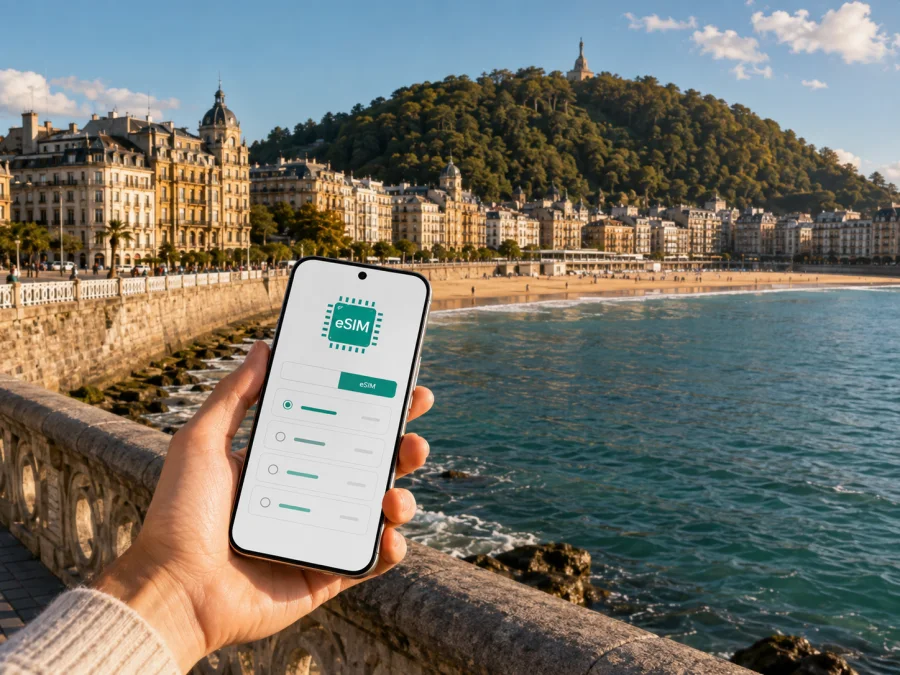
San Sebastian eSIM: mobile connection and internet for your city trip
San Sebastian is a city for moving at a human pace: a morning walk along La Concha, a meeting in the Centro district, a pintxos stop in the Old Town, and perhaps a train or bus journey along the coast before dinner. A reliable mobile connection makes each part easier. You can check a map while changing districts, confirm a reservation, message a host, call a ride, translate a menu, or find your way back to the hotel without looking for a Wi-Fi password.
An eSIM, or virtual SIM card, is a digital profile that can be installed on a compatible phone. For a trip to San Sebastian, it can provide mobile internet through a prepaid plan for Spain, without removing your everyday physical SIM card. Kaspersky eSIM Store is an app and website that helps you choose, arrange and activate an eSIM with a suitable plan for mobile internet while travelling abroad.
This guide is about using mobile internet in San Sebastian itself: arriving through the local airport or another nearby gateway, getting around the city, staying in touch, working from a hotel or café, and taking short trips from the Basque coast. It also explains what to check before you choose a plan and how to prepare the eSIM without rushing after landing.
Why an eSIM can be useful in San Sebastian
San Sebastian’s compact centre is easy to explore on foot, but a visit rarely stays in one small area. You may stay near the beach and dine in Parte Vieja, cross the river to Gros, walk up to Monte Igueldo, or use the city as a base for another coastal town. Mobile internet is useful in each of these situations, even when the itinerary looks simple on paper.
The first hours after arrival
The first task is usually finding the right transfer, checking the hotel address, collecting a key, and telling someone that you have arrived. The city is served by San Sebastian Airport in Hondarribia, while some travellers arrive through larger airports and continue by road or rail. An eSIM prepared in advance can let you keep your regular SIM available while you use the travel eSIM for mobile data. Save the accommodation address and booking details offline as a fallback.
Maps, walking and public transport
San Sebastian’s beaches, bridges, hills and one-way streets make orientation more than a straight line on a map. A map can help you choose a walking route around the bay, locate a bus stop, estimate the time to the railway station, or avoid an unnecessary climb with luggage. It is also convenient when the weather changes and you decide to switch from a coastal walk to an indoor plan.
For local journeys, look for the current route information in the transport service or map application you already use. Mobile data lets you check a departure time close to the moment of travel, but schedules and service conditions can change. Treat live information as a prompt to verify your route, not as a reason to skip a little time planning.
Reservations and communication
Restaurants, hotels, museums and tour providers may send confirmations, access instructions or changes through email and messaging apps. A data eSIM is particularly convenient for these quiet, practical moments: opening a booking, sharing your location with a companion, or translating a short message to a host.
Remember that a travel eSIM designed for data normally does not include a separate phone number, ordinary calls or SMS unless the selected plan says otherwise. You can use messaging and calling apps over the internet, while keeping your usual number available according to your home operator’s settings.
San Sebastian areas and the connection needs they create
The following is not a ranking of neighbourhoods. It is a way to think about how your daily data use may change with your base and plans.
| Area or setting | Typical activities | Why mobile internet helps |
|---|---|---|
| Centro and the La Concha side | Beach walks, shopping, meetings and hotel stays | Check reservations, walking routes and meeting changes while moving between streets |
| Parte Vieja | Pintxos bars, evening walks and historic lanes | Open maps and messages when the street pattern is unfamiliar or plans change |
| Gros and the Zurriola side | Surf atmosphere, cafés and a more relaxed beach route | Find a café, share a location and plan crossings over the Urumea |
| Amara and the station area | Local errands, rail connections and practical accommodation | Coordinate arrivals, check onward travel and keep tickets or confirmations accessible |
| Antiguo and the western side | University surroundings, quieter streets and access towards the hills | Navigate between the centre, accommodation and viewpoints without returning to the same route |
| Monte Igueldo and viewpoints | Panoramas, photography and a change of elevation | Use maps and transport information when the return route is less familiar |
How to choose an eSIM plan for San Sebastian
Start with the complete itinerary, then choose the data allowance and validity period. The right option depends on your habits, the length of the trip, whether you will share data, and whether you will leave the city.
1. Define the destination scope
For a trip based in San Sebastian, you generally need a plan whose destination terms include Spain. If the route also includes France or another country, read the scope of a regional plan rather than relying on the fact that the countries are close geographically. The selected plan should correspond to where you expect to use mobile data.
2. Estimate your data pattern
Navigation, messaging, email and booking pages usually require less data than long video calls, frequent photo uploads or streaming. Hotel Wi-Fi may cover some heavy tasks, but do not build the entire plan around Wi-Fi you have not tested. A short city break with light use and a longer trip involving work have different requirements.
| Travel pattern in San Sebastian | Likely phone use | Planning approach |
|---|---|---|
| Weekend sightseeing | Maps, messages, bookings and occasional photos | Choose a modest package after checking the trip length and plan validity |
| Longer holiday | Daily navigation, social apps, translations and uploads | Allow room for changing plans and compare the available data packages |
| Business trip | Email, calendars, calls through apps and document access | Count work use separately and consider whether tethering is permitted by the plan |
| City plus nearby destinations | Navigation during transfers and more frequent map checks | Confirm that the destination scope covers the full route |
| Shared connection | Laptop or tablet use through hotspot | Check the plan terms and your phone’s hotspot support before purchase |
The figures in this table are usage patterns, not promises about a particular tariff. Always check the package size, price, validity, activation conditions and any fair-use or hotspot terms shown at the time of selection. Kaspersky eSIM Store helps you review those details for the intended direction.
Once you know the route and likely data use, review eSIM plan options for Spain and compare the displayed allowance and validity before arranging a profile.
3. Match validity to the real trip
Count the days from the moment you expect to use mobile data, not only from the date of your flight. If the plan starts on installation, activation or first network use, the timing matters. Some travellers install everything at home and activate data only on arrival; others prefer to complete more of the setup before boarding. Read the plan conditions so that your chosen validity period matches the way you intend to start using it.
4. Decide how you will use your home SIM
Your main SIM may remain active for calls, messages or two-factor codes. That can be useful, but it may also create roaming charges if it is allowed to use mobile data abroad. Before departure, set the travel eSIM as the mobile-data line when you want to use it, and review data-roaming settings for the home line. Keep your normal number only if you need it and understand the charges that may apply under your home operator’s terms.
5. Consider hotspot use carefully
A laptop makes a hotel work session easier, and a hotspot may help when you need a larger screen during a transfer. However, tethering can consume data faster and may be restricted by the selected tariff or device. Check the terms before planning to use San Sebastian as a remote-work base.
Prepare before flying to San Sebastian
Plan the installation before the airport becomes busy. Check the phone, obtain the eSIM details, and decide which line will be used for data.
Before you choose a plan
- Check that the phone supports eSIM and is not locked to an operator. Some device versions differ by market, so use the exact model rather than a similar product name. Check your device compatibility before purchase.
- Confirm that the plan covers Spain and any additional countries on your route.
- Compare the data allowance, validity period, price and activation conditions shown for the plan.
- Make sure the phone has enough battery and that you can access the profile or QR code after purchase.
- Keep your accommodation address, transfer details and key bookings available offline.
If you travel with a dual-SIM phone, decide which line will carry mobile data and label the profiles clearly. A small preparation step avoids choosing the wrong line when you are standing outside the terminal or checking into a hotel.
Installation steps
The exact wording of settings varies between phone models. The general sequence is:
- Check the requirements. Confirm eSIM compatibility, an unlocked device, an internet connection for setup, and access to the QR code or eSIM profile in your Kaspersky eSIM Store account.
- Open mobile network settings. Select the option to add a mobile plan or eSIM.
- Scan the QR code. Use the code from the purchase email or your profile, following the instructions displayed by the phone.
- Name the eSIM. Give the travel line a clear label, such as “Spain trip”, so it is easy to identify beside your home line.
- Choose the data line. Select the travel eSIM for mobile data when you want to use the travel plan.
- Review roaming settings. If the plan instructions require data roaming for the eSIM, enable it for that line only and review the home line’s data setting.
- Test at the right time. Connection can take a few minutes and depends on the device and local network. If you want the plan to begin later, keep the travel line or data setting off until the appropriate point under the tariff conditions.
For model-specific guidance, use the Android installation instructions or the iOS installation instructions. Install while you have a stable internet connection, and do not delete an existing eSIM profile simply because you are adding a travel profile.
Getting around San Sebastian with a clear data plan
San Sebastian rewards flexible plans. You can walk the waterfront, cross into Gros, meet someone in Parte Vieja and later head towards Monte Igueldo. Mobile internet keeps these transitions manageable.
Before leaving an airport, station or hotel, check the accommodation address, the first transfer and any self-check-in instructions. If you have luggage, compare a direct transfer with a route that includes stairs or a steep street. Save the first route and essential booking details offline as a fallback for a low battery or a busy network.
La Concha and Zurriola offer different walking contexts: the waterfront is open and easy to recognise, while the next inland street may be less obvious. In the Old Town, sharing a named meeting point or map pin is often clearer than describing a narrow lane. For a hill route, check current transport and opening information before setting out.
Use current bus, rail and transfer information for onward journeys because departure times and service conditions can change. Download tickets where possible. If the route continues beyond Spain, confirm that the plan’s destination scope covers the complete itinerary.
Two common travel scenarios
Food-and-walk weekend. Use the travel eSIM for maps, reservations, messages and occasional photos; leave large uploads for a trusted Wi-Fi connection. This keeps a modest data package from being consumed by background media.
Business stay. Count email, calendars, messaging and calls through apps separately from sightseeing use. Check hotspot terms before sharing data with a laptop, and follow your organisation’s requirements for sensitive work. The eSIM supports mobile-data planning but does not replace workplace security rules.
What to check if the eSIM does not connect
Start with the simple checks and change one setting at a time:
- Confirm that the travel eSIM is switched on in the mobile-network settings.
- Check that the travel eSIM is selected for mobile data.
- Review whether data roaming must be enabled for that eSIM under the plan instructions.
- Move to an area with a clearer signal and wait a few minutes for registration.
- Restart the phone only after confirming that the eSIM profile is still present.
- Recheck the destination, validity and activation conditions in the plan details.
- Contact the support service if the issue continues, including the phone model, eSIM status and the step where the problem appeared.
Do not remove the eSIM profile as a first response. If the plan has already been activated, deleting it may make recovery harder depending on the tariff conditions. Keep the purchase information accessible and follow the support team’s instructions.
A compact checklist for your San Sebastian trip
Before departure
- [ ] The phone supports eSIM and is unlocked.
- [ ] Compatibility has been checked for the exact device model.
- [ ] The destination scope includes Spain and any additional country on the route.
- [ ] The data allowance and validity period match the trip.
- [ ] The profile or QR code is accessible after purchase.
- [ ] The home SIM’s roaming-data setting has been reviewed.
- [ ] The accommodation address, first transfer and key bookings are available offline.
On arrival
- [ ] The travel eSIM is enabled at the intended time.
- [ ] The correct line is selected for mobile data.
- [ ] The home line is not using data unexpectedly.
- [ ] A short map or message test works before you leave the arrival point.
- [ ] The first route and check-in instructions are easy to open.
Frequently asked questions
Is an eSIM useful for a trip to San Sebastian?
Yes. It can help you use mobile internet for maps, transfers, reservations and messages without changing the physical SIM card in your phone. Its usefulness depends on your device, the selected plan and the way you use data.
Which destination should I choose for San Sebastian?
Choose a plan whose destination terms include Spain. If your itinerary continues into another country, check whether a regional plan fits the full route. Read the displayed terms rather than selecting only by city name.
Can I keep my usual number active?
Yes, in many dual-SIM scenarios you can keep the home line available while selecting the travel eSIM for mobile data. Settings and roaming charges depend on your device and home operator, so review the data-line assignment before use.
Does a travel eSIM include calls and SMS?
Usually not, unless the selected tariff specifically says otherwise. These plans are intended for mobile internet and normally do not provide a separate phone number. Messaging and calls through internet apps remain possible when supported.
Can I install the eSIM after arriving?
Yes, provided you have internet access, a compatible unlocked device, and access to the QR code or profile. Installing before departure gives you more time to read the steps, but the data start time still depends on the plan conditions.
Will the eSIM connect immediately?
Not necessarily. Connection may take a few minutes and can depend on the phone, settings and local network. Check the data line and roaming requirement first, then contact support if the issue continues.
What is Kaspersky eSIM Store?
Kaspersky eSIM Store is an app and website where you can choose, arrange and activate an eSIM with a suitable plan for mobile internet during an international trip. It helps you review the destination, data allowance, validity and other displayed conditions before you begin.
Plan your connection before the city gets busy
San Sebastian is at its most enjoyable when your attention is free for the bay, the streets, the food and the people you came to see. Preparing an eSIM before departure can simplify the practical layer: the first route from the airport or station, a changed reservation, a meeting address, a message to your hotel, or a day trip beyond the centre. Check compatibility, choose the destination scope, match the data package to your habits, and keep the important details accessible offline.
When you are ready, choose an eSIM plan for your trip to Spain through Kaspersky eSIM Store. Review the conditions, arrange the profile, install it on your compatible device, and activate mobile data when you need it. For a city break, business stay or coastal itinerary, a clear setup gives you more control over the everyday details of travelling in San Sebastian.


