Travel connectivity guide
Sana’a eSIM: Mobile Internet and Travel Guide
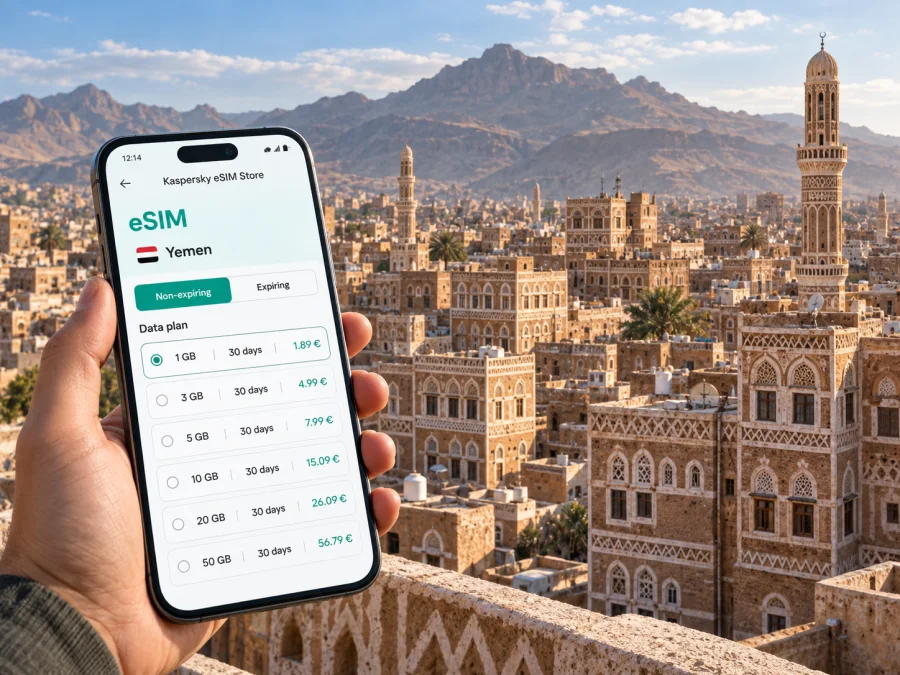
Sana’a eSIM: mobile connection and internet for a city visit
Sana’a is a highland city where a day’s plan can move between an arrival point, a hotel, work appointments and the compact lanes of the Old City. Those changes make a prepared phone useful: a map can help you orient yourself, messages can keep a host informed, and saved booking details remain easier to reach when plans shift. An eSIM can be one part of that preparation, provided you first confirm that travel to Yemen is appropriate and that the selected service is available for your exact itinerary.
Yemen’s security situation, flight operations and local movement arrangements can change quickly. Sana’a is not a routine stopover destination, and digital access does not make a journey safe or remove the need for current professional advice. Before travelling, check the latest guidance from your government, confirm arrangements with your host or organisation, and verify every flight and transfer directly with the responsible providers. If the journey is not essential or conditions cannot be independently confirmed, reconsider the trip. This guide covers practical phone planning for a journey that has already been assessed and arranged.
What a connected phone can help with in Sana’a
A phone is most useful when it supports a specific task. In Sana’a, that may mean confirming a pickup, sharing an estimated arrival time, checking a saved address, translating a short exchange, or contacting a colleague after a meeting. Connectivity is also helpful for accessing documents stored in the cloud, but keep essential information available offline in case mobile data or Wi-Fi is unavailable.
Think of mobile internet as one layer of preparation rather than the plan itself. A working data connection depends on the eSIM profile, a compatible unlocked device, the selected plan’s terms, local network availability and conditions at that moment. No single setup guarantees service in every neighbourhood or situation. Keep a second route to essential information: printed or locally stored contacts, confirmed meeting instructions, and a plan agreed with the person receiving you.
A compact pre-trip checklist:
- Confirm the travel decision, entry arrangements and itinerary through current authoritative channels.
- Reconfirm the arrival point, pickup name, vehicle details and fallback meeting place with your host.
- Save the hotel or residence address in English and, where useful, Arabic; keep a screenshot as well as a map pin.
- Download the city map area and any translation language pack you may need before departure.
- Store emergency contacts and booking references offline, and share the itinerary with someone outside the trip.
- Check your phone, charging equipment, roaming settings and any eSIM plan details before leaving.
Arrival planning: agree the handoff before you land
Do not rely on finding a driver, a working public connection or a particular counter after arrival. Confirm in advance which airport or other arrival point your itinerary uses, who will meet you, how you will identify one another, and what to do if a flight time changes. Keep names and phone numbers in more than one place. If a transfer is arranged by an employer, host or travel coordinator, use the contact method they have verified rather than improvising based on a message from an unknown number.
Before departure, send the receiving person your flight details and ask them to confirm the meeting instructions in writing. A useful message states the expected arrival time, the exact meeting point, a recognizable description of the person or vehicle, and a backup contact method. Keep that message available offline. If connectivity works, you can update the other person when you have landed; if it does not, the pre-agreed plan still applies.
The Old City and the shape of local navigation
Sana’a’s historic centre is known for its closely grouped multi-storey tower houses, decorated facades, mosques and narrow lanes. UNESCO describes the Old City as a mountain-valley settlement at roughly 2,200 metres above sea level, with a long history and distinctive earthen and fired-brick architecture. Its fine-grained street pattern differs from the broad roads and newer urban areas around it. This contrast matters for navigation: a vehicle address, a walking entrance and a landmark may not point to the same practical meeting place.
For any appointment in or near the Old City, ask your host for the exact approach and the nearest agreed drop-off or meeting point. A map pin can be useful, but confirm it with a written landmark or a local contact who knows the current access arrangements. Historic lanes can be difficult to interpret from a small screen, and a pin may lead to a nearby road rather than the door you need. Keep the destination name in Arabic if your host can provide it, alongside the English spelling you recognise.
Use navigation as orientation, not as an instruction to continue regardless of circumstances. Check the route before setting out, then confirm changes with your host or driver. If a street is blocked, a route looks unfamiliar, or local advice differs from the map, stop and ask the person coordinating your movement. Avoid wandering to recover a signal or to follow an uncertain map route.
Moving between accommodation, meetings and neighbourhoods
Build transfers around confirmed arrangements instead of assuming that familiar city transport options are running or suitable. Ask your host, employer or accommodation contact what transport is appropriate on the day, how long to allow, and which roads or meeting points they recommend. Do not infer current operating hours, routes or availability from an old map or travel post. Conditions and services can change, and a local coordinator is better placed to verify the details for your date.
For a business visit, group your appointments by area where possible and leave time for security checks, traffic or a changed pickup. Share the planned route and arrival window with the person expecting you. If a meeting runs late, agree who should be notified and how. If you will move with a driver or colleague, identify the contact who can confirm a revised destination; do not use mobile data alone to make last-minute decisions.
| Situation | Before leaving | Useful phone preparation |
|---|---|---|
| Hotel to office | Confirm pickup, destination spelling and arrival window | Keep host and reception contacts offline |
| Meeting in the Old City | Ask for a drop-off point and a nearby landmark | Save a map pin and a written location description |
| Schedule change | Get confirmation from the person coordinating the trip | Keep messages, numbers and booking details accessible |
| Short visit outside central Sana’a | Verify the route, timing and return plan with a trusted local contact | Download relevant map data; share the revised itinerary |
Choosing an eSIM plan for a Sana’a itinerary
Start with the trip rather than a headline data amount. Estimate how many days you will be in Sana’a, whether you will need regular video calls or mostly messages and maps, and whether you will travel beyond the city. Then check the plan’s destination coverage, validity period, data allowance, activation conditions and any device requirements. Product availability and plan terms can change, so use the current details shown during selection and do not assume that a plan suitable for another country or an earlier trip will work for this one.
Kaspersky eSIM Store is an app and website that helps you choose, purchase and activate an eSIM with a suitable plan for mobile internet on an international trip. It does not replace local travel coordination. Before choosing, review the Yemen destination details and the conditions attached to the specific plan. If those details do not clearly match the journey, do not treat the eSIM as confirmed for Sana’a. You can review eSIM plan options for Yemen while preparing the itinerary.
Use this quick comparison when estimating your needs:
| How you expect to use data | What to consider |
|---|---|
| Occasional messages and text-based updates | Check the plan’s validity and keep key contacts saved offline |
| Maps, address lookups and routine coordination | Allow for route checks and repeated map loading; download maps in advance |
| Frequent photo sharing or video calls | Estimate usage realistically and check the allowance and validity together |
| Work files and remote meetings | Confirm whether the plan conditions fit your work needs and keep a backup connection method |
A plan is only one part of phone readiness. Verify that your phone supports eSIM and is not restricted from using another carrier’s profile. Check this before buying by using the device compatibility checker. If your device has two SIM profiles, understand which line will handle mobile data and whether your home line could incur roaming charges. Keep the physical SIM installed if you need its number for calls or messages, but confirm your handset’s settings before travel.
Set up before departure, then activate deliberately
Where possible, complete the purchase and installation while you have stable internet, enough battery and time to read each instruction. An eSIM profile is digital, but installation still involves device settings and may require a network connection. Follow the plan’s stated activation guidance: some plans begin validity at installation, while others begin under different conditions. Do not guess which applies. If a QR code is involved, keep it available on another screen or printed securely, and do not share it publicly.
For step-by-step guidance, use the Android eSIM installation instructions or iOS eSIM installation instructions. Menu names vary by device and software version. Before travelling, check that the eSIM profile appears in your cellular settings, understand how to select it for mobile data, and note how to switch back if needed. Avoid deleting a profile simply because it is not connecting; review the plan instructions or contact the relevant support channel first.
A practical sequence is:
- Check device compatibility and confirm the phone is unlocked for the intended use.
- Read the destination, duration, data allowance and activation terms for the selected plan.
- Install the profile using the device instructions while you have stable internet access.
- Label the line clearly, for example “Travel eSIM,” so you can distinguish it from your home SIM.
- Decide which line handles mobile data and review roaming settings on your regular number.
- Follow the plan’s activation instructions at the appropriate time, then check the connection without relying on it as your only contact method.
- Save support and trip contacts offline and carry a charging option suitable for your devices.
Questions travellers often ask
Can I rely on mobile internet throughout Sana’a?
Do not plan on uninterrupted service. Availability can depend on the plan, local network conditions, device settings and location. Save essential information offline and agree on a fallback way to meet or communicate.
Should I install the eSIM before arriving?
If the plan terms allow it, installing before departure can give you time to check the profile and settings. Read the activation rules first, since validity may begin at a specific stage. Use the relevant Android or iOS instructions and keep the itinerary independent of the setup.
Will a navigation app take me directly to a hotel or meeting room?
Not necessarily. A pin may identify a nearby road or entrance rather than the exact handoff point. Ask the host for a locally recognised name, a drop-off point and a written description, then keep those details offline.
What if the eSIM does not connect after arrival?
Use the offline pickup plan and saved contacts first. Check the profile, data line and plan instructions when it is safe and practical to troubleshoot. Do not leave a confirmed meeting point or change your route solely to search for a signal.
A practical Sana’a phone-readiness check
Before travel, make sure you can answer yes to the following:
- Have current travel conditions and the itinerary been checked through appropriate, up-to-date channels?
- Is the arrival and pickup plan confirmed by a known host, organisation or provider?
- Are destination addresses, local contact names and backup instructions saved offline?
- Have you checked device compatibility, plan terms, activation timing and the data settings?
- Are maps and essential documents available without mobile data?
- Does someone outside the trip know the schedule and how to reach your host or coordinator?
If an answer is no, resolve that gap before relying on your phone for navigation or coordination. For Sana’a, preparation should begin with verified travel arrangements and local guidance; mobile data is a useful supporting tool once those foundations are in place.
Prepare your eSIM for Sana’a
When the journey has been confirmed and the plan details match your route, use Kaspersky eSIM Store to choose, purchase and activate an eSIM for mobile internet during the trip. Review the current Yemen options, follow the installation instructions for your device, and keep your pickup details and key contacts accessible offline. Explore eSIM options for your trip to Yemen and complete your phone setup before departure.


