Travel connectivity guide
Sandakan eSIM: Mobile Internet in Sabah, Malaysia
Sandakan eSIM: mobile connection and internet for exploring Sabah
Sandakan is a coastal town in Sabah, on the northeast of Malaysian Borneo. A visit may combine the town centre and its heritage walk with Sepilok’s rainforest sites, a flight connection, or an onward journey toward the Kinabatangan River. In each setting, mobile internet can help you check a pickup point, confirm a booking, follow a route, or let someone know your plans. An eSIM can make that connection easier to prepare without replacing your regular SIM card.
The details that matter in Sandakan are practical: where your trip goes beyond the town, whether your phone accepts eSIM, what the selected plan covers in Malaysia, and how you will get around once you leave the airport or hotel. This guide explains how to plan for those decisions without assuming that a phone or plan works the same way for every traveller.
Where mobile internet helps around Sandakan
Sandakan’s attractions are spread between the town and nearby destinations, so a working map is useful even if your hotel is central. You may use data to check a driver’s message, search for a restaurant, translate a sign, or coordinate a meeting after a change to your flight. If your itinerary is arranged through a tour operator, keep the confirmation and pickup details available offline as well as online.
| Part of the trip | How a connection may help | A useful backup |
|---|---|---|
| Arrival at Sandakan Airport | Check your transfer details, contact your accommodation, and review a map | Save the hotel address and driver’s number before boarding |
| Town centre | Navigate between your hotel, food stops, and the Sandakan Heritage Trail | Download an offline map and keep a screenshot of the walking route |
| Sepilok | Confirm a transfer or meeting point outside the town centre | Agree on a pickup time and return plan before setting out |
| Kinabatangan onward trip | Coordinate with a lodge or driver and check the next leg of travel | Download tickets, booking details, and directions; coverage may vary outside town |
| Work or a short stopover | Join a message thread, check a calendar, or update colleagues | Keep essential files on your device and use Wi-Fi where available |
A mobile connection is particularly helpful when plans are split across several bookings. For example, you might land in Sandakan, spend the afternoon in town, travel to Sepilok the following morning, and continue to a lodge later. Rather than relying on one live map or a message thread, save the addresses, reservation references, and the name of each pickup point in advance. That way, the trip remains manageable if a signal is weak or your battery runs low.
Plan for the airport and first transfer
Sandakan Airport is the arrival point for visitors flying into the town. Before travelling, check your airline’s current flight information and confirm how your accommodation or tour operator wants to meet you. A data connection can help you send a message after landing, but the practical details should not depend on it: keep the pickup contact, address, and booking confirmation somewhere accessible offline.
For your first journey, decide whether you will use a pre-arranged transfer, a taxi or ride service, or another option confirmed locally. Availability and arrangements can change, so check them close to your travel date. If you plan to request a car by app, make sure your phone can connect after arrival and that you know the exact pickup location. Airports may have designated collection areas; follow local signs and your driver’s instructions rather than assuming a familiar curbside setup.
Before you leave the terminal
- Confirm that mobile data is assigned to the travel eSIM if that is your plan.
- Check that data roaming is enabled for that eSIM when the plan instructions require it.
- Keep your home SIM’s voice and message settings as intended, and review its roaming terms.
- Open the route to your hotel and check the destination pin before getting into a car.
- Save your accommodation address in a format you can show a driver, even if the map app is offline.
- Carry a charging cable or power bank; navigation and ride apps can use battery quickly.
An eSIM is usually installed before the trip, while the traveller is on a stable Wi-Fi connection. Depending on the plan’s instructions, you may wait until you reach Malaysia to turn on the eSIM line or enable its data roaming. Read the activation conditions carefully: some plans begin their validity at installation, while others start under different conditions. Do not delete an installed eSIM profile as a troubleshooting shortcut unless the provider’s instructions specifically tell you to do so; reinstalling may not be possible with the same activation code.
Getting around town and choosing a base
The town centre is a useful base if your plans include local food, the waterfront, shops, or a walk through Sandakan’s historic sites. Sabah Tourism Board describes the Sandakan Heritage Trail as a route connecting places such as Masjid Jamik, the Pryer Memorial, the Stairs with a Hundred Steps, Agnes Keith House, St. Michael’s and All Angels Church, and Sam Sing Kung Temple. The walk includes slopes and steps, so use a map for orientation and allow time for the terrain rather than treating it like a flat, quick city block.
If you are staying near Sepilok, the day may be organised around forest visits and arranged transport rather than spontaneous walks through the centre. The Rainforest Discovery Centre and Sepilok Orang Utan Rehabilitation Centre are about 23 kilometres from Sandakan town according to Sabah Tourism Board; travel time depends on traffic, weather, and the pickup arrangement. The Sepilok area also has accommodation options, which can reduce repeated transfers if that is where most of your itinerary is focused.
Choose a base around the places you actually plan to visit:
- Town-centred stay: convenient for food, errands, heritage stops, and departure arrangements. Save pins for your hotel and any scheduled pickup.
- Sepilok-area stay: useful when you want an early start at nearby attractions. Check the exact distance from your lodging to each entrance and whether a transfer is included.
- Transit night: if Sandakan is a short stop before another destination, keep the hotel, airport, and onward-transport details together. A central location can make it easier to manage a late arrival or early departure, but confirm the journey time with your driver.
Do not assume every attraction, hotel, or road has the same mobile coverage. A town signal may not extend consistently to forest paths, coastal islands, river lodges, or stretches of road between destinations. Download offline maps for the areas you will visit, keep meeting instructions in a note, and check with your accommodation whether its Wi-Fi is available in the parts of the property you need.
Choose a plan for the full route
A plan for Malaysia is the relevant starting point for a Sandakan visit. The right option depends on your dates, the amount of time spent online, and whether you will travel beyond the town. Check the destination list and plan details before purchase; a country-level label alone does not guarantee coverage in every remote area or inside every building.
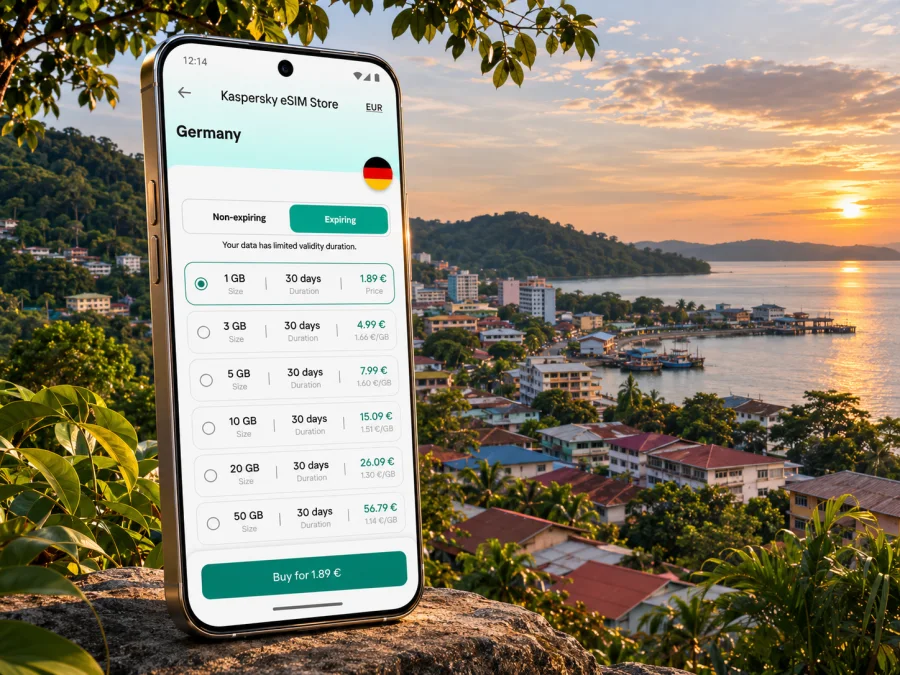
Kaspersky eSIM Store is an app and website where you can choose, arrange, and activate an eSIM with a data plan for an international trip. To review the currently listed options for Malaysia, browse eSIM plans for Malaysia. The available plan terms, supported networks, data allowances, validity, and activation rules should be checked on the plan page before you decide. Kaspersky eSIM Store does not operate the mobile network; service depends on the selected plan and its local network arrangements.
A simple way to estimate your data needs is to list what you expect to do rather than selecting a package by habit.
| Your likely use | Questions to ask yourself |
|---|---|
| Maps and occasional messages | Will you download maps offline and use data mainly for short lookups? |
| Frequent navigation and bookings | Will you be checking routes, transport, and reservations throughout the day? |
| Photo sharing and video calls | Can uploads wait for Wi-Fi, and will calls use mobile data? |
| Remote work | Do you need a stable connection for meetings, and is a backup Wi-Fi location available? |
| Travel beyond Sandakan | Does the plan cover the other Malaysian destinations on your route, and what happens in less populated areas? |
The table is a planning aid, not a data allowance promise. App updates, cloud backups, video, and automatic photo uploads can use more data than brief text messages or map checks. Before departure, turn off automatic downloads if you want to control background use, and check your phone’s per-app data settings during the trip.
If Malaysia is one stop in a multi-country itinerary, check each border crossing separately. A plan for Malaysia may not cover a neighbouring country, even if it is geographically close. Confirm destination coverage, validity dates, and whether a regional plan is suitable for the complete route. Also check the currency and final amount displayed at checkout; prices and plan availability can change.
Preparing your phone and eSIM
An eSIM is a digital SIM profile stored on a compatible device. It can provide mobile data without a physical travel SIM, but compatibility can depend on the exact device variant, its sales market, software, and whether the handset is carrier-locked. Do not infer support from a model family name alone. Check whether your device supports eSIM before choosing a plan.
Local operator requirements can also differ by product. For example, Maxis publishes its own device and activation information and notes that its eSIM support depends on compatible devices; its guidance also flags market-specific limitations for some Huawei devices. That is a reminder to check the exact variant and provider conditions, not a guarantee that a separate travel plan uses Maxis or follows the same requirements. Confirm the network and setup instructions shown for the plan you select.
Installation checklist
- Check the device. Confirm eSIM support for the exact model and regional variant, verify that the phone is unlocked, and update the operating system if needed.
- Choose the destination and validity. Make sure Malaysia is included, the plan dates match your stay, and any onward countries are covered if required.
- Read the activation instructions. Note whether installation, first connection, or another event starts the validity period. Keep the confirmation and QR code available.
- Install while connected to Wi-Fi. Follow the instructions for your phone. If the QR code is displayed on that same phone, use the manual entry method if the provider offers one, or open the QR code on another screen.
- Label the line clearly. A label such as “Malaysia data” can help distinguish the travel line from your regular number when choosing data settings.
- Set the data line deliberately. Choose the travel eSIM for mobile data when appropriate. Keep calls and messages on your usual line if that is what you intend, and review the home carrier’s roaming charges.
- Activate at the right time. Follow the plan’s own guidance for enabling the line, mobile data, and data roaming. The menu names vary by device and software version.
- Test before relying on it. Once activation is expected, load a simple web page or map. If there is no connection, review the provider’s troubleshooting steps before changing multiple settings.
For step-by-step help, follow the Android eSIM installation instructions or the iPhone eSIM installation instructions. The menu labels may differ slightly across operating-system versions, so use the guide that matches your phone and follow the plan’s activation notes as well.
Stay prepared on local routes
A useful setup combines mobile data with offline safeguards. In town, maps and messaging may be enough for errands; for an excursion, confirming the pickup and return arrangement can matter more than constant browsing. Signal conditions may change on forest roads, at river lodges, or away from built-up areas, so save the route and booking information before leaving.
Before an excursion, save the meeting point, operator contact, booking reference, and return time. Download the relevant map over Wi-Fi, charge your phone, and ask whether the driver will meet at the entrance or a separate pickup point. On the Sandakan Heritage Trail, use a saved route overview as well as live navigation: the walk includes slopes and steps, so leave time and avoid checking your screen while walking. At Sepilok, confirm current visiting arrangements and follow staff guidance; wildlife sightings are not guaranteed. For Kinabatangan, ask which transfer is included and where to meet. Treat Sandakan as a coordination point, and download directions before heading onward.
Calls, messages, and your regular number
Many travel eSIM plans are for mobile data and do not include a local phone number, standard calls, or SMS unless the plan says so. Internet messaging and calls may work through apps when data is available, but they are not a guaranteed phone line. Keep your regular SIM available if you need its number, and check your home operator’s roaming terms.
If your phone supports two active lines, label them clearly and select the travel eSIM for data when appropriate. Check the setting before changing it so your home plan does not use data unexpectedly. Keep essential booking details offline, and use Wi-Fi as a backup where it suits your needs.
Common connection problems
- The eSIM is installed but data does not work: Check that its line is on, selected for mobile data, and configured for roaming if the plan requires it. Confirm validity and destination coverage before changing other settings.
- The QR code will not scan: Try a second screen, increase brightness, and check whether the activation code has already been used. If setup still fails, follow the provider’s support instructions.
- The connection drops outside town: Save your route and contacts offline, then retry from a safe place. Forest, river, island, and rural locations may have different availability from built-up areas.
- The home SIM is using data: Recheck the default data line and any automatic data-switching setting. Menu names vary by phone; review roaming terms with your home operator.
Avoid deleting an installed eSIM profile as a troubleshooting shortcut unless the provider specifically instructs you to do so.
Frequently asked questions
Is an eSIM useful for a short visit to Sandakan?
It can be useful if you want mobile data for maps, transport coordination, booking details, and messaging without changing a physical SIM. First check that your exact device variant supports eSIM, that it is not carrier-locked, and that your chosen plan covers Malaysia for the dates you need.
Will one Malaysia plan work throughout Sandakan and nearby nature areas?
A plan may include Malaysia, but no general statement can guarantee reception at every address or along every route. Coverage depends on the plan’s local network arrangements and the location. Check its terms and supported networks, ask your accommodation or tour operator about connectivity at the destination, and save offline directions.
Do I need a local phone number?
For data-based maps and internet messaging, a data plan may be enough. If you need conventional calls or SMS, check the plan details and consider keeping your regular number available, subject to your home carrier’s roaming terms. Do not assume that a data-only eSIM includes calls or text messages.
When should I install the eSIM?
If the instructions allow it, installation before departure over Wi-Fi gives you time to resolve setup questions. Activation and validity start times differ between plans, so follow the exact instructions for the plan you select. You may need to wait until arrival to enable the line or data roaming.
Can I use my regular SIM and a travel eSIM together?
Many compatible phones can use a physical SIM and an eSIM together, but combinations vary by device and regional version. Confirm your phone’s settings, select the data line deliberately, and check roaming terms for your regular SIM.
What if my phone is not compatible?
Check the exact model, regional variant, software, and carrier-lock status before choosing a plan. If the phone cannot use eSIM, ask your home carrier about roaming or check locally available physical SIM options and current requirements.
Prepare your Sandakan connection
Before you fly, confirm your route, check the eSIM and device conditions, and save the details you may need offline. When you are ready, review the available eSIM plans for Malaysia and choose an option whose coverage, data allowance, validity, and activation steps fit your Sandakan itinerary. Install it according to the provider’s instructions, then keep your booking and transfer information easy to reach throughout the journey.


