
Travel connectivity guide
Sandavagur eSIM: Mobile Internet Travel Guide
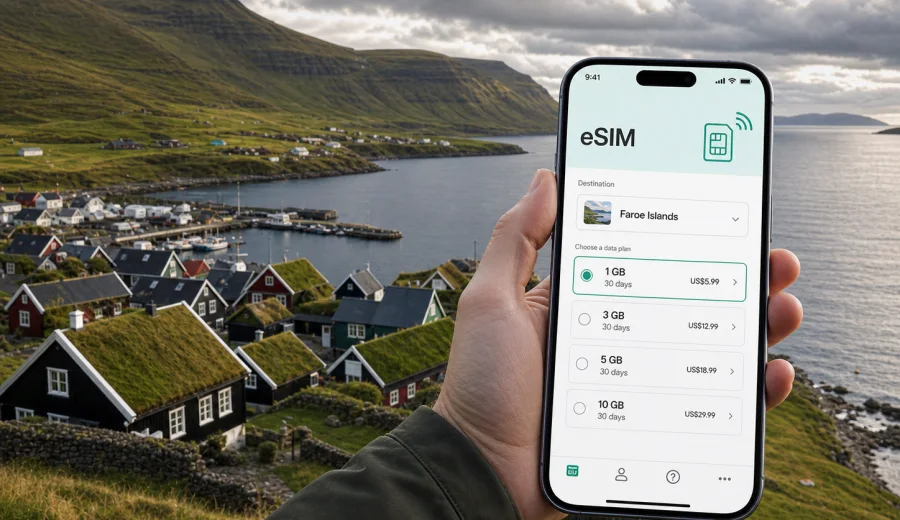
Sandavagur eSIM: mobile connection and internet for a Faroe Islands trip
Sandavagur is a small village with a big travel advantage: it puts you close to Vagar Airport, the western landscapes of the Faroe Islands, and the road network that leads toward Torshavn, Gasadalur, Sorvagsvatn and other well-known stops. For many visitors, Sandavagur is not a place for rushing. It is a base for slow mornings, coastal walks, rental-car routes, bird cliffs, weather windows and quiet evenings after a day on the road.
That calm setting does not make mobile internet less important. In Sandavagur, your phone is often the tool that helps you find the next bus time, check whether a hiking route is sensible in the current weather, confirm a guesthouse arrival message, navigate between villages and keep work messages under control. An eSIM can make that easier because you can prepare mobile data before the trip, install it on a compatible phone, and use it when you need data in the Faroe Islands without looking for a physical SIM card after landing.
This guide focuses on Sandavagur as a city-page destination: arrival, local movement, navigation, transport, hotels, short stays, business trips and routes out of the village. It also explains how to think about eSIM data in a place where distances may look short on a map, but fog, rain, ferry schedules and mountain roads can change the rhythm of the day.
Why mobile internet matters in Sandavagur
Sandavagur works especially well for travelers who stay on Vagar island but keep moving. You may arrive at the airport, collect a rental car, check in at an apartment, then decide whether to walk near the village, drive west toward Gasadalur, or go east toward Streymoy and Torshavn. Mobile internet helps with that whole pattern: maps, weather, host messages, restaurant searches, bus information, translation, bookings and work updates.
Arrival: using eSIM after landing at Vagar Airport
Vagar Airport is one of the main reasons travelers choose to stay in or near Sandavagur. After landing, you may be dealing with luggage, rental-car documents, bus connections or a message from your host. If your eSIM is already installed, you can turn on the data line when appropriate and avoid spending your first hour searching for connectivity.
A practical arrival sequence looks like this:
1. Before departure, check that your phone supports eSIM and is not locked to one carrier.
2. Choose a data plan that covers the Faroe Islands and matches the length of your stay.
3. Install the eSIM while you still have a stable home connection or hotel Wi-Fi.
4. Keep your primary SIM active for calls or banking messages if needed.
5. On arrival, set the eSIM as the mobile data line and check data roaming settings for that line if the plan instructions require it.
6. Open maps and saved accommodation details before leaving the airport area.
Sandavagur is close enough to the airport that you may not need a long transfer. Still, mobile internet can help from the first few minutes: confirming the fastest route, checking whether your host sent updated instructions, or looking up the opening hours of a store before you settle in.
Sandavagur travel scenarios and data needs
Different travelers use mobile data differently. A photographer checking cloud backups every night has a different need from a couple using maps and messaging only. A remote worker staying near Sandavagur for a week has a different pattern from someone using the village as a one-night stop after landing.
| Travel scenario | Typical phone use in Sandavagur | Data planning tip |
|---|---|---|
| One-night arrival stay | Maps, check-in messages, weather, restaurant search | Choose a small plan if most heavy use happens on Wi-Fi. |
| Vagar sightseeing base | Navigation, route planning, photo sharing, weather checks | Allow extra data for maps, images and day-trip research. |
| Business stay | Email, messaging, calendar, video calls where needed | Pick a plan with enough margin for work tasks away from Wi-Fi. |
| Stopover before departure | Flight checks, airport route, car return, accommodation messages | Keep enough data for the final morning, not only the first day. |
The important point is not to buy the largest possible data allowance by default. It is to match the plan to the way you will move. In Sandavagur, many people use mobile data in short bursts: check the weather, load a route, message a host, look up a place, then put the phone away.
Getting around Sandavagur with mobile data
Sandavagur is walkable at village scale, but mobile data still helps because the surrounding travel area is broader. You may walk between accommodation and the waterfront, then drive to another village, then return after sunset. You may use maps to find a viewpoint, but also need to adjust because parking, weather or daylight makes the first idea less practical.
For local movement, use your eSIM mainly for:
- live map loading when you change plans;
- walking directions in and around the village;
- route checks before driving to nearby settlements;
- saved pins for accommodation, groceries, church, waterfront and parking;
- messages when a travel companion leaves earlier or returns later;
- ride, taxi or local contact details if plans change.
It is wise to download offline maps before you travel. Offline maps reduce data use and give you a backup if signal is weaker in a valley, tunnel or remote road section. Mobile data then becomes a layer for live updates rather than your only navigation tool.
Navigation, roads and weather windows
The Faroe Islands reward flexible planning. A route that looks simple can feel very different in wind, rain, fog or low cloud. Sandavagur is well positioned for Vagar routes, but you still need current information when you decide whether to continue, wait, or choose a shorter walk.
Before leaving Sandavagur for the day, use mobile internet to check:
- the weather forecast for the specific island or area you plan to visit;
- road conditions if weather is unsettled;
- ferry or bus timing if your route depends on public transport;
- daylight and return timing during darker months;
- whether your accommodation has sent check-in or parking details;
- battery level, power bank status and downloaded maps.
Do not rely on mobile data as a substitute for sensible preparation. In remote or exposed areas, keep offline maps, tell someone your plan when appropriate, and avoid pushing ahead just because a phone route appears short.
Choosing an eSIM plan for a stay in Sandavagur
When your article, itinerary or booking says Sandavagur, the correct country-level destination for eSIM selection is the Faroe Islands. You do not need a separate city plan for the village. You need a plan that covers the country and fits the trip length, route and data habits.
For a practical comparison, think in three layers:
- Duration: Will you be in the Faroe Islands for one or two days, a long weekend, a week, or longer?
- Data volume: Will you use only maps and messages, or will you upload photos, join calls and stream media?
- Timing: Do you need mobile data immediately after landing, or mostly during day trips from Sandavagur?
If you want to prepare the data part of the trip before arrival, you can use Kaspersky eSIM Store to choose an eSIM plan for the Faroe Islands and review the plan details before you install it on a compatible device.
How much data do you need in Sandavagur?
There is no single correct data amount for every traveler, but the patterns below can help you choose more calmly. Many visitors underestimate map and photo use because weather changes can lead to repeated route checks and extra image sharing.
| Use pattern | Examples | Data approach |
|---|---|---|
| Light | Messaging, maps, email headers, weather | A smaller plan may be enough if Wi-Fi covers evenings. |
| Moderate | Maps, browsing, restaurant searches, social posts, photo sharing | Choose a plan with room for daily route changes and image uploads. |
| Heavy | Video calls, cloud photo backup, tethering a laptop, streaming | Choose a larger plan and turn off automatic backups on mobile data. |
To keep data predictable, download offline maps, save booking details, disable mobile app updates, set cloud photo backup to Wi-Fi only and keep a small data reserve for the day you leave.
Hotels, guesthouses and self-catering stays
Sandavagur and nearby villages are well suited to independent travel. Accommodation may be a guesthouse, apartment, holiday home or small hotel-style property in the wider Vagar area. That makes mobile internet useful because check-in may depend on a message thread, a door code, a parking note or a route from the airport.
Before arrival, save the full address, host contact method, parking details and Wi-Fi information if provided. Even when the property has Wi-Fi, you may need mobile data before you find the door or understand the instructions. For longer stays, use Wi-Fi for heavier tasks and keep eSIM data for movement: maps, messages, weather, transport, restaurant searches and route changes.
Transport: rental car, buses and day routes
Many visitors explore Vagar and the rest of the Faroe Islands by rental car. From Sandavagur, that can be convenient because you can leave early for western viewpoints, return for a rest, then drive again if the weather improves. Mobile internet helps with route recalculation, parking checks and messaging, but it should support your planning rather than replace it.
If you use a rental car, download offline maps before the first drive, keep your phone mounted safely, check fuel stops in advance, save your accommodation and airport route, and keep a charger in the car. If you use buses or other public transport, mobile data becomes more important for live timing because one missed connection can change the whole day.
For trips from Sandavagur toward Torshavn, Gasadalur, Sorvagur, Midvagur or trailheads near Sorvagsvatn, think of mobile data as your planning assistant: useful for updates, but best combined with saved maps and a realistic weather plan.
Business trips and remote work from Sandavagur
Sandavagur can be a quiet base for a work-connected trip, especially if you combine meetings in Torshavn or elsewhere with a stay on Vagar. Install the eSIM before departure, keep calendar locations saved offline, test messaging after activation and use mobile hotspot only when the plan conditions allow it. If you expect video calls, use reliable Wi-Fi where possible and keep mobile data for the gaps between Wi-Fi networks: airport arrival, car pickup, route changes, check-in and urgent messages.
Installing eSIM before a Sandavagur trip
It is usually easier to install an eSIM before you leave home or while you have strong Wi-Fi. Installation steps vary by device, operating system and plan instructions, but the general flow is straightforward: choose a plan, complete the order, install the eSIM profile, then activate it according to the instructions for your trip.
If you need device-specific guidance, use the Android installation instructions or the iOS installation instructions. Follow the instructions for your device carefully, and keep the eSIM details available until everything is installed.
Before purchase, check your device compatibility. Your phone must support eSIM, and it should not be locked in a way that prevents adding a travel eSIM. This step matters more than the destination: even the best-planned Sandavagur itinerary is easier when the device is ready before you board.
Activation depends on the selected plan conditions, so read the details before you travel. Confirm which line is used for mobile data, keep your primary SIM active if you need calls or SMS, check whether data roaming must be enabled for the eSIM line, and do not delete the eSIM profile unless the instructions say it is safe to do so. For Sandavagur, the most useful moment for mobile data is often immediately after arrival at Vagar Airport.
Stopovers and trips from Sandavagur
Some travelers use Sandavagur as a first-night base after a late arrival or as a calm final stop before flying out. For a short stay, reserve data for airport logistics, accommodation messages, food searches, weather checks, flight status and car return. Use Wi-Fi for streaming, backups and large uploads.
Sandavagur is also a practical starting point for routes around Vagar and onward to other islands. You may drive toward Gasadalur, explore areas near Sorvagsvatn, visit nearby villages, or continue toward Torshavn for museums, restaurants, meetings or ferry connections. For these trips, mobile internet is most useful for route timing, weather changes, location sharing, opening hours and return planning. Download maps first, take a power bank and keep enough data for the way back.
Final preparation before your Sandavagur trip
Before you leave for Sandavagur, make your phone part of the travel plan. Save maps, accommodation details, check-in messages and key routes. Check that your device supports eSIM. Decide how much data you need based on your real itinerary: arrival, village walks, Vagar day trips, possible Torshavn visits, work tasks and the final airport transfer.
Kaspersky eSIM Store helps you choose, set up and activate an eSIM with a suitable mobile internet plan for travel. If Sandavagur is your base, use the Faroe Islands as the destination and prepare an eSIM plan for your trip before you arrive. That way, mobile connection and internet become part of the preparation, not a problem to solve after landing.