Travel connectivity guide
Sandy Bay eSIM: mobile connection and internet in Gibraltar
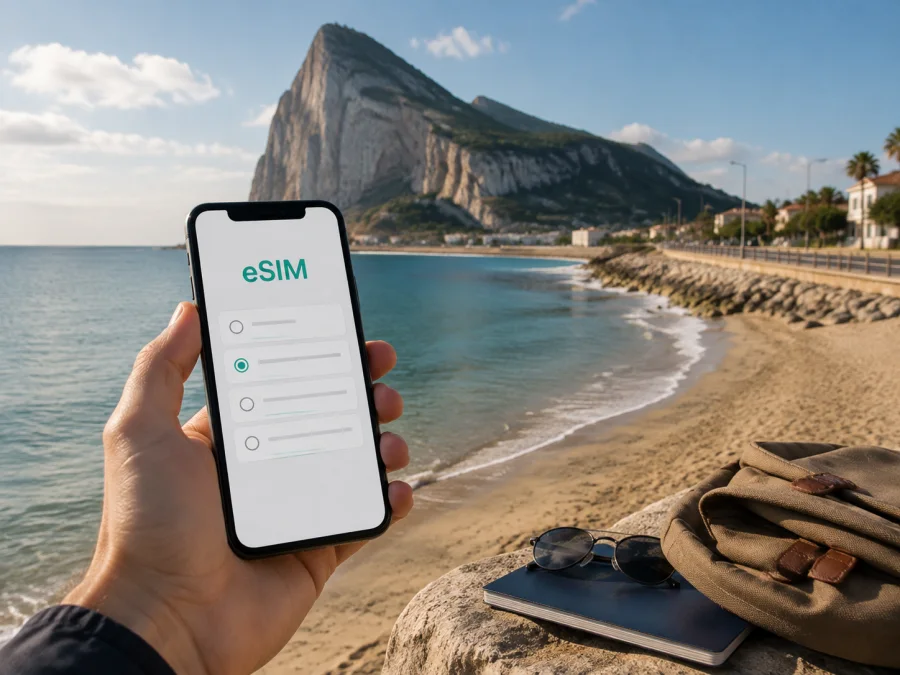
Sandy Bay eSIM: mobile connection and internet for Gibraltar's east coast
Sandy Bay is a beach on Gibraltar's east side, rather than a separate city to use as the destination of a data plan. If you are planning a beach visit, the useful connection tasks are specific: finding the correct coastal location, checking your return journey, keeping a reservation accessible and communicating with the people in your group. This guide focuses on preparing those tasks for Sandy Bay and the journey there, not on describing every part of Gibraltar.
An eSIM is a digital SIM profile added to a compatible device. A suitable travel data plan can help you organise internet access without inserting another physical card. Kaspersky eSIM Store is the website and app that help users compare and activate options for international travel. eSIM products and related services are provided by a technology partner BNESIM Limited. Your connection depends on the selected plan, the device and the local network where you use it.
Locate Sandy Bay before planning the connection
The official visitor information places Sandy Bay in the East Side beaches area and gives its location on Sir Herbert Miles Road. Use the beach name together with Gibraltar when checking your map. A search for a similar place name in another destination will not provide the correct route or the right data option for this visit.
Keep the beach location separate from your accommodation address and from the transport point where you arrive in Gibraltar. They are different parts of the day. Save the place you are staying, the location you plan to visit and the point from which you expect to return. This makes it easier to interpret a route or message without treating a general destination label as a precise meeting point.
Gibraltar's visitor information describes the beach's coastal protection works, including groynes and a breakwater. Those features help identify the place in descriptions or images, but they should not be used to infer current bathing conditions or access arrangements. Check the current information relevant to the day of your visit and follow instructions at the location.
Plan the journey to the east coast
Decide how you will travel to Sandy Bay and obtain the current information for that method. A route from your accommodation is not necessarily the route you need from an airport, terminal or meeting elsewhere. Confirm the real starting point, the beach location and the return arrangement before relying on a navigation app during the trip.
If you use a booked service, save its confirmation and the specific pickup information. If you use public transport or another service that can change, check its own current instructions. A time estimated by a mapping app is not a guarantee of availability or journey duration. Your mobile connection can help you check updates, but the underlying travel arrangement still needs to be clear.
Avoid building the entire visit around immediate internet access at the first point where you need it. Save the essential route and addresses locally. If you have to adjust the data line or wait for a supported network, that information allows you to continue organising the journey without deleting a profile that has already been installed.
Set a clear meeting and return point
For a beach day with other people, agree on a specific place to meet and a way to communicate. A message saying only “at Sandy Bay” may not be precise enough if you arrive separately. Record the details that your group has actually chosen, and make sure the relevant people can access them without relying on one person's phone.
Also agree on the return plan. Keep the accommodation address, the transport point and any booking reference available. If the person arranging the return has the only charged device, a battery problem can complicate an otherwise simple day. Share the useful non-sensitive information while keeping each traveller's installation code and account details private.
A travel data connection can support communication apps, but that is different from a numbered mobile line. If a service expects a normal telephone call or a text message sent to a specific number, arrange the actual line that can perform that task. Do not assume a data-only profile includes ordinary calls, SMS or a local phone number.
Prepare the phone for a beach environment
Think about the physical use of the device as well as its connection. Sand, water, heat and a low battery can affect how you use a phone during the day. Use appropriate protection for your device and its documented capabilities; do not infer resistance from another model or from a general product category.
Save the information you need before putting the phone away. A short list of addresses and a stored booking may be more practical than repeatedly opening several cloud services on the shore. Keep a suitable charging arrangement for your itinerary, without assuming that every public location will provide a charging point or a reliable Wi‑Fi connection.
If you intend to take and share photographs, review your backup settings. Saving pictures uses device storage; uploading them consumes data. A cloud app may start a large transfer in the background when the connection becomes available. Choose when to run those tasks so that they do not unexpectedly use the data you need for the return journey or other essential communication.
Separate beach tasks from a full working day
Checking a map or sending an arrival message has different requirements from a video meeting or transferring large files. If you want to work before or after a beach visit, choose the place where that task will happen and test the connection there. A signal observed outdoors is not a guarantee of the same result inside accommodation or at another location.
Keep important work documents accessible locally and prepare an alternative for a task that needs continuity. The compatibility of your phone with eSIM establishes one requirement; it does not guarantee a particular network speed or an uninterrupted meeting. The selected service, local network and environment all influence the result.
| Part of the Sandy Bay visit | Useful online task | What to save before leaving |
|---|---|---|
| Travelling to the east side | Checking a route or service update | Starting point and beach location |
| Meeting a group | Sending an arrival message | Specific meeting point and alternative contact |
| Time at the beach | Consulting a booking or sharing a location | Return arrangement and accommodation address |
| Taking photographs | Uploading selected images | Storage space and planned backup settings |
| Returning after the visit | Checking pickup information | Booking reference and agreed return point |
| Working elsewhere in Gibraltar | Opening a document or joining a meeting | Local files and an alternative connection |
Estimate data from activities rather than a fixed rule
Identify what you will do online throughout the visit. Maps, transport information, booking access and messages may be your priorities. Uploading video, streaming or keeping a laptop connected creates a different pattern of use. There is no universal amount that fits every traveller; consider your own applications and allow for changes to the day's programme.
Device storage is a separate resource. A file can occupy space locally, need another download because it was never saved, or create traffic when a backup sends it to the cloud. Open the documents you want offline before leaving. Seeing a filename or a thumbnail is not evidence that the full content is available without a connection.
If you share data with another device, confirm that the selected plan permits the use and check the behaviour of the connected device. A computer may download updates or synchronise files while you are not using that window. Protect the hotspot, monitor access and stop sharing when you no longer need it.
Choose Gibraltar as the relevant destination
Once you have the route and intended use clear, you can review data options for your Gibraltar visit. Kaspersky eSIM Store helps you compare the available information and activate an appropriate option. Read the selected product's destination and usage conditions rather than choosing solely from a broad geographical name.
If the journey also includes Spain or another destination, check that stage separately. Geographical proximity does not show that a plan covers both sides of a border. A profile that works during the Sandy Bay visit need not offer the same service elsewhere. Organise the profile and data line according to the places where you actually intend to use them.
Read what starts the option's validity and what is needed to connect. Downloading a profile, activating it and joining a supported network can be different events. Prepare the timing according to the information issued for the selected product, especially when installation happens several days before travel.
Check the specific device that you will bring
Identify the phone's exact model and regional version. A device family can include variations, and operator restrictions may affect the profile you want to use. Check EID information where it is available and the function for adding eSIM. IMEI is a different identifier; its presence alone does not establish eSIM support.
Check your device compatibility before choosing the profile. If the required function is missing, consult the manufacturer or appropriate support for that version rather than testing installation codes from another person. Official updates can resolve certain software issues, but they should not be treated as a promise that every variant will gain identical functions.
Check each phone in a group individually. A profile working on one person's device does not establish compatibility on another regional version. Keep codes and account information private, and confirm recovery or transfer rules before removing a profile that you still need.
Prepare installation away from the pressure of arrival
Choose a stable internet connection and a time when you can follow the instructions carefully. Keep enough battery and the order information available. If installation uses a QR, prepare a second display or another method permitted by the provider; not every phone interface can scan a code open on its own screen.
Use the instructions corresponding to the profile you have received. A code is not necessarily a reusable file that can be added to several phones or installed again after deletion. If you need a different method or device, confirm the relevant process rather than trying repeated downloads without knowing the conditions.
The Android installation instructions and iOS installation instructions provide general orientation. Menu names can vary with the phone and software version. Combine the general steps with the manufacturer information and the instructions for your selected profile.
A sequence for adding the profile and testing data
- Confirm the device's model, eSIM function and relevant restrictions.
- Check that Gibraltar is included in the selected option.
- Connect to the internet and open the SIM or mobile network settings.
- Add the profile using the issued QR or permitted alternative.
- Maintain the connection until the download has finished.
- Give the line a recognisable label if the interface permits it.
- Confirm which line is selected for mobile data.
- Follow the activation and data roaming instructions that apply to the profile.
- Test a simple internet task when the service conditions for use are met.
Seeing the profile in SIM management confirms an installation stage. Data access can also require the appropriate destination, service state and line selection. If downloading has finished, inspect the next relevant stage instead of repeatedly removing and adding the same profile.
Keep the usual line and travel data organised
If your device supports the relevant combination of lines, decide what each one will do. You can arrange the selected profile for data and maintain another line for functions you need, according to its conditions. The number of stored profiles does not prove that all of them can be active together.
Apply roaming instructions to the appropriate line. A requirement for data roaming on a travel profile does not mean that you should automatically enable it on your usual SIM. Review any automatic data-line switching option as well, so that you understand which service the phone may use when a connection is unavailable.
Keep numbered telephony needs separate from applications using internet. If a pickup service needs an ordinary phone call or an account requires SMS on a particular number, arrange that function explicitly. The name eSIM describes how a profile is added; it does not promise every communication service.
Three practical Sandy Bay scenarios
A visit between other bookings. Save the beach location, the next appointment and the route back. Use data to check a current change when necessary, but keep essential details available locally. This avoids making the next part of the day depend on a cloud document you never downloaded.
A group arriving separately. Agree on a specific meeting point and communication method. Each traveller should understand their device and line selection. Do not use one person's profile code as a shared test tool, and make a plan for a low battery or an unavailable connection.
Photographs followed by the return journey. Review backup settings and leave data available for the tasks you need before travelling back. Uploading a large collection can be planned for a suitable connection. Keep transport details separate from social apps so that the essential information is easy to locate.
If installation or data use does not work
Read the complete message and identify the stage of the problem. An unreadable code, an interrupted download and a lack of data access after installation are different situations. Check the intended profile, device compatibility and the connection used for downloading before changing unrelated settings.
If the profile is installed, confirm that it is enabled and selected for data. Review destination, validity and service state, followed by the roaming or APN instructions when they apply. Use only the configuration issued for that provider. Copying settings from another service can create an additional problem.
Try a simple task. If one app fails, review its permissions or settings; if all data access fails, record what you have checked and contact the appropriate support. Do not erase the profile or reset the whole phone as a first step. Confirm recovery conditions before removing an installation you may still need.
A checklist before heading to Sandy Bay
- The beach location has been checked with Gibraltar in the search.
- The real starting point and return arrangement are recorded.
- The group's meeting point and contact alternative are clear.
- Accommodation and essential bookings open offline.
- The phone's model, eSIM capability and restrictions have been reviewed.
- Gibraltar and any other intended destinations have been checked in the option.
- Installation instructions and codes are stored privately.
- The data line and other required line functions are organised.
- Battery, protection and background transfers have been considered.
Frequently asked questions
Is Sandy Bay a separate country or city for selecting a plan?
This guide concerns the beach on Gibraltar's east side. Check Gibraltar in the selected option and use Sandy Bay as the local place you want to visit. The beach name alone is not a destination coverage description.
Does a regional plan necessarily cover every nearby place?
Do not infer that from the label. Read the included destinations and check any additional travel stage separately. A connection used in Gibraltar does not establish the conditions for another country.
Will data work in exactly the same way at every beach location?
The network, device and environment affect the result. Do not depend on a fixed speed or continuous signal without checking the location where an important task will take place. Keep essential journey information offline.
Does travel data include a local number for calling a service?
A data-only profile should not be assumed to include a number, regular calls or SMS. Arrange the actual communication function required by the service or reservation, and distinguish it from an app using internet.
Can I install before the day of the visit?
Follow the profile's installation and validity information. Downloading and beginning usable service may have different meanings. Prepare according to the selected option, and keep instructions and essential addresses available locally.
Finish the connection preparation for the beach day
Locate Sandy Bay correctly on Gibraltar's east coast, save the journey and return details, and verify the phone that you will use. Organise the data line and keep essential bookings offline. This turns the connection into one useful part of the beach visit rather than the only way to access every piece of information.
Before travelling, compare the available options for Gibraltar in Kaspersky eSIM Store. Check the destination and service conditions, confirm the device and plan any separate phone-number requirement. A clear preparation sequence helps you interpret a connection adjustment while keeping the rest of your Sandy Bay programme organised.


