
Travel connectivity guide
Sandy Ground eSIM for Anguilla travel
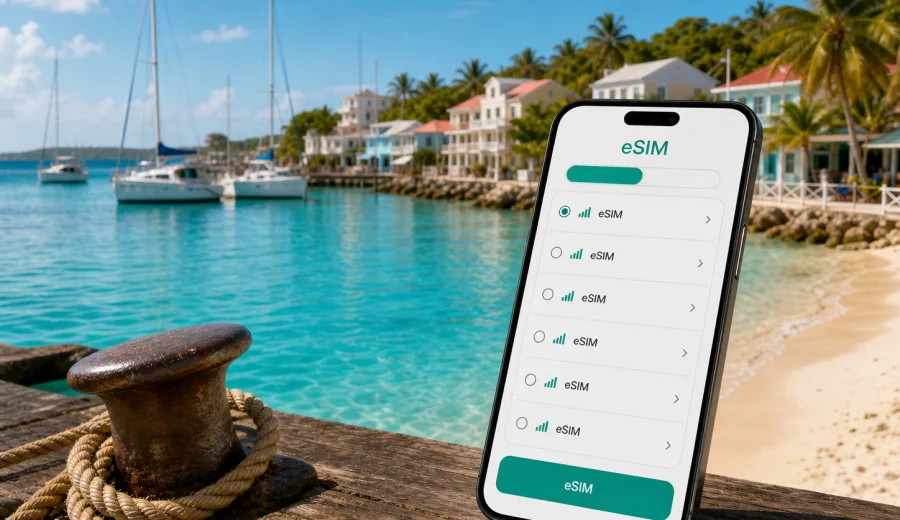
Sandy Ground eSIM: mobile connection and internet for Anguilla trips
Sandy Ground is one of Anguilla’s most practical bases for travelers who want the sea close by and the rest of the island within easy reach. The village sits around Road Bay, with boats in the harbor, beach bars along the sand, hotels and villas nearby, and quick routes toward The Valley, Meads Bay, Shoal Bay, Rendezvous Bay and Blowing Point. For this kind of trip, mobile internet helps you find your driver after arrival, check a restaurant booking, send a location pin, follow a map across quiet roads and stay in touch when Wi-Fi is slow or limited.
An eSIM can make that first day easier because you do not need to look for a physical SIM card after landing or arriving by ferry. With Kaspersky eSIM Store, you can choose, arrange and activate an eSIM with a suitable data plan for your trip before you leave or soon after you arrive. The important part is to choose a plan that covers Anguilla, check your device compatibility and understand how much data you are likely to use around Sandy Ground.
Why mobile internet matters in Sandy Ground
Sandy Ground is relaxed, but many travel tasks still happen on your phone. You may need maps for a short drive from the airport, messaging for a villa check-in, a taxi call after dinner, a weather check before a boat day, or mobile data to confirm ferry details. Public Wi-Fi can be useful in hotels, restaurants and cafés, but you may not want to depend on it for every step of the trip.
An eSIM is especially useful in Sandy Ground when:
- you arrive at Clayton J. Lloyd International Airport and need directions to Road Bay;
- you come from Saint Martin through Blowing Point and want mobile data right after the ferry;
- you plan beach-hopping days and need maps between Sandy Ground, Shoal Bay, Meads Bay and Rendezvous Bay;
- you use messaging apps for villa hosts, drivers, boat operators or restaurant bookings;
- you work remotely from a hotel, apartment or beach café and need a backup connection for basic tasks;
- you want to avoid buying a physical SIM card during a short Anguilla stay.
The value is control. You can review the destination, data allowance, validity period and price before choosing a plan. A short beach stay may need less data; streaming, uploads and frequent navigation require more.
Sandy Ground travel scenarios where eSIM helps
Sandy Ground is small, but it connects several travel patterns: beach stays, business visits, boat days, ferry arrivals and multi-stop island routes. Each scenario changes how much mobile internet you should prepare.
| Scenario in Sandy Ground | Why data helps | What to check before choosing a plan |
|---|---|---|
| First arrival from the airport | Finding a driver, opening maps, messaging your hotel | Coverage country, activation timing, device compatibility |
| Ferry arrival at Blowing Point | Contacting transfer, checking route to Road Bay | Whether the plan covers Anguilla, not only a nearby island |
| Beach and restaurant days | Messaging, bookings, ride coordination, photos | Daily data habits and plan validity |
| Boat trips from Road Bay | Weather, pickup time, route updates before departure | Whether you need data mostly on land or throughout the day |
| Remote work from accommodation | Email, calls, document access, hotspot for a laptop | Data allowance, tethering needs, hotel Wi-Fi backup |
| Multi-stop island route | Maps to Shoal Bay, Meads Bay, The Valley and West End | Plan duration and expected navigation use |
Arrival in Anguilla: airport, ferry and the first hour
Sandy Ground is close enough to Anguilla’s main arrival points that your first connection tasks happen quickly. From Clayton J. Lloyd International Airport, you may soon be in a taxi or rental car. From the Blowing Point ferry terminal, you may need to coordinate a transfer before you reach Road Bay. In both cases, the first hour is when mobile data is most useful.
Before departure, save your accommodation address, booking confirmation, ferry details and driver contact. If you install your eSIM in advance, keep the eSIM line ready and use it when you are in Anguilla. On some devices, you may need to select the eSIM profile for mobile data and enable data roaming for that eSIM profile.
Practical first-hour checklist:
- confirm that your phone supports eSIM and is not locked to one carrier;
- install the eSIM while you still have stable internet;
- keep your primary SIM active if you need your usual number for banking codes or messages;
- choose the eSIM profile for mobile data after arrival;
- open maps only after your phone shows a mobile data connection;
- keep hotel, villa and driver details available offline as a backup.
Choosing an eSIM data plan for Sandy Ground
Sandy Ground is in Anguilla, so your plan should cover Anguilla. Do not choose a plan only because it mentions a nearby island or a wider Caribbean route unless the plan conditions clearly match your itinerary.
When comparing options, focus on five checks:
1. Destination: the plan should include Anguilla for a Sandy Ground trip.
2. Data allowance: choose enough GB for maps, messaging, browsing and work needs.
3. Validity: match the plan duration to your actual stay, including arrival and departure days.
4. Activation rules: check when the validity period starts and how installation works.
5. Device readiness: confirm eSIM support and carrier unlock status before payment.
If you know your dates, it is usually easier to prepare before you travel. You can review available options in Kaspersky eSIM Store and choose an eSIM plan for your trip to Sandy Ground in Anguilla when the data allowance and validity period fit your route.
How much data do you need in Sandy Ground?
Data use depends more on behavior than on the size of the destination. Video calls, streaming, automatic cloud backup and high-resolution uploads use much more data than maps or messaging.
| Trip style | Typical mobile data use | Planning note |
|---|---|---|
| Weekend beach stay | Maps, chats, booking checks, light browsing | A smaller plan may be enough if you use hotel Wi-Fi for media |
| One-week holiday | Daily maps, messaging, photos, restaurant research | Choose a plan that covers every day, not only arrival |
| Boat and beach itinerary | Weather, pickup messages, map checks, photo sharing | Keep offline copies of key details for low-signal moments |
| Family or group trip | Coordination, shared locations, multiple bookings | Each traveler should check their own device and data needs |
To reduce unnecessary data use, download offline maps, pause automatic photo backup on mobile data, limit video streaming outside Wi-Fi and update apps before departure.
Moving around Sandy Ground and the rest of Anguilla
Sandy Ground is well placed for island movement, but short transfers still use data. You may open maps for The Valley, check sunset timing before returning to Road Bay, message a driver from a beach restaurant, or share your live location with friends.
Mobile internet can help with:
- navigation from Road Bay to Shoal Bay, Meads Bay, Island Harbour or West End;
- finding hotel entrances, villas and smaller beach access points;
- confirming taxi pickup after dinner or a boat trip;
- checking opening hours and reservation messages;
- coordinating separate plans with friends or family;
- using translation, currency and weather apps when needed.
If you rent a car, set your route while parked, keep the phone charged and use a mount if you navigate while driving. If you rely on taxis, mobile data helps you send an exact pickup point around beach bars, docks and informal meeting spots.
Hotels, villas and beach stays: Wi-Fi plus eSIM
Many Sandy Ground stays revolve around small hotels, villas, apartments or nearby beach resorts. Accommodation Wi-Fi is helpful for streaming, long calls and laptop work, but an eSIM gives you a mobile option when you are away from the room.
For hotels and villas, use this connection plan:
- use Wi-Fi for large downloads, app updates and long video calls;
- keep mobile data ready for maps, messaging and booking changes;
- save the accommodation address and check-in details offline;
- ask whether your room, terrace or workspace has reliable Wi-Fi before planning calls;
- keep a power bank if you will be out all day.
Business trips and short work stays in Sandy Ground
Sandy Ground can be a practical base for consulting visits, yacht and hospitality projects, or remote work attached to a longer Caribbean itinerary. Before a work trip, check:
- whether your laptop can use your phone as a hotspot if the selected plan and device settings allow it;
- whether your work apps have offline access for documents you may need during transfers;
- how much data video calls may use if Wi-Fi becomes unstable;
- whether two-factor authentication messages still arrive on your primary number;
- whether your eSIM profile is selected only for mobile data, while your usual SIM remains available for calls if needed.
For business use, keep a data buffer for schedule changes, delayed taxis or calls away from your room.
Installing and activating eSIM before the trip
Install your eSIM while you have stable internet, ideally before leaving home or at your accommodation before you need to move. Keep the QR code or activation details accessible until installation is complete.
General steps:
1. Check that your phone supports eSIM and is not carrier-locked.
2. Choose a plan that includes Anguilla and fits your Sandy Ground itinerary.
3. Install the eSIM using the on-screen steps or QR code.
4. Label the eSIM profile clearly, for example “Anguilla data”.
5. Select the eSIM profile for mobile data when you want to use it.
6. If required by the plan or device, enable data roaming for the eSIM profile.
7. Wait a few minutes for the connection to register on a local network.
For device-specific setup, use the Android installation guide or the iOS installation guide. Menu names can vary by model and operating system version.
What to check before buying
The most important check is device compatibility. Not every phone supports eSIM, and some models differ by region of sale. Some devices may also be locked to a carrier. Before you choose a plan, check your device and confirm that it can use eSIM for mobile data.
Also review the plan conditions. A travel eSIM usually focuses on mobile internet. It may not include a local phone number, standard calls or SMS unless that is clearly stated in the plan details.
Quick pre-purchase checks:
- your device supports eSIM;
- the device is not carrier-locked;
- the plan destination includes Anguilla;
- the data amount fits your expected use;
- the validity period covers arrival and departure days;
- you understand when the plan starts counting down;
- you know whether tethering is allowed or restricted by the plan and device settings;
- you have stable internet available for installation.
Short stopovers and multi-island routes
Some visitors reach Sandy Ground as part of a wider Caribbean route, especially when traveling through Saint Martin or moving between islands by ferry and boat. Plan your data by country and route, not only by the place where you sleep. A plan for Anguilla is right for Sandy Ground, but another island may require separate coverage or a regional plan if available and suitable.
For multi-stop routes, write down:
- arrival country and airport or ferry port;
- nights in Sandy Ground or elsewhere in Anguilla;
- day trips by boat;
- onward country or island;
- expected days when mobile data is essential;
- apps you cannot use offline.
This list helps you decide whether a country-specific plan is enough. Always read the plan details before relying on mobile data across borders or waters.
FAQ: eSIM and mobile internet in Sandy Ground
Is eSIM useful for a short stay in Sandy Ground?
Yes. Even for a short stay, eSIM can help with arrival logistics, maps, taxi coordination, bookings and messaging without looking for a physical SIM card after you arrive.
Does a travel eSIM include phone calls and SMS?
Usually no, unless the selected plan clearly says otherwise. Travel eSIM plans in this context are mainly for mobile internet.
Should I install the eSIM before arriving in Anguilla?
It is often practical to install it before travel while you have stable internet. Then use the eSIM for mobile data according to the plan instructions and your device settings.
Can I use hotel Wi-Fi instead?
Hotel Wi-Fi is useful, but it may not help while you are in a taxi, at the dock, on the beach or moving between bays.
What if my phone does not support eSIM?
You need a compatible, unlocked device to use eSIM. If your phone does not support it, you may need a physical SIM, roaming from your home carrier or another compatible device.
Choose an eSIM plan for Sandy Ground
Sandy Ground is easier to enjoy when the practical details are handled: arrival messages, maps, hotel coordination, dinner plans, boat updates and contact with people traveling with you. Before your trip, check your device, review your data needs and choose a plan that covers Anguilla for the full length of your stay.
Kaspersky eSIM Store helps you choose, arrange and activate an eSIM with a suitable data plan for mobile internet in a foreign trip. If Sandy Ground is your base, start with Anguilla as the destination and choose an eSIM plan for your trip when the data amount and validity period match your itinerary.