Travel connectivity guide
Sanniquellie eSIM: Mobile Internet for Liberia Trips
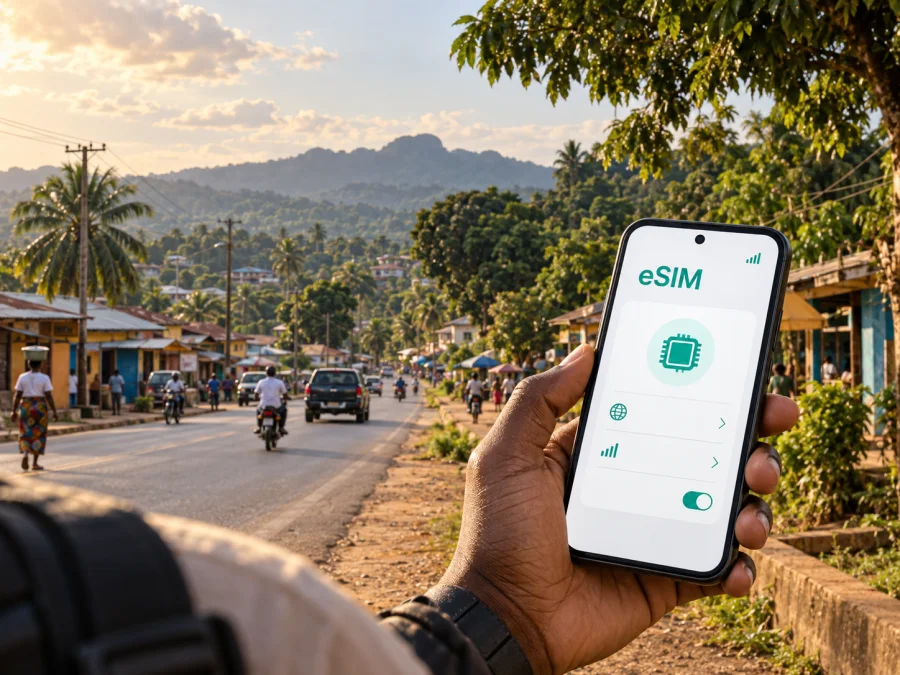
Sanniquellie eSIM: reliable mobile connection and internet for your Liberia trip
Sanniquellie is a practical base for work, administration and overland travel in Nimba County. As the county capital, it can be part of a longer route through north-eastern Liberia, a short business visit, or a journey continuing toward the Guinea or Côte d’Ivoire border areas. In each case, a working mobile connection is useful from the first stage of the trip: checking an arrival message, confirming a driver, opening a map, sharing a location or contacting a guesthouse.
An eSIM, or digital SIM, can help you prepare mobile internet without waiting to find a physical SIM card after arrival. Kaspersky eSIM Store is an app and website where you can choose, arrange and activate an eSIM with a suitable plan for mobile internet during an international trip. The plan is intended for data use; it is not a replacement for a local operator, and it does not automatically include a regular phone number, calls or SMS unless the selected terms say otherwise.
Why mobile internet matters in Sanniquellie
Sanniquellie is the administrative capital of Nimba County and a point in a wider network of roads, offices, markets, accommodation and onward routes. Connectivity matters here in repeated practical moments, not only during sightseeing.
You may need data to:
- confirm where a driver or travel companion is waiting;
- send a pin for a guesthouse, office or meeting point;
- check a route before leaving your accommodation;
- translate a short message or look up a place name;
- contact a colleague without searching for public Wi-Fi;
- share documents or a new arrival time;
- keep navigation available when a route is unfamiliar.
For a short stop, readiness matters. An eSIM can be installed before departure, then selected for mobile data when you are ready to use it. The activation moment and validity period depend on the chosen plan, so read those terms instead of assuming installation and data use begin together.
Sanniquellie in the Nimba travel context
Nimba County is in north-eastern Liberia and borders Guinea and Côte d’Ivoire. A visitor staying in Sanniquellie may need light navigation and messaging, while a person moving onward may use more data for route checks and updates.
The city should therefore be treated as the centre of a route, not as an isolated pin. Before you travel, write down the practical sequence of your trip:
- Where do you begin the final journey to Sanniquellie, and who meets you?
- Where will you stay, and is the address written in a form a local driver can use?
- Do you continue toward another county, a border area or a rural work site?
This simple route outline helps you choose a data allowance. It also highlights when a connection is most important: during a transfer, at a road junction, outside the city centre, or when a colleague is expecting a live update.
When an eSIM can be useful on arrival
The first hours after a long transfer
You may need to message a contact, confirm transport and send a location before you have reached your accommodation. Having data ready makes those steps less dependent on finding a shop or unfamiliar Wi-Fi. Keep the accommodation name, local contact, vehicle description and backup meeting point in an offline note as well.
Navigation between districts and meeting points
Sanniquellie directions may combine road names, landmarks and personal descriptions. Ask for a written description as well as a pin, then save it before leaving. Use a route that matches your transport: a pedestrian path is not necessarily suitable for a vehicle, and a short map route can take longer under current conditions.
Guesthouses, hotels and temporary accommodation
Confirm the exact location, check-in arrangement and Wi-Fi expectations before travelling. Ask for the address in the format local drivers use and note a nearby landmark. Use mobile data to contact the host, but check electricity and workspace separately if you plan to work.
Business travel and field work
Visitors handling county meetings, project coordination or onward travel often need data for a few high-value actions: confirming an appointment, receiving a document, joining a short call or updating a team. Download large files in advance, disable automatic video playback and agree who will share updates when several people travel together.
A short stopover before continuing
If Sanniquellie is one stage of a longer itinerary, check that the plan’s destination and validity match the whole route. A Liberia plan should not be assumed to cover Guinea or Côte d’Ivoire. Keep screenshots of bookings, the next driver’s contact, the next address and a basic itinerary offline.
How to choose an eSIM plan for Sanniquellie
The right plan depends on how you will use your phone, not simply on the number of days in Liberia. A short visit with mostly messages and occasional maps has a different profile from a field assignment involving photo uploads, video meetings and several road journeys.
| Travel pattern | Typical data activities | What to examine before choosing |
|---|---|---|
| Brief city visit | Messages, occasional navigation, bookings | Short validity, modest data allowance and the activation rules |
| Business stay | Email, documents, maps and messaging calls | A plan that covers the whole stay and enough data for work tasks |
| Road itinerary | Frequent route checks, location sharing and updates | Country or regional scope, validity and how much data navigation may use |
| Field or rural work | Photos, forms, messaging and repeated travel | Allowance, top-up conditions and whether the route is within the stated coverage area |
| Stopover with uncertain timing | Arrival coordination and a later onward journey | When validity begins and whether unused data has an expiry |
Before payment, compare these points:
- Destination: confirm that Liberia is included and check any regional wording.
- Validity: understand when the term begins and when it ends.
- Data volume: estimate maps, messaging, email, photos and calls separately.
- Top-ups: see whether the selected service supports additional data and under what conditions.
- Device use: confirm that your phone supports eSIM and is not carrier-locked.
- Dual-SIM settings: decide which line will handle mobile data and which line will remain available for ordinary calls or SMS.
Avoid choosing by price alone. A plan that expires before your return or excludes an onward border crossing may be a poor fit even if its initial allowance looks sufficient. Conditions, availability and cost can change, so rely on the current information shown for the selected plan at the time of purchase.
When your route and data needs are clear, you can choose an eSIM plan for a trip to Liberia. Kaspersky eSIM Store helps you review the destination, duration and data conditions, then complete the setup for a compatible device. The service is a planning and activation tool for an eSIM tariff; it does not mean that Kaspersky owns the local network or provides the underlying mobile coverage.
Prepare your phone before leaving
Prepare while you have stable internet, power and time to read the instructions; do not wait until the phone is low on battery and the meeting is urgent.
Compatibility and account checks
First, check whether your device supports eSIM and confirm that it is not locked to an operator. Support can vary by model, region of sale and software configuration. A phone that looks identical to another model may have different eSIM availability, so use the device settings and the manufacturer’s documentation as a check rather than relying on a generic model name.
Also confirm that:
- the phone has enough free space for the eSIM profile and required updates;
- you can access the account or email that will hold the QR code or activation details;
- the device has a charged battery when you plan to install the profile;
- your primary SIM will remain available if you need its number for calls or SMS;
- you know which line will be used for mobile data after installation.
Installation sequence
The exact menu names differ between devices, but the sequence is usually straightforward:
- Check compatibility. Make sure the device supports eSIM and has no operator lock.
- Open the purchase or profile details. Keep the QR code or activation information available on another screen if possible.
- Add the eSIM. In mobile-network settings, choose the option for adding a mobile plan or eSIM.
- Scan the QR code. Follow the device prompts and wait for the profile to finish downloading.
- Label the line. Use a clear label such as “Liberia data” so you can identify it later.
- Select the data line. Choose the new eSIM for mobile data only if you are ready for the plan to start or use data.
- Check data roaming. Some devices may require data roaming to be enabled for the eSIM to work abroad; follow the selected plan’s instructions.
- Test carefully. Send a small message through an internet messenger or load a lightweight page, then check which line is using data.
For device-specific steps, use the Android installation instructions or the iOS installation instructions. Installation may take a few minutes. If you want to use the plan only after reaching Sanniquellie, install it while you have stable internet but keep the appropriate data line disabled until the planned start, subject to the plan’s terms.
Settings for a dual-SIM phone
Set the eSIM as the mobile-data line when you want to use it, and disable automatic data switching if the phone might move data back to your primary SIM. Keep the regular line for its intended calls or SMS only after checking your home operator’s roaming terms; do not delete an activated eSIM until its transfer and profile conditions have been reviewed.
Checklist for a Sanniquellie trip
Before departure
- Confirm the dates and the full route, including any onward country.
- Check eSIM support and the absence of an operator lock.
- Choose a plan whose destination, validity and data allowance match the itinerary.
- Install the profile with stable internet, if the terms permit or recommend it.
- Save accommodation details, driver contacts, meeting points and documents offline.
- Decide which SIM handles data, calls and SMS.
- Pack a charger or power bank and a way to keep the phone protected.
On arrival
- Confirm the eSIM is selected for data only when you want to start using it.
- Check the data-roaming setting required by the plan.
- Send a short arrival message and share the correct location pin.
- Confirm the route before entering the vehicle or setting out on foot.
- Keep the primary number available if you need ordinary calls or SMS.
During the stay
- Use maps in focused sessions and keep key directions offline.
- Monitor data consumption after video, hotspot or photo uploads.
- Reconfirm long road journeys and border plans before departure.
- Do not delete an activated profile until you have checked its conditions.
Frequently asked questions
What is the benefit of using an eSIM in Sanniquellie?
An eSIM can help you prepare mobile data before or soon after arrival without changing a physical SIM card. It is useful for navigation, messages, coordination and work tasks. The actual experience depends on the selected plan, the compatible device, local network availability and current conditions.
Does an eSIM give me a Liberian phone number?
Usually not. The eSIM described here is for mobile internet, and ordinary calls or SMS are not included unless the selected plan explicitly says so. You can use internet-based messaging services for calls and messages when their own requirements are met.
Should I keep my regular SIM active?
You can keep it active for your regular number if that suits your needs, but check the roaming terms of your home operator. Set the travel eSIM as the mobile-data line when you want to use it, and watch for automatic data switching.
Can I use the same plan after crossing into Guinea or Côte d’Ivoire?
Not automatically. Coverage and destination rules depend on the plan. Check whether the next country or a suitable regional option is listed before you leave Liberia.
Is Wi-Fi at my accommodation enough?
It may be sufficient for some tasks, but you should confirm its availability and reliability rather than assume it. Mobile data gives you a separate way to contact a host, navigate to the property and manage changes while travelling.
Is Kaspersky eSIM Store a mobile operator?
No. Kaspersky eSIM Store is an app and website that helps you choose, arrange and activate an eSIM with a suitable tariff for mobile internet during an international trip. It does not own a local network, provide network coverage or act as a substitute for an operator’s regular number service.
Plan the connection before the route
Sanniquellie rewards practical preparation. Identify the first meeting point, save the accommodation details, decide how much data your route may use and check the device before you leave. Then choose an eSIM plan whose destination and validity match the trip, install it with time to spare and keep the key information offline.
When you are ready, select an eSIM plan for Liberia and prepare your Sanniquellie journey. Review the current conditions, follow the Android or iOS setup guidance for your phone, and activate mobile data according to the plan’s instructions. That gives you a clearer starting point for arrival, city movement, business tasks and the next road beyond Sanniquellie.


