Travel connectivity guide
Santa Catalina eSIM: Mobile Internet in Panama
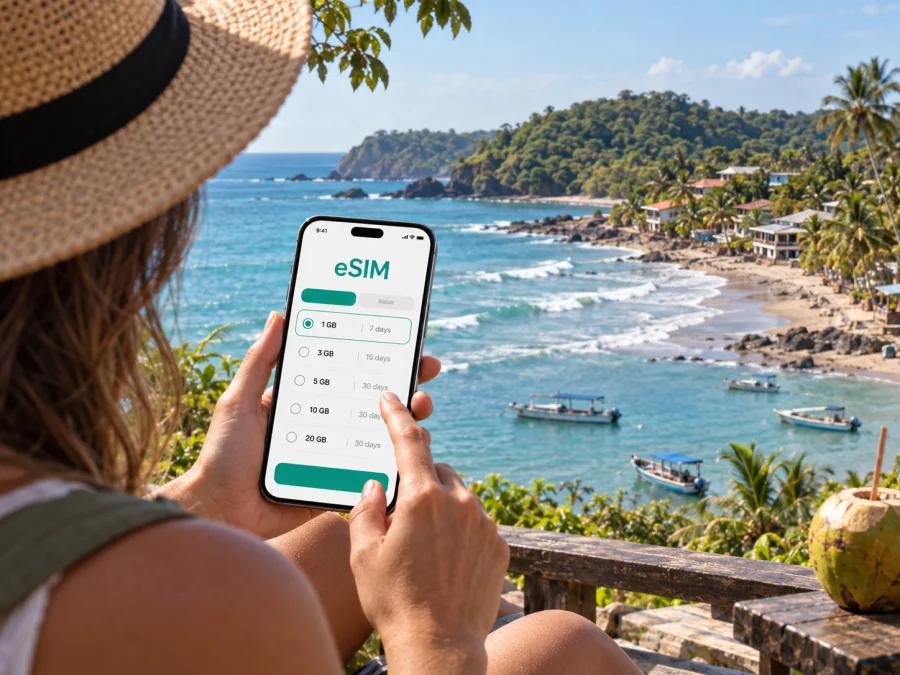
Santa Catalina eSIM: Mobile Connection and Internet for Your Trip
Santa Catalina is a small Pacific village in Panama’s Veraguas province, known for surf breaks, beach days and boat trips toward Coiba National Park. It is a place to slow down, but a little preparation makes arrival and everyday logistics easier. Mobile internet can help you coordinate a transfer, check a meeting point with a boat operator, message your accommodation and keep maps available while you settle in.
This guide focuses on using your phone around Santa Catalina: how to plan the journey from Panama City, what to expect between the village and its beaches, how to think about data in a compact coastal destination, and what to prepare before a surf or Coiba day. Santa Catalina is not a large urban center with a dense transport network. Most plans revolve around a small number of roads, beach areas, guesthouses, restaurants and tour departures, so a saved itinerary and a working data plan are more useful than city-style navigation.
What mobile internet is useful for in Santa Catalina
In a remote beach destination, a phone is mostly a practical travel tool. You may use it to:
- Confirm arrival time and directions with a hotel, surf school or tour operator.
- Keep the route from Panama City, Santiago or Soná available during the overland journey.
- Check messages about a pickup, a boat departure or a change in plans.
- Open a map to orient yourself between the village, Playa Estero and the La Punta area.
- Look up weather updates and tour information before going out on the water.
- Use messaging and internet-based calls to stay in touch with family or colleagues.
Coverage and data performance can vary with location, terrain, weather, network conditions and the provider behind your chosen plan. Do not assume that a signal will be equally strong inside every guesthouse, on every road or along the coast. A mobile plan is a useful layer of access, while offline maps, written booking details and a little cash remain sensible backups.
Getting to Santa Catalina: plan the handoffs
The overland journey usually begins in Panama City and continues toward Santiago de Veraguas, then through Soná to the Pacific coast. The final rural leg takes more planning than a direct ride between major cities.
If driving, check the route and road conditions before departure, save an offline map and allow time for stops. Send your lodging the estimated arrival time and save its directions and contact details. If traveling by bus, expect to connect in Soná and continue by local bus or arranged transport. Services may be limited and schedules can change, so verify the onward departure before relying on a tight connection. For a late arrival, arrange the final leg or an overnight stop in advance.
Arrival checklist
- Save your accommodation details and confirm where your driver or bus will meet you.
- Leave time for delays, luggage and finding the correct stop.
- Download a map of the route and village area.
- Keep your phone charged and let your host know if your arrival changes.
Santa Catalina is compact compared with Panama City, without a metro or a large bus grid. Most journeys are between lodging, beaches, restaurants and boat departure points. Ask your host which places are walkable and where a local ride is more practical.
Choose your base around the day you want
Lodging is spread across a small coastal settlement rather than one hotel district. Compare each property’s location with the beach, surf break or boat departure that matters to you. Playa Estero may suit a beach day or lesson; a base near La Punta can be convenient for surfers interested in that break. Ask about actual walking distances and transport rather than judging by a map alone.
| Your priority | What to confirm |
|---|---|
| Early boat departure | Meeting point, transport and breakfast arrangements |
| Surfing | Suitable break, lessons or board rental, and how to reach it |
| Remote work | Wi-Fi in the specific room and a backup option |
| Quiet evenings | Distance from restaurants and shared areas |
| Heavy luggage | Uneven paths, stairs or a long walk from the road |
A listing does not guarantee a particular Wi-Fi speed or cellular signal. If work depends on a stable connection, ask the property about the room itself and keep important files offline.
Moving between the village, beaches and tour points
Walking works for some short trips, but heat, rain, surf gear and the exact location of your lodging matter. Local taxis or pre-arranged rides may help between accommodation and beach areas. Agree on the fare and return plan before setting off, especially after dark.
Playa Estero and La Punta are common reference points for beach time and surfing, but conditions vary with tide, swell and weather. La Punta is known for powerful surf and is generally associated with experienced surfers; Playa Estero has surf lessons available. Ask a local instructor about current conditions instead of judging suitability from an old post or map.
Before leaving, save your host’s number, pin the destination while connected, and keep a screenshot of bookings or meeting details. Protect your phone from sand, salt spray and rain. A navigation app cannot tell you whether a path is comfortable or safe, so confirm routes locally.
Prepare for a Coiba or boat day
Santa Catalina is a common departure point for boat excursions toward Coiba National Park and other nearby coastal destinations. Itineraries, check-in times, equipment and inclusions depend on the operator, so confirm them directly before the day of travel.
Save the meeting point, booking confirmation and operator contact offline. Do not count on continuous signal or photo uploads while offshore. If you need your phone on the boat, use a waterproof pouch and follow the guide’s safety instructions.
Before departure, verify the check-in time, what the tour includes, what you need to bring and how the operator handles weather changes. Mobile data can help with coordination, but it does not replace local safety guidance or serve as a reliable emergency plan at sea.
Selecting an eSIM for a Santa Catalina itinerary
An eSIM can provide mobile data without replacing your physical SIM. Since Santa Catalina is in Panama, check that Panama is included in the plan’s destination terms, then review its allowance, validity and activation conditions. Kaspersky eSIM Store is an app and website where you can choose, purchase and activate an eSIM with a suitable data plan for an international trip.
Review eSIM plan options for a trip to Panama
Match the plan to your itinerary and phone habits. Maps and messages use data differently from video uploads, remote meetings or laptop tethering. For a multi-stop trip through Panama City, Santiago and Santa Catalina, confirm coverage along the whole route and check when validity begins.
| Usage pattern | Plan for |
|---|---|
| Maps and messages | Download maps; reserve data for directions and coordination |
| Boat or beach days | Save bookings and meeting details offline |
| Work calls | Confirm accommodation Wi-Fi and keep a backup option |
| Photos and video | Upload on Wi-Fi where practical |
Unless the plan says otherwise, expect a data plan rather than a regular phone number, voice calls or SMS. Messaging apps and internet calls can work where data is available.
Before buying, check that your exact device supports eSIM and is not carrier-locked. Support can differ by model and market; check whether your device supports eSIM if you are unsure.
Install before travel, activate with a plan
Install the eSIM while you have stable internet and follow the selected plan’s instructions. Keep your usual SIM active if you need its phone number, and label the new profile clearly.
- Confirm device compatibility and that the phone is carrier-unlocked.
- Review destination, allowance, validity and activation terms.
- Follow the device setup steps and keep installation details available.
- Select the eSIM for mobile data when you are ready to use it.
- Follow the plan directions; some plans or devices require data roaming for that eSIM.
Use the Android eSIM installation guide or iOS eSIM installation guide. Do not delete an installed profile while troubleshooting unless the instructions or support team advise it; some profiles cannot be reinstalled after removal.
If mobile data is slow or unavailable
Check that the eSIM is enabled, selected for mobile data and within its destination and validity terms. Restarting the phone or briefly toggling airplane mode may help it reconnect. If roaming is required, enable it for the eSIM line. Setting names vary by device.
Signal can differ between a room, beach, road and boat. If it is safe, try a more open location and ask your host whether the issue is local. Use saved maps and bookings if data is unavailable, then contact the plan’s support channel when you regain a connection. Keep key directions and meeting times written down as a fallback.
Short stays, stopovers and work visits
For a one-night stop, prioritize the final bus or driver, directions to your lodging and the next morning’s departure details. If a boat trip is central to your visit, leave flexibility for schedule or weather changes.
For work, download documents and save contacts before leaving a dependable network. Ask your accommodation about Wi-Fi in the room, and do not assume that a general Wi-Fi listing guarantees call quality. A data plan may be a backup, but cellular performance varies by location.
Before setting out, download the route and bookings, confirm the final transport leg, check the eSIM’s Panama coverage and activation timing, charge your phone, and share your arrival plan with your host.
Frequently asked questions
Is Santa Catalina a city?
It is a small coastal village in Veraguas, not a large city. Travel planning still benefits from mobile data for arrival, navigation and local activities, with rural transport connections in mind.
Can I rely on mobile internet throughout the village?
Do not assume uniform coverage. Performance varies by provider, place, device and conditions. Ask your accommodation, download maps and keep key details offline.
Is an eSIM useful for a Santa Catalina trip?
It can help with maps, messages and tour coordination if your device supports eSIM and your chosen plan covers Panama. Review the stated allowance, validity and activation terms.
Will an eSIM provide a regular phone number?
Only if the selected plan explicitly includes one. Data plans generally do not replace your regular line for standard calls and SMS.
Should I choose a plan for Santa Catalina or all of Panama?
Base the choice on your full route. If you will also visit Panama City, Santiago or other destinations, confirm that the plan covers each stop.
What should I save before leaving a larger town?
Keep offline copies of lodging details, transfer contacts, maps, bus or tour information, and meeting points.
A connected trip starts with a simple plan
Santa Catalina rewards travelers who leave room for the coast and prepare the practical details early. Confirm the road or bus connection, choose accommodation around your planned beach or surf days, and check departure arrangements before booking a boat trip. Download maps and confirmations while connected, and treat mobile coverage as helpful but variable in a small coastal village.
Before departure, check that your phone supports eSIM, review the plan’s coverage for Panama, and match its data and validity to your itinerary. Kaspersky eSIM Store can help you choose, purchase and activate an eSIM with a suitable plan for your international trip. Choose an eSIM plan for Panama and have the key trip details ready before you head toward Santa Catalina.


