
Travel connectivity guide
Santa Cruz de la Sierra eSIM for Travel
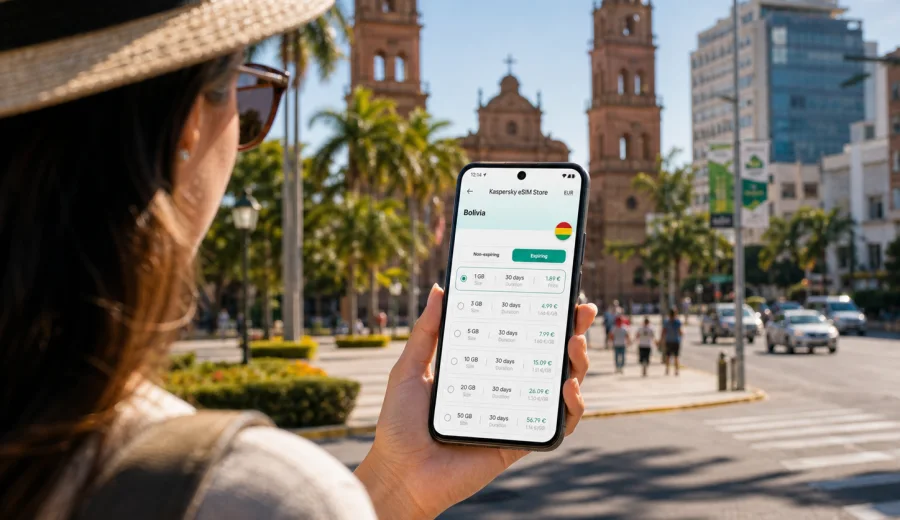
Santa Cruz de la Sierra eSIM: mobile connection and internet for your trip
Santa Cruz de la Sierra is often the first practical stop for travelers heading into eastern Bolivia. It is a city of airport transfers, warm evenings around the central plaza, business meetings in Equipetrol, family visits, hotel check-ins, and onward trips to places such as Samaipata, the Jesuit Missions, Amboro National Park, or other Bolivian cities. For all of those moments, mobile internet matters more than it may seem when you are still packing.
An eSIM can make the first day in Santa Cruz simpler. Instead of looking for a local SIM card after a long flight or depending on hotel Wi-Fi before you know the city, you can prepare a mobile data plan in advance and use it on a compatible phone. Kaspersky eSIM Store helps you choose, arrange, and activate an eSIM with a suitable data plan for mobile internet in a foreign trip, so you can focus on moving through the city rather than solving connectivity at the last minute.
This guide is about Santa Cruz de la Sierra specifically: arrival at Viru Viru International Airport, getting around the city, choosing data for navigation, working from hotels or cafes, planning short stopovers, and staying online when you leave the city for regional routes.
Why mobile internet matters in Santa Cruz de la Sierra
Santa Cruz is spread out. Distances between the airport, the historic center, Equipetrol, residential neighborhoods, business areas, malls, and bus terminals can feel longer than expected, especially in heat or traffic. A working mobile connection helps you manage the practical details:
- check your route from Viru Viru International Airport to the hotel;
- message a driver, host, colleague, or tour organizer;
- use maps when streets, roundabouts, and neighborhoods are unfamiliar;
- compare transport options before leaving a building;
- translate short messages, signs, addresses, and menu items;
- keep access to booking confirmations and travel documents;
- use messenger calls when a standard phone number is not included in your data plan.
Santa Cruz is also a city where plans can change during the day. A meeting may move from a hotel lobby to an office, a dinner may shift from the center to Equipetrol, or a day trip may start earlier than planned. Mobile internet gives you the flexibility to adjust without searching for a stable Wi-Fi network every time.
Arrival at Viru Viru International Airport
Viru Viru International Airport is north of the city and is the main air gateway for Santa Cruz. After landing, you may need internet before you reach your accommodation: to confirm a pickup, open a map, check the address, message your hotel, or coordinate with people waiting in the city.
If your eSIM is already installed on your phone, arrival is usually calmer. You can switch to the eSIM for mobile data after landing, wait for the device to register on a local network, and keep your primary SIM active for calls or messages if your phone supports dual SIM settings. Connection time and available network behavior depend on the selected plan, your device, and local network conditions.
Before the trip, save these details offline as a backup:
| Item | Why it helps in Santa Cruz |
|---|---|
| Hotel name and address | Useful if the driver asks for a landmark or district |
| Booking confirmation | Helpful at check-in if Wi-Fi is slow or unavailable |
| Airport pickup details | Reduces confusion after arrival |
| First route map | Gives you a fallback if mobile data takes a few minutes |
| eSIM installation QR code or profile access | Needed if you choose to install before departure |
For most travelers, the best setup is to install the eSIM before departure while you still have reliable internet at home, then activate or use it according to the plan instructions when you arrive in Bolivia.
Local movement: taxis, rides, buses, and walking
Santa Cruz is not a city where every visitor will walk everywhere. The historic center is useful for short walks around Plaza 24 de Septiembre, the cathedral area, cafes, shops, and nearby streets. Beyond that, many trips involve taxis, app-based rides where available, hotel transfers, buses, or private transport.
Mobile internet is useful in each scenario:
- Taxi or transfer: send your location, confirm the address, and follow the route on a map.
- App-based ride: request a pickup and message the driver from inside the airport, hotel, or restaurant.
- Local bus or microbus: check your destination and avoid guessing where to get off.
- Walking in the center: navigate between the plaza, museums, cafes, money exchange points, and shops.
- Evening plans: confirm the safest route back to your hotel before leaving a venue.
In Santa Cruz, addresses may be explained through avenues, rings, neighborhoods, and landmarks. A live map is often more useful than a written address alone. If you are visiting for work, ask the local contact to send a pinned location in advance and keep it saved.
Choosing the right amount of data for Santa Cruz
The amount of mobile data you need depends on how you use the city. Navigation, messaging, email, and translation use much less data than video calls, cloud backups, social video, and hotspot sharing.
| Trip style | Typical mobile internet needs |
|---|---|
| Short stopover, 1-2 days | Maps, messenger, hotel coordination, flight updates |
| City break, 3-5 days | Navigation, restaurant search, bookings, photos, occasional calls |
| Business trip | Email, calendar, transport, document access, messenger calls |
| Family visit | Daily messaging, maps, shared locations, media uploads |
| Regional route from Santa Cruz | Navigation, bookings, tour coordination, backup access outside hotels |
Use Wi-Fi at trusted hotels or offices for heavy downloads when it is practical, and keep mobile data for movement, communication, and situations where you cannot control the network. Before you buy a plan, check the data allowance, validity period, destination, and whether tethering is allowed under the selected plan conditions.
Where eSIM helps most in the city
Santa Cruz has several travel zones where mobile internet is especially practical.
Historic center. Around Plaza 24 de Septiembre, the cathedral, cafes, shops, and cultural stops, maps help you move between blocks, find meeting points, and return to your transport. It is also a good area for short walks, but a data connection helps if you need to call a ride afterward.
Equipetrol and business areas. This is a common area for hotels, offices, restaurants, and meetings. If your schedule includes several appointments, mobile data helps with calendar changes, ride requests, and shared locations.
Airport corridor. The route between Viru Viru and the city can be stressful after a long flight. A working connection helps you monitor the route, contact your hotel, and update people waiting for you.
Malls and modern districts. Places such as Ventura Mall and surrounding areas are easier to navigate with mobile data, especially if you split from travel companions and need to coordinate.
Bus terminals and onward routes. If you are leaving for another city or region, mobile internet helps with schedules, accommodation details, and communication with drivers or tour operators.
If you want to prepare mobile data before arrival, you can choose an eSIM plan for your trip to Bolivia through Kaspersky eSIM Store and review the plan details before you travel.
How to prepare your phone before flying
Good preparation reduces the chance of solving technical settings in an airport queue. Use this checklist before you leave for Santa Cruz:
1. Check whether your phone supports eSIM and is not locked to one mobile operator.
2. Make sure your operating system is up to date enough to manage eSIM profiles.
3. Keep your main SIM active if you need bank codes or regular calls.
4. Install the eSIM while you still have reliable internet, unless your plan instructions say otherwise.
5. Name the eSIM clearly, for example "Bolivia data", so you can identify it in settings.
6. Turn off automatic cloud backups on mobile data if your allowance is limited.
7. Download offline maps for Santa Cruz as a backup.
8. Save hotel, airport, and emergency contact details offline.
Before buying, check your device to confirm that it supports eSIM. Device support may vary by model and region, and some phones can be locked by an operator.
Installing and activating eSIM for Santa Cruz
Installation usually takes only a few steps, but it is worth doing calmly before you are in transit. After purchase, the eSIM profile can be available through the website or app, and you should follow the instructions shown for your device.
General steps:
1. Open your eSIM instructions or QR code while connected to stable internet.
2. Add the eSIM profile in your phone's mobile network settings.
3. Give the profile a clear name, such as "Bolivia eSIM".
4. Keep your main SIM for calls and messages if needed.
5. Select the eSIM for mobile data when you are ready to use it.
6. Enable data roaming for the eSIM if the instructions or device settings require it.
7. Wait a few minutes for the phone to register on a local network after arrival.
For device-specific guidance, use the instructions for Android or the instructions for iOS. The exact names of settings can differ by device model and operating system version.
Practical scenarios for Santa Cruz travelers
You land in the evening
Evening arrivals can make basic tasks feel slower: finding the right exit, confirming a pickup, checking the route, or telling someone that you have landed. With an eSIM already installed, you can use mobile data as soon as the phone connects to a local network. Keep the hotel address copied in a note, and send your live location only through trusted contacts or apps.
You have meetings in different districts
Business trips in Santa Cruz often involve movement between a hotel, office, restaurant, and airport. Mobile internet helps with ride coordination, calendar updates, and document access. If you expect video calls, use hotel or office Wi-Fi for the call when possible and keep mobile data as a backup.
You are staying near the center
The center is convenient for short walks, food, and cultural stops, but you may still need transport to reach other neighborhoods. Mobile maps help you understand whether a place is walkable or better reached by car. If you explore in the afternoon heat, use mobile data to plan shorter routes and avoid unnecessary detours.
You are using Santa Cruz as a base
Santa Cruz is a practical base for regional travel. You may travel toward Samaipata, nature areas, missions towns, or onward domestic flights. Mobile internet helps with bookings and coordination before departure, but coverage and network quality outside the city can vary. Download maps and key documents before leaving urban areas.
What to check before buying an eSIM plan
Before selecting a plan for Santa Cruz, review these details:
| Check | Why it matters |
|---|---|
| Destination | The plan should include Bolivia for a Santa Cruz trip |
| Data volume | Choose enough for maps, messaging, work, and route planning |
| Validity period | Match the plan duration to your stay and onward travel |
| Activation rules | Some plans start counting from activation, others from first network use |
| Device support | Your phone must support eSIM and be unlocked |
| Calls and SMS | Many data eSIM plans do not include a regular phone number |
| Hotspot use | Check whether sharing data is allowed if you need a laptop |
Read the plan conditions before paying. Terms can vary by destination and selected package. If your allowance is limited, download offline maps, pause cloud backups on mobile data, and use trusted hotel or office Wi-Fi for large files.
FAQ
Is eSIM useful for a short stopover in Santa Cruz de la Sierra?
Yes, it can be useful even for a short stopover if you need maps, messenger access, ride coordination, flight updates, or hotel communication. For a very short airport-only connection, compare the plan cost with your roaming option.
Can I install the eSIM after arriving in Bolivia?
You can, but you need internet to complete installation. Installing before departure is usually easier because you can use a stable home, office, or hotel connection and avoid troubleshooting at the airport.
Will an eSIM give me a Bolivian phone number?
Not usually. Many travel eSIM plans are for mobile data and do not include a regular phone number, calls, or SMS unless that is stated in the plan conditions. You can use internet-based calling and messaging apps through mobile data.
When should I activate mobile data?
Follow the plan instructions. A common approach is to install the eSIM before the trip, then select it for mobile data when you arrive in Bolivia or when the plan should start according to its rules.
Prepare mobile internet for Santa Cruz de la Sierra
Santa Cruz is easier to manage when your phone is ready before the first ride from Viru Viru, the first walk around the center, or the first meeting across town. Check your device, choose a data allowance that matches your route, install the eSIM while you have stable internet, and keep offline backups for essential details.
Kaspersky eSIM Store helps you choose, arrange, and activate an eSIM with a suitable data plan for mobile internet in a foreign trip. Before you fly, prepare an eSIM plan for Bolivia and arrive in Santa Cruz de la Sierra with one less travel detail to solve on the ground.