
Travel connectivity guide
Santo Domingo eSIM: Mobile Internet Guide
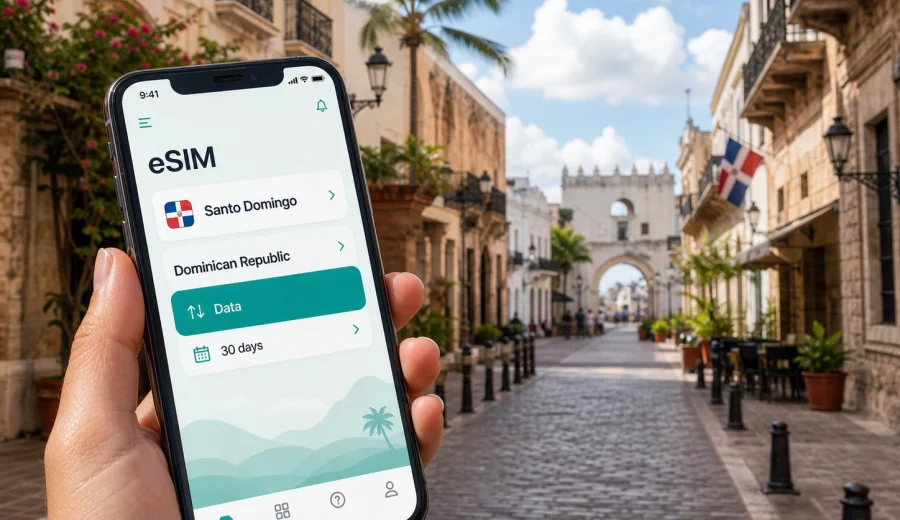
Santo Domingo eSIM: mobile connection and internet for your trip
Santo Domingo is a city where mobile internet quickly becomes part of the route. You may need it before you leave Las Americas International Airport, while checking the fastest road into the city, when confirming a hotel address in Piantini or Gazcue, or while finding your way through the narrow streets of the Colonial Zone. A working data connection also helps when plans change because of traffic, rain, meetings, late check-in, or a day trip to Boca Chica, Juan Dolio, La Romana, or other parts of the Dominican Republic.
An eSIM is useful for this kind of trip because it lets you prepare mobile internet without looking for a physical SIM card after arrival. With Kaspersky eSIM Store, you can use the app or website to choose, arrange, and activate an eSIM with a suitable data plan for a trip abroad. It is not a replacement for local voice service unless a specific plan says so, but for maps, ride-hailing apps, messengers, email, banking alerts, hotel reservations, and travel searches, a data-focused setup is often enough.
This guide is about using an eSIM in Santo Domingo, not about the Dominican Republic in general. The capital has its own rhythm: airport transfers, business districts, government areas, old-city walks, waterfront evenings, shopping centers, university zones, and routes out of the city all create different data needs. Planning for those situations makes your mobile connection more predictable.
Why mobile internet matters in Santo Domingo
Santo Domingo is compact in some areas and spread out in others. The distance between your hotel, a meeting, a restaurant, and the Colonial Zone may look short on a map, but traffic and one-way streets can change the real route. Mobile data helps you make decisions in the moment instead of relying only on offline notes.
Common travel tasks that need internet in Santo Domingo include airport transfers, hotel messaging, maps around the Colonial Zone and business districts, ride coordination during traffic or rain, restaurant checks, translations, bank alerts, airline updates, and work from a hotel, cafe, coworking space, or office lobby.
Public Wi-Fi can help in airports, hotels, and some cafes, but it is not a full travel plan. It may require a login, slow down at busy times, or disappear when you step outside. If you are moving between taxis, museums, restaurants, hotels, and meetings, mobile internet on your own device is more practical.
Arrival at Las Americas International Airport
Most international visitors arrive through Las Americas International Airport, commonly identified by the code SDQ. The airport is east of Santo Domingo, so the first online task is often the transfer into the capital. You may need to send your arrival status, check the hotel address, follow a live route, or contact a driver.
Before landing, save your hotel address, reservation confirmation, transfer instructions, emergency contact, and first destination map pin offline. An eSIM can reduce the number of things you need to solve at the airport. If you have installed it before the trip and understand when your selected plan starts, you can focus on immigration, baggage, and transport instead of looking for a SIM shop. Some travelers prefer installing the eSIM before departure and activating the data plan after arrival; others complete the process once they reach the hotel.
Santo Domingo districts and data needs
Different parts of Santo Domingo create different internet habits. In the Colonial Zone, data is mostly about walking routes, restaurant searches, museum plans, photos, and messaging. In Piantini and Naco, it may be more about business addresses, calendar changes, ride apps, and quick email. Around the Malecon, a live map and messaging are useful because plans often shift between hotels, waterfront restaurants, and evening walks.
For city travel, think about the district before you choose a data volume:
| Area or scenario | Typical mobile internet use |
|---|---|
| Colonial Zone | Maps, walking routes, restaurant searches, photo sharing |
| Piantini and Naco | Business messaging, ride apps, email, calendar updates |
| Gazcue | Hotel navigation, government or appointment routes, cafe work |
| Malecon | Evening routes, taxi coordination, location sharing |
| Bella Vista | Shopping, dining, appointments, longer cross-city rides |
| University or medical visit areas | Messaging, documents, maps, waiting-time browsing |
| Day trips from the city | Navigation, pickup coordination, weather checks, tickets |
If you mainly need maps and messages, a smaller data package may be enough. If you plan to work, stream video, upload many photos, or use the phone as a hotspot when the plan allows it, choose a larger package. Always check the plan conditions before relying on tethering or heavy data use.
How much data to plan for
Data use in Santo Domingo depends less on the city itself and more on your habits. A short stopover may need only maps, messages, and check-in details. A two- or three-day city stay usually adds restaurant searches, ride coordination, photo sharing, and browsing. A business trip or remote-work stay needs more data if you open large files, join video calls, or use the phone as a hotspot when the plan allows it.
Avoid choosing only by price. Look at data volume, validity period, destination, and start conditions. A plan that lasts the right number of days may be more useful than a smaller package that expires too soon, especially if you arrive late at night or leave early in the morning.
eSIM, mobile connection, and internet during city movement
Santo Domingo rewards flexible planning. You might spend the morning in the Colonial Zone, cross the city for a meeting, return to the Malecon for dinner, and arrange a driver for the next day. Mobile data keeps those transitions manageable.
For walking routes, online maps are useful in the old city because streets, plazas, and landmarks are close together. For car routes, traffic can change quickly, so a live route can be more reliable than a screenshot. For hotels and apartments, data helps when the address has a building name, reception instructions, or a specific entrance.
There are also small moments when a mobile connection matters: a driver asks for a clearer pickup point, a restaurant changes the reservation time, a meeting moves to another district, your hotel requests a confirmation message, or your airline sends a schedule update.
If you want to prepare before you travel, you can view mobile internet options for the Dominican Republic through Kaspersky eSIM Store and choose a data plan that fits your Santo Domingo itinerary. This is the country page to use for a city trip because Santo Domingo belongs to the Dominican Republic; there is no need to look for a separate city landing page.
Transport in Santo Domingo: where data helps most
Transport in the capital can involve airport transfers, private taxis, ride-hailing apps, hotel cars, buses, the Santo Domingo Metro, and walking in central areas. Data helps with pickup coordination, route monitoring, office addresses, reception instructions, walking navigation, and quick searches when traffic changes the expected arrival time.
Simple transport checklist:
- Save your hotel address offline before departure.
- Keep the address in English and Spanish if your booking provides both.
- Pin your first destination in a map app.
- Charge your phone before the airport transfer.
- Keep roaming settings and eSIM line labels clear on your device.
- Avoid large downloads while moving unless you have enough data.
- Use hotel Wi-Fi for heavy updates when possible.
If you plan to use the metro or cable car, mobile internet is still useful before and after the ride. You may need to check walking directions from the station, confirm which exit is closest, or message someone when you arrive.
Business trips, stopovers, and day trips
Santo Domingo is not only a leisure stop. Many visitors come for meetings, conferences, government appointments, supplier visits, medical visits, or regional business travel. In these scenarios, mobile internet keeps the workday moving between hotel, meeting room, taxi, and airport. Download important documents before leaving the hotel, keep calendar details available offline, and save a backup route for each appointment.
For a stopover, the priorities are simpler: confirm the airport transfer, navigate to the hotel or meeting point, message companions, check flight updates, and keep enough battery for the return route. A small data plan can be enough for maps and messages, while a longer city stay needs more room for searches, photos, and work tasks.
Many travelers also use Santo Domingo as a base for nearby beaches, business visits, or onward routes. Boca Chica and Juan Dolio are common coastal options east of the city; La Romana and Punta Cana are farther away. When you leave the capital, save the destination name, return pickup point, hotel address, and route details. For a Santo Domingo trip within the Dominican Republic, the country plan remains the relevant reference.
How to install and activate an eSIM for Santo Domingo
The exact setup steps depend on your device and the selected plan, so follow the instructions shown during purchase and installation. In general, you choose a destination, pick a data plan, install the eSIM profile on a compatible device, and activate it according to the plan rules. If you need detailed device steps, use the Android eSIM installation guide or the iOS eSIM installation guide.
Before installing, check these details:
- your phone supports eSIM;
- your device is not locked in a way that prevents another mobile plan;
- you have a stable internet connection for installation;
- you understand when the plan validity starts;
- you know which line is used for mobile data;
- data roaming is enabled for the eSIM if the plan instructions require it.
For compatibility, use the internal device check before buying: check your device. This matters because not every phone model supports eSIM, and some devices can differ by region or carrier configuration.
After installation, give the eSIM line a clear label such as "Travel Data" or "Dominican Republic data". A clear label helps prevent accidentally using your home SIM for data roaming. Keep your regular SIM available for calls or SMS if you need bank codes or standard phone service, but route mobile data through the travel eSIM when it is active.
Using mobile data wisely in Santo Domingo
Even with a suitable plan, it is smart to manage data. City travel creates many small background uses: app updates, cloud photo backup, automatic video playback, navigation, and messaging. These can add up.
To make your data last longer, turn off automatic app updates on mobile data, pause cloud photo and video backup until Wi-Fi, download offline maps for central Santo Domingo, use lower quality for streaming, send compressed photos in group chats, and close navigation when you no longer need it.
For work trips, keep large file transfers for hotel, office, or coworking Wi-Fi when possible. Use mobile data for the tasks that need mobility: maps, messaging, email checks, ride coordination, and urgent documents.
An eSIM data plan for travel is mainly about mobile internet. It can support messaging, maps, email, browsers, translation tools, and ride apps. It does not automatically mean you get a local phone number, voice calls, or SMS. Keep your primary SIM available if you expect bank messages, airline verification, or account security codes.
FAQ: eSIM for Santo Domingo
Is Santo Domingo covered by a Dominican Republic eSIM plan?
For a city trip to Santo Domingo, choose the Dominican Republic as the destination. Santo Domingo is the capital of the Dominican Republic, so the country plan is the relevant page to check.
Will an eSIM give me a Dominican phone number?
Usually, travel eSIM data plans are focused on mobile internet and do not include a standard local number, voice calls, or SMS unless the selected plan says so.
Quick checklist for your Santo Domingo mobile setup
- Check that your phone supports eSIM.
- Choose a Dominican Republic data plan with enough validity.
- Install the eSIM while you have stable Wi-Fi.
- Save airport, hotel, and first meeting or sightseeing addresses offline.
- Label the eSIM line clearly.
- Keep your home SIM available if you need SMS verification.
- Confirm the correct line is selected for mobile data.
- Enable data roaming for the eSIM if the instructions require it.
- Test a map search before leaving the airport or hotel.
- Keep large updates for Wi-Fi.
- Monitor data use during long navigation sessions.
- Keep enough remaining data for the airport transfer on departure day.
Choose an eSIM data plan for Santo Domingo
Santo Domingo is easier to manage when your phone is ready for the first route, the first message, and the first change of plan. Whether you are arriving for a weekend in the Colonial Zone, a business trip in Piantini, a hotel stay on the Malecon, or a stop before traveling farther in the Dominican Republic, mobile internet gives you practical control over the day.
Before departure, check compatibility, compare data volume and validity, and prepare the eSIM while you still have reliable Wi-Fi. Through Kaspersky eSIM Store, you can choose a data plan for your trip to the Dominican Republic and use it as part of your Santo Domingo travel setup.