Travel connectivity guide
Sapa eSIM: Mobile Internet & Connection in Vietnam
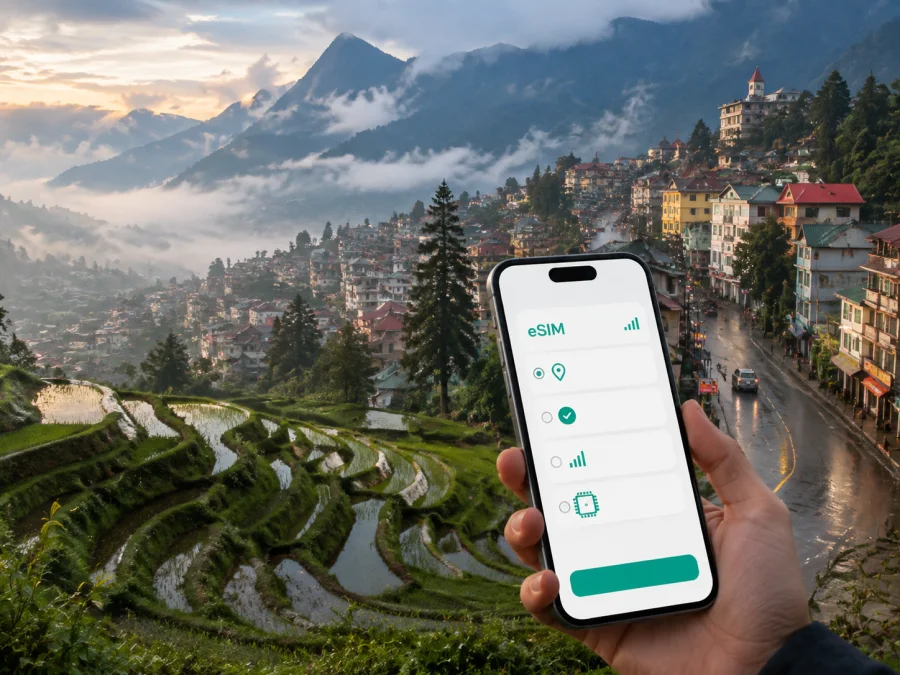
eSIM for Sapa: mobile connection and internet in Vietnam
Sapa is a mountain town in northern Vietnam where a day can move from a café in the center to a valley viewpoint, a village trail, or a winding road. That change of setting is part of the appeal, but it also makes mobile connection and internet useful from the first hour of the journey. You may need to find your hotel after a long transfer, message a driver, check a reservation, translate a menu, follow a route, or tell someone at home that you have arrived.
An eSIM, or digital SIM, can help you prepare mobile internet for Sapa without removing the physical SIM already in your phone. Kaspersky eSIM Store is an app and website where you can choose, arrange, and activate an eSIM with a suitable plan for mobile internet during an overseas trip. Choose around your arrival, length of stay, treks beyond the center, and any onward route in Vietnam.
Why mobile internet matters in Sapa
Sapa rewards flexible planning. The central streets, hotel areas, villages, viewpoints, and mountain attractions are connected by roads and paths with different levels of convenience. Your phone can act as a small travel desk at each transition.
Common moments when a connection helps include:
- Arrival: confirm a transfer meeting point, open your accommodation address, or contact the host if your timing changes.
- Navigation: compare a saved route with your position before setting out on foot or by local transport.
- Reservations: retrieve booking details and messages away from a hotel reception desk.
- Language support: use translation or check a dish, street, or destination name.
- Weather-aware planning: review conditions before choosing a viewpoint or longer trail.
- Staying in touch: send messages and photos without searching for a public hotspot at every stop.
Sapa is not a flat city where every useful place is a short walk away. Preparing mobile internet for the actual itinerary therefore matters more than choosing a plan by destination name alone.
Choose a plan around your Sapa itinerary
Begin with the shape of the trip. A short stay based in the center creates different data needs from a village walk, a multi-day trek, or a route that continues to other parts of Vietnam. First identify the actions your phone must support, then compare the plan conditions.
| Sapa scenario | Likely phone use | What to consider |
|---|---|---|
| Short city break | Maps, messages, bookings, translation, occasional photos | A modest allowance may suit you if large uploads and long video sessions are limited |
| Valley or village walks | Route checks, weather updates, messages, photo uploads | Leave room for time away from the hotel and do not depend on one Wi-Fi session |
| Remote work | Email, documents, calls, team messages, possible hotspot use | Check the allowance and whether the plan and device support tethering |
| Longer Vietnam route | Navigation, transfers, bookings, and messages in several places | Choose an option whose stated area and validity match the complete itinerary |
Review the destination or region, included data, validity period, price, and usage limitations. Kaspersky eSIM Store helps you compare those conditions and select an eSIM plan for the route you intend to take. Do not assume that a plan for one city covers every later stop, or that its terms will be identical on a future trip.
If you are preparing the route, review the current Vietnam options and choose according to your dates, full route, and the stated conditions of the selected plan. The country page is the relevant destination page because Sapa is the city destination.
Arrive in Sapa with the phone ready
Sapa has no airport in the town itself, so many itineraries involve a transfer after arriving in northern Vietnam. Travelers commonly continue by road from the Lao Cai area; some reach Lao Cai by train first, while others arrange a bus or van from Hanoi. Departure points and schedules can change, so keep booking details and your accommodation contact accessible before leaving.
The arrival sequence is easier when the phone is ready for several small tasks:
- Save the accommodation address. Keep it in your booking record and a screenshot.
- Confirm the meeting point. Read the latest driver or host message.
- Check the final transfer. Mountain roads, delays, and slopes can change the last approach; message about any timing change.
Installing the eSIM before departure reduces decisions after a long journey. You can set up the profile at home with a stable internet connection and keep it ready until you reach Vietnam. If you install it after arrival, use a suitable Wi-Fi connection and allow time for setup. Installation and activation are separate: a profile can be installed in advance while mobile data is selected for use later.
Keep your usual SIM if you need its number. Many travelers use the physical SIM for their normal number and the eSIM as the mobile-data line abroad. Check which line is selected for data and review the roaming setting that applies to the eSIM; menu names differ by phone model and operating system.
Getting around the center, valleys, and viewpoints
The center is convenient for walking between cafés, restaurants, shops, hotels, and meeting points, but an itinerary beyond it needs more preparation. Sapa’s roads and trails include slopes and changing elevations, while mist or rain can make an unfamiliar route harder to read. Mobile internet is a useful aid, not a replacement for a return plan.
In the town center
On the first day, mark your hotel and a reliable meeting point. If you use a taxi, ride service, or private transfer, agree on a pickup point that is easy to describe; a visible landmark and accommodation name help alongside a map pin.
Navigation, photos, and a bright screen can drain a battery. Carry a power bank for a full day that combines walking, stops, and a late return. Close navigation after reaching the next stop and keep a screenshot of essential booking information.
On village and valley routes
Excursions toward the Muong Hoa Valley, Cat Cat, or Ta Van are usually planned as wider Sapa outings rather than ordinary center errands. Whether you walk, join a tour, or arrange transport, confirm the route and return plan before starting. Save the hotel address and the contact details for the person organizing the return.
Before a longer walk:
- check the route and weather;
- save the next destination and accommodation details;
- message your group if the expected return changes;
- keep translation and navigation tools available;
- check battery level before leaving;
- avoid assuming that every trail will behave like a hotel lobby.
Terrain, buildings, weather, and local network conditions can affect any phone connection. A valley or hillside may feel different from the center. A guide, a clear regrouping point, and offline notes remain valuable even when your eSIM is active.
Fansipan and mountain attractions
Fansipan is a major reason many travelers base themselves in Sapa. Cable-car and attraction operations have their own opening arrangements and weather decisions, so check current details close to your visit. A phone may be needed for directions, booking messages, weather checks, or communication with your group. Save important details and charge the phone before leaving the town center.
When you are ready to plan the connection, choose an eSIM plan for your trip to Sapa and review the current Vietnam options.
Hotels, cafés, and business trips
Accommodation is the anchor for many Sapa itineraries. Before check-in, you may coordinate arrival; afterwards, you may organize a guide, send a work message, or plan the next transfer. Mobile data lets you continue those tasks while waiting for transport.
Before leaving the hotel, save the next route, check the meeting point, and charge the phone and power bank. Remote workers should define the minimum setup before choosing a plan: email, documents, work calls, two-factor sign-in, and laptop hotspot use create different demands. If tethering matters, confirm that the plan and device allow it and that the allowance fits.
A café or hotel Wi-Fi connection may be useful, but do not build a full working day around an untested network. Keep important documents available in an appropriate offline mode and use mobile data as a flexible backup for short tasks. Kaspersky eSIM Store helps you prepare the eSIM choice; it does not replace checking your employer’s, applications’, or device’s requirements.
Install the eSIM before the trip or after arrival
Before you begin, confirm that your phone supports eSIM and is not locked to another operator. You can check your device before selecting a plan. Setup also requires an internet connection and the QR code or profile details supplied after the order is completed. For platform-specific steps, follow the Android installation guide or the iOS installation guide.
1. Check the device
Confirm eSIM support and check that the phone is not operator-locked. Models can differ by market.
2. Prepare the connection
Connect to a stable internet source before departure or after reaching Sapa.
3. Open mobile settings
Open mobile-network or cellular settings and choose adding an eSIM or mobile plan.
4. Add the profile
Scan the QR code from the email or Kaspersky eSIM Store profile, or enter the supplied details.
5. Label the line
Use a clear label such as “Vietnam travel” to distinguish the new line from your usual SIM.
6. Select mobile data
Choose the eSIM as the mobile-data line when ready to use the plan in Vietnam.
7. Review settings and test
Follow the plan instructions for data roaming on the eSIM. Turn off Wi-Fi briefly and send a message or open a small webpage. If it does not connect, check the data line, signal, roaming setting, and plan status. Activation can take several minutes and depends on the device and local network.
If you installed the profile at home, leave your normal line available for calls or messages and switch mobile data to the travel line when appropriate. Review automatic data switching so the intended line stays in control.
What to check before choosing a Vietnam plan
The destination “Sapa” helps with trip planning, but an eSIM plan is usually described for a country or region. Read the conditions rather than assuming that all options have identical terms.
- Destination: Does the stated area include Vietnam and the other stops on your route?
- Dates: Does validity fit arrival, your time in Sapa, and onward travel?
- Data: Is the allowance suitable for maps and messages, or also video calls, uploads, and hotspot use?
- Activation: Do you know when validity begins and what the device must do?
- Device: Is eSIM supported, and is the phone free from an operator lock?
- Dual-SIM settings: Can you keep your usual number while using the eSIM for data?
- Roaming: Have you identified the relevant data-roaming setting?
- Usage: Do you know where to view the remaining allowance and whether the conditions permit adding data?
- Support: Do you know how to ask for help if installation or activation does not go as expected?
The common planning error is choosing for the first day only. If Sapa is part of a wider Vietnam route, compare the plan with every stop, including the transfer to and from the town. Also choose for your own habits: map checks and messages use data differently from video uploads, laptop work, or hotspot sharing. Before a longer outing, save the route and accommodation address, send necessary messages, charge the phone, and keep screenshots of essential details.
FAQ about eSIM and internet in Sapa
Can I install an eSIM before traveling to Sapa?
Yes. If the device is compatible, install the profile before departure with a stable internet connection and keep the travel line ready. Follow the plan instructions for when to select it for data and when validity begins.
Should the travel eSIM replace my usual number?
Not necessarily. In this context, the eSIM is intended for mobile internet and does not include a separate number, ordinary calls, or SMS unless the selected plan says otherwise. You can keep your usual SIM for its normal number and use internet-based messaging where appropriate.
Will internet work on every Sapa trail?
No connection should be treated as guaranteed on every path. Terrain, buildings, weather, and local network conditions can affect the experience. Save essential details, tell someone your route, and keep a backup plan for longer walks.
Can I use an eSIM for remote work in Sapa?
Yes, if the device and plan support the work you need. Check the allowance for video meetings and file transfers, and confirm whether tethering is allowed if a laptop needs a hotspot. Test the setup before leaving the hotel.
Prepare your Sapa connection
Sapa travel is easier when the practical details are ready before the scenery begins: the accommodation information is saved, the transfer plan is clear, the phone is compatible, and the eSIM line is easy to identify. Choose according to your whole Vietnam itinerary, install at a convenient time, and keep offline notes for places where terrain or battery may make the phone less dependable.
When you are ready, choose an eSIM plan for your Vietnam trip and prepare for Sapa. Kaspersky eSIM Store helps you select, arrange, and activate an eSIM plan for mobile internet abroad, so you can spend less time sorting out basic connectivity and more time enjoying the mountain town, its walks, and the route beyond it.


