Travel connectivity guide
Sapporo eSIM: Mobile Internet in Japan
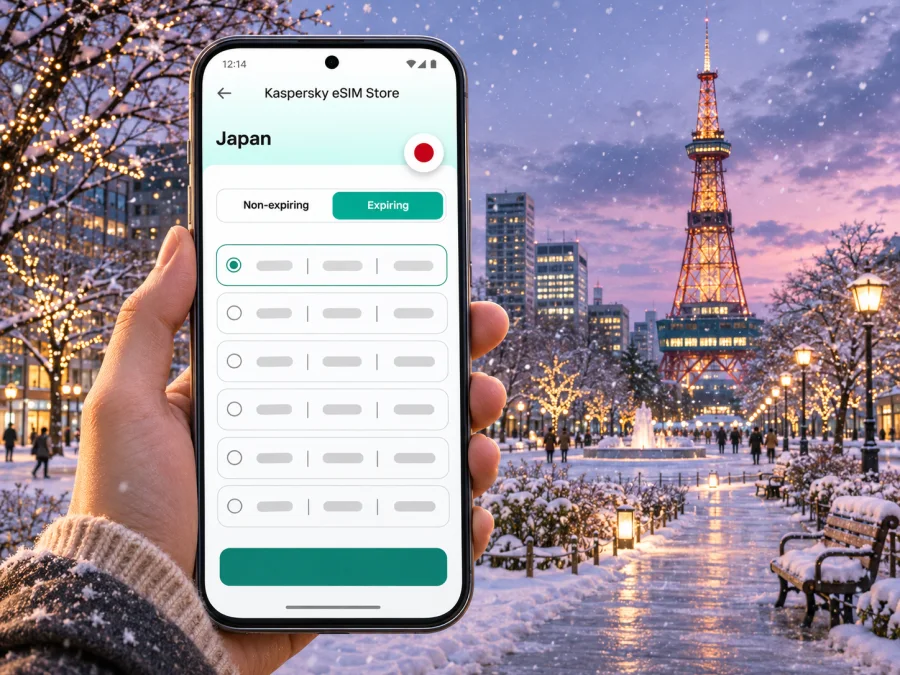
Sapporo eSIM for mobile connection and internet: a practical city guide
Sapporo is a large, easy-to-navigate city in Hokkaido, but a trip here can include more than a hotel and a few central sights. You may arrive through New Chitose Airport, cross the city by subway, walk through Odori Park, meet colleagues near Sapporo Station, spend an evening in Susukino, or continue on to Otaru or a ski area. Mobile internet helps bring those separate parts of the day together: check a route, confirm a reservation, translate a sign, message your host, or look up a change before leaving the station.
An eSIM can be a convenient way to prepare mobile data for Japan without swapping a physical SIM. It is a digital SIM profile installed on a compatible, unlocked device. A travel eSIM is generally intended for data; it does not automatically provide a Japanese phone number, ordinary voice calls, or SMS. Check the terms of the specific plan before purchase, and keep your usual number available if you need it for calls or verification messages.
This guide focuses on getting online around Sapporo and planning for the places a city visit commonly leads. It does not promise identical signal or performance in every building, train, mountain area, or remote destination. Coverage depends on the selected plan, its underlying network arrangements, your device, and local conditions.
At a glance: what to plan for in Sapporo
| Travel moment | How mobile data can help | Useful preparation |
|---|---|---|
| Arrival at New Chitose Airport | Check onward transport, hotel details, and messages | Save the accommodation address and confirm the airport train or bus schedule |
| First trip into central Sapporo | Follow the route to Sapporo Station or your hotel | Keep the destination name in Japanese as well as English |
| Getting around downtown | Navigate between Sapporo Station, Odori, and Susukino | Download an offline map as a backup and check the station exit before walking |
| Winter city days | Check changing transport information and find indoor connections | Leave extra time and keep the phone warm enough to use normally |
| Day trips from the city | Review train, bus, and return options | Check whether the destination is within the ticket or IC-card area |
Sapporo's regular street grid makes many central journeys relatively easy to orient, but a map still matters when a building has several entrances or an underground passage has multiple exits. The best connection plan is one that covers your actual itinerary and gives you a fallback for moments when data is unavailable.
Know where you are arriving
New Chitose Airport serves Sapporo but is in Chitose, outside the city. The airport station connects to the terminal, and JR Hokkaido Airport trains run to Sapporo. The airport operator estimates about 40 minutes to JR Sapporo Station; some JR departures are faster. Bus routes also serve Sapporo, with longer journey times that depend on road conditions. Check the latest timetable, stop, and destination before choosing, especially for late arrivals or winter travel.
A calm first-hour routine
- Save your hotel's Japanese address, nearest station, and booking details.
- Check current airport transport information and choose a route that fits your destination and luggage.
- Confirm the travel eSIM is selected for mobile data if you have installed it.
- At Sapporo Station, pause to orient yourself before heading to the hotel.
- If data is unavailable, use airport or station information, signs, saved details, or hotel Wi-Fi while troubleshooting.
Mobile data can help you check directions and updates when available; keep essential details offline as a fallback.
Choose a data plan around your itinerary
Start with the shape of the trip instead of choosing a data allowance by habit. A short city break with pre-booked activities may use data mainly for maps, messaging, and transport checks. A longer stay with frequent video calls, cloud uploads, or streaming will need more capacity. If you plan to use your phone as a hotspot, confirm that tethering is allowed by the specific plan and account for the additional data use.
When comparing plans for Japan, read the current details shown for each option:
- Destination: confirm that the plan includes Japan. A regional plan may cover several places, but do not assume a country plan covers every border or territory on your route.
- Data allowance: estimate navigation, messaging, browsing, calls over apps, and any hotspot use. Video and automatic photo backup can consume data quickly.
- Validity: check when the validity period begins. Depending on the plan, it may begin at installation, activation, or first network use.
- Network and restrictions: review any stated speed, fair-use, hotspot, or other limitations. Coverage and service quality can vary by location and network conditions.
- Top-up or renewal: if you may need more data, check whether the selected plan can be topped up or whether a new plan would be needed.
- Price and currency: compare the total price and included data shown at checkout, not an old screenshot or a sample from another country.
For a visitor whose days are mostly in central Sapporo, the main question is often how much data maps and everyday apps will consume. For a work trip, add video meetings and file transfers. For a family itinerary, remember that one eSIM's allowance may not suit several people unless hotspot sharing is permitted and the phone can stay with the group.
Kaspersky eSIM Store is an app and website where you can choose, purchase, and activate an eSIM with a suitable plan for mobile data abroad. To review the current options for the destination, browse eSIM plans for Japan. Plan availability, terms, and price are the details to verify at the time you choose; the destination page should not be treated as a guarantee of coverage at a particular Sapporo address.
A quick data-use estimate
Estimate from recent mobile-data use, then add travel days and onward trips. Account for video calls, photo uploads, and hotspot sharing, which can use substantially more data than maps and messaging. Turn off automatic updates and cloud uploads over mobile data if you want to control consumption. Compare the published allowance, validity, and top-up rules rather than assuming Wi-Fi will always be available.
Check device compatibility before you travel
eSIM support can vary between devices with the same product name. Exact model, sales region, and carrier-lock status matter. Check the manufacturer's information for your specific model and confirm that the phone is unlocked. Before purchase, check whether your device supports eSIM. An eSIM menu in settings is a useful clue, but it does not prove the phone is unlocked or compatible with every plan.
Keep your regular line if you need your usual number for calls or verification codes. Select the travel eSIM for data when ready, and enable data roaming on that line only if its instructions require it. Do not delete an installed profile unless the plan guidance says to; some profiles cannot be installed again after removal.
Install before the journey; activate with care
If permitted, install the profile over reliable Wi-Fi before departure. Activation rules vary: a plan may start validity on installation, activation, or first network use, so check its terms first.
Setup checklist
- Confirm exact device model, eSIM support, and carrier-lock status.
- Keep installation details accessible; a phone cannot scan a QR code displayed on itself.
- Use a stable connection during installation.
- Label the new line clearly and choose which line handles mobile data.
- Enable data roaming for the travel line only if instructed.
- Disable automatic data switching to avoid unexpected use of your home line.
- Keep the profile installed until the trip is over.
Follow the Android eSIM installation instructions or iPhone eSIM installation instructions. Menu names vary by device. If setup fails, save the error message and contact support rather than deleting and reinstalling the profile.
Move around Sapporo with less map friction
Sapporo's central area is organized around major rail and subway nodes. The subway has the Namboku, Tozai, and Toho lines. Sapporo, Odori, and Susukino are familiar reference points for many visitors, and the official subway map shows their connections. A route that looks close on a street map may still involve a long indoor passage, a station transfer, or a different exit from the one nearest your destination.
Treat a navigation app as a helper, not the only source of truth. Before starting a trip, check the station name and line colour, the platform direction, and the exit number if one is given. Save the address of a restaurant or hotel in Japanese characters; romanized spellings can be written several ways, and showing the Japanese address may be easier when asking for directions.
Useful city patterns
- Sapporo Station to Odori: Subway and underground walkways are practical options; check the exit and last stretch on foot.
- Odori to Susukino: These central districts can fit into one outing. Choose walking or subway based on weather, crowds, and destination.
- Nakajima Park: Confirm the closest station exit to your hotel, especially with luggage or snow.
- Maruyama and western Sapporo: Check the Tozai Line and the final walk to your destination.
- Sapporo Beer Museum: Compare walking, bus, and taxi routes from your starting point; do not assume it is beside a rail station.
Save the Japanese address, check the station exit, and screenshot the final transfer. That helps if an entrance is closed, the battery is low, or data drops briefly.
Plan for Sapporo's seasons and indoor connections
Winter snow and icy sidewalks can slow walks, make luggage harder to roll, and affect road journeys. Central underground walkways are useful but do not reach every entrance. Follow station signs, leave extra time, and check current transport status before an appointment or airport transfer. Cold can reduce battery performance, so keep the phone in an inner pocket, carry a power bank, and save key details offline.
In warmer months, longer walks around Odori Park and nearby districts may mean more navigation and photo sharing. At a busy event, agree on a station exit or fixed landmark as a meeting point.
What to save offline
- Hotel name, Japanese address, and booking confirmation.
- Airport route and relevant last train or bus.
- Central Sapporo map with your hotel and key stops marked.
- Restaurant, event, or meeting address.
- Essential contacts and plan support details.
Offline information reduces decisions when troubleshooting a connection.
Business travel and short stopovers
Before a meeting, download invitations, maps, presentations, and contacts over Wi-Fi. Check whether your organization requires a particular device policy. A data-focused eSIM may support app-based internet calls, but should not be assumed to include a local phone number or SMS.
New Chitose Airport is outside the city. Travel to central Sapporo and back takes meaningful time, so compare the current timetable with check-in requirements before leaving the airport during a stopover. For meetings, share an exact entrance or station exit and agree on a fallback if either person loses data.
Day trips from Sapporo: check the boundary of your plan
Sapporo is a base for Hokkaido trips, including rail journeys to Otaru and longer routes by train, bus, or car. Read the Japan plan's conditions and do not infer service in rural, coastal, or mountain areas from a connection downtown.
JR Hokkaido limits IC-card use to designated areas; generally, departure and arrival stations must be in the same area for an IC card to serve as a basic fare ticket. Some journeys need a separate ticket. Check current rules for your destination.
Day-trip checklist
- Confirm the destination and station with the transport operator.
- Check both directions, transfers, and the last service.
- Verify ticket and IC-card coverage.
- Save an offline map and accommodation details.
- Allow time for weather and the final walk.
If mobile data does not work as expected
Check that the eSIM is on and selected for mobile data, the plan is active and valid, Japan is included, and airplane mode is off. Enable data roaming on that line only if the plan requires it. Restarting may help the phone register again, but connection time and availability vary.
If service is still unavailable, move outdoors or near a window and check whether the problem is limited to one building. Review the plan instructions and contact support with your device model, approximate location, time, and error message. Do not delete the profile unless advised. Hotel Wi-Fi, station maps, staff directions, and saved bookings are useful fallbacks.
Frequently asked questions
Is Sapporo the same place as New Chitose Airport?
No. New Chitose Airport is in Chitose, outside Sapporo, with rail and bus connections to the city. Check current timetables and allow for the journey.
Will an eSIM work everywhere in Sapporo?
No. Service depends on the plan, its network arrangements, your device, and local conditions. Check plan details and keep offline maps as a backup.
Does a travel eSIM include a Japanese phone number?
Do not assume so. Data-focused plans generally support internet apps rather than ordinary calls or SMS; confirm the selected plan's terms.
Can I install the eSIM before I fly?
Often, but validity may begin at installation, activation, or first use. Follow the plan's stated timing.
Should I keep my regular SIM active?
If you need your usual number, you can keep the line available. Set the travel eSIM for data and check your home operator's roaming charges.
What if my phone is from another country or region?
Check the exact model, regional SIM configuration, and carrier-lock status with the manufacturer before purchase.
Can I use one eSIM in Sapporo and elsewhere in Japan?
Check the destination and terms. A Japan plan may be intended for travel beyond Sapporo, but service remains subject to local availability.
A connected Sapporo trip starts with a few checks
Save your arrival route, confirm the plan's Japan coverage and validity, check device compatibility, and install the eSIM according to its instructions. In the city, use mobile data for navigation and updates while keeping addresses and essential travel details available offline. That combination makes it easier to move between Sapporo Station, Odori, Susukino, and the wider Hokkaido itinerary without treating a phone signal as guaranteed.
When you are ready, review eSIM options for your trip to Japan in Kaspersky eSIM Store, then choose a plan whose stated data allowance and validity fit your own schedule. Check your device and plan terms before purchase, and install the eSIM using the instructions for your phone.


