Travel connectivity guide
Saudi Telecom Company eSIM in Kuwait: what to check
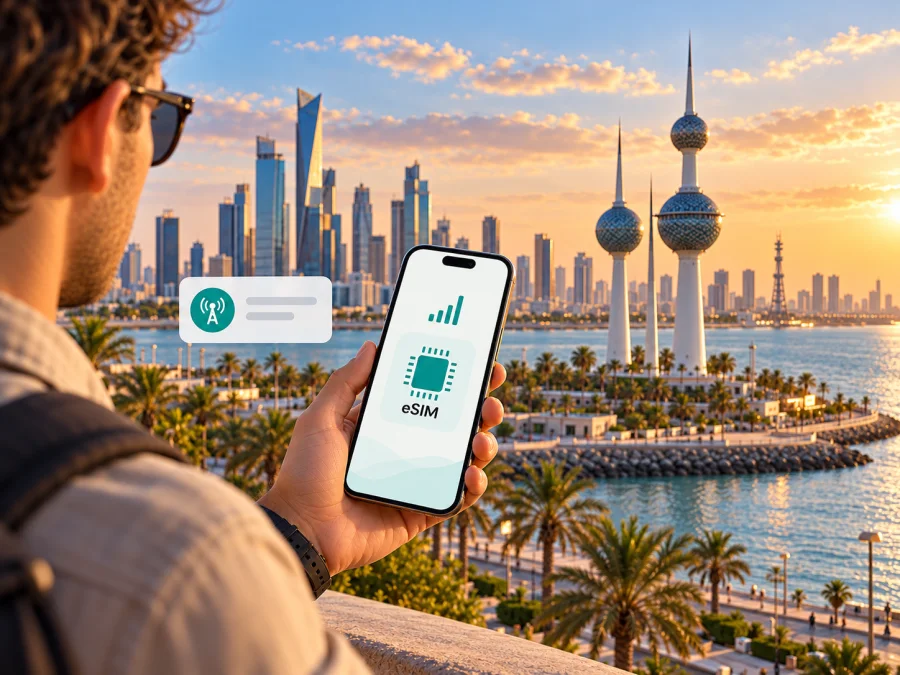
Saudi Telecom Company eSIM in Kuwait: what travelers should know
Saudi Telecom Company (stc) has a presence in Kuwait through Kuwait Telecommunications Company, whose local consumer brand is stc. This distinction matters when arranging an eSIM: this guide concerns the Kuwaiti network and customer process, not a Saudi Arabia line or Saudi coverage. STC Kuwait’s public pages currently list eSIM as a service and describe prepaid digital SIM delivery. However, a visitor’s eligibility, accepted identity documents, and available activation route must be confirmed with the operator for the individual case.
STC Kuwait’s official eSIM, prepaid, and investor information, along with Apple’s carrier information, were checked on 2 November 2026. Use current signup terms as final. Saudi Telecom Company is a major shareholder of Kuwait Telecommunications Company; this does not make Kuwait service equivalent to a Saudi line.
Identify the local operator correctly
“Saudi Telecom Company” refers to the Saudi-based group company, while stc is also the consumer brand used by affiliated operators in other Gulf markets. In Kuwait, the relevant local operator is Kuwait Telecommunications Company, commonly branded stc. Its investor information lists Saudi Telecommunications Company among its shareholders, and the Kuwait consumer site presents local mobile, prepaid, roaming, and eSIM services.
For visitors, use Kuwait-specific information and contact the Kuwait support channel. A Saudi stc account, identity process, or coverage map does not answer questions about Kuwait. The country service remains distinct even when a brand is shared.
Kuwait is a separate country with its own telecommunications regulator, operators, and customer-registration requirements. A trip that crosses the land border or continues elsewhere in the Gulf may involve a different network and separate roaming arrangements. Check each destination named in the service terms instead of relying on a shared regional brand.
What is confirmed about eSIM
STC Kuwait has a dedicated eSIM page. Its prepaid information says customers may receive a SIM or download an eSIM, and points to the mystc KW app and an eSIM activation section. Apple’s carrier support listing also names stc in Kuwait among carriers supporting eSIM activation methods on eligible iPhones. Together, these current public sources confirm that eSIM is part of the Kuwait operation’s offering.
They do not prove that every visitor, device, or line type can use every signup method. The English pages reviewed do not provide a complete checklist for non-residents covering passports, visas, Civil ID, or remote provisioning. Before relying on an stc eSIM, ask whether a new visitor can register, which original documents are accepted, whether verification must take place in person, and whether the profile can be issued before arrival. Confirm that your exact phone and customer category are supported. If those details remain unclear, keep another connection option available until the local service is working.
Is an stc Kuwait eSIM right for a visitor?
A local line may suit you if you need a Kuwait-issued mobile service and can meet the operator’s registration requirements. It may also be relevant if you need a local phone number or regular calls. The services attached to a particular line depend on its current conditions, so ask whether it supports voice, SMS, mobile data, and use outside Kuwait. This guide does not list or compare specific plans.
A local operator eSIM follows Kuwait’s customer rules and may require local verification. A travel eSIM is arranged for connectivity in a destination; its network and services depend on the product. Do not assume it includes a Kuwaiti number, calls, or SMS.
Choose based on your stay, need for a local number, and onward travel. Check coverage, identity rules, voice and messaging, activation, support, and device compatibility for the specific service.
If an stc line is unavailable to you, ask whether a physical local SIM is an option and what identification it requires. You can also check a travel-data eSIM that explicitly lists Kuwait. Kaspersky eSIM Store is an app and website that helps travelers choose, order, and activate an eSIM with a plan for mobile internet abroad. It is not a mobile operator, network owner, or provider of mobile connectivity. Its supported destinations and product conditions can change, so check the current details before relying on the service.
Check device compatibility before travel
An eSIM-ready phone needs more than a compatible family name. Regional versions of the same phone can differ: some versions have two physical SIM slots but no eSIM capability, while others in the same range support eSIM. A carrier lock can also prevent a phone from accepting another provider’s profile. A handset can support eSIM generally yet still be unsupported by a particular carrier’s provisioning process.
Check the exact model number and sales region in the device settings or original packaging. Verify that exact variant against the manufacturer’s specifications, then check the operator’s device list or ask its support team. A compatibility list for one carrier does not automatically apply to another. If the device is imported, repaired, or managed by an employer, confirm that eSIM is enabled and that no network restriction applies.
Before purchase, check that:
- The exact handset variant supports eSIM and is unlocked.
- The software supports the manufacturer’s eSIM setup flow.
- You can reach the account, email, or app that will deliver the activation details.
- You will have internet access while installing the profile.
- You know which SIM will supply data and which line will handle calls or messages.
- The issuing provider confirms support for this device and service.
See the device compatibility guide for additional checks. If the device does not support eSIM, use a compatible handset, ask about a physical SIM, or arrange another connection method before travelling. A software update cannot add eSIM hardware to a variant that lacks it.
Arranging an stc eSIM in Kuwait
Use current instructions from stc Kuwait rather than an old video or guidance for another country. The operator’s site identifies eSIM as a service; its prepaid page describes online signup and digital SIM delivery. The steps may differ depending on whether you are a new customer, an existing customer changing SIM type, or a visitor, so establish your customer category first.
- Ask about eligibility. Contact stc Kuwait through its official website, app, or customer-service channel. Explain that you are visiting and whether you already have an stc Kuwait line. Ask if your category can obtain eSIM and if you must register in person.
- Confirm identity rules. Ask which documents are accepted for your status, whether details must match a local record, and whether verification must happen at a branch. Do not assume a passport alone is sufficient or that an overseas account can be reused.
- Check your device. Give support the phone model and regional variant if requested. Confirm that the handset is unlocked and supported by the operator’s provisioning method.
- Follow the confirmed activation route. The operator may direct you to its website, mystc KW app, a store, or another current process. Use instructions for your own account and do not scan a code from an unofficial source.
- Install with a reliable connection. Keep the phone online and follow the operator’s instructions. Avoid deleting a profile or attempting reinstallation unless support says to do so; some activation codes can only be used once.
- Check registration. After installation, confirm the line is active and mobile data works. If it does not, contact the issuing provider before removing the profile or changing several settings.
This is a preparation checklist, not a guarantee that remote signup is available. The official pages confirm eSIM and prepaid digital delivery but do not answer every visitor-specific registration question. Verify the process directly with stc before relying on it for an airport pickup, important appointment, or onward journey.
For a destination-specific starting point, browse current Kuwait eSIM options in Kaspersky eSIM Store. This is the Kuwait destination page for checking travel eSIM availability; it is not an stc tariff page and does not claim that a travel eSIM uses stc’s network. Review the current destination coverage and activation conditions when choosing a service.
Installing an eSIM and selecting the data line
Install a profile when you have stable internet, sufficient battery, and access to the account or message containing the activation information. On most current phones, eSIM controls are in cellular or mobile-network settings. Menu names vary by manufacturer, software release, and region. Choose the option to add a mobile plan and follow the provider’s instructions. Use an official app flow if offered, or scan the provided QR code from the phone’s mobile-network settings.
On iPhone, the usual path is Settings → Cellular or Mobile Service → Add eSIM. On Android, look under Network & Internet or Connections, then SIMs or SIM Manager, and choose Add eSIM. These are general directions; use the device-specific instructions if the menus differ.
After installation, label each line clearly, such as “Home” and “Kuwait.” Select the intended line for mobile data. If the home SIM stays active for calls or verification messages, check roaming charges with your home operator. Disabling data roaming on the home line can help prevent unintended data use, but may affect services that rely on that line. Confirm which SIM is used for mobile data, calls, and messages.
Some eSIM services require data roaming to be enabled on their own profile to connect to a partner network. This is separate from roaming on the home SIM. Follow the selected provider’s directions and avoid enabling roaming on every line by default. If service does not start, check that the profile is active, the intended data line is selected, and any supplied network or APN settings are in place. Contact support with the error message before deleting the profile.
Do not remove an installed eSIM as a first troubleshooting step. A profile may not be transferable or reusable after deletion. If the phone is lost, replaced, reset, or damaged, ask the issuer about replacement or reissue before erasing the profile. Keep activation details secure: a QR code can contain credentials for adding the mobile profile.
Coverage and network expectations
STC Kuwait operates a mobile network in Kuwait and provides a public network-coverage tool. Its website also presents 5G-related information. A coverage map is a useful starting point, but it cannot guarantee reception in a particular building, basement, road, or at a specific time. Signal can vary with construction, device bands, network load, local maintenance, and the service enabled on the line.
A phone may display 4G or 5G only when its hardware, profile, local signal, account settings, and network conditions allow. A technology label does not guarantee a particular speed or continuous service. Check handset and service support for any feature you rely on.
Use the coverage tool at itinerary level: review your accommodation, airport, workplace, and any trips outside the main urban area. Check what the map depicts—such as a technology layer or general outdoor coverage—and allow for indoor variation. Carry offline maps and essential travel details in case service is temporarily unavailable.
A travel eSIM may display a local partner’s network name rather than the travel-service brand. Its connectivity depends on the product’s current partner arrangements. Ask the travel eSIM provider about the relevant network if it matters, and do not assume a travel eSIM uses stc simply because it works in Kuwait. If you are travelling between Kuwait and Saudi Arabia or another country, verify each destination separately.
Local operator line or travel-data eSIM?
A local line is arranged with the local operator and follows its registration process. It may provide a local number and services according to the line’s terms. It can be relevant if you need local voice service or expect to stay in Kuwait long enough to complete registration. Whether visitors qualify, which documents are required, and whether a branch visit is necessary are questions for stc Kuwait.
A travel-data eSIM is organized around a destination or region and can be arranged through a travel eSIM service. It may be convenient if you mainly need internet and want to prepare before departure. Conditions are product-specific: check the destination, activation timing, data service, support, and whether tethering is allowed. Many travel-data eSIMs do not include a conventional phone number, but confirm this for the specific product. Internet messaging and calls may work over data; regular cellular calls and SMS require a suitable voice service.
Neither choice is automatically better. A local line can involve identity checks or an in-person step but may match local calling needs. A travel service can avoid a shop visit, while its network partner, number availability, support, and destination conditions vary. If you need bank verification messages, calls to local businesses, hotspot use, or access to your home number, check each requirement separately.
Kaspersky eSIM Store helps travelers choose, order, and activate an eSIM plan for mobile internet abroad. It is not Saudi Telecom Company, stc Kuwait, a local network owner, or a mobile operator. Check current destination coverage, device requirements, and activation terms. Do not treat a travel-data eSIM as a replacement for a local phone number if your trip requires conventional calls or SMS.
Before-you-buy checklist
- Make sure your question is about stc Kuwait, not the Saudi Arabian stc operation.
- Confirm whether a visitor can register and which identity documents are accepted.
- Ask whether signup can be completed before arrival or requires local verification.
- Check that the phone is eSIM-capable in its exact regional variant and is unlocked.
- Confirm how the profile is delivered and whether its activation code is single-use.
- Check support for data, calls, SMS, hotspot use, and roaming beyond Kuwait.
- Review current coverage for the itinerary, allowing for indoor and temporary variation.
- Keep a second connection option available in case activation is delayed.
- Save official support details and account credentials securely.
- Recheck the terms on the activation date because procedures can change.
For a travel eSIM, also confirm that Kuwait is explicitly included, whether the product is data-only, when installation and data use begin, and which line will supply mobile data. If your trip includes several countries, check each one rather than assuming a single destination entry includes the whole region.
Frequently asked questions
Does Saudi Telecom Company offer eSIM in Kuwait?
The current pages for the Kuwait operation, branded stc, list eSIM and prepaid digital delivery. Saudi Telecom Company is a major shareholder of Kuwait Telecommunications Company. Confirm your eligibility and activation method with stc Kuwait.
Can a tourist get an stc Kuwait eSIM online?
The public pages reviewed do not confirm that every visitor can finish signup remotely. Ask about visitor eligibility, accepted documents, and any branch visit or local verification.
Will a Kuwait eSIM work in Saudi Arabia?
Not automatically. Check roaming terms and verify each destination. The corporate relationship does not establish that a Kuwait service works in Saudi Arabia on the same terms.
Does an eSIM include a phone number or guarantee 5G?
Neither is inherent to eSIM. Check whether the specific service includes voice and SMS, and verify coverage and device support for the network generation you need.
Final advice
Keep the market distinction clear: Saudi Telecom Company is associated with Kuwait’s stc brand through Kuwait Telecommunications Company, but a connection arranged in Kuwait follows the local operation’s conditions. Official STC Kuwait pages confirm eSIM and prepaid digital delivery; public information reviewed here does not resolve every visitor-specific registration question. Verify accepted documents, eligibility, activation, and your exact phone variant before depending on the service.
If you qualify for an stc Kuwait line and need local service, follow the operator’s current instructions. If you mainly need mobile data and prefer to prepare in advance, check a travel eSIM that explicitly lists Kuwait and review its network and activation terms. Kaspersky eSIM Store can help travelers choose, order, and activate an eSIM plan for mobile internet abroad; it is not a carrier or network provider. For either option, check compatibility and current terms before departure.
Saudi Telecom Company, stc, and Kuwait Telecommunications Company are names and marks of their respective owners. Kaspersky eSIM Store is not affiliated with or endorsed by the operator.


