Travel connectivity guide
Sauraha eSIM for Mobile Internet in Nepal
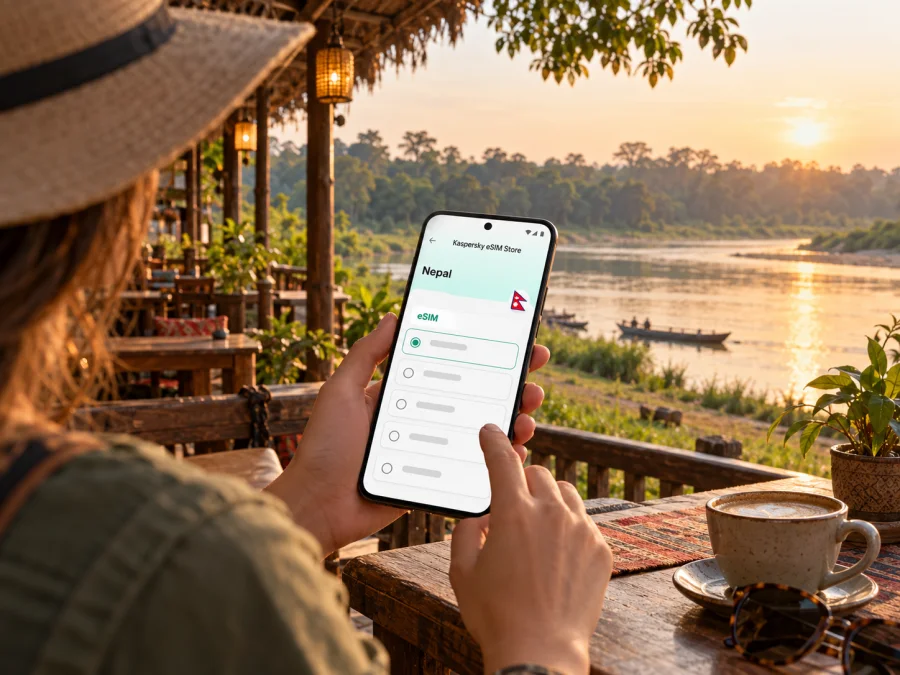
Sauraha eSIM: mobile connection and internet for your visit
Sauraha is a small visitor destination in Nepal’s Chitwan region, known as a base for exploring Chitwan National Park and the landscapes around the Rapti River. A phone with mobile data can help you coordinate a transfer, confirm a lodge reservation, check a map, or message your guide. An eSIM can be a convenient way to prepare that data connection without swapping a physical SIM, provided your phone and the selected Nepal plan are compatible.
Sauraha is not a large, uniformly connected city. Hotels and visitor services are concentrated in settled areas, while walks, riverbanks, and park experiences take you closer to open ground and forest. Signal and data performance can vary by location, network partner, device, and conditions. Keep offline information for areas where service may be weak or unavailable.
What your phone is useful for in Sauraha
The first hours often involve a journey from another Nepal destination, a pickup arranged by your accommodation, and a final local transfer. Having data ready can make it easier to check messages from a driver, share your arrival details, and find the right meeting point. Save the accommodation’s name, address or map pin, and contact number before you travel; a phone connection is helpful, but it should not be the only copy of these details.
In and around Sauraha, mobile internet is most useful for practical tasks:
- opening a map to orient yourself between your lodge, the main visitor area, and a meeting point;
- checking a booking message or contacting a guide when plans change;
- using a ride or taxi service if one is available for your route, or messaging a driver directly;
- translating a short phrase, checking opening information, or looking up a restaurant;
- sending a quick update to family and sharing your location while travelling;
- checking onward transport information before leaving for Bharatpur or another stop.
Ask your hotel or guide how local pickups are arranged, and confirm the meeting place in plain language. If a driver is collecting you, agree on a landmark and fallback contact method before the journey begins.
A destination shaped by river and park
Nepal Tourism Board describes Sauraha as a stopover for visitors heading for a jungle experience. It notes the visitor centre, accommodation ranging from hotels to community homestays and resorts, and restaurants and cafés near the Rapti River. The destination’s appeal is closely tied to its setting beside Chitwan National Park, so a day here can move between settled streets and outdoor activities rather than a continuous urban grid.
That geography affects how you should think about connectivity. A map may work well around your accommodation and lose detail or fail to refresh during an excursion. Messaging may be fine at one spot and delayed farther away. Download the area you need for offline use when your map app supports it, save reservations as screenshots, and take note of your return meeting point before heading out. Do not rely on live navigation while walking in an unfamiliar outdoor area; follow the guide’s instructions and local signs.
The same approach is useful around the river. Its banks and nearby open areas are not equivalent to a city centre with guaranteed signal. Coordinate before an activity and after returning to a settled area. Protect your phone from rain, dust, and drops when moving between vehicles, boats, or walking routes.
Arrival and onward travel
Many itineraries combine Sauraha with Kathmandu, Pokhara, or other stops in Nepal. The final approach can involve a road transfer, and travel time may depend on the route, traffic, weather, and current road conditions. Nepal Tourism Board’s information for Chitwan National Park gives access context via Bharatpur and Kathmandu, but that should not be read as a door-to-door journey estimate for Sauraha. Confirm the latest transfer details with your accommodation or transport provider shortly before departure.
If you are arriving through Bharatpur, arrange the last leg in advance where possible. Share your flight or arrival details with the place you are staying, ask exactly where the driver will wait, and keep a backup plan if your arrival is delayed. If you arrive by road, send an update when you have a reliable connection and confirm the drop-off point before the vehicle leaves the main route. For an onward trip, ask your lodge to confirm the departure location and pickup time; a saved map pin is helpful, but local directions can be clearer in a small settlement.
| Moment | Useful preparation | Why it helps |
|---|---|---|
| Before leaving for Sauraha | Save the lodge address, booking confirmation, and contact number offline | You can find the information even if data is unavailable |
| On arrival | Confirm the driver’s name, vehicle, and meeting landmark by message | Reduces uncertainty when several transfers are operating |
| In the visitor area | Save key map pins and ask staff about walking directions | Local advice can resolve ambiguous map labels |
| Before an excursion | Agree on the return time and meeting point with your guide | You are not depending on a live message in a low-signal area |
| Before leaving town | Reconfirm the pickup point and departure time | A correct location is more useful than an old route screenshot |
For a short layover or one-night stay, you may only need data to confirm a transfer, open maps, and send messages. For a longer visit with uploads or remote work, estimate a larger allowance and consider where you will transfer files. On outdoor days, conserve battery and use offline notes instead of streaming or repeated cloud backups.
Choosing an eSIM plan for Sauraha
Sauraha is in Nepal, so start by checking that the plan is intended for Nepal rather than assuming that a regional plan includes it. Before checkout, review the destination list, validity period, data allowance, supported network information if shown, activation instructions, and any restrictions. Product details can change, and plan availability alone does not establish signal quality at your hotel, on the road, or inside a park area.
Kaspersky eSIM Store is an app and website where you can choose, arrange, and activate an eSIM with a suitable data plan for an international trip. To compare the currently displayed options for Nepal, review eSIM plan options for Nepal. Check the offer details at the time you plan to travel; this page is for the country and does not mean that one plan has been verified for every part of Sauraha or for a specific local network.
Use your itinerary to estimate data rather than choosing by trip length alone. A few messages and map checks use a different amount of data from frequent video calls, social media uploads, or work files. If your accommodation has Wi-Fi, you may use it for larger downloads and updates, while keeping mobile data for directions and time-sensitive communication. Ask about Wi-Fi availability and reliability directly, because it can differ between properties.
Consider the following before selecting an option:
- Destination: Nepal must appear in the plan’s coverage details. If your route crosses a border, check each country separately or verify that a regional option explicitly lists all stops.
- Validity: Match the active period to your full travel schedule. Read when validity begins; installation and first network connection do not necessarily have the same effect under every plan.
- Data: Estimate navigation, messaging, browsing, and uploads. Leave a margin if you will work remotely or share photos and video over mobile data.
- Network details: Review any named network or service notes shown for the plan. Coverage can still vary locally, especially as you move from the built-up visitor area toward outdoor routes.
- Tethering and calls: Check the specific terms if you intend to use a hotspot or expect conventional calls and SMS. Do not assume these are included in a data plan.
- Fallback: Keep essential booking details offline and retain access to your regular number if you need it for account verification or urgent calls.
Estimate data according to your habits: occasional maps and messages use less than frequent photo uploads or video meetings. Reduce background use by turning off automatic updates over mobile data, limiting cloud backup, and downloading entertainment on Wi-Fi.
Prepare your phone before departure
Confirm that your device supports eSIM and is not restricted by a carrier lock. Support can differ between device models and regional variants, even when the product names look almost identical. Check the manufacturer’s information for the exact model number and your carrier’s status; you can also check whether your device supports eSIM before choosing a plan.
Make sure you can access your account and email while travelling, update the operating system and essential apps on Wi-Fi, and charge your phone before leaving. If you will install the eSIM before travel, use a stable internet connection and follow the instructions supplied for the selected plan. Keep the QR code or activation details available on another screen or in a saved message if the setup method requires them.
Installation and activation checklist
- Connect to reliable Wi-Fi and open the phone’s mobile or cellular settings.
- Add the eSIM using the method supplied with the plan, such as scanning a QR code or entering details manually.
- Label the new line clearly, for example “Nepal data,” so you can recognize it later.
- Choose which line should handle mobile data. Keep your home line enabled only if you need its calls or messages and understand any roaming charges from your home carrier.
- Follow the plan’s directions about data roaming and activation timing. Do not turn settings on or off based on a generic guide if the plan says otherwise.
- Once in Nepal, allow the eSIM to register and check that mobile data is assigned to the intended line. If it does not connect, check the plan instructions, restart the phone, and contact the relevant support channel.
For device-specific walkthroughs, use the Android eSIM installation instructions or the iOS eSIM installation instructions. Exact menu names vary by operating-system version and manufacturer. Install early enough to resolve setup issues before you need directions, while following the plan’s activation rules so its validity is not used unexpectedly.
Keep your home SIM or eSIM available if you need one-time banking codes, calls to your usual number, or access to accounts tied to that line. Set the Nepal eSIM as the data line only when appropriate, and check that your home carrier has not enabled costly data roaming. An eSIM plan may provide mobile data without a local phone number; check the chosen plan’s terms instead of assuming it includes voice calls or SMS.
Using mobile data around town and outdoors
Think of your connection as one useful travel tool among several. In the settled part of Sauraha, use data for messages, map checks, and confirmations. Before an excursion, open the route or meeting details while you have a connection, then keep your phone in battery-saving mode if you will be away for several hours. Save a screenshot of your hotel location and the guide’s contact information where you can find it quickly.
Coverage and speed are not uniform promises. They may depend on the eSIM’s underlying network partner, local terrain, distance from a serving site, congestion, building materials, weather, and the handset’s supported bands. A displayed signal indicator does not guarantee that a map will load or that a call over an app will remain stable. If mobile data pauses, wait until you return to a more settled spot, switch airplane mode off and on once, and retry. Avoid repeatedly changing network settings unless the plan’s troubleshooting instructions recommend it.
For remote work, verify conditions rather than assuming office-grade access. Ask your accommodation about Wi-Fi, power backup, a quiet workspace, and recent video-call performance. Keep work files offline and schedule bandwidth-heavy meetings for a place and time you have tested. A mobile plan cannot guarantee continuous connectivity.
Small habits that protect battery and data
- Download offline maps and any transport or booking documents before a travel day.
- Reduce photo and video backup over mobile data; upload when connected to suitable Wi-Fi.
- Close navigation when you have reached your destination and dim the screen outdoors.
- Carry a charged power bank for long excursions, and protect the phone from moisture and dust.
- Send your check-in message before leaving an area with reliable service, rather than waiting until you are already on a trail or river outing.
- Keep a paper note or offline screenshot of the return point, accommodation number, and agreed pickup time.
These steps are especially helpful when your trip mixes a comfortable lodge stay with long outdoor activities. They make it easier to use data for what matters without building the itinerary around an assumption that the network will follow you everywhere.
Practical scenarios
You reach town after a long transfer. Message your host and confirm the last turn or pickup landmark. If the connection is delayed, use your saved booking and phone number instead of repeatedly refreshing a map.
You are meeting a guide near the river. Agree on a location and time first, share the plan with someone in your group, and keep the guide’s contact details offline.
You need to work during the visit. Ask the property about Wi-Fi and power before booking, test a call if possible, and prepare offline copies of presentations and documents. Avoid promising colleagues uninterrupted access based solely on the availability of a travel eSIM.
Common questions
Is Sauraha a city?
It is commonly described for visitors as a town or destination in Nepal’s Chitwan area. Nepal Tourism Board presents it as a tourist stopover and describes services in the settlement. For a trip focused on Chitwan National Park, Sauraha is a practical base, but activities may take you beyond the built-up area.
Will an eSIM work everywhere in Sauraha?
No plan should be treated as a guarantee of service everywhere. Coverage depends on the specific plan and local network, and it can change between a hotel, roadside location, riverbank, and outdoor excursion. Check the plan details and prepare offline navigation and contacts.
Can I use a Nepal eSIM before reaching Sauraha?
That depends on where the selected plan is supported and when its validity starts. Read its destination and activation terms before installation or first use. If your trip includes an international arrival airport or a stop in another country, do not assume the Nepal plan will provide data there.
Can I make ordinary phone calls with it?
Only if the selected offer explicitly includes voice service and explains how it works. Many travel eSIM options are designed for mobile data and may not include a local number, standard calls, or SMS. Internet-based calling apps require data access and may not work reliably in every location.
What if I lose the connection?
Move to a place where service may be better, such as your accommodation or a more settled street, and recheck the phone’s data-line selection and plan instructions. Use downloaded maps and saved details while offline. If the issue continues, contact the support channel listed with your plan or ask your accommodation for local help.
Is public Wi-Fi enough?
It can be useful for updates and larger downloads, but availability and quality vary by property and venue. A travel eSIM gives you another possible way to access data where its network is available. Avoid relying on any one connection for time-sensitive details, and keep booking and contact information saved offline.
A simple pre-trip checklist
- Confirm that your exact phone model supports eSIM and is carrier-unlocked.
- Check that Nepal is listed in the destination and review the current plan terms.
- Match validity and data allowance to your dates and expected usage.
- Read how installation, activation, roaming, calls, and hotspot use work for the selected plan.
- Save your accommodation details, transfer arrangements, and map pins offline.
- Install and label the eSIM using a stable connection, following its activation instructions.
- Decide which line handles mobile data and review your home-line roaming settings.
- Carry a charger or power bank and agree on offline meeting arrangements for excursions.
Get ready for your Sauraha trip
Before departure, choose an eSIM plan for Nepal that fits your dates and expected data use, then install it according to the plan’s instructions. Kaspersky eSIM Store helps you select, arrange, and activate an eSIM for mobile data on an international trip. Check the available Nepal eSIM options, verify the details for your exact device, and save key Sauraha travel information offline so you are prepared both online and away from a signal.


