Travel connectivity guide
Savannakhet eSIM: Mobile Internet Guide
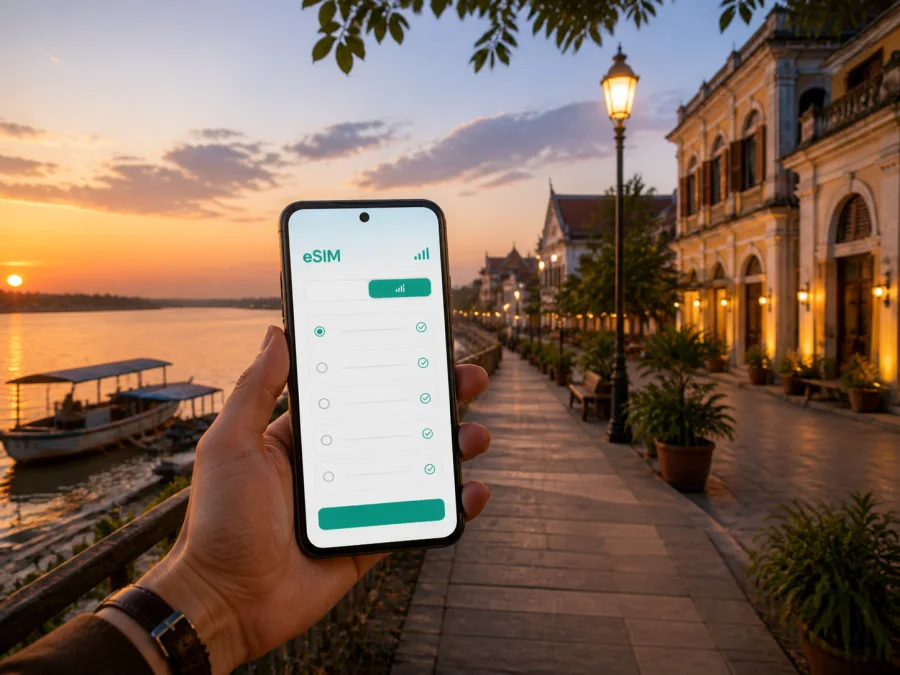
Savannakhet eSIM for Mobile Connection and Internet
Savannakhet is a city for travelers who notice the details: a quiet Mekong sunset, a faded colonial facade, a temple courtyard, a market stop, or a road journey that continues east or west. The pace can feel unhurried, but your phone still has practical work to do. You may need a map for an unfamiliar lane, a message to a hotel, a translation, a ride arrangement, a border update, or a work call made through an internet service.
An eSIM can simplify the mobile-data part of a trip. Instead of looking for a physical SIM after landing, you can prepare a compatible phone in advance and choose a plan for your journey to Laos. Kaspersky eSIM Store is an app and website that helps you select, arrange, and activate an eSIM with a suitable data plan for travel abroad. The eSIM is intended for mobile internet; it is not automatically a separate phone number, and ordinary calls or SMS are not included unless the selected plan says otherwise.
This guide stays focused on Savannakhet: arriving through the city, moving between the old quarter and the riverside, staying connected at a hotel, handling a business visit, crossing the Mekong region, and taking short trips from the city.
Savannakhet at a glance
| Travel question | Practical answer |
|---|---|
| What is the city known for? | A Mekong-side historic center, Lao temples, colonial and art-deco buildings, murals, local food, and regional road links. |
| Which places suit a short visit? | The old town, Mekong promenade, central markets, Vat Sayaphoum, and the Dinosaur Museum. |
| What is beyond the center? | That Ing Hang is a cultural excursion; Route 9 leads toward Seno and onward across the region. |
| Why is data useful? | For maps, translation, hotel messages, transport coordination, bookings, and work communication. |
| What should be checked first? | Device compatibility, operator lock status, data allowance, validity, activation conditions, and hotspot rules. |
Why an eSIM helps in Savannakhet
Savannakhet rewards flexible exploring. A walk through the historic streets can become a temple visit, a market stop, and an evening beside the Mekong. A route that looks simple on a map may involve a side street, a local ride, or a changed plan. Mobile data lets you check the next step while you are already out in the city.
It is useful for:
- Arrival: confirm the hotel address, contact reception, and open navigation after your travel day begins.
- Old-town walks: save several points of interest without returning to the hotel for Wi-Fi.
- Transport: share a pin with a driver, translate a destination, or check the route before a ride.
- Food and shopping: read a menu, check opening information, or message a travel companion.
- Work trips: send a document, join a meeting, and coordinate a pickup away from a hotel network.
- Border itineraries: keep maps, bookings, and messages accessible when a trip includes Thailand or Vietnam.
An eSIM leaves your physical SIM in the phone, although dual-SIM behavior differs by model. Before travel, learn which line is selected for data.
Plan around the city’s travel zones
Think of Savannakhet as several connected zones. The compact historic center brings together colonial and art-deco buildings, Lao architecture, murals, and everyday streets. The Mekong edge suits a slower late-afternoon walk. Markets connect the sightseeing areas with practical services.
The Dinosaur Museum may require a separate ride, while That Ing Hang is an excursion beyond the tightest center. Route 9, Seno, and the special economic zone have a business and transport character rather than a casual walking-tour feel.
For a balanced day, combine heritage streets and temples in the morning, a practical or indoor stop at midday, and the Mekong in the late afternoon. Save pins before leaving and keep battery for the return.
Arriving in Savannakhet
If your itinerary uses Savannakhet Airport, prepare the eSIM before departure and keep installation information offline. Confirm current flight and transfer details with your carrier and accommodation. After landing, data can help you locate a transfer, send your arrival time, or open a hotel pin.
The Second Thai–Lao Friendship Bridge connects the Mukdahan side of Thailand with the Savannakhet area. A border crossing is not the same as a city-center transfer: allow time for transport, queues, formalities, and documents required for your route. Check whether the selected plan covers Laos and any additional destination.
For road travel from elsewhere in Laos, keep your destination, accommodation, and onward transport details together and save key information as screenshots. Service can vary along the route, so do not rely on a single live map screen.
Arrival checklist
- Save hotel details and both city and accommodation pins offline.
- Confirm the line selected for mobile data.
- Keep border documents accessible.
- Carry a power bank.
- Check conditions for the complete route if crossing onward.
Once you know how you will arrive and how many days you will spend moving around the city, you can choose an eSIM plan for a trip to Savannakhet and compare its data allowance, validity, destination, and price before completing the purchase.
Choosing a plan for your itinerary
The right plan depends on what you do in the city. Someone who walks around the old quarter and uses hotel Wi-Fi in the evening has a different pattern from a consultant who sends files, attends video meetings, and travels along Route 9.
| Itinerary | Likely data tasks | What to compare |
|---|---|---|
| One-day stopover | Maps, messages, translation, booking checks | Validity for the full arrival and departure window |
| Two- or three-day city visit | Navigation between the old town, riverfront, museum, markets, and hotel | Data volume and duration for the entire stay |
| Photo-heavy cultural trip | Maps, uploads, translation, and sharing | Allowance plus any tethering or hotspot conditions |
| Business stay | Email, documents, messaging, meetings, and transport | Validity, data volume, and work-device setup |
| Cross-border route | Navigation, booking updates, and messages across several legs | Supported destinations and whether one plan covers the route |
Look at the volume of data, duration, destination, activation terms, and restrictions. If you are unsure how much a meeting or media upload will consume, choose with a margin. Conditions can change, so use the current information shown for your destination. Save maps and hotel details offline, and pause automatic photo backup if you want to reserve data for navigation and messages.
Check your phone before purchase
An eSIM works only when the device supports eSIM and is not restricted by an operator lock. Compatibility can vary by model, country of sale, and software configuration. Before buying, check whether your device supports eSIM and confirm that you can add a mobile plan in the settings.
Use this check:
- Find the exact phone model and regional version.
- Open mobile-network or SIM settings and look for “Add eSIM” or “Add mobile plan”.
- Confirm that the phone is unlocked for other networks.
- Install system updates before departure, while you have stable internet and power.
- Make sure you can access the email or profile where the eSIM details will appear.
- Read when validity starts and what happens after the data allowance is used.
Do not delete your primary SIM or reset network settings just because you are adding an eSIM. Label the lines clearly—for example, “Home” and “Laos data”—so a quick settings change does not select the wrong line.
Installing and activating the eSIM
Install before departure when possible, but follow the plan’s activation instructions. Some plans begin validity under specific conditions, so do not guess when to enable the line. Keep the QR code or installation details available and use a stable Wi-Fi connection if the device requests one.
For platform-specific steps, use the Android eSIM installation instructions or the iOS eSIM installation instructions. The general flow is:
- Open your Kaspersky eSIM Store profile or app after purchase.
- Locate the purchased eSIM and read its activation conditions.
- In the phone’s SIM or mobile-network settings, select the option to add an eSIM.
- Scan the QR code or enter the details shown in the installation flow.
- Name the new line so it is easy to identify in Savannakhet.
- Select the eSIM for mobile data when you are ready to use it.
- Enable data roaming for that eSIM only if the instructions require it.
- Test a simple page or internet message, then check that the correct line is using data.
Activation may take a few minutes and depends on the device and local network. If it does not connect, check that the profile is enabled, mobile data is assigned to it, airplane mode is off, and data roaming is configured when required. If the problem remains, check compatibility and contact support with the model and steps completed.
Walking the old town and Mekong waterfront
The historic center is where mobile data can be used lightly but meaningfully. Mark places before leaving your accommodation, then let the walk breathe. Old colonial and art-deco buildings sit alongside Lao details, while murals add a contemporary layer. Use maps for orientation without turning every few minutes into a race to the next pin.
Vat Sayaphoum and other temple areas call for respectful clothing, photography, and access. Keep your phone quiet and use it for a translation or saved note. At the Mekong, save the hotel location, keep battery for navigation, and agree on a meeting point. A shared pin can be more useful than describing an unfamiliar riverside street.
Museums, markets, and short routes
The Dinosaur Museum gives a Savannakhet visit a distinctive local focus: fossil finds from the wider province are presented in the city. Check opening information locally because schedules can change, verify the entrance on the map, and keep the address offline.
Markets are less predictable than a museum schedule. Save a translation or photo reference if you are looking for a particular food, craft, or everyday item. Data helps with a message to a hotel or companion, but patience and respect matter more than an always-on screen.
For a half-day route, group nearby points together:
Heritage loop: old-town streets → temple visit → market or lunch → Mekong promenade.
Culture loop: old town → Dinosaur Museum → central services → riverside.
Practical loop: accommodation → meeting point or market → appointment outside the core → return to the center.
These are planning patterns, not fixed tours. Confirm distances, opening times, and transport locally, leaving room for weather, traffic, and spontaneous stops.
That Ing Hang and trips beyond the center
That Ing Hang is one of the best-known religious sites in Savannakhet Province and lies outside the compact urban core. Treat it as a separate excursion: check the route, arrange return transport, carry water, and do not rely on a single live map screen. At a sacred site, dress and behave respectfully and follow local instructions about access.
Route 9 gives Savannakhet a wider travel role. It connects the city area with Seno and forms part of an east–west road journey across the region. A trip toward the Lao–Vietnamese border or another country requires separate checks for documents, opening conditions, transport, and entry rules. Verify those details close to departure rather than treating a city eSIM guide as a border guide.
The bridge route toward Mukdahan is useful for travelers combining Laos and Thailand. Keep accommodation, crossing, and onward transport details in one offline folder. If the itinerary changes country, check that the data arrangement follows the complete route. A Laos plan may not be right for another destination, and a connection near a border should not be treated as proof of service on the other side.
FAQ about eSIM and Savannakhet
Is an eSIM useful for a short stopover?
Yes. Even a brief visit may require a hotel message, map, translation, and transport coordination. Choose validity that matches the stopover and check when the plan begins.
Can I keep my regular phone number?
Usually, the physical SIM or primary eSIM can stay in the phone, subject to your device and home-operator settings. Confirm which line is selected for calls, SMS, and mobile internet.
Does it include ordinary calls and SMS?
Not unless the selected plan specifically says so. These travel eSIM plans are intended for mobile internet; messaging and calling apps can use data.
What if the phone does not connect after arrival?
Check that the eSIM is enabled, selected for data, and configured according to the instructions. Confirm whether data roaming is required, restart if appropriate, and check plan status. If it still does not work, contact support with the device model and error details.
Can one plan cover Laos and a border trip?
Only if its destination and conditions include every part of the route. Review supported destinations and validity before departure, and confirm settings when you change country.
Prepare your mobile internet for Savannakhet
For a smooth arrival, confirm that Savannakhet is covered, check your phone model and validity terms, save hotel and route details offline, and decide which line will handle mobile data. Use live data when current information matters and saved plans for the basics.
Choose an eSIM plan for your trip to Laos and prepare a mobile-data setup for your Savannakhet itinerary.


