Travel connectivity guide
SCO eSIM in Pakistan: what to check
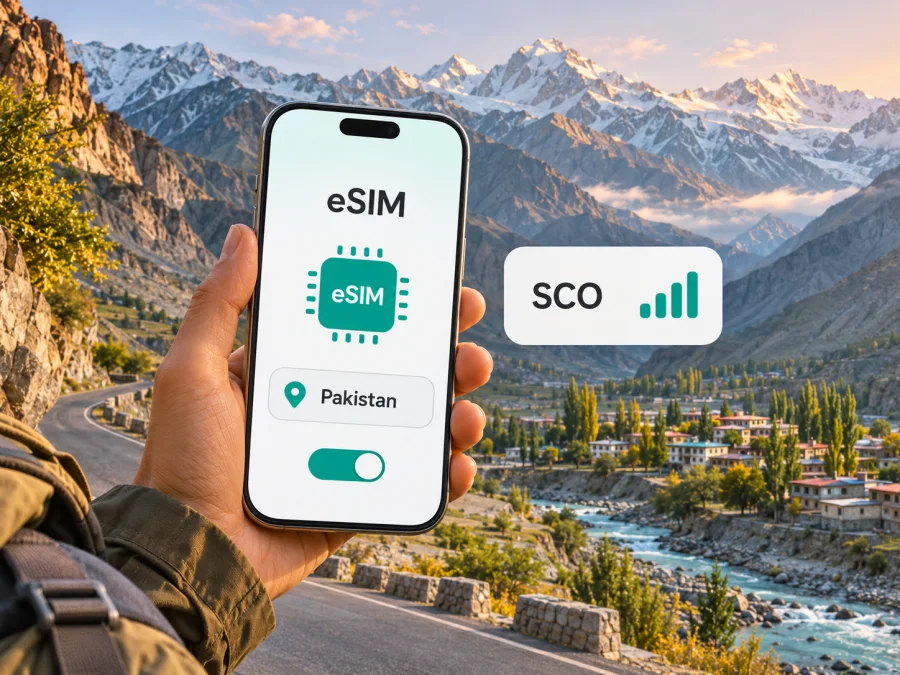
SCO eSIM in Pakistan: availability, activation and travel checks
SCO’s official website describes eSIM as an option for an SCOM mobile number. Its published instructions say that registration is followed by a QR-code voucher, and that biometric verification is required before activation. This is a useful starting point for anyone checking SCO eSIM in Pakistan, but it does not mean that every visitor can simply buy a tourist eSIM online: the public information reviewed for this guide describes an existing or new SCOM number and an in-person registration route, not a dedicated visitor product. Confirm the latest requirements with SCO before making plans.
This article was checked on 2 November 2026 against SCO’s public eSIM, mobile overview and coverage pages and Kaspersky eSIM Store’s Pakistan destination page. Those SCO pages describe the registration process, service areas and selected technologies summarized below; visitor eligibility and some current local conditions are not specified there. Kaspersky eSIM Store is not affiliated with SCO and is not its official partner or distributor. SCO and SCOM names belong to their respective rights holders.
What SCO means in Pakistan
SCO is the Special Communications Organization. Its official mobile overview says that GSM cellular service under the SCOM name was launched in Azad Jammu and Kashmir and Gilgit-Baltistan. Its mobile coverage information organizes service areas under those two headings and provides area lists for them. This indicates a regional focus; it should not be read as evidence of blanket coverage throughout Pakistan or as a claim that SCO is the only available option in a particular place.
The geographic distinction matters to travellers. Pakistan is a country, while Azad Jammu and Kashmir and Gilgit-Baltistan are Pakistan-administered areas within the wider disputed Kashmir region; they are not interchangeable with Pakistan’s provinces or with Indian-administered Jammu and Kashmir. The United Nations’ online map disclaimer says that the final status of Jammu and Kashmir has not yet been agreed by the parties (checked 2 November 2026). For a practical connectivity decision, check the exact destination and route rather than relying on a broad label such as “Pakistan” or “Kashmir.” A service advertised for one jurisdiction or territory may not cover another.
SCO’s own coverage pages list areas in Azad Jammu and Kashmir and Gilgit-Baltistan. They do not provide a guarantee that a particular road, mountain valley, border area, building or itinerary will have service. Coverage can vary with terrain, local infrastructure, indoor conditions and network availability at the time. Ask SCO for a current location-specific coverage check if a connection is important for a journey, and keep offline maps and essential travel details available.
Does SCO support eSIM?
Yes. The public SCO eSIM page describes eSIM for an SCOM number and explains a registration process. It says a customer receives a voucher containing a QR code after registration, connects the phone to the internet, and adds the cellular plan through device settings. The page also says biometric verification is required before activation. It lists selected handset models, while noting that its supported-handset list is growing.
That information confirms that SCO publishes an eSIM process. It does not confirm a separate prepaid tourist eSIM, an online checkout for overseas visitors, or that every current eSIM-capable device works with SCO. The eSIM page says new eSIM registration or replacement of a physical SIM is handled at an SCO Franchise, Customer Service Centre or S-Paisa shop. The availability of those outlets, accepted identity documents, eligibility rules, registration method and any charges should be checked directly with SCO before visiting. Requirements can depend on the applicant’s status and current regulations.
If you are already an SCOM customer, ask SCO whether your number can be changed to an eSIM, what identity verification is needed and whether the change affects the physical SIM. The official page says that the physical SIM for the same number is deactivated after eSIM activation. It also says a new QR code is needed when changing phones. Treat the QR code like a one-time account credential: do not forward it, post it or let another person scan it. If your phone is lost or replaced, contact SCO for the current recovery process rather than assuming the profile can be transferred.
A visitor without an existing SCOM number should ask a different set of questions: Can a short-term visitor register? Which original documents are accepted? Is biometric verification available to a non-resident? Must the application be made in person? Is the intended place served by the specific mobile service? The public page reviewed here does not answer all of these questions, so do not assume that eSIM support alone means visitor eligibility.
How SCO eSIM activation works
SCO’s current public instructions describe a registration-and-QR process. The wording below summarizes those steps; your handset menus can have different names, and SCO’s customer centre should guide you if the account or device does not follow them.
- Confirm eligibility first. Ask an SCO Franchise, Customer Service Centre or S-Paisa shop whether your number and identity documents qualify. The official page names these locations for new eSIM registration or physical-SIM replacement.
- Complete the required verification. SCO says biometric verification is needed before activation. Follow the current instructions given by its staff and retain any confirmation provided for your account.
- Receive the eSIM voucher. The official process says registration is followed by a voucher with a QR code. Keep it private and do not scan it on a phone that you do not intend to use.
- Connect the phone to the internet. Use a stable Wi-Fi or mobile connection before opening the eSIM settings. Keep the voucher accessible on a different screen or as a printed copy if you are scanning it with the same device.
- Add the cellular plan. Open the mobile or cellular settings, choose the option to add an eSIM or plan, then scan the SCO QR code and follow the on-screen prompts. The precise menu wording varies by device and software version.
- Wait for the profile to register. SCO’s page describes activation as taking a few minutes. Timing can vary, so do not remove the profile or restart the setup repeatedly while it is processing.
- Test the service before relying on it. Check that the expected line appears in settings and that calls or mobile data work as applicable to your account. If the profile does not activate, contact SCO with your registration details; do not share the QR code publicly.
For general device setup help, use the Android eSIM installation instructions or iPhone eSIM installation instructions. These explain device-side steps for travel eSIM installation; they do not register an SCO account or replace SCO’s biometric and eligibility process. For more on checking a specific handset variant, see eSIM device compatibility.
Using an SCO line while travelling
SCO’s eSIM FAQ says that an activated eSIM can work while roaming. That statement is not a promise that roaming is enabled for every account, that every destination is included, or that the same arrangements apply to a visitor line. Confirm current international roaming availability and conditions with SCO before departure if you expect to use the line outside the service area. Avoid assuming that the regional footprint described on SCO’s site extends across Pakistan or across an international border.
When you reach your destination, select the correct line for calls and mobile data in the phone settings. If you have more than one SIM profile, confirm which line is using cellular data and whether data roaming is required. Keep the primary number available for calls or verification codes if you need it, but check with your home provider about roaming charges. Disable automatic data roaming for a line when you do not intend to use it. A second eSIM profile does not by itself prevent the first line from connecting or incurring charges.
For mountain travel, long road journeys and stays away from major settlements, build in a backup. Download navigation and booking details before leaving a connected area, carry a power bank, and agree on check-in times with companions. An operator’s coverage map or area list is a planning aid, not a real-time signal guarantee. Emergency contact options can differ by location; confirm local advice and keep the relevant numbers available offline.
Coverage and mobile technology: what is verified
SCO’s public pages describe SCOM as its mobile service and show service-area information for Azad Jammu and Kashmir and Gilgit-Baltistan. The mobile overview mentions GSM service and describes 3G/4G installations in certain named locations. These statements do not support a claim of uniform 3G or 4G access across either territory, a promise of a particular speed, or a blanket statement that 5G is available. The current material reviewed for this article does not verify a nationwide SCO network or a current 5G footprint.
Network display indicators on a phone can change with location, handset bands, congestion, buildings, weather and maintenance. A coverage area list cannot guarantee indoor reception or continuous service on a mountain route. If you depend on data for work or navigation, ask SCO about the places and technologies along your specific route and maintain an offline alternative. If you have a regional or imported phone variant, confirm supported radio bands with the manufacturer and operator; eSIM compatibility and radio compatibility are separate checks.
| Planning question | What the public information supports | What still needs a direct check |
|---|---|---|
| Where does SCO describe its mobile service? | Azad Jammu and Kashmir and Gilgit-Baltistan | Specific villages, roads, buildings and current coverage |
| Is eSIM available? | SCO publishes an SCOM eSIM registration and activation process | Whether a visitor, new customer or exact handset variant qualifies |
| How is it installed? | Voucher with QR code, device settings and biometric verification | Current documents, appointment or shop steps and any account conditions |
| Which technologies are confirmed? | The SCO overview references GSM and certain 3G/4G locations | The technology in your exact destination and any current expansion |
| Is there a visitor eSIM offer? | No dedicated visitor product was confirmed in the public page reviewed | Ask SCO about current prepaid or tourist options directly |
Local SCO eSIM or a travel eSIM?
An SCO eSIM is associated with an SCOM mobile number and SCO’s own registration process. That can be relevant if you need an SCO line, already use the service, or are travelling in an area where SCO confirms it serves your destination. Biometric verification, eligibility and an in-person registration step may be important practical constraints. The official information reviewed does not establish a separate tourist eSIM or universal access for foreign visitors.
A travel eSIM is a separate option for mobile data abroad. Availability, the local network used, supported destinations, installation steps and service terms depend on the individual product and can change. It should not be treated as an SCO account, a local phone number or a substitute for identity requirements imposed by a local operator. Check whether the destination shown in the product covers the actual place you will visit, whether it includes the territories on your itinerary, what data service is provided, and whether your handset is compatible and unlocked.
Kaspersky eSIM Store is an app and website where travellers can choose, purchase and activate an eSIM with a plan for mobile internet during an overseas trip. It is not a mobile operator, does not own a network and does not itself provide mobile connectivity. Its Pakistan destination page is a place to review the currently listed travel options, not evidence that a particular SCO plan is offered or that the selected service uses SCO’s network. Read the product details for the destination and current supported area before purchase.
If you want to review the available travel eSIM options for the country, visit the Pakistan destination page in Kaspersky eSIM Store. Check the current product information there for supported locations and terms. A destination page for Pakistan should not be interpreted as a country tariff recommendation or as confirmation of service in every Pakistan-administered territory.
Device compatibility and setup checklist
Before buying or activating any eSIM, check the exact variant rather than just the device family name. Some phones sold in certain countries do not have eSIM hardware, while other versions of a familiar model can support it. A device can also be locked to a previous carrier even when its hardware supports eSIM. The SCO handset list is not exhaustive and should be treated as a starting point only.
Android
- Open Settings and look in the SIM, Network or Connections section for an option to add an eSIM. Menu names depend on the manufacturer and Android version.
- Find the exact model number in About phone and compare it with the manufacturer's eSIM information for the country where the device was sold.
- Confirm with SCO whether that precise model variant is accepted for its eSIM service.
- Check that the phone is carrier-unlocked and has current system updates before the trip.
iPhone
- Open Settings, then Mobile Service or Cellular, and check for Add eSIM.
- Confirm the exact model and sales region in Apple’s device information; not every regional variant has identical SIM options.
- Check that the phone is unlocked if you intend to add a profile from a different provider.
- Ask SCO whether the exact variant is accepted and what account steps are required.
An Add eSIM menu is a useful hardware clue, but it does not prove that SCO has approved that handset, that your line is eligible, or that service is available at your destination. Conversely, a device that is not accepted by SCO may still support another provider’s travel eSIM. Confirm compatibility with the provider whose profile you intend to install.
Frequently asked questions
Can a tourist buy an SCO eSIM online?
The SCO page reviewed describes a registration process and says a new eSIM or physical-SIM replacement is available through an SCO Franchise, Customer Service Centre or S-Paisa shop. It does not confirm an online tourist purchase or establish visitor eligibility. Contact SCO to ask what documents and verification are required for your circumstances.
Does SCO eSIM work throughout Pakistan?
The official mobile coverage information presents SCO service areas in Azad Jammu and Kashmir and Gilgit-Baltistan. It should not be interpreted as nationwide coverage. Check the exact route and destination with SCO. If you travel beyond those areas, verify which other connection options are available for that part of your itinerary.
Can I keep my physical SIM after converting the same number?
SCO’s published FAQ says that the physical SIM for the same number is deactivated after eSIM activation. It also says a physical SIM can be requested again. Check the current reissue process and any applicable conditions with SCO before converting, especially if you rely on that number for account access.
Can I use an SCO eSIM while roaming?
SCO’s eSIM FAQ says roaming is possible. The page does not settle every destination, customer eligibility or account setting, so confirm current roaming access for your line and route before travel. Ask about charges and whether data roaming must be enabled on the handset.
Is an eSIM-capable phone automatically compatible with SCO?
No. The exact regional model, network lock, operator support and account eligibility all matter. SCO’s page lists some handsets rather than every eSIM phone. Verify the full model variant with SCO before registration.
Does Kaspersky eSIM Store provide SCO service?
No. Kaspersky eSIM Store is an app and website for choosing, purchasing and activating travel eSIMs for mobile internet abroad. It is not SCO, is not affiliated with SCO, does not own mobile networks and does not itself provide mobile connectivity. Review the destination page’s current product terms to understand what is available.
A practical decision before you go
If you need an SCO number, contact SCO early and confirm visitor eligibility, identity requirements, biometric registration, the exact handset variant and the QR-code process. Its published eSIM instructions confirm that the service exists for SCOM numbers, while leaving some important traveller-specific questions unanswered. For service in Azad Jammu and Kashmir or Gilgit-Baltistan, ask about your particular destination instead of assuming continuous coverage across a whole region.
If you mainly need mobile data for a wider travel itinerary, compare a travel eSIM with local options based on the places you will visit, device compatibility and the product’s current conditions. Kaspersky eSIM Store can help you review travel eSIM options for Pakistan, but that country selection is not a promise of coverage at every destination and does not imply connection through SCO. Keep your primary number available where needed, download essential information offline and verify current details before departure.


