
Travel connectivity guide
Selebi-Phikwe eSIM for mobile internet
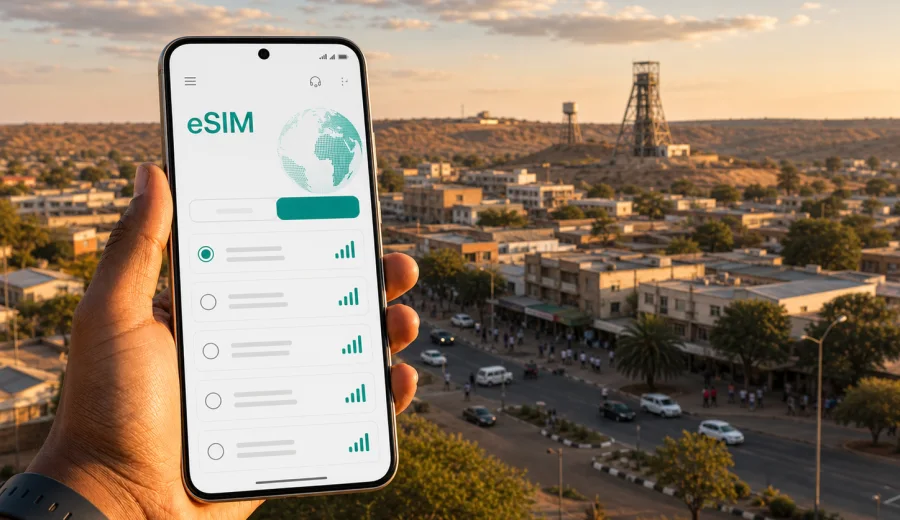
Selebi-Phikwe eSIM: mobile connection and internet for your trip
Selebi-Phikwe is a practical stop in eastern Botswana: compact enough to cross by car without a complex transport plan, but spread out enough that mobile internet quickly becomes part of a smooth visit. You may need maps for a hotel transfer, messaging for a business appointment, online banking for a payment, or navigation when leaving town for Francistown, Palapye, Serowe, the Tuli area, or a longer route across Botswana. An eSIM helps you prepare that connection before you start depending on hotel Wi-Fi or a local shop visit.
Why mobile internet matters in Selebi-Phikwe
In Selebi-Phikwe, mobile data is less about posting holiday photos and more about keeping the trip organized. Distances between places can be short on a map, but you still need practical information at the right moment: which road to take, where the hotel entrance is, whether your driver is waiting, what time a meeting starts, and whether you should download documents before leaving town.
Common moments when a stable data connection helps:
- arriving by road from Francistown, Palapye, Serowe, or Gaborone;
- confirming a hotel booking before reception check-in;
- sharing your live location with a colleague, host, or driver;
- checking route conditions before driving out of town;
- using messaging apps when voice calls are not included in your data plan;
- paying for transport, meals, or business expenses online;
- translating short messages or place names;
- keeping maps available when moving between town, industrial areas, and nearby settlements.
An eSIM is useful because it does not require you to change your physical SIM card. If your device supports eSIM, you can keep your regular number active for banking codes or messaging while using a separate travel data plan for internet access.
What an eSIM changes for a city trip
An eSIM is a digital SIM profile installed on a compatible phone or tablet. For a traveler, the main advantage is preparation: you can choose a destination and a data plan before the trip, install the eSIM profile, and activate it according to the plan conditions. In a city such as Selebi-Phikwe, this is especially helpful when your arrival is by road, after office hours, or as part of a schedule where you do not want to spend time looking for a physical SIM.
Kaspersky eSIM Store is an app and website where you can quickly choose, arrange, and activate an eSIM with a suitable data plan for mobile internet during a trip abroad. It is not a mobile operator and does not replace the need to check the exact terms of the selected plan. The practical value is that you can review data volume, validity period, destination, and price in one place before you commit.
For Selebi-Phikwe, think about eSIM as your travel data layer. It supports the tasks that usually make a trip easier: maps, messaging, email, booking confirmations, ride coordination, translation, cloud documents, and emergency research. It normally does not include a local phone number, voice calls, or SMS unless the selected plan says so. For calls, most travelers use internet-based apps.
Arrival scenarios: when to activate data
Many visitors do not arrive in Selebi-Phikwe through a large international airport. They come by road after landing elsewhere in Botswana or after crossing from another part of the region. That means your first useful connection may be needed before the city itself: during the drive, at a fuel stop, at a bus rank, or while coordinating a pickup.
| Arrival pattern | What you may need mobile data for | Practical eSIM approach |
|---|---|---|
| Road transfer from Gaborone | Long-distance navigation, messages, schedule changes | Install before departure and activate when the plan should begin |
| Travel from Francistown | Hotel directions, pickup coordination, local map checks | Keep maps offline as backup and use eSIM for live updates |
| Business trip by company vehicle | Email, documents, calendar changes | Choose enough data for work files and video-light communication |
| Regional stopover | Quick navigation, messaging, booking confirmation | A smaller short-validity plan may be enough |
| Multi-city Botswana itinerary | Routing between towns, accommodation changes | Consider a plan that covers the wider country or region for the full route |
Install the eSIM while you still have reliable Wi-Fi, then activate it at the point recommended by the plan instructions.
The city focus: where data helps on the ground
Selebi-Phikwe is often treated as a functional town rather than a classic sightseeing destination. That is exactly why mobile internet matters. The most important moments are not always scenic; they are operational. You need to know where you are going, who is meeting you, and how long it will take to move between the hotel, offices, shops, residential areas, and roads out of town.
For a short stay, mobile data helps you handle:
- checking in at accommodation without searching through email offline;
- finding supermarkets, pharmacies, fuel stations, restaurants, and ATMs;
- coordinating with local contacts if street descriptions are informal;
- checking weather before a drive or outdoor meeting;
- accessing work files when hotel Wi-Fi is slow or unavailable;
- using maps when moving from the central area toward industrial or residential zones;
- keeping family or colleagues updated during longer road sections.
Choosing data volume for Selebi-Phikwe
The right eSIM plan depends less on the name of the city and more on your behavior. A traveler who only checks maps and messages will use far less data than someone who joins video meetings, uploads work files, or uses a laptop through hotspot mode.
Use this simple planning table:
| Trip style | Typical data use | What to consider |
|---|---|---|
| One-night stopover | Maps, messaging, booking confirmations | Small data volume with short validity can be enough |
| Two to four days in town | Navigation, email, social apps, light browsing | Choose a plan with room for daily use, not only arrival |
| Business visit | Email, cloud documents, calendars, messaging, occasional calls through apps | Allow extra data for files and meeting tools |
| Road itinerary across Botswana | Maps, accommodation changes, route checks, messaging | Choose validity that covers the whole route, not only Selebi-Phikwe |
| Remote-work style stay | Hotspot, video calls, cloud sync | Select a larger package and control background data carefully |
Before choosing, check whether your phone allows hotspot use with the selected plan, whether data roaming must be enabled for the eSIM, and when the validity period starts. These details can affect the experience more than the headline data volume.
Prepare your phone before the trip
The easiest eSIM setup is the one you do before you urgently need it. Start with compatibility. Not every phone supports eSIM, and some devices are locked to a mobile operator. Before buying a data plan, check your device and confirm that it can use eSIM profiles for travel.
Then check these settings:
- your phone is updated enough to support eSIM installation properly;
- you know which SIM is used for mobile data and which remains for calls or SMS;
- your regular SIM can still receive banking or account verification messages if needed;
- mobile data switching is not set in a way that creates unexpected roaming charges;
- background app updates, cloud photo backup, and automatic downloads are limited;
- offline maps for Selebi-Phikwe and your road route are saved as a backup.
This preparation is especially useful in Botswana because your travel may include long road sections between towns. Offline maps and saved booking details are not a replacement for mobile internet, but they reduce stress if signal quality changes during the route.
How to install an eSIM
When your device is compatible, installation is usually straightforward: choose a destination, arrange the data plan, install the eSIM profile, and follow the activation steps. The exact sequence depends on your phone and the selected plan conditions. If you need a device-specific walkthrough, use the Android installation guide or the iOS installation guide.
A practical setup sequence for a Selebi-Phikwe trip:
1. Connect to reliable Wi-Fi before departure or at your hotel.
2. Install the eSIM profile on the device you will actually carry.
3. Name the line clearly, for example "Travel data", so you do not confuse it with your regular SIM.
4. Keep your regular SIM available for calls or SMS if you need it.
5. Set the eSIM as the mobile data line when you are ready to use the plan.
6. Enable data roaming for the eSIM only if the plan instructions require it.
7. Test maps and messaging before leaving a reliable Wi-Fi area.
When to choose your plan
If Selebi-Phikwe is part of a wider Botswana route, choose the data plan around the full itinerary. For example, a business traveler may start in Gaborone, drive north through Palapye or Serowe, spend two days in Selebi-Phikwe, and continue toward Francistown. A plan that only fits one day in town may feel too small once the road sections and coordination time are included.
Kaspersky eSIM Store helps you compare available destination options, data volumes, validity periods, and prices before the trip. For Botswana, the links file currently lists the English regional Africa option rather than a separate Botswana country page, so you can review mobile internet options for Botswana and the wider region before deciding what fits your route.
This is the first point in the trip plan where it makes sense to choose the eSIM: after you understand the city schedule, the road sections, and how much work or navigation you will do online.
Practical scenarios in Selebi-Phikwe
Different visitors use mobile internet in different ways, so plan around your real schedule rather than a generic city checklist.
| Scenario | Where data helps | What to prepare |
|---|---|---|
| Hotel stay | Check-in messages, map after leaving the property, online payment checks | Save the address offline and do not rely only on hotel Wi-Fi |
| Local movement | Pickup points, live location sharing, routes between offices, shops, and residential areas | Set the route while parked and keep driver details in notes |
| Business trip | Email, calendar changes, cloud documents, short calls through apps | Download large files on Wi-Fi and allow extra data for work tools |
| Short stopover | Food, fuel, accommodation confirmation, next-route messages | Install before arrival and keep data for the departure leg |
| Trip from the city | Routes toward Francistown, Palapye, Serowe, Gaborone, or other Botswana stops | Save offline maps and check validity before leaving town |
To control data use, turn off automatic photo backup, app updates, and large cloud sync on mobile data. Keep a reserve for the final day, especially if you are leaving Selebi-Phikwe by road and still need maps, messaging, and accommodation details for the next destination.
Quick checklist before you go
Use this checklist the day before your Selebi-Phikwe trip:
- Confirm your phone supports eSIM and is not operator-locked.
- Choose a data plan with enough validity for the whole Botswana route.
- Install the eSIM while connected to reliable Wi-Fi.
- Save Android or iOS installation instructions if you may need them later.
- Download offline maps for Selebi-Phikwe and the road route.
- Save hotel, meeting, and driver details offline.
- Turn off automatic backups and app updates on mobile data.
- Decide which SIM handles mobile data and which handles calls or SMS.
- Test messaging and maps before leaving your arrival city.
- Keep some data for the final travel day.
Common questions
Can I use an eSIM only for internet in Selebi-Phikwe?
Yes, that is the typical use case for travel eSIM plans. They are mainly for mobile internet. Voice calls and SMS are not usually included unless the selected plan states otherwise.
Is hotel Wi-Fi enough?
It may be enough for some evening tasks, but it will not help while moving through town, finding a meeting point, coordinating transport, or driving to the next destination.
Can I keep my regular SIM active?
On many compatible devices, yes. You can often keep your regular SIM for calls or SMS and use the eSIM for mobile data. Check your phone settings carefully to avoid unintended roaming use.
Choose an eSIM plan for your Selebi-Phikwe trip
The best mobile connection plan for Selebi-Phikwe is the one that matches your real itinerary: how you arrive, where you stay, whether you work during the visit, and where you go next. Prepare the eSIM before you depend on it, check device compatibility, and keep offline backups for addresses and maps.
With Kaspersky eSIM Store, you can compare destination options, select a suitable data package, install an eSIM on a compatible device, and manage travel internet through the site or app. Before you travel, prepare an eSIM data plan for your Botswana route so maps, messaging, hotel coordination, and business tasks are ready when you arrive in Selebi-Phikwe.