Travel connectivity guide
Selfoss eSIM Guide: Mobile Data in Iceland
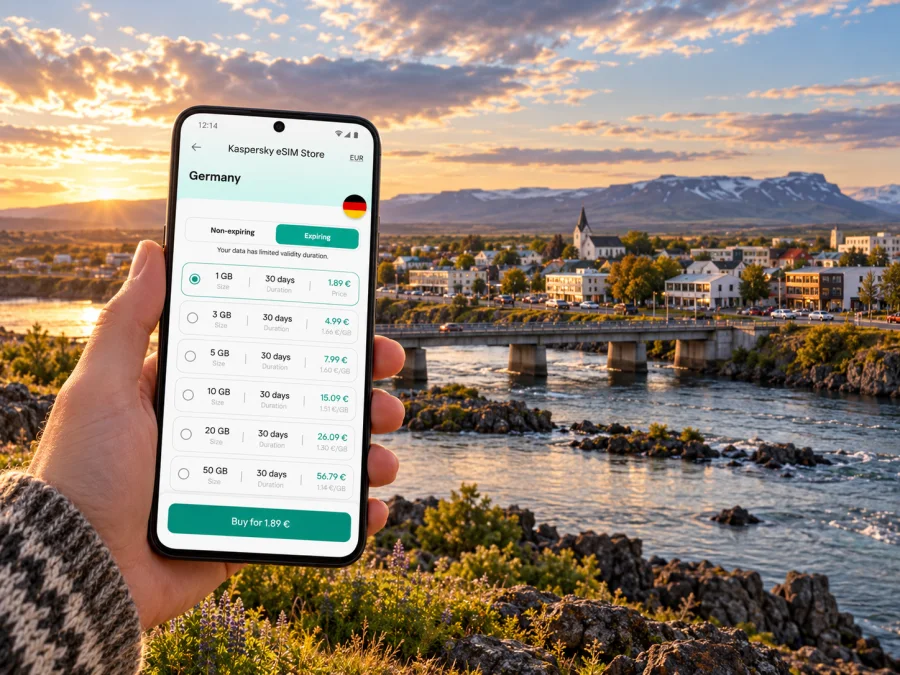
Selfoss eSIM: Mobile Connection and Internet for Your Iceland Trip
Selfoss is a practical base in South Iceland: a compact town for food, accommodation and everyday errands, set beside the Ölfusá River and close to Route 1. It is also a place where a phone can do several jobs in one day. You may use it to confirm an arrival transfer, find a guesthouse, check a bus departure, translate a menu, message your host and then plan a drive along the south coast.
An eSIM can help keep mobile data available for those tasks without swapping a physical SIM. The useful choice depends on your whole itinerary, your device and the current terms of a specific Iceland plan. Selfoss is a town in Iceland, not a separate mobile destination: check the destination and coverage description for Iceland, and do not assume that a plan naming a town exists or that every road has signal.
Why mobile data is useful in Selfoss
Selfoss is the largest town in South Iceland and serves as a regional centre for shops, cafés, restaurants and accommodation. The official regional destination guide places it about 57 km from Reykjavík and describes Hellisskógur, the recreation forest north of town, with walking paths beside Ölfusá. The river and the town centre give Selfoss a clear local orientation, but many visitors use the town as one stop in a wider route rather than as a stand-alone city break.
That makes a reliable plan for getting online useful before, during and after your stay. In the town, you might need a map to locate a hotel, a pool, a supermarket or a restaurant. Outside it, a route can pass through rural areas where you should not rely on continuous mobile reception. Save important addresses and maps offline, keep your accommodation details accessible, and treat mobile data as a helpful tool rather than a substitute for preparation.
| Your moment in Selfoss | What a data connection can help with | A useful backup |
|---|---|---|
| Reaching your accommodation | Map directions, a message to your host, arrival updates | Save the address and check-in details offline |
| Walking around the centre | Finding cafés, shops, services and the river area | Keep a screenshot or pin of your destination |
| Taking a bus | Checking the route planner and live travel information | Confirm the departure and stop before leaving |
| Driving onward | Navigation, weather and road-condition checks | Download maps and carry a paper or saved route overview |
| Working remotely | Messaging, email and document access where service allows | Confirm Wi-Fi and backup arrangements with the property |
The table describes tasks, not a promise of signal or speed. Coverage can vary by location, building, terrain, weather, network and device. A phone may work well in the town and lose service on part of a rural road. If your plans depend on a particular connection, confirm that need with your provider and prepare a fallback.
Arriving in South Iceland
Most international visitors reach Iceland through Keflavík International Airport and then travel onward. Reykjavík is the usual urban transfer point for many journeys, while Selfoss is southeast of the capital on the route into South Iceland. Reykjavík Airport is a separate airport used mainly for domestic flights; check the airport printed on your booking instead of assuming that all flights arrive at the same place.
Before leaving the airport, make sure you can open your accommodation details and route information. If you plan to collect a rental car, download the first part of the route and confirm the pickup location and opening arrangements. If someone else is meeting you, agree on a contact method and a meeting point before your flight. An eSIM that is installed and ready can make it easier to send an update after landing, but activation timing and connectivity depend on the selected plan and its instructions.
Before travelling, confirm the airport and onward transport, check the day’s road conditions, and save your destination and accommodation details. Keep enough battery for navigation and messages, then orient yourself around your lodging before setting off again.
The drive from the capital is often presented as a straightforward route, but Icelandic conditions can change quickly. A map gives you a line to follow; official travel information and the signs on the road help you judge whether it is sensible to continue. Avoid adjusting a route while driving. Stop somewhere safe first, especially if wind, rain, snow or poor visibility makes attention more demanding.
Getting around town: river, centre and everyday stops
Selfoss is small enough that many central errands can be grouped together. Restaurants, cafés, shops and accommodation are concentrated around the centre, while the river provides a useful geographic reference. Use a map to check the walking distance from your specific lodging: a property described as “Selfoss” may be outside the central area, and the weather can make a short walk feel different from what it looks like on screen.
The Ölfusá is part of the town’s setting and a natural point of orientation. The bridge links the two sides of the river, and the riverbank paths and Hellisskógur offer a quieter change from the main streets. If you are heading to a riverside walk, check the route and daylight before setting out. Stay on marked paths, follow local safety information and do not approach the water’s edge simply to get a better view. A phone map is useful for finding the start of a walk, but it cannot tell you whether a trail or bank is suitable in the current conditions.
Selfoss also works well for practical pauses on a road trip. You can plan a meal, restock essentials, visit a swimming pool or make an overnight stop before continuing. Opening times and availability are not fixed by an online map listing, so check directly with the venue on the day. If a business has limited hours, save its address and a second option nearby instead of building an entire day around a single unconfirmed stop.
Choosing an Iceland eSIM for a Selfoss itinerary
Start with your route, not just the number of nights in Selfoss. A short town stay followed by a drive toward Vík, the Golden Circle or another region may use more navigation and information than a longer stay based mostly in one accommodation. Estimate how often you will use maps, messaging, web searches, photo uploads, video calls and streaming. Video and cloud backups can consume data quickly; downloading entertainment and offline maps over Wi-Fi before departure can reduce mobile use.
Before choosing a plan, compare the details shown for Iceland at the time of purchase:
| Check | Why it matters |
|---|---|
| Destination and network scope | Confirm Iceland is included and read any regional or fair-use limits |
| Data allowance | Match the amount to your planned navigation, messages and media use |
| Validity | Check how long the package remains usable and when its period begins |
| Activation rules | Follow the plan’s specific installation and activation instructions |
| Tethering or hotspot terms | Confirm whether sharing data with a laptop or another device is allowed |
| Device and SIM restrictions | Confirm the phone supports eSIM and is not locked in a way that prevents use |
Kaspersky eSIM Store is an app and website where you can select, arrange and activate an eSIM with a suitable mobile-data plan for an international trip. It is a way to prepare travel connectivity; it is not a mobile network operator. The country page is a place to review current Iceland options, and the conditions displayed for the particular plan are the ones to use when making a decision. For a Selfoss visit, review the current Iceland eSIM options and compare the destination, data, validity and activation details with your full route.
The exact device, plan and local network arrangements can differ. An eSIM is not automatically a substitute for your home number: voice calls and SMS are not included unless the selected plan says otherwise. Keep your regular SIM active if you need its number and your device supports dual SIM use, but check how your carrier bills roaming and data. You can often use internet-based messaging over a data connection; this still depends on the app and the other person being reachable.
Check device compatibility before you travel
The device must support eSIM, be eligible for use with another carrier’s eSIM, and meet the selected plan’s technical requirements. Features vary across manufacturers, countries, model numbers and regional variants. A phone name alone is not enough to prove compatibility; the same family can include different versions, and a carrier-locked device may restrict use. Check whether your exact device supports eSIM, then verify the manufacturer or carrier guidance for your exact model and market variant.
Before purchase, confirm the following:
- The device’s exact model and regional variant support eSIM.
- The phone is not carrier-locked, or the lock has been removed by the relevant carrier.
- You can access a stable internet connection during installation.
- You know whether the plan starts on installation, activation or first network connection.
- You have access to your account or email in case you need the installation details again.
If you cannot confirm a requirement, do not infer support from a similar phone or a friend’s device. Ask the device maker or carrier, or use your physical SIM and Wi-Fi plan as a fallback until you can verify the model. Keep the QR code or installation instructions private; anyone who can add the profile may be able to use it.
Install before departure, activate with care
When possible, read the plan’s installation instructions before travel and install the eSIM while you have stable Wi-Fi. Some plans can be installed in advance while their validity starts later; others may have different rules. Follow the conditions shown for the selected plan and avoid deleting an eSIM profile as a troubleshooting shortcut unless support tells you to do so. A profile may not be reusable after removal.
Use the platform-specific steps: eSIM installation instructions for Android and eSIM installation instructions for iOS. Menu names vary by operating-system version and manufacturer, so follow the instructions for the device in your hand. A typical preparation sequence is:
- Connect to reliable Wi-Fi and open the plan’s installation details.
- Add the eSIM in the phone settings, using the QR code or manual information provided for that purchase.
- Label the line clearly, for example “Iceland data,” so you can distinguish it from your home SIM.
- Before departure, review the data-line selection and whether data roaming needs to be enabled for that eSIM under the plan instructions.
- At the destination, select the travel eSIM for mobile data when appropriate, then allow time for the phone to register on a supported network.
- If it does not connect, check the plan’s activation conditions, selected data line and device settings before changing or deleting the profile.
Do not turn on roaming indiscriminately for every line. Check which line is selected for data and what your home operator charges. If your phone supports dual SIM, you can configure calls and data separately, but the available controls depend on the operating system and model. Remember that installing the profile and successfully connecting to mobile data are related but distinct steps.
Public transport and onward trips
Strætó’s current route information identifies Route 51 as the Reykjavík–Selfoss connection from 2026, with separate regional services including Route 53 toward Landeyjahöfn and Hvolsvöllur. Schedules and connections can change, so check the route planner for your actual travel date rather than using an old screenshot or timetable. A data connection is handy for looking up stops and changes, but save the intended departure and destination before you board.
If you are connecting onward to a ferry or tour, leave enough time for the transfer and verify the onward service directly. Do not assume two services wait for one another because their times look close on a map. If a bus is delayed or weather changes a plan, messaging your accommodation or tour provider can be useful; keep its contact details accessible offline too.
For a rental-car journey, Selfoss can be a useful service stop on Route 1 before heading farther along the south coast. Use a navigation app for orientation, then cross-check current road and weather information before setting out. Iceland’s official travel guidance warns that weather and road conditions can change and that winter conditions may cause temporary local closures, even on major roads. Connectivity can help you check updates, but the safe choice comes from current road information and conditions, not from the map route alone.
If mobile data does not connect
Check that the eSIM profile is enabled, selected for mobile data and activated according to its plan conditions. If the plan requires data roaming for that eSIM, follow its instructions and check which line is selected so your home SIM does not use data unexpectedly. Give the phone a moment to register; a single airplane-mode toggle or restart may help.
If you are indoors or beyond town, service may be limited. Check the plan instructions and device settings before making further changes. Do not delete the eSIM profile unless support advises you to, because it may not be reusable. Keep your purchase details and support access available over Wi-Fi, and use offline maps for the next part of the route.
A compact packing and setup checklist
Use this list the evening before travelling from Reykjavík or arriving in Selfoss:
- [ ] Confirm the exact device variant supports eSIM and is not restricted by a carrier lock.
- [ ] Compare the current Iceland plan conditions with the dates and route of your trip.
- [ ] Install the eSIM over stable Wi-Fi if the plan instructions permit advance installation.
- [ ] Save the accommodation address, check-in details, tickets and important contacts offline.
- [ ] Download the Selfoss area and planned road-route maps for offline use.
- [ ] Set the travel eSIM as the data line only when you intend to use it.
- [ ] Review roaming settings for both the travel eSIM and your home SIM.
- [ ] Pack a charging cable, car adapter or power bank if you will be navigating by phone.
- [ ] Check the day’s road and weather updates before a drive.
Frequently asked questions
Is Selfoss a separate eSIM destination?
Selfoss is a town in Iceland. Choose a plan whose destination terms include Iceland and check its coverage and limitations. This guide does not confirm a separate Selfoss-specific tariff.
Will an eSIM work throughout Selfoss and the South Coast?
No plan should be assumed to work everywhere. Actual service depends on the plan, supported local network, device, terrain and conditions. Check current coverage information and keep offline maps and a backup way to access important details.
Can I use the travel eSIM for ordinary calls and SMS?
Only if the selected plan explicitly includes those services. Travel eSIM plans may be data-only. You can use internet messaging or app-based calls over data when the service and recipient are available.
Should I install the eSIM before flying?
You may be able to install it before travel, but the start of validity and activation method vary by plan. Follow the instructions shown with the selected plan, and use stable Wi-Fi during installation.
Can I rely on a phone map for a drive from Selfoss?
A map is useful for route planning, but it is not a substitute for checking road and weather information. Download the route, check current conditions and do not continue if roads are closed or conditions feel unsafe.
What if I need internet but cannot confirm my phone model?
Check the exact model and regional variant with the device maker or carrier before purchase. Until confirmed, plan around Wi-Fi, your existing SIM options and offline copies of essential travel information.
Choose your setup for the whole route
Selfoss is an easy place to pause, eat, walk beside the Ölfusá and prepare for the next leg through South Iceland. Plan connectivity around the practical moments: arrival messages, town navigation, transport updates and the drive beyond the centre. Verify your device and the current plan conditions, install carefully, save key information offline and check road conditions before setting out.
When you are ready, use Kaspersky eSIM Store’s app or website to review the current Iceland options, choose a suitable data plan and follow its installation steps. Check eSIM options for your Iceland trip and confirm the conditions that apply to your travel dates and route before completing your selection.


