Travel connectivity guide
Semonkong eSIM: Mobile Internet in Lesotho
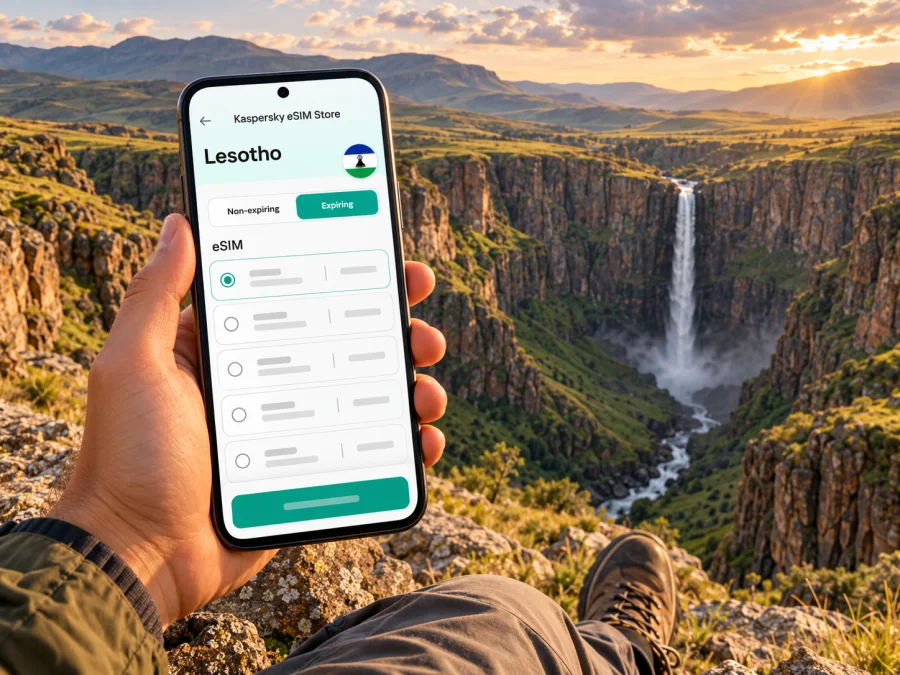
Semonkong eSIM: mobile connection and internet for a Lesotho highland trip
Semonkong is a small highland town in central Lesotho, best known as a base for reaching Maletsunyane Falls and exploring the surrounding mountain landscape. It is not an airport city or a dense urban destination: most visitors arrive overland from Maseru, then use the town as a practical base for walks, pony trekking, fishing and time near the gorge. That setting changes how you should plan mobile internet. A connection can help with directions, accommodation messages and travel updates, but it should not be your only source of maps or route information once you leave town.
An eSIM can be a convenient way to prepare mobile data for the Lesotho portion of a trip without swapping your usual physical SIM. Before choosing one, confirm that its current coverage terms specifically include Lesotho, check your phone’s support and regional variant, and download essential information for offline use. Network availability may vary between Maseru, Semonkong town, the road and the waterfall viewpoints.
Where Semonkong sits in a Lesotho itinerary
Semonkong lies in Lesotho’s central highlands, southeast of Maseru. Lesotho’s tourism information describes the town as roughly 115 kilometres from Maseru and gives an indicative drive of two to three hours in good conditions. That is a planning estimate, not a promise: weather, road works, traffic, vehicle choice and stops can affect the actual journey. Confirm conditions locally before setting out, especially if your visit involves rural roads or a return after dark.
For most international visitors arriving by air, the first point of arrival is Moshoeshoe I International Airport in Maseru. The tourism board lists regional air service between Johannesburg and Maseru; flight schedules can change, so verify your own booking. From the capital, arrange onward transport to Semonkong in advance. A private transfer, a pre-booked driver or a rental vehicle may suit different itineraries, but do not assume that a convenient on-demand ride or frequent public service will be available for the whole journey.
| Trip stage | What to plan | How mobile data can help |
|---|---|---|
| Arrival in Maseru | Confirm your pickup, accommodation and onward timing | Contact the driver or lodging and check current messages |
| Drive to Semonkong | Agree the route, fuel and likely stops before departure | Follow a map where there is coverage; keep an offline copy too |
| Time in town | Save the lodging address and nearby meeting points | Send updates and check messages when a network is available |
| Excursion toward Maletsunyane Falls | Confirm access and arrangements with your host or activity provider | Use downloaded directions as a backup; do not rely on a live map |
| Return or onward journey | Check departure details and leave enough daylight | Reconnect when possible and share changes in your plan |
The map distance is only one part of the journey. Mountain terrain makes a route feel different from driving between large cities: there may be fewer services along the way, and the mobile signal can change as the road crosses valleys and rises. Keep the address and phone number of your accommodation somewhere accessible offline, and let someone know your expected arrival time.
What mobile internet is useful for in Semonkong
In a compact town, data is most valuable for coordination rather than constant navigation. You may use it to message a lodge, check a transfer detail, translate a short phrase, look up a saved booking or share an arrival update. If you are travelling for work, it can also help you check email or send a small file when a usable connection is available. For calls, remember that a data-focused eSIM does not necessarily include a local phone number, voice minutes or SMS. Check the selected tariff’s terms; internet-based calling and messaging apps need data and may not replace services that require a standard number.
At a waterfall, on a trail or along a remote stretch of road, signal should be treated as uncertain. The existence of mobile networks in Lesotho does not establish that every network, roaming profile or travel eSIM works at every point around Semonkong. A provider’s country-level coverage statement is not a guarantee of reception in a particular valley, room, viewpoint or vehicle. If a specific excursion depends on being reachable, ask your accommodation or guide what communication options are realistic for that route.
Prepare for both connected and offline moments:
- Download a map of Maseru, the route to Semonkong and the local area before leaving reliable Wi-Fi.
- Save accommodation confirmations, pickup details, activity bookings and important contact numbers on your phone.
- Keep a written or screenshot copy of the address and meeting point; a map pin alone may not be enough.
- Download any translation language pack or transport information you expect to need.
- Tell your host when you expect to arrive and agree what to do if you are delayed.
- Carry a power bank and charging cable, particularly if you use your phone for photos and navigation.
Choosing an eSIM for the Lesotho leg
Start by checking whether the destination and route are actually covered by the product you are considering. Some travel eSIMs cover a single country; others cover a group of destinations. Read the current tariff details for Lesotho, including the supported destination, data amount, validity period, activation conditions, hotspot allowance if relevant, and any fair-use or speed limits. Do not infer that coverage exists from a regional label or from an adjacent country appearing in the same itinerary.
Kaspersky eSIM Store is an app and website where travellers can select, arrange and activate an eSIM with a suitable tariff for mobile internet abroad. Use the destination page to review the options currently shown for Lesotho and their terms. The listing is a starting point for checking the offer; it is not a promise of reception at a particular Semonkong location or a statement that one named local operator will serve your device. You can review the current eSIM options for Lesotho and confirm the conditions that match your travel dates and route.
A practical way to compare options
| Check | Why it matters for Semonkong | What to confirm before purchase |
|---|---|---|
| Destination | Coverage must include Lesotho, not just a neighbouring country | Lesotho is explicitly listed in the tariff’s destinations |
| Data allowance | Maps and messages are light, while video and uploads use more data | Estimate your usage and check whether top-ups are available |
| Validity | Travel dates may include arrival, the highland stay and onward travel | Check when validity begins and how many days it lasts |
| Activation | The profile may activate at installation or at first network connection, depending on its terms | Follow the product instructions and avoid installing too early if validity starts immediately |
| Tethering | A laptop may need more data than a phone | Confirm hotspot use is allowed and included in the terms |
| Network details | Rural reception is location-dependent | Check any named partner information, while treating a coverage map as an estimate |
| Voice and SMS | A data eSIM may not provide a number | Keep your usual SIM or arrange another voice option if needed |
Check your phone and its regional version
An eSIM profile works only on a compatible, carrier-unlocked device. Support varies by exact model and can also vary by the sales market or regional version of a device. A product family name alone is not enough to establish compatibility. Before you pay, look up the exact model number in the phone’s settings or original documentation, check the manufacturer’s eSIM instructions for your market, and confirm that your device is not restricted by a carrier. Check whether your device supports eSIM before selecting a tariff.
Keep the eSIM profile on the device where you install it. Do not assume it can be transferred or reinstalled after deletion; the rules depend on the profile and tariff. If you use two SIMs, label each line clearly in settings and select the travel eSIM for data only when you intend to use it. Before departure, learn how to switch data lines and disable data roaming on your home SIM if you want to avoid unintended roaming charges.
Install and activate before the journey
Whenever the tariff’s terms allow, install the eSIM while you have a dependable Wi-Fi connection and enough time to resolve a setup issue. Read the activation instructions for that particular tariff; installation and activation are not always the same step. You may add a profile before travelling and keep its line switched off until the instructed time, or it may activate as soon as it connects. Follow the specific terms rather than assuming a universal rule.
- Follow the Android eSIM installation instructions.
- Follow the iPhone eSIM installation instructions.
After installation, check that the profile appears in your mobile settings. When you are ready to use it, enable the line and select it as the mobile-data line. If the tariff requires data roaming for that eSIM, enable it for the travel line only after reviewing the instructions. This setting does not mean you should enable roaming indiscriminately on every SIM in the phone.
Before leaving Maseru, test basic data access if your tariff has activated and the local network is available. Open a simple webpage, check that messaging works and confirm that your phone is using the intended line. Avoid using a large download as a test. If there is no service, check the plan’s start conditions, the selected data line, airplane mode, network selection and the provider’s troubleshooting guidance. A restart may help after a setting change. If service still does not appear, use Wi-Fi to contact support or ask your host about local options rather than relying on an unverified network setting.
Getting around town and to the falls
Semonkong’s draw is its setting outside a major urban centre. The Maletsunyane River and Falls are among the principal reasons visitors stay in the area, and local operators offer outdoor activities such as hiking, pony trekking, mountain biking and abseiling. The waterfall is outside the town, so confirm the exact departure point and transport arrangement with your lodge or activity provider. Do not assume that a pin labelled “Semonkong” takes you to the falls entrance, a viewpoint or a booked activity.
For each outing, save the location and the return plan before you leave accommodation. Ask whether the route is suitable for your vehicle and the current conditions, whether a guide is recommended or required for the activity, and how long the excursion is expected to take. If weather changes, follow local advice. Mountain roads and trails can be more demanding than a map suggests, and mobile coverage is not a substitute for a guide, appropriate equipment or a confirmed pickup.
A simple day plan can reduce last-minute searching:
| Before leaving | During the outing | On return |
|---|---|---|
| Confirm the provider, meeting point and start time | Keep your phone protected from rain, dust and impact | Message your host when you are back in range |
| Download directions and save offline contact details | Use the map sparingly and keep attention on the route | Check onward transport and the next day’s weather locally |
| Carry water, suitable clothing and a charged phone | Do not assume you will be able to call from the gorge | Recharge your phone and power bank for the next trip |
Staying, working and managing expectations
Accommodation in Semonkong is oriented toward the surrounding landscape and outdoor activities rather than a large-city hotel grid. A well-known example is Semonkong Lodge, located in a valley by the Maletsunyane River; its listing describes activities in the area and notes Wi-Fi among the amenities. Facilities can change, and that general listing does not guarantee connectivity in every room or consistent internet for remote work. Confirm directly with your accommodation what is currently available, including Wi-Fi reliability, power backup, check-in timing and whether mobile reception is reported on site.
A two-country route: South Africa and Lesotho
Many itineraries combine a South African arrival or stopover with a visit to Lesotho. Semonkong is within Lesotho; South African coverage or a South Africa-only data plan should not be assumed to continue across the border. Before travelling, check the exact destination list and roaming terms for each eSIM. If you use a multi-country tariff, confirm that both countries are expressly included and that the same data allowance applies in each.
Troubleshooting when data does not work
If the eSIM appears installed but you cannot get online, work through the checks in order while you have a safe place to stop:
- Confirm that you have reached a location included in the plan and that the tariff is active.
- Check that the eSIM line is enabled and selected for mobile data.
- Turn airplane mode on briefly, then off, or restart the phone.
- Review the provider’s instructions for data roaming and network selection; change settings only as advised.
- Check that the data allowance has not been used and that the validity period has not ended.
- If the issue continues, connect to Wi-Fi and contact the eSIM support channel or your accommodation.
Frequently asked questions
Is Semonkong a city?
Semonkong is commonly described as a town or settlement in Lesotho’s highlands. It is a named destination and a useful base for visiting Maletsunyane Falls, but it is not a large urban centre. Plan around rural travel and local arrangements rather than assuming city-style transport or constant connectivity.
Is there an airport in Semonkong?
The main air gateway described by Lesotho’s tourism board is Moshoeshoe I International Airport in Maseru. Visitors generally arrange onward travel from Maseru to Semonkong. Confirm any private or charter arrangements directly; do not plan around an unverified flight or airstrip.
Will my eSIM work at Maletsunyane Falls?
No provider can be assumed to have continuous service at every viewpoint. Check the selected product’s Lesotho coverage and any available network details, then ask your host or activity operator about reception locally. Download maps and essential details before going to the falls.
Does every phone that supports eSIM work with every Lesotho tariff?
No. A compatible, unlocked device is necessary, but the precise model, its regional variant and the tariff’s supported networks can affect use. Check the exact model and the current tariff conditions before purchase.
Can I use the eSIM for calls and SMS?
That depends on the selected tariff. Many travel data eSIMs are designed for internet access and do not include a standard phone number, voice calls or SMS. Review the tariff details and keep your usual line available if you need regular calls or verification texts.
Should I install the eSIM before travelling?
Often it is easier to install with reliable Wi-Fi before departure, but check when validity begins and follow the tariff’s instructions. Some profiles can be installed in advance and enabled later; others have different activation conditions.
A final preparation checklist
Before leaving for Semonkong, make sure you have:
- confirmed the Lesotho destination and current tariff terms;
- checked exact device support, regional variant and carrier-unlocked status;
- installed and labelled the eSIM according to its instructions;
- saved the accommodation address, driver details and bookings offline;
- downloaded maps for Maseru, the road and Semonkong’s surrounding area;
- asked your host about local signal, Wi-Fi, power and activity arrangements;
- planned for gaps in coverage and a charged backup battery.
Semonkong rewards a slower, well-prepared trip: set up directions and essential messages before leaving the capital, then let local advice guide the last stretch and outdoor plans. Kaspersky eSIM Store can help you review and arrange an eSIM tariff for your trip abroad. Explore the current Lesotho options and check the tariff details before you travel, then install the eSIM on a compatible, unlocked device in line with its activation instructions.


