Travel connectivity guide
Sentosa eSIM: Mobile Internet for Singapore Trips
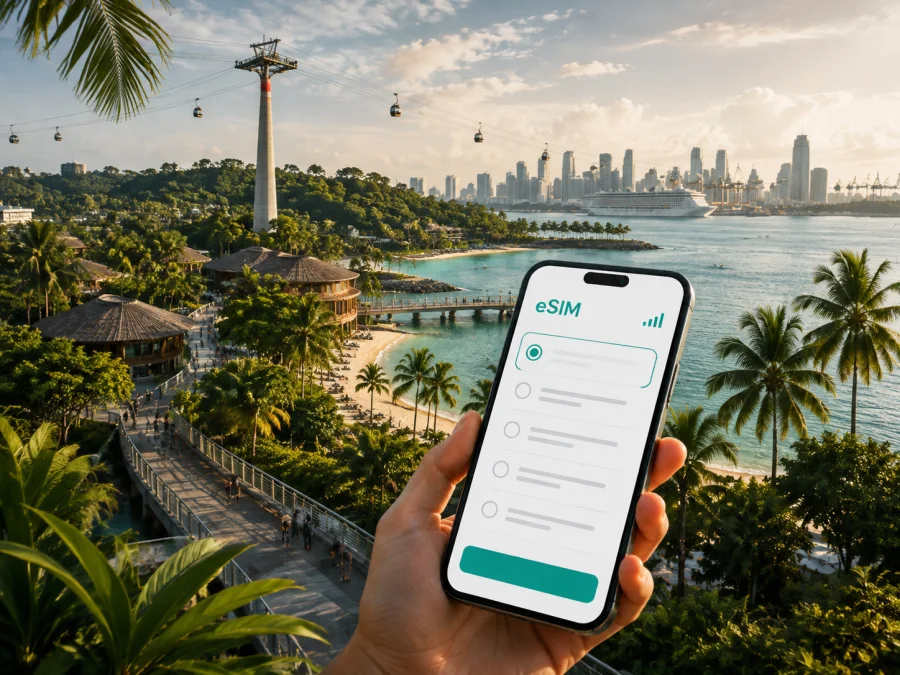
Sentosa eSIM: mobile connection and internet for your Singapore trip
Sentosa is a resort island off Singapore’s southern coast, and a visit here usually involves more than one address. You may arrive from Changi Airport, check in to a hotel, move between beaches and attractions, meet colleagues near Resorts World Sentosa, or return to the mainland the same day. In each case, mobile internet helps with directions, booking messages, transport changes, and meeting points.
An eSIM is a digital SIM that can be installed on a compatible phone without inserting a physical card. For a trip to Sentosa, it can help you prepare mobile data for Singapore while keeping your primary SIM in the device. Kaspersky eSIM Store is an app and website that helps you choose, arrange, and activate an eSIM with a suitable tariff for mobile internet during an international trip. The appropriate option depends on your route, stay, expected data use, device, and the conditions shown for the selected tariff.
Why mobile internet is useful on Sentosa
Sentosa brings together hotels, beaches, attractions, restaurants, event venues, and transport links. Mobile data is therefore useful in short moments throughout the day: checking a reservation before entering a venue, finding the next path, requesting a ride, or messaging a travelling companion. You do not have to plan your entire visit around finding Wi-Fi at each stop.
It is especially practical when Sentosa is one part of a wider Singapore itinerary. Many visitors spend the morning on the mainland, continue to the island for the afternoon, and return later. A data connection can keep maps, bookings, and messages available while you move through HarbourFront, VivoCity, the Sentosa Gateway, and the island’s internal roads.
For families and groups, mobile internet makes coordination simpler. Share a precise meeting point instead of a general island name, and keep the hotel address available when people split up. For solo travellers, data can help with a booking confirmation, a short translation, or an arrival message. These small tasks become important when plans change.
The first hours after arrival
If you go straight from Changi Airport to Sentosa, you may need to check a hotel address, contact the property about luggage, confirm a transfer, or tell someone that you have arrived. An eSIM installed before departure can make those steps more convenient. If you install it after landing, use a stable internet connection, keep the QR code or profile details at hand, and allow time for activation.
Do not treat installation as a guarantee that data will start immediately. The exact process and the moment when validity begins depend on the device and the selected tariff. Read those conditions before you travel.
Getting from Singapore to Sentosa
The common mainland approach is through HarbourFront. From there, visitors can continue by the Sentosa Express from VivoCity, walk via the Sentosa Boardwalk, take a taxi or ride-hailing service through the road connection, or use the Singapore Cable Car. The best choice depends on your hotel, luggage, weather, queue, and time of day. Operating times, availability, and fares can change, so check current details when planning a specific journey.
Mobile internet is useful because choosing a route is not only about distance. You may need to compare entrances, see whether a vehicle has arrived, check a meeting place, or change plans when an attraction is busy. Keep the final venue name visible; a broad destination such as “Sentosa” is not always enough for a driver or group.
How to choose an eSIM tariff for Sentosa
Sentosa is part of Singapore, not a separate mobile destination. Select Singapore as the destination and check that the tariff’s listed conditions cover the full itinerary. If you are also travelling to other countries, consider a regional option only when every destination and the validity period match your route.
Estimate data by activity rather than by day alone. Maps and messages use less data than video meetings, frequent photo uploads, or hotspot work. In Kaspersky eSIM Store, review the traffic volume, validity period, price, destination, activation conditions, and any stated top-up or tethering rules before choosing.
| Travel pattern | Data activities | Selection priority |
|---|---|---|
| Short stopover | Maps, messages, booking checks, ride requests | A validity period covering the stopover and a practical data allowance |
| Resort holiday | Daily directions, photos, messaging, searches | Enough traffic for several days and clear activation conditions |
| Business stay | Email, documents, work calls, maps | More traffic if needed, plus confirmation that hotspot use is allowed |
| Singapore-wide itinerary | Frequent movement between the mainland and Sentosa | A Singapore tariff covering the complete stay, not only the island visit |
This is a planning framework, not a promise of a particular package. Automatic updates, cloud photo backup, streaming, and video calls can change your consumption quickly. If you are staying in Singapore for several days, match the tariff to the whole trip rather than counting only the hours on Sentosa.
It is also worth allowing for the shape of your day. A transfer, a beach walk, and an evening return can create more map checks than a stay inside one resort. A modest reserve of traffic can make the plan less dependent on finding Wi-Fi at the next stop.
When the destination and usage pattern are clear, you can choose an eSIM tariff for your Singapore trip. Compare the options shown for Singapore and select the traffic volume and duration that fit your own plans.
Sentosa areas and useful connection scenarios
Resorts World Sentosa
Resorts World Sentosa is a major concentration of hotels, dining, entertainment, and visitor attractions. It may be your first destination from HarbourFront or a meeting point for a group. Use data to locate the correct venue, open a reservation, and message others about the entrance or meeting time.
Siloso Beach
Siloso Beach suits an active part of the day, with beach time and nearby attractions. You may move between a hotel, an activity, and dinner without returning to a lobby. Maps, weather checks, ride requests, and group messages can all use the same travel connection.
Palawan Beach and the southern coast
Palawan Beach is often included in a slower itinerary. Even a simple walk or beach visit can involve a return time, a meeting point, or a next stop. Agree where to meet before a group separates, and check the return route before leaving the beach.
Tanjong Beach
Tanjong Beach can be a quieter part of the day. Check directions before setting off, limit unnecessary background activity, and keep the accommodation and transport details accessible.
Sentosa Cove
Sentosa Cove has waterfront residences, hotels, restaurants, and marina-side spaces. A booking address may be more specific than the island name, so use the full address when arranging a ride or meeting someone. Sharing the exact venue and entrance helps when a group is spread across the island.
Business trips and remote work
Sentosa also hosts short business stays, conferences, meetings, and workdays combined with leisure. Plan the connection around continuity: keep your primary number available when needed, select the travel eSIM for mobile data if that matches the tariff’s intended use, and label the lines clearly so you do not choose the wrong one for data.
Before a meeting, download presentations and documents. If you want to connect a laptop or tablet, check whether the chosen tariff and device allow hotspot use; do not assume that every option has the same features. Video meetings and large files can consume more traffic than navigation and messaging.
Workday checklist
- save the venue address and contact details offline;
- install the eSIM while you have stable internet access;
- label the travel profile clearly;
- choose the travel eSIM for mobile data when you are ready;
- keep the primary line for essential calls or messages;
- download large work files before moving between venues;
- carry a charger or power bank;
- keep a fallback plan for an important meeting.
Stopovers and one-day visits
A stopover may need less data than a long holiday, but timing matters. Confirm how long you will be in Singapore, decide whether Sentosa is the main destination, and select a validity period that covers the airport-to-island and return windows.
Prepare a compact route from the airport or hotel through HarbourFront to the chosen Sentosa zone and back. Keep essential addresses and booking details offline. If you are meeting someone for only a few hours, agree on a specific venue and time window rather than “somewhere on the island.”
How to install and activate an eSIM
Before purchasing, check your device compatibility. Make sure the phone supports eSIM and is not operator-locked; some models differ by regional version. Install the profile when you have a stable internet connection, enough battery, and the QR code or profile details available.
The labels vary by phone, but the general sequence is straightforward.
1. Review the tariff
Choose Singapore as the destination. Check the traffic volume, validity period, price, activation rules, and any limitations. Keep the order details available after purchase.
2. Add the mobile plan
Open the mobile network settings and select the option to add an eSIM or mobile plan. Scan the QR code when prompted. If it is displayed on the same phone, use manual entry if your device provides that option.
3. Label the profile
Use a clear label such as “Singapore travel.” Keep your existing SIM or eSIM installed while setting up the new profile.
4. Choose the data line
Select the travel eSIM for mobile data when you are ready to use it. Keep the primary line for calls and messages if that matches your needs. Some plans or devices may require data roaming to be enabled for the travel eSIM, so follow the selected tariff’s instructions.
5. Wait for activation
Allow a few minutes for registration because activation depends on the device and local network. If you install before departure, check whether validity begins at installation, activation, or first data use.
For device-specific help, use the Android eSIM installation instructions or the iOS eSIM installation instructions. If the profile does not appear, check the internet connection, QR code, selected data line, and operator lock. If the issue remains, contact support with your order and device details instead of repeatedly deleting the profile.
What to check before purchase
Use this checklist before payment and again before departure.
| Check | Why it matters | What to confirm |
|---|---|---|
| Device compatibility | Models and regional versions can differ | Your phone supports eSIM; check the device |
| Operator lock | A locked phone may restrict another profile | The phone is unlocked for a travel eSIM |
| Destination | A city search does not replace country conditions | The tariff applies to Singapore and your full route |
| Validity | Installation and activation may be separate events | When the period starts and how long it lasts |
| Traffic | Video and hotspot work use more data than messages | The allowance fits your activities |
| Calls and SMS | A data eSIM may not include a regular number | How you will handle calls and messages |
| Data roaming | Some profiles require a setting | Whether it should be enabled for the travel eSIM |
| Hotspot | Tethering depends on the tariff and device | Whether another device may connect |
Managing data while you explore
Maps, messaging, and booking checks are usually easy to plan. Streaming, high-resolution photo uploads, automatic updates, and video calls can use much more traffic. Pause cloud synchronisation when it is not needed and monitor background activity in the phone settings.
Search for the next venue before leaving the current one, save the address, and check the entrance rather than only the island name. Keep important reservations available offline in case you lose signal or battery.
An eSIM for mobile internet is not automatically a regular phone line. Unless the chosen tariff says otherwise, do not expect a separate number, ordinary voice calls, or SMS. Internet messengers can handle calls and messages when the app and connection support them. Your primary SIM may still be useful for account access, but your home operator’s roaming charges and settings should be checked separately.
Common Sentosa scenarios
| Situation | Preparation | Useful habit |
|---|---|---|
| Direct airport transfer | Save hotel address and booking details | Use data for the route and arrival message |
| Family day across zones | Agree on meeting points and return times | Keep the group chat and venue names easy to reach |
| Beach afternoon | Protect the phone and preserve battery | Check the return route before leaving the beach |
| Attraction-heavy day | Store reservations and exact entrances | Map the next venue, not just “Sentosa” |
| Business event | Download documents and label phone lines | Confirm data and hotspot settings before the session |
| Evening departure | Keep transport and accommodation details ready | Reserve battery for the final journey |
Frequently asked questions
Do I need a separate eSIM for Sentosa?
No. Sentosa is part of Singapore, so choose a Singapore eSIM tariff whose conditions cover your island visit and the rest of your itinerary. Compare the destination, validity period, and traffic allowance.
Can I install an eSIM before flying?
Yes, if your phone supports eSIM and the tariff instructions allow pre-installation. Read when validity begins because installation, activation, and first data use may be treated differently. Installing at home can simplify the first hours after arrival.
Will an eSIM provide a regular Singapore phone number?
Usually not, unless the selected tariff explicitly includes one. The travel eSIM described here is intended for mobile internet. Use internet messengers for calls and messages, and keep your primary number available when you need it.
What if the eSIM does not connect on Sentosa?
Check the travel profile, mobile-data selection, data-roaming setting, QR code, and operator lock. Restarting the phone may help, but do not delete the profile before checking the instructions. If the problem continues, contact support with your order and device information.
Can I use it with a laptop or tablet?
It depends on the device and tariff. If you need a hotspot, confirm that tethering is allowed and estimate the additional traffic for work files, meetings, and updates. A phone tariff should not be assumed to cover every connected device.
Is an eSIM always better than roaming or a local SIM?
No single option is right for every traveller. An eSIM may be convenient when you want to prepare mobile data before or soon after arrival, keep your physical SIM in the phone, and review the tariff conditions in advance. Roaming, a local SIM, and an eSIM have different prices, requirements, and terms, so compare them with your route and device.
What should I do with my primary SIM?
Keep it installed if you need its number, messages, or account access. Select the travel eSIM for mobile data only when you are ready, and review which line handles calls, messages, and data. Avoid selecting the primary line for data by accident.
Prepare your Sentosa connection
For a beach day, resort stay, business event, or short stopover, use the same sequence: confirm Singapore as the destination, choose a tariff for the full itinerary, check the device, install the profile, and test the data line before leaving for Sentosa. Keep addresses and reservations accessible, monitor data use, and leave room for a changed route or an unexpected message.
When you are ready, choose an eSIM tariff for Singapore and prepare mobile internet for your Sentosa trip through Kaspersky eSIM Store.


