Travel connectivity guide
Seoul eSIM: Mobile Internet for Your Trip
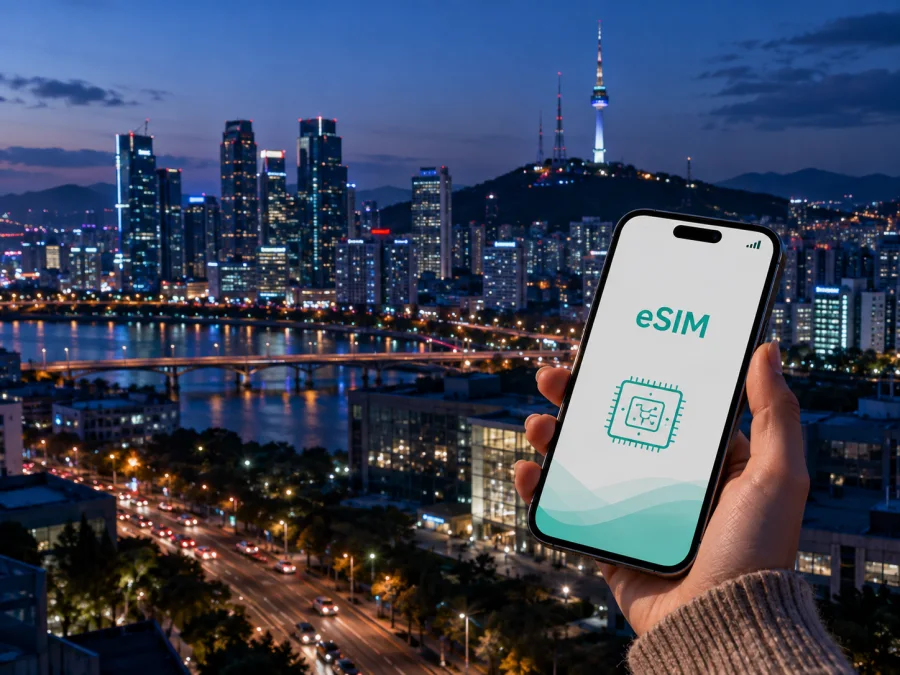
Seoul eSIM: mobile connection and internet for a trip to South Korea
Seoul is a city where the first practical questions often arrive before the sightseeing begins: how to leave the airport, how to find the right station exit, how to message a hotel, and how to keep a map open while moving between neighborhoods. An eSIM can help you prepare mobile internet for those moments without looking for a physical SIM card after landing. You can install it before departure or complete the setup after you arrive, depending on your itinerary and the conditions of the selected plan.
This guide covers Seoul arrival, public transport, neighborhoods, business routines, stopovers, and eSIM setup.
When an eSIM is useful in Seoul
The first hours after landing
Incheon International Airport is the main international gateway for many trips to Seoul. After a long flight, you may need to read a hotel message, confirm a transfer, translate a notice, check a route, or contact the person meeting you. A prepared data connection makes these tasks easier without searching for a SIM sales point while carrying luggage.
Before departure, save the hotel address and reservation details, keep an airport route available, decide how you will reach the district, and prepare the eSIM on stable Wi-Fi. Keep your regular SIM available for services that depend on its number if your device supports dual SIM use.
The eSIM prepares mobile data; it does not replace your phone number. Calls and SMS are not included unless the plan says otherwise, while messaging apps can use the data connection.
Moving between airport, hotel, and the city
The airport railway and airport buses are common ways to reach Seoul, while taxis and pre-booked transfers can help with heavy luggage or late arrivals. The best option depends on your landing time, hotel, and baggage. A live connection helps you check the route and send an update if plans change. In the city, check the final station exit and walking segment.
Navigation in a city of distinct districts
Seoul is not a single compact sightseeing zone. A day may combine a hotel in Myeongdong, a meeting in Gangnam, a walk around Jongno, and dinner in Hongdae or Mapo. Mobile internet helps with station exits, reservations, translation, and the small route decisions between stops.
Seoul arrival and transport: a connected routine
From Incheon Airport to Seoul Station and beyond
If your destination is near central Seoul, Seoul Station may be a useful interchange point. From there, continue by subway, bus, taxi, or on foot depending on the hotel. For another district, an airport bus or different transfer may be more direct. Check the last part of the journey, changes, stairs, and luggage needs.
Before leaving the airport, confirm the arrival terminal and meeting point, save the hotel address, check the first transport leg, and inspect the final station exit. These details matter more than a route that looks short only on a map.
Using public transport without losing the route
Seoul’s subway can be used with a public transport card across operating lines, and T-money is one of the card options used for public transport. Buses and subway journeys require attention to where you tap in and out, while single-journey subway tickets are a separate option. Card availability, payment methods, and transport policies can change, so check the current instructions when you arrive rather than relying on an old travel routine.
An eSIM does not replace a transport card. It supports the information around the journey: route planning, station lookup, service notices, translation, taxi booking, and communication. Your card or payment method handles the ride; your phone connection helps you decide which ride to take and where to get off.
Choose a plan for your actual Seoul schedule
The right eSIM plan depends less on the number of attractions you want to see than on how you will use your phone. A traveller who checks routes twice a day and uses hotel Wi-Fi has a different pattern from someone who works from a café, uploads media, joins video calls, and uses navigation continuously.
Use this planning table before you choose:
| Trip pattern | Likely data activity | What to consider |
|---|---|---|
| Short Seoul stopover | Route checks, messages, reservations | A short-validity plan with enough data for the airport and city transfers. |
| Weekend in central districts | Maps, translation, bookings, messaging | A modest package may be enough if your hotel has Wi-Fi and you limit large uploads. |
| Full city break | Navigation throughout the day, social apps, photos | Compare the traffic allowance and validity with the number of days you will be outside. |
| Business trip | Email, documents, calls in work apps, hotspot in some cases | Read the plan conditions carefully, especially data sharing and validity. |
| Seoul plus other Korean cities | Intercity rail or bus research, maps, hotel changes | Choose a South Korea direction that matches the full route, not only the first hotel. |
At this point, after you have mapped your arrival and usage pattern, you can choose an eSIM plan for a trip to South Korea and compare the available traffic, validity, direction, and price before deciding. Kaspersky eSIM Store is an app and website that helps you choose, order, and activate an eSIM with a suitable plan for mobile internet during an international trip. The terms belong to the selected plan, so read them before payment.
Planning by Seoul district
Myeongdong, Euljiro, and Seoul Station
These central areas suit first visits, shopping days, rail connections, and short stays. Save the hotel and meeting place in more than one form, and allow time to walk from the platform to the correct exit. If you are changing hotels or leaving Seoul by train, live access helps with departure details and a simple fallback route.
Jongno, Insadong, and the historic centre
In the historic centre, a short distance can include busy streets, pedestrian areas, and several possible entrances. Mobile data helps you find a specific gate, café, museum entrance, or meeting point. Load the next destination before leaving the current one so you do not need to stop in a crowded lane.
Hongdae and Mapo
Hongdae and nearby Mapo are useful examples of a district where a venue may be inside a side street and the return journey may start late. Keep the accommodation details and map pin ready for meeting points, messages, or a taxi request.
Gangnam, COEX, and business travel
Business travellers often plan around appointment times, office buildings, conference venues, and meals. Gangnam and the COEX area may be one stop in a day that also includes a meeting across the city. A live connection supports calendars, email, work messaging, documents, and route changes.
For work travel, save the building name, entrance, floor, organiser’s contact, and a backup route. Check whether the plan supports the hotspot use you expect, and use suitable hotel or office Wi-Fi for large files.
Judge a business-trip plan by the work scenario, not just the trip length. A plan comfortable for maps and messages may not suit repeated video calls or large transfers.
Short stopovers and trips beyond the capital
A practical Seoul stopover
If you have only a few hours between flights, avoid distant locations. Keep the airport connection active, allow time for airport procedures, and choose a route with a clear return plan. Data can support a short meal or walk near a convenient transport point, but it cannot remove the need to account for traffic and re-entry time.
Seoul as the first stop on a wider route
Some travellers begin in Seoul and continue to Busan, Incheon, Suwon, or another South Korean destination. Choose a plan whose direction and conditions fit the whole route; read the destination, validity, traffic, and activation details before purchase.
Keep the eSIM active while changing cities, manage data use deliberately, and check which line is selected for mobile data. The same connection can help with the next transfer, accommodation, and messages.
How to install an eSIM for Seoul
Install before departure when you have stable Wi-Fi and time to read the plan conditions. Installing after landing may also work if your phone is ready and you can access the installation details. Menu names vary by device and operating-system version.
Before you begin, confirm that your phone supports eSIM, is not locked to another operator, has enough battery, and can display the QR code or installation profile. If you need help with the device check, review your eSIM compatibility before payment. For platform-specific steps, use the Android installation guide or the iOS installation guide.
A simple sequence is:
- Check the plan. Confirm the destination, traffic allowance, validity, activation conditions, and data-sharing limits.
- Prepare the device. Connect to Wi-Fi, charge the battery, and keep your regular SIM available if needed.
- Open mobile network settings. Choose the option for adding an eSIM or mobile plan.
- Scan the QR code or use the supplied profile. Follow the on-screen instructions until the profile is added.
- Label the new line. Use a name such as “South Korea travel” so you can identify it.
- Select the eSIM for mobile data. Choose the intended profile when you reach Seoul.
- Enable data roaming for the eSIM if required. Keep roaming disabled on your regular line if you want to avoid accidental charges.
- Test the connection. Open a simple page or message service, then check a map route.
Activation may take a few minutes. Follow the plan instructions about when validity starts. If you install before departure but use the eSIM after arrival, leave the profile installed and select it for mobile data at the airport. Transfer conditions can vary, so do not delete a working profile casually.
What to check before choosing a Seoul eSIM plan
Device and operator lock
Not every phone supports eSIM, and support can differ by model, sales region, or software configuration. An operator-locked phone may prevent another profile from working. Check eSIM compatibility for the exact device you will use before purchase.
Traffic, validity, and activation
Compare the data allowance with your routine: navigation, translation, work calls, photo uploads, and video use data differently. Check validity, expiry, and top-up conditions. Avoid choosing by price alone.
Calls, SMS, and your regular number
An eSIM plan for travel is normally intended for mobile internet, not a new ordinary phone number. Calls and SMS may not be included. Keep your main number available if you need bank messages, account verification, or contact from home, and check your phone’s settings so that you do not accidentally use the wrong line for mobile data.
Hotspot and work requirements
If you plan to connect a laptop or tablet, read whether hotspot use is allowed and whether the data allowance is suitable. Do not assume that every plan has the same conditions.
Support and plan conditions
Keep the order details, QR code, and setup instructions accessible. If something does not work, check the selected data line, the eSIM roaming setting, signal conditions, and activation status before reinstalling anything. Refunds, transfers, and top-ups can depend on whether a plan has been used.
Seoul eSIM checklist
Use this compact list on the day before departure:
- [ ] The phone supports eSIM and is not operator-locked.
- [ ] The selected plan covers South Korea and the full route you expect to take.
- [ ] Traffic allowance and validity match your number of days and data habits.
- [ ] The QR code or installation profile is available in another screen or in your account.
- [ ] The hotel address, airport transfer, and first Seoul route are saved.
- [ ] Your regular SIM settings are understood, including which line handles calls and SMS.
- [ ] The eSIM is installed or you have a clear plan for installing it after landing.
- [ ] You know whether data roaming must be enabled for the travel eSIM.
- [ ] You have enough battery for a long arrival day.
Frequently asked questions
Is an eSIM useful for a short trip to Seoul?
Yes. It can be useful for maps, messages, translation, reservations, and airport directions. Choose a plan whose validity and traffic match the visit, and check when validity starts.
Will an eSIM give me a Korean phone number?
Not necessarily. Travel eSIM plans are generally for mobile data, and ordinary calls or SMS are not included unless the specific plan says so. Use your regular number or internet messaging apps according to your needs.
What if the connection does not start after installation?
Confirm that the eSIM is enabled and selected for mobile data. Check whether roaming is required for that profile, review the activation instructions, and wait a few minutes. If the problem continues, contact support with the order and device details.
Prepare your Seoul connection before departure
Seoul is easier to navigate when the airport route, hotel address, district transport plan, and phone data option are ready. An eSIM can reduce the need to search for a physical SIM card after landing, while the choice should follow the plan conditions and device checks.
Check your phone, compare the available data and validity, and keep the installation details ready. When you are ready to prepare mobile internet for Seoul and the rest of South Korea, choose an eSIM plan for your trip, then install and activate it according to the instructions.


