Travel connectivity guide
SetarNV eSIM in Aruba: what to check
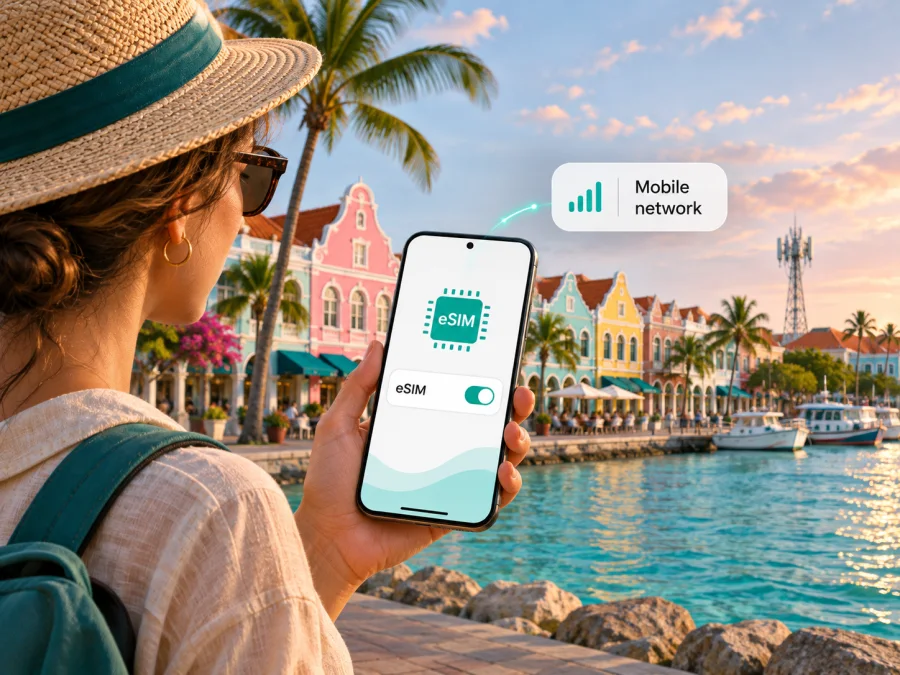
SetarNV eSIM in Aruba: what travelers should know
If you are traveling to Aruba and searching for a SetarNV eSIM, the operator currently advertises an eSIM version of its Tourist SIM. Visitors can investigate it as a local option, but should confirm ordering, installation, activation, and eligibility details with SetarNV before relying on it for arrival-day connectivity.
SetarNV’s public pages style the brand as SETAR or SETAR N.V. The company describes mobile, fixed internet, television, prepaid, postpaid, and visitor services in Aruba. The Government of Aruba’s “Governance & administration” page identifies Aruba as part of the Kingdom of the Netherlands; this status was checked on 3 November 2026. Aruba is in the southern Caribbean. This guide is specifically about Aruba and SetarNV’s local service there; it does not treat Aruba as interchangeable with the European Netherlands or other islands.
SetarNV’s “Tourist SIM” page says its visitor SIM is available as eSIM and describes talk, text, and browsing around the island. The “Prepaid Data Plans,” “Visitors,” and “FAQ Tourist SIM” pages describe prepaid service and visitor channels. These SetarNV pages were checked on 3 November 2026. The listing does not guarantee that every traveler, phone variant, or purchase route is eligible. Confirm current conditions with SetarNV before traveling.
What SetarNV offers visitors in Aruba
SetarNV is an Aruba-based telecommunications provider with a local mobile network and visitor-focused prepaid options. The company’s official “About SETAR” and “Mobile” pages describe residential and business communications alongside services for visitors; Aruba’s government telecom page also names SetarNV among the providers serving the island. This is enough to establish its local role without assuming that one operator is the only choice or that its service is suitable for every traveler.
The visitor offer is useful to distinguish from an ordinary prepaid line. SetarNV’s public Tourist SIM page identifies the product for visitors and now explicitly says eSIM is available. Its visitor FAQ says the offer is intended for foreign nationals staying in Aruba for a limited time and describes identity-document checks during purchase. The FAQ lists a foreign identity document, passport, or driver’s license as examples of documents that may be requested. Because eligibility and procedures can change, ask SetarNV which documents it currently accepts and whether they are checked online or in person for an eSIM order.
The official pages make a general distinction between a tourist product and other prepaid options. They do not establish that every prepaid offer can be converted to eSIM, that a visitor eSIM can use every local package, or that a traveler can retain an existing number. Do not assume that a tourist eSIM and a standard local prepaid SIM have identical rules. If you need a local number, calls, SMS, or a particular account feature, confirm that it is included in the specific eSIM offer you are considering.
How to decide between a local visitor eSIM and a travel eSIM
A local SetarNV visitor eSIM may suit someone who wants to examine an Aruba-specific local offer and whose device and purchase details meet the operator’s requirements. The operator’s visitor information may also be relevant if you need local calling or messaging, but you should verify that the eSIM version includes the features you need. A local plan can require visitor verification and a purchase through the operator’s own channels. Check where and when the eSIM can be obtained and whether you need internet access to complete setup.
A travel eSIM is a separate way to prepare mobile data for a trip. Kaspersky eSIM Store is an app and website that helps users choose, purchase, and activate an eSIM with a mobile-data plan for travel. It is not a mobile operator, does not own a network, and does not provide mobile internet itself. Availability and the underlying local network depend on the selected product and its supplier. If you want to explore this option, review the destination and plan conditions for the exact route before deciding whether they suit your trip.
The most useful comparison is about how each option fits your trip, not which one is universally better. A local visitor product may combine data with local telephony, while some travel eSIMs are designed mainly for mobile data. A local product may involve document verification or a sales location; a travel eSIM can be installed through an app or QR code, depending on its instructions. Coverage, supported networks, validity rules, data behavior, and voice or SMS availability vary by product. Compare the actual conditions rather than assuming that all eSIMs work the same way.
Before selecting either option, make a short list of what matters:
- Do you need mobile data only, or do you also need a local phone number, ordinary calls, and SMS?
- Will you stay only in Aruba, or will your itinerary include other islands or countries?
- Can you complete any visitor eligibility check required by SetarNV?
- Is your phone unlocked and compatible with eSIM in the region where it was sold?
- Can you install the profile using a reliable internet connection before departure?
- Does the product explain where it can connect and how you will contact support?
For a multi-country itinerary, check the named destinations on the plan itself. Aruba’s status within the Kingdom of the Netherlands does not mean that a plan for Aruba automatically covers the European Netherlands, Curaçao, Sint Maarten, Bonaire, or other islands. Regional labels can group destinations for a product, but the covered locations must be confirmed in that product’s current terms.
Coverage and mobile network technology
SetarNV describes itself as operating a mobile network in Aruba, and its official mobile and prepaid pages refer to LTE. The operator’s visitor roaming page provides instructions for connecting to its network and refers to coverage on the island. These are operator statements about its own service, not independent measurements of indoor signal, speed, congestion, or availability at every address. No conclusion about a traveler’s actual experience should be drawn from a broad island-wide description alone.
For a trip centered on Oranjestad, Palm Beach, or another populated area, check SetarNV’s current guidance and ask about the specific places you expect to use the phone. If you will drive around Aruba, visit beaches, go inland, or spend time inside large buildings, remember that reception can vary by location and surroundings. A coverage claim does not promise the same signal inside a hotel room, on a particular road, or at every point along the coast. Save essential maps and booking details offline as a practical backup.
The public pages reviewed confirm SetarNV’s references to LTE but do not provide a complete, current technical specification for every band, generation, or eSIM profile. They also do not establish that a particular 5G capability is available to a visitor eSIM. Check the phone’s supported bands and the operator’s current network information if technology compatibility matters to you. Do not buy a phone or select an eSIM based on a generic “4G/5G” label without confirming the exact combination.
The eSIM profile is only one part of the connection. The handset must support eSIM, be permitted to activate another profile, and be able to use the network technology provided by the plan. The eSIM’s network selection may also depend on the issuing provider’s arrangements. When choosing a travel eSIM, check the named network or networks and destination coverage in its own product details; a country landing page alone may not answer every technical question.
Before you order a SetarNV eSIM
Use this checklist before you leave home or place an order:
- Confirm that your device supports eSIM. Check the manufacturer’s information for the exact model and regional version. Model names can cover variants with different SIM capabilities.
- Check that the phone is unlocked. A carrier-locked phone may prevent a new operator profile from working. SetarNV’s tourist FAQ warns that its tourist SIM service is for unlocked devices; confirm that the same requirement applies to the current eSIM purchase.
- Confirm the offer is available to you. Ask SetarNV what visitor status and identity documents it requires, and whether the check can be completed online for an eSIM.
- Clarify what the eSIM includes. Verify data access, calls, SMS, local-number availability, and any restrictions from the offer terms. Do not infer eSIM features from a page about a physical SIM or a different prepaid product.
- Ask when to install and activate it. Installing a profile and starting service may be separate events. Follow SetarNV’s current instructions and confirm what action starts any validity period or data session.
- Keep the confirmation accessible. Store the order confirmation and setup instructions somewhere available offline. If SetarNV provides a QR code, display it on another screen or print it so the phone’s camera can scan it.
- Keep a backup connection for setup. Adding an eSIM usually requires internet access. Arrange Wi-Fi or another working connection while installing the profile, especially if you plan to wait until arrival.
SetarNV’s visitor pages list an airport kiosk and operator service locations as ways to seek assistance or buy visitor products. Its FAQ also describes an online visitor purchase route. The current page should be consulted for exact locations and opening arrangements, which can change. If you want to be connected immediately after landing, do not assume an airport counter will be open at your arrival time or that it can resolve every device issue. Resolve compatibility and eligibility questions before travel whenever possible.
If you are also considering a separate travel eSIM for mobile data, review the current Aruba destination page and check its live terms for your route.
Installing and activating an eSIM
The sequence below is general guidance for adding a travel eSIM. SetarNV’s product-specific instructions take priority, because activation requirements can differ by product and device. If the operator provides a QR code or in-app installation method, use the steps in its confirmation rather than looking for an unrelated setup guide.
Before installation
Make sure the phone is charged, unlocked, connected to the internet, and running software supported by its manufacturer. Confirm that it has eSIM capability in the exact regional variant you own. Keep your primary SIM active if you still need your usual number for calls or account verification, and check how your device handles two active lines. Do not delete an existing eSIM profile just to make room unless the device instructions or support team explicitly tells you to do so.
General installation steps
- Open your phone’s mobile or cellular settings and choose the option to add an eSIM or mobile plan.
- Select the installation method given by SetarNV: scan its QR code, use an activation link, or follow an in-app flow if one is provided.
- Read the device prompts and confirm the new mobile plan only when its name and destination match your order.
- Label the new line clearly, for example “Aruba travel,” so that you can recognize it alongside your primary SIM.
- Choose which line should handle mobile data. If the plan requires data roaming, enable it for that eSIM only after checking the operator’s instructions.
- Wait for registration and follow any on-screen activation step. It may take a short time for a new profile to connect; if it does not, use the operator’s troubleshooting steps rather than repeatedly deleting and reinstalling the profile.
For installation guidance, use the Kaspersky eSIM Store device compatibility check before selecting a travel eSIM. A compatible device list is a starting point, not a substitute for checking your own exact model and carrier-lock status. SetarNV support should answer questions about the local visitor product, its current activation procedure, and its network requirements.
If you want to install before the trip but connect later
Do not assume that installing a profile starts or does not start the plan. Some products allow installation in advance and start service only after a separate action or network registration; others may follow a different rule. Ask SetarNV what event activates the visitor product and when any included period begins. Keep the eSIM turned off or leave data selection on your normal line until you are ready, if that matches the operator’s instructions. When you arrive, select the intended eSIM for mobile data and verify that your usual line is not unintentionally using roaming data.
If the profile is already installed and there is no connection, check that airplane mode is off, mobile data is enabled for the correct line, and the profile remains active. Restart the device once if the operator recommends it. Review any roaming setting required by the plan, then contact SetarNV or the travel eSIM’s support team, depending on which product you purchased. Never share an activation QR code publicly; it can be tied to your eSIM order.
Troubleshooting common setup problems
The phone cannot add the profile. Confirm eSIM support, an unlocked device, an internet connection, and the installation method in SetarNV’s current instructions. If the QR code was already used or linked to another device, contact support before trying it again.
The profile installed but shows no service. Make sure the eSIM line is enabled and selected for data. Follow SetarNV’s network-selection and roaming instructions, then check whether service has started and whether the current location has coverage.
The phone connects but apps do not load. Check the mobile-data line, airplane mode, and any required roaming setting. Note what you changed and contact the provider for the product you bought.
Calls or texts do not work. Confirm that the exact eSIM offer includes ordinary voice and SMS; a data-only travel eSIM does not replace a phone number.
The eSIM was deleted or the phone was replaced. Do not assume the profile can be transferred or reissued. Contact the provider shown in your order confirmation before resetting the device.
Frequently asked questions
Does SetarNV offer eSIM in Aruba?
SetarNV’s current Tourist SIM page says its visitor product is available as eSIM. Check the live order flow for availability, eligibility, and the exact product terms before purchase.
Can tourists use SetarNV eSIM?
SetarNV advertises an eSIM version of its Tourist SIM. Its visitor FAQ describes the tourist offer as intended for foreign visitors staying temporarily and says an identity document may be requested. Ask SetarNV which documents and purchase steps apply to the eSIM today.
Does a SetarNV eSIM include a local number and calls?
The Tourist SIM page describes the visitor service as supporting talk, text, and browsing in general. Confirm whether the current eSIM purchase includes a local number, ordinary calls, and SMS, and check any limits in the offer conditions.
Does SetarNV support LTE?
Yes. SetarNV’s official mobile and prepaid pages refer to LTE service. Those pages do not, by themselves, confirm a specific 5G feature or reception at every location. Check the current technical details for your device and product.
Will SetarNV eSIM work everywhere in Aruba?
No operator can guarantee identical signal in every setting. SetarNV describes island-wide service, but reception can vary by location, building, terrain, handset, and network conditions. Ask about places that are important to your itinerary.
What if my phone is locked or does not support eSIM?
A locked phone may reject a new profile, and a model without eSIM cannot install one. SetarNV’s tourist FAQ says its tourist service requires an unlocked device. Ask your home carrier about unlocking, or consider a compatible unlocked device or another travel connectivity option.
Is a travel eSIM the same as a SetarNV local eSIM?
No. A SetarNV visitor eSIM is an operator-specific local product. A travel eSIM is a separate product chosen for travel data, with its own supplier, coverage, and terms. Check the country, network, data, voice, and validity details for whichever option you choose.
A practical plan for your Aruba trip
Start by confirming that your exact phone variant supports eSIM and is not carrier-locked. Then review SetarNV’s current Tourist SIM information and confirm the eligibility process, supported features, installation method, and activation timing for its eSIM. Ask about any locations where connectivity is especially important to you. If the local offer does not match your needs, compare a travel eSIM on the basis of the destinations and conditions actually listed for that product.
Kaspersky eSIM Store can help you explore a travel eSIM for mobile data, while SetarNV remains the local operator for its own visitor service. Kaspersky eSIM Store is not affiliated with SetarNV, does not operate its network, and is not an official SetarNV partner or distributor. For another way to review an Aruba travel-data option, check the current Aruba destination page and confirm all product terms before purchase.
The information above reflects public pages available on 3 November 2026. SetarNV’s visitor offers, eligibility checks, setup steps, network details, and coverage information can change. Confirm current conditions with SetarNV before ordering, and consult the specific travel eSIM provider for its coverage, activation, and support terms.


