Travel connectivity guide
Seydisfjordur eSIM: Mobile Internet Guide
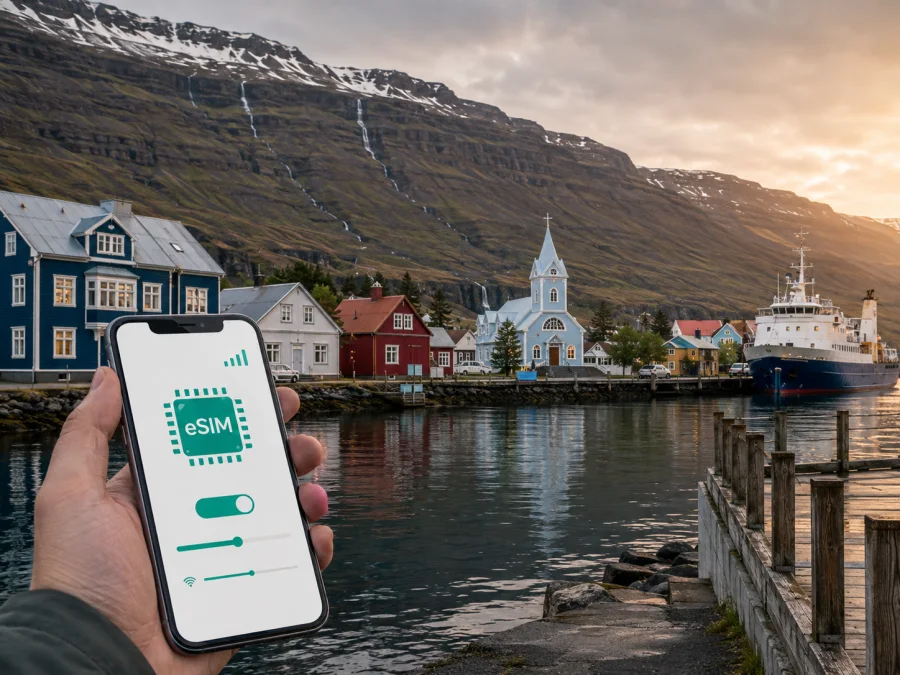
Seydisfjordur eSIM: Mobile Connection and Internet for Your Iceland Trip
Seydisfjordur is a small town at the head of a fjord in East Iceland, surrounded by steep mountains, waterfalls and a compact cluster of colourful wooden buildings. A visit may start with a drive over Fjarðarheiði from Egilsstadir, a ferry arrival at the harbour, or a short stop on a longer East Iceland itinerary. In all three cases, mobile internet is part of the practical plan: you may need a map, a check-in message, a booking confirmation or an update about the road before you have settled into town.
The town centre is easy to explore on foot, but the approach and the surrounding routes are more dependent on timing, weather and transport. An eSIM can help you keep maps, messages and travel information available without removing your usual physical SIM. It is especially useful when Seydisfjordur is one stop in a route through Iceland rather than the only destination.
Arriving over Fjarðarheiði from Egilsstadir
For many travellers, the final approach to Seydisfjordur is the road from Egilsstadir over Fjarðarheiði. Egilsstadir is the nearest larger service centre and has an airport with domestic connections, car rental options and transport services. The mountain pass is scenic, but Icelandic weather can change quickly, particularly outside the most settled part of the year. The road situation should be checked close to departure, not only when the itinerary was first planned.
If you are driving, prepare this short sequence in Egilsstadir:
- Confirm the accommodation address in Seydisfjordur.
- Check the current road and weather information.
- Charge the phone and keep a vehicle charger accessible.
- Open the route while you still have a stable connection.
- Tell someone your planned arrival window.
- Stop and reassess if conditions become unsuitable.
Do not treat a navigation app’s estimated arrival time as a promise. Snow, wind, rain, low visibility and temporary restrictions can change the journey. A route that looks short on a screen may require more time and attention than a city transfer. If you are not driving, confirm where the bus, taxi or pre-arranged transfer will meet you and whether the timing fits your accommodation’s check-in window.
Arriving at the ferry harbour
Seydisfjordur is the Icelandic port for Smyril Line’s Norröna ferry service, which connects with the Faroe Islands and Denmark. The harbour may be the first place where you need to find a local address, meet a transfer, collect a vehicle or coordinate with a host. Sailing schedules and port arrangements can vary by season, so use the current details for your booking.
The most helpful preparation is simple:
- save the accommodation address in text, not only as a map pin;
- keep the booking confirmation accessible before leaving the vessel;
- agree on a meeting point if travelling as a group;
- download a town map in case the first connection is slow;
- check how late check-in is handled;
- keep your phone charged during the crossing.
Once you leave the harbour, you can walk towards the central streets or continue by vehicle. Mobile internet helps with that first orientation, without making a search for a physical SIM your first task in Iceland.
Choosing an eSIM plan for a Seydisfjordur itinerary
Kaspersky eSIM Store is an app and website that helps you choose, order and activate an eSIM with a suitable plan for mobile internet during an international trip. The relevant choice is the plan’s destination, validity period and data allowance, not simply the name of the town. For Seydisfjordur, look first for an Iceland plan.
Use this decision guide:
| Your trip pattern | What to consider first | Data behaviour to anticipate |
|---|---|---|
| Short stay in town | A plan with enough data for maps and messages | Photo uploads and automatic updates can increase use |
| Ferry arrival and road trip | A plan valid for Iceland for the whole route | Navigation and bookings may be used in several towns |
| Hiking-focused stay | Offline maps, battery life and the plan conditions | Maps and messages matter more than streaming |
| Remote work or multi-country route | Allowance, validity, tethering and geographic scope | Confirm that the full itinerary is included |
The available allowance and duration should fit the whole period in which you expect to use mobile data. A larger plan is not automatically the right plan, and a small plan may be inconvenient if you will navigate frequently, upload photos or work from the road.
What to do before purchasing
The purchase decision is easier when you separate device questions from travel questions. First confirm that your phone or tablet supports eSIM and is not restricted by an operator lock. Some device versions differ by market, so the model name alone is not always enough. You can check whether your device is compatible before selecting a plan.
Then check the travel details:
- the plan is valid in Iceland and, if applicable, the other countries on your route;
- the validity period covers the days when you need data;
- the allowance matches your likely use;
- you know when the plan starts counting time or data;
- you have an internet connection available for installation;
- you understand whether data roaming must be enabled for the eSIM;
- you know how support can be contacted if installation needs help.
After checking the exact Iceland terms, you can choose an eSIM plan for your trip to Seydisfjordur. Review the destination and validity before payment.
An eSIM plan is intended for mobile data. It normally does not give you a separate ordinary phone number, and calls or SMS are not included unless the selected terms say otherwise. You can use messaging and calling apps over data, while keeping your usual number active for the services you still need. Review the exact plan conditions before payment because activation, validity, top-ups and refunds depend on the chosen offer.
Install the eSIM before leaving home
Installing before the flight or ferry is often the calmest option because you have stable Wi-Fi, a charged device and time to read each screen. The moment of activation and the start of data use depend on the plan and device settings.
Follow this general sequence:
- Check whether your device is eSIM-compatible and confirm it is not operator-locked.
- Purchase the plan and open the profile or QR code provided after the order.
- Open the mobile-network settings on the device.
- Choose the option to add a mobile plan or eSIM.
- Scan the QR code or follow the on-screen installation flow.
- Label the new line so you can recognise it as the Iceland travel eSIM.
- Keep your usual line for calls and messages if you need it.
- Select the eSIM for mobile data when you are ready to use it.
- Enable data roaming for the eSIM only if the plan instructions require it.
- Check the connection and data settings before travelling.
For device-specific guidance, use the Android installation instructions or the iOS installation instructions. Installation may take a few minutes; do not delete a profile simply because the network does not appear immediately.
Activate and use the eSIM in Iceland
You can install and configure the eSIM at home, then select it for mobile data after landing. Installation after arrival is also possible when you have a reliable internet connection and the plan’s activation rules allow it. Read those rules before the trip so you know whether installing and activating are separate steps.
After reaching Seydisfjordur, check the following on your phone:
- the Iceland eSIM line is turned on;
- mobile data is assigned to the intended line;
- data switching is disabled if you do not want the phone to move to your home SIM;
- data roaming is enabled for the eSIM when required;
- the phone has selected an available network according to the plan’s instructions;
- background-heavy apps are restricted if your allowance is limited.
If the connection does not appear, move to a place with a clearer signal, restart the device, recheck the data line and confirm the activation conditions. A ferry terminal, valley, building or mountain slope can affect reception. If the issue remains, contact support with the device model and installation status.
Navigation, walking and outdoor plans
The best way to explore the central part of Seydisfjordur is often on foot. Mobile internet can help you move between the harbour and town, find a café or gallery, confirm an opening time and share your location. It is also useful for deciding whether a walk beyond the centre still fits the day’s weather and daylight.
The blue church, Rainbow Street, the river and the town’s wooden buildings are natural reference points, but do not rely on a single photograph as navigation. Save the name and address of your accommodation, keep a local map available and note the road or trail you intend to use. On paths towards waterfalls, valleys or higher ground, stay on marked routes and follow local warnings. Rain, wind, snow and wet ground can make an easy-looking walk slower or unsuitable.
For a day outdoors, use this checklist:
- [ ] Check the forecast and road information before leaving.
- [ ] Tell someone your route and approximate return time.
- [ ] Save the route for offline use.
- [ ] Take a charged phone and a power bank.
- [ ] Keep warm layers and rain protection accessible.
- [ ] Leave enough time to return before conditions deteriorate.
- [ ] Use emergency services if there is a genuine emergency.
Data supports good judgement; it cannot make a closed road safe or replace suitable clothing and footwear.
Hotels, work and short stopovers
Seydisfjordur has hotels, guesthouses, hostels and camping, but each stay has its own arrival routine. Save the property address, check-in window, host contact, reservation number and parking or transfer instructions in one note. This is particularly useful after a ferry arrival or a drive from Egilsstadir, when you may not want to search through several apps.
For a business visit, check the plan allowance, validity and whether hotspot use is permitted. Test the eSIM with the laptop or tablet you will use, keep important files offline and carry a charger or power bank. Video calls and cloud synchronisation can use data quickly, while weather, buildings and local conditions can affect the experience. Leave time for a backup location if an important call matters.
For a stopover, use a simple sequence: install or prepare the eSIM before arrival, save the town map, confirm the next road or ferry timing, check in, then keep the next booking and route available offline. A short stay is easier when mobile data supports the transitions without making your schedule depend on a constant live signal.
Common questions
Is an eSIM useful if I am staying only in Seydisfjordur?
Yes, it can be useful even for a short stay. Maps, check-in messages, ferry information and weather checks may matter during only a few hours. Choose the validity and data allowance around the full Iceland segment of your trip, not only the number of nights in town.
Can I keep my regular SIM active?
Usually, a compatible dual-line device can keep the regular SIM available while the eSIM is selected for mobile data. Check the settings carefully because calls, SMS and data may be assigned to different lines. Roaming charges on your regular line depend on your home operator, so review those conditions separately.
Does the eSIM include a phone number?
Not normally. The eSIM is intended for mobile internet, and ordinary calls or SMS are not included unless the selected plan explicitly says so. Internet-based messaging and calling apps can work over the data connection.
What if the phone cannot add the eSIM?
First check device compatibility and operator lock status, then confirm that the phone is connected to the internet and that the QR code or activation details are correct. Restarting the device can help, but do not delete a successfully installed profile without checking the instructions. Contact support if the issue continues.
Final preparation checklist
Use this list the day before leaving for Seydisfjordur:
- [ ] The device is eSIM-compatible and is not operator-locked.
- [ ] The Iceland destination and validity period match the itinerary.
- [ ] The data allowance fits maps, messages, bookings and any work use.
- [ ] The installation instructions and QR code are available.
- [ ] The accommodation address and arrival process are saved offline.
- [ ] Road, ferry and weather details have been checked close to departure.
- [ ] The eSIM is labelled clearly and data-line settings are understood.
- [ ] A charger, power bank and suitable outdoor clothing are packed.
- [ ] Offline maps and essential documents are ready.
Prepare your mobile internet for Seydisfjordur
Seydisfjordur is easier to enjoy when the practical parts of the journey are already organised. A suitable eSIM plan can help with arrival messages, local navigation, ferry coordination, road planning and communication during walks, while offline preparation covers the moments when signal or battery is limited.
Kaspersky eSIM Store helps you choose, order and activate an eSIM for mobile internet during an international trip. Review the destination and validity, then choose the eSIM plan for Iceland that fits your route to and from Seydisfjordur.


