Travel connectivity guide
SFR Caraïbe eSIM in Martinique: what to check
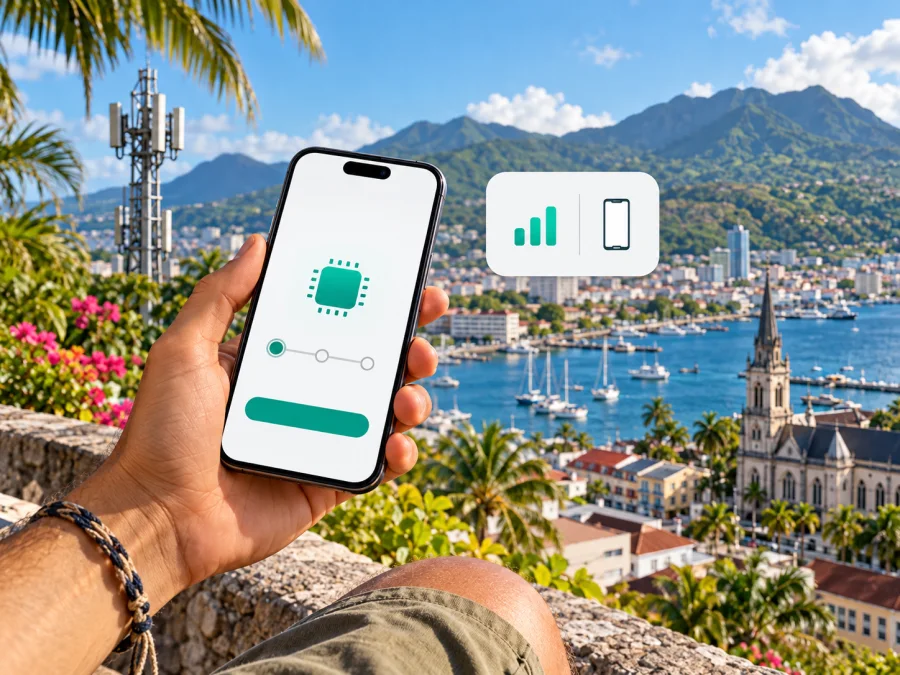
SFR Caraïbe eSIM in Martinique: activation, coverage and travel checks
If you are travelling to Martinique and searching for an SFR Caraïbe eSIM, note that the operator’s published setup process is for existing customers who can sign in to an SFR Caraïbe account. The Help Center explains how to replace a physical SIM or move an existing line to a compatible phone. It does not by itself confirm a new tourist eSIM offer.
SFR Caraïbe documents eSIM ordering, account authentication and QR-code installation. It also offers prepaid service, but the public pages reviewed do not clearly say whether every prepaid line is eSIM eligible. Visitors should confirm whether a new line can be opened in their situation, what documents are required and whether the line can be issued as eSIM before relying on it.
This guide covers the operator’s confirmed process, Martinique coverage considerations, handset checks and travel alternatives. Information was checked on 17 October 2026 against public operator and government pages. Service availability and conditions can change.
SFR Caraïbe is a regional mobile brand operating in Martinique, Guadeloupe and French Guiana. Martinique is a French Caribbean territory with its own local mobile market. Do not treat a service, map or roaming condition for metropolitan France or another island as automatically applying here.
What SFR Caraïbe confirms about eSIM
SFR Caraïbe’s Help Center page “Commander une eSIM depuis l’Espace Client SFR Caraïbe” says an existing customer can request an eSIM to replace a physical SIM, replace a non-working SIM, use the line on a changed phone, or replace a SIM after loss or theft. The stated prerequisites include an existing SFR Caraïbe customer relationship, an online customer account, a compatible phone and internet access during installation, preferably Wi-Fi.
The customer signs in, chooses the mobile line, completes a security check and requests a SIM or eSIM. After processing, the QR code and installation instructions are available from the customer area. The QR code is single-use; moving the line to another phone requires a new eSIM request. This is an account-based line-management process, not a clearly documented visitor sign-up flow.
SFR Caraïbe also publishes information about SFR La Carte prepaid service and recharging. That confirms prepaid service exists, but does not establish that all prepaid lines can be converted to eSIM. Ask whether your exact line type is eligible, whether conversion is available online or in a shop, and which documents are needed. The operator’s general contract terms mention SIM/eSIM service, but individual eligibility still needs confirmation.
The public pages reviewed confirm eSIM management for current customers but do not describe a separate tourist eSIM. A visitor without an account should ask SFR Caraïbe directly whether they can open a new line, whether it can be issued as eSIM, and whether activation is possible before arrival. “eSIM available” can mean replacement for existing subscribers, eSIM for new subscriptions, or a temporary visitor product; the current support guide confirms the first, not necessarily the others.
SFR Caraïbe and Martinique
SFR Caraïbe’s public mobile pages list Martinique alongside Guadeloupe and French Guiana as part of its service area. The brand is relevant to residents, returning visitors and travellers who already hold a local line. Travel to mainland France or another Caribbean island changes the network context. A domestic SFR Caraïbe line, roaming on a visited network and a travel eSIM are different arrangements. SFR Caraïbe’s roaming guidance says service abroad depends on partner networks, their coverage and deployed technologies. Check each destination separately rather than assuming that a French brand name or “Caribbean” label means identical service across islands.
Coverage and technologies
SFR Caraïbe describes mobile coverage in Martinique using 4G and 4G+ where deployed, subject to coverage and a compatible device. It also states that 5G is available only in deployed areas and requires a compatible offer, handset and coverage. Its current consumer information names Fort-de-France, Le Lamentin, Schoelcher, Le Robert and Sainte-Luce as locations with deployed 5G. This does not guarantee reception at every address or throughout each commune.
The operator’s 5G site update reports Martinique-specific authorised and active sites in the 3.5 GHz band as of 30 June 2026 and attributes the underlying records to France’s ANFR frequency agency through Cartoradio. A site count describes infrastructure records; it does not predict indoor reception, speed or availability at a particular spot. Check the current SFR Caraïbe coverage map for accommodation, airport transfers, towns, rural roads and planned stops. Maps are estimates and can change.
Terrain, buildings, network load, maintenance and the handset can affect actual service. A phone’s ability to connect to 5G in another market does not guarantee support for every local band or network feature. Confirm the exact regional device variant and operator requirements if 5G matters. eSIM support and 5G support are separate questions.
If you are checking a data-only option while confirming eligibility for a local line, review eSIM options for Martinique and check destination coverage and activation terms.
Is the eSIM suitable for a visitor?
The documented process may suit someone who already has an eligible SFR Caraïbe line, account access and a compatible device, and wants to replace a SIM or move the line to another phone. The one-time QR code means you should install it on the intended device and plan ahead if changing phones.
If you have no SFR Caraïbe account, confirm new-line eligibility directly. Ask what identity, residence or payment documents are needed, whether a visitor can subscribe, whether eSIM is offered at sign-up and whether installation can happen before travel. The public eSIM guide does not settle these questions for every traveller. Prepaid service exists, but prepaid eSIM eligibility is not clearly stated in the pages reviewed.
How to request and install an SFR Caraïbe eSIM
These steps summarise the operator’s current Help Center process for an existing customer. Menu wording can vary by handset, operating-system version and app update.
Before you begin
- Check eSIM support for your exact phone model and regional variant.
- Confirm the phone is not carrier-locked in a way that prevents the intended profile.
- Make sure you can sign in to the SFR Caraïbe account and receive its security code.
- Connect to the internet during setup; SFR Caraïbe recommends Wi-Fi.
- Keep the QR code and any confirmation code available, and use the QR code only when ready to install.
SFR Caraïbe says an EID appearing after you enter *#06# indicates eSIM capability. Use this as a quick check, then verify the manufacturer’s specifications for the exact regional variant and the operator’s compatibility check. Devices sold under the same family name may differ by market.
Request the eSIM
- Sign in to the SFR Caraïbe customer area.
- Open the mobile line you want to manage.
- Select the SIM/eSIM order option.
- Complete the account security check.
- Open the eSIM section and check handset compatibility.
- Confirm the request and follow the instructions shown.
- After processing, return to the order or SIM/eSIM management section and retrieve the QR code and installation details.
The Help Center notes that the QR code appears after eSIM activation in the account process and may take a short time to generate. It may also show a confirmation code. Treat the QR code as a credential for your mobile profile and do not share it.
Add it on iPhone
- Connect the iPhone to Wi-Fi.
- Open Settings, then Cellular or Mobile Service.
- Choose Add eSIM and select the QR-code option.
- Scan the code shown in the SFR Caraïbe customer area.
- Enter the confirmation code if requested and follow the setup screens.
- Label the line and choose which line should handle mobile data, calls and messages.
Add it on Android
- Connect the phone to Wi-Fi.
- Open Settings and find SIM Manager or the mobile network section.
- Choose Add or Download eSIM.
- Scan the QR code in the customer area.
- Enter the confirmation code if requested and complete the setup.
- Name the line and choose which services it should handle.
SFR Caraïbe’s Samsung example uses Settings, Connections, SIM Manager and Add eSIM. Other Android devices may use different menu names. If scanning fails, the operator says manual entry with the SM-DP+ address and activation code may be possible where provided. Check internet access, code accuracy, QR reuse and phone compatibility before contacting support. Avoid deleting an active profile as a troubleshooting shortcut; a replacement eSIM may be required to install the line on another phone.
Before you travel: quick checklist
- Customer status: The published eSIM process is for existing SFR Caraïbe customers. Ask about new-line eligibility if you are a visitor.
- Prepaid eligibility: Ask whether your specific prepaid line can use eSIM; recharge information alone does not answer this.
- Documents: Confirm identity, residence and payment requirements for a new line with the operator.
- Device: Check exact model, regional variant, carrier lock and eSIM support.
- Coverage: Review current Martinique coverage for places on your itinerary; check other islands separately.
- Timing: Ask when the eSIM becomes active and whether it can be installed before departure.
- QR code: Remember it is single-use and request a replacement process before changing phones.
- Services: Check whether you need a local number, calls, SMS or only mobile data.
- Dual SIM: Set the correct line for data, calls and messages.
- Support: Save account access and official support details, and keep another way to get online during setup.
Local operator eSIM or travel eSIM?
Both options are digital profiles on a compatible phone, but they serve different needs. An SFR Caraïbe eSIM is part of a local operator relationship and is particularly relevant if you already have its line and need to keep the number. The current documented flow is tied to the subscriber account.
Kaspersky eSIM Store is an app and website that helps travellers choose, purchase and activate a travel eSIM with a suitable data plan. It can be considered when preparing mobile internet for a trip without first setting up a local operator account. Destination availability, included service, activation timing and device compatibility depend on the particular offer. A travel eSIM should not be assumed to include a local number, ordinary calls or SMS unless its terms say so.
Kaspersky eSIM Store is not a mobile operator, network owner or internet service provider. It helps users select, arrange and activate a travel eSIM; connectivity is subject to the relevant provider’s terms and network availability. SFR Caraïbe and its marks belong to their respective rights holders. Kaspersky eSIM Store is not affiliated with, endorsed by, or an official partner or distributor of SFR Caraïbe.
If a travel eSIM suits your plans, review the current terms for your dates. Check device compatibility and destination coverage before choosing.
Common questions
Can a tourist buy an SFR Caraïbe eSIM?
The public instructions reviewed describe an existing customer ordering through the SFR Caraïbe account area. They do not clearly confirm a tourist-specific offer or a universal route for a new visitor subscription. Ask the operator about eligibility, documents and eSIM issuance for your situation.
Can I convert a prepaid line to eSIM?
SFR Caraïbe publishes prepaid service information and separately documents eSIM ordering, but the pages reviewed do not clearly establish that every prepaid line can be converted. Confirm your exact line’s eligibility with the operator.
Can I reuse the QR code on a new phone?
The Help Center says the QR code is single-use. Request a new eSIM through the customer area or ask SFR Caraïbe about the current process before moving the line. Do not delete a working profile until you know how to restore it.
Does eSIM mean 5G everywhere in Martinique?
No. eSIM is a SIM format. Network access depends on your line, handset, coverage and supported technology. SFR Caraïbe says 5G is limited to deployed areas and requires a compatible offer and phone. Check the current map.
A practical decision
For a visitor without an account, a key point remains unconfirmed in the public guidance: whether a new line can be issued as eSIM for that traveller and under what conditions. Confirm this directly, especially for prepaid service. For mobile data during a trip, Kaspersky eSIM Store is a separate way to review and arrange a travel eSIM subject to current terms and compatibility.
Coverage and offers can change, and reception depends on location, network conditions and device support. Check current operator guidance and travel eSIM terms shortly before departure. To prepare for mobile data in Martinique, choose an eSIM option for the destination and confirm it matches your itinerary.
Sources checked
Public information checked on 17 October 2026: SFR Caraïbe Help Center, “Commander une eSIM depuis l’Espace Client SFR Caraïbe”; SFR Caraïbe’s “Qui sommes-nous” and mobile coverage and 5G information, including its 30 June 2026 site update; SFR Caraïbe prepaid recharge and roaming guidance; the French Ministry for Overseas Territories’ Martinique profile; and Kaspersky eSIM Store’s Martinique destination page and setup guidance. Verify the specific line and device with the relevant provider before purchase or activation.


