Travel connectivity guide
SFR eSIM in France: availability and setup
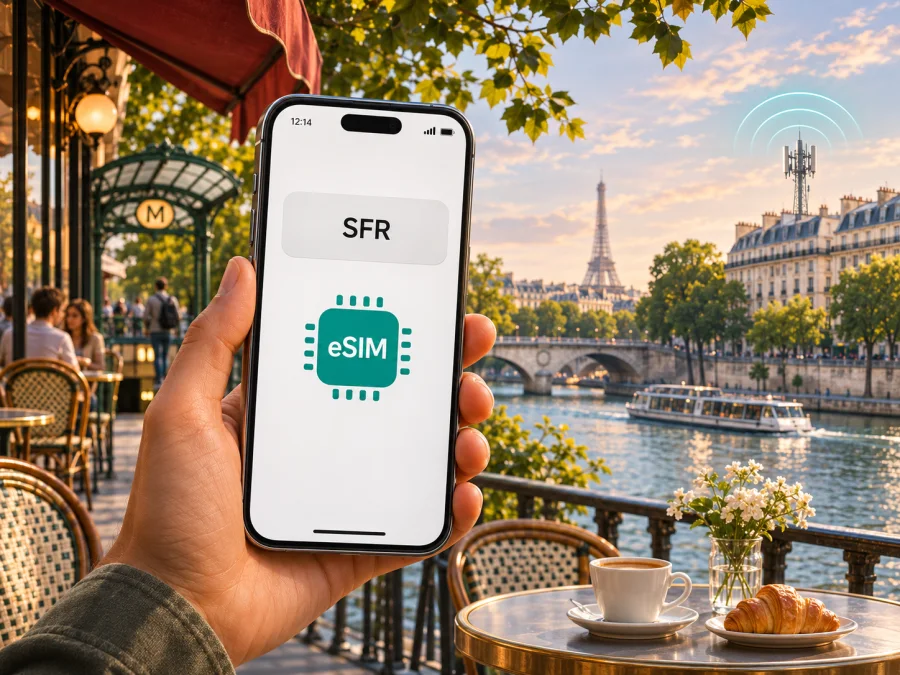
SFR eSIM in France: availability, activation and travel checks
SFR is one of the mobile network operators serving France; the regulator Arcep includes its network in official mobile coverage comparisons. SFR supports eSIM for eligible SFR Mobile and SFR Mobile Pro customers in France. Its current assistance information describes ordering an eSIM with a new mobile subscription or requesting a replacement for an existing SIM through the customer area. SFR excludes SFR La Carte and SFR Business customers from the eligibility statement, and the device must support eSIM. That makes SFR eSIM primarily a way to use an eligible SFR mobile line on a compatible device; it should not be assumed to be a walk-up tourist eSIM available to every visitor.
This guide explains what a traveller should check before relying on SFR eSIM, how activation generally works, and how to distinguish a local SFR line from a travel eSIM intended for mobile data abroad. The details of eligibility, identity checks, service access and activation can change, so confirm your own situation directly with SFR before travelling. This article is independent and is not affiliated with SFR.
What SFR eSIM means for a visitor
An eSIM is a digital SIM profile downloaded to a compatible device. It performs the SIM function without a removable plastic card. SFR’s assistance pages say eligible new customers can request eSIM when taking out a mobile subscription, while existing customers can request a change from a physical SIM to eSIM through SFR’s customer channels. The support material also describes activation on compatible smartphones, tablets and cellular watches, but device and plan eligibility still matter.
For a visitor, the key distinction is between having a device with eSIM capability and being able to open an SFR mobile line. The first is a hardware feature; the second depends on SFR’s current customer eligibility, subscription process, accepted documents and account requirements. SFR’s public eSIM help content confirms service for eligible SFR Mobile and SFR Mobile Pro accounts, but does not establish that every short-term visitor can sign up using any foreign document or payment method. Ask SFR whether a new customer in your specific circumstances can subscribe before planning around the service.
The public eligibility information names exclusions, so do not infer that every SFR-branded prepaid or business option supports eSIM. In particular, SFR’s eSIM page excludes SFR La Carte and SFR Business customers from the stated customer group. If you already use one of those services, or are considering a prepaid offer, check the current terms for that precise service and device. The availability of eSIM and the ability to purchase an eligible line are separate questions.
SFR’s mobile network is operated in France, and its website provides a coverage map for checking places along a route. SFR identifies 4G/4G+ and 5G in its mobile network information. The device, selected service and local radio conditions also influence which network technology is available. Check the map for the exact places you expect to visit rather than treating a country-level label as a guarantee.
Before choosing SFR for a trip to France
Start by deciding what you need the connection to do. A local SFR mobile line may suit someone who is eligible for an SFR subscription and needs the operator’s service arrangement, including any voice or messaging functions specified for their selected service. Someone who only needs internet access during a short visit may prefer to compare a travel eSIM option that is explicitly available for the destination. These are different products with different sign-up steps and conditions; one should not be described as a substitute for the other in every situation.
Use this checklist before placing an order:
- Confirm that the exact phone variant supports eSIM. Regional versions of the same device family can differ, and a model name alone may not settle the question.
- Check that the phone is unlocked and can add another mobile profile. A carrier-locked device may restrict use of a profile from another provider.
- Ask SFR whether your customer type and intended service are eligible, including any conditions for a new customer or a visitor.
- Confirm which identity documents, local contact details, payment method or account information are required for your application. Do not assume these requirements from another country’s sign-up process.
- Check that the SFR service you are considering is intended for your length and purpose of stay. A domestic line’s use outside France may be governed by separate roaming conditions.
- Review SFR’s current coverage map at the addresses and travel corridors that matter to you, and verify which network technologies your device can use.
- Keep access to the email address and customer account used during activation. The eSIM instructions rely on SFR account information and an activation flow delivered through its customer channels.
When the plan and account are appropriate, SFR eSIM can remove the need to insert a physical card. But the eSIM format does not remove account checks, device restrictions or service-area limits. If eligibility is unclear, resolve it before departure rather than relying on an assumption made at the airport.
How SFR eSIM ordering and activation work
SFR’s current help pages describe two broad routes. A new customer can request an eSIM during the mobile subscription process when the service and device are eligible. An existing customer may request a SIM-to-eSIM change through the SFR customer area or SFR & Moi app. Depending on the device and order, SFR describes delivery of a QR code or an activation notification. The exact path can differ by handset brand, order type and account situation, so follow the instructions that appear for your own line.
For QR-code activation, SFR says the phone needs internet access during setup. If you are scanning the code using the same phone that will hold the profile, display the code on another screen or print it. Sign in using the account details SFR requests, then use the phone’s cellular or mobile network settings to add an eSIM and scan the code. The wording of the menus varies by operating system and manufacturer. Avoid deleting a working eSIM profile while troubleshooting unless SFR’s instructions or support agent specifically guides you through the change; deleting a profile can interrupt access and may require a new activation process.
Some compatible devices may receive an operator notification that starts the installation flow. Keep the handset online over Wi-Fi or another active connection, make sure the notification has arrived, and follow its on-screen prompts. If you are moving an existing number from another provider, timing can depend on number transfer. SFR advises customers to coordinate activation with the portability date. A visitor opening a new line should confirm the relevant timing with SFR instead of assuming that installation and service start at the same moment.
After installation, give the profile a clear label such as “SFR France” so you can distinguish it from a home SIM or a separate travel eSIM. Check which line is selected for mobile data, calls and text messages. If you use two lines at once, review the device’s settings for default voice line and data line; the available dual-SIM behaviour differs by device. Confirm the settings before using data to avoid unintentionally using another line’s roaming service.
General installation outline
- Confirm the phone is eSIM-compatible, unlocked and connected to the internet.
- Complete the eligible SFR order or replacement request and retrieve the activation notification or QR code through the channel SFR specifies.
- Open the phone’s SIM or cellular settings and choose the option to add a mobile plan or eSIM.
- Scan the QR code from a second display, or follow the operator notification and on-device steps.
- Label the profile and choose the intended defaults for mobile data and calls.
- Test the line with Wi-Fi turned off only after SFR indicates that service should be active. If registration fails, keep the profile installed and use SFR support instructions.
This outline is not a replacement for the device-specific instructions supplied by SFR or the phone maker. Menu names, transfer behaviour and the activation method can change with software updates and device variants. For step-by-step help, use SFR’s current assistance pages and the relevant Android or iOS instructions for your exact model. If you are setting up a separate travel eSIM, follow that provider’s installation flow; do not scan an SFR code into a profile intended for another service.
Device compatibility and regional variants
An eSIM-capable product line does not mean every model sold under that name supports eSIM. Phone capability can depend on the exact model code, market of sale, carrier lock status and software configuration. This applies across manufacturers, including models that look identical from the outside. Before you buy or travel, check the model number in the phone settings or on its packaging and confirm eSIM support with the manufacturer and the seller. Then make sure the same device variant is accepted by the service you intend to use.
On many phones, the settings app can reveal whether an option such as “Add eSIM” or “Add mobile plan” is present, and the device may show an EID in its status or about screen. These are useful clues, but do not treat the presence of a menu as proof that the handset is unlocked or supported by SFR. SFR’s own compatible-device information and the manufacturer’s regional specification are more appropriate checks. If the handset was bought through a carrier, ask that carrier whether the device is unlocked before adding a second provider’s profile.
If your device is unsupported, use a compatible unlocked phone or consider another way to connect, such as Wi-Fi or a physical SIM if the service and handset allow it. Do not buy an eSIM based only on a generic brand or family name; verify the full variant. More device guidance is available in the eSIM compatibility guide.
Coverage, 4G and 5G in France
SFR’s coverage information includes a mobile map and descriptions of its 4G/4G+ and 5G networks. That establishes which technologies the operator reports deploying, but it does not establish that every site, indoor space, train segment or rural road will have the same signal. Coverage maps are based on geographic estimates and may not capture every building or temporary network condition. Use the map for your itinerary and treat it as a guide to expected availability rather than a service guarantee.
The technology shown on the phone depends on more than the operator’s network. The handset needs compatible radio bands and the relevant network capability, the selected service must permit access, and the location must be covered. 5G availability also depends on the exact place and device. A 4G or 5G indicator is not a measure of the quality of every application or a prediction of performance at another location. For routes that pass through less populated areas, check destination-specific coverage and make offline copies of tickets, maps and essential information.
Travellers visiting multiple countries should distinguish France coverage from roaming elsewhere. A domestic SFR service may have roaming terms that differ from use in metropolitan France; travel eSIM terms may also define a different set of covered destinations. Verify the territory named by the service and any limitations that apply to your route, including overseas territories or border areas. Do not assume that a France-labelled service necessarily includes every territory associated with France or nearby countries.
For a separate mobile-data option designed for a trip, you can browse eSIM options for France. Kaspersky eSIM Store is an app and website that helps travellers choose, arrange and activate an eSIM with a plan for mobile internet abroad. It is not a mobile operator, network owner or internet provider, and the country page should be checked for current availability and conditions. A travel eSIM may be useful when you want to prepare data access separately from your home number, but it does not automatically provide a conventional phone number, voice calls or SMS unless the specific terms say otherwise.
SFR local service and travel eSIM: what differs
An SFR eSIM is the digital form of an eligible SFR mobile line. It may be used instead of a physical SIM for the SFR service associated with that account. Depending on the service, the line can handle mobile data and the other functions included in its terms. It remains subject to SFR’s subscription process, eligibility rules, network coverage and roaming conditions.
A travel eSIM is arranged for use abroad and is commonly focused on mobile data for the destination or region specified by its terms. It can be installed alongside a home SIM on a compatible unlocked device, allowing the traveller to select a separate data line while keeping their usual number available where supported. Features vary: confirm the supported countries, whether voice or SMS is included, when the validity period begins, how the profile is installed and whether roaming data must be enabled. Never infer those terms from the phrase “travel eSIM” alone.
Kaspersky eSIM Store provides an app and website through which travellers can select, arrange and activate an eSIM with a plan for mobile internet abroad. It does not own or operate the mobile network and does not itself provide internet connectivity. The service is an alternative preparation route for a visitor who wants a separate travel-data setup. Before choosing, compare practical requirements rather than relying on a generic claim that one option is always cheaper or more convenient: account eligibility, phone compatibility, coverage, data needs, voice and SMS requirements, activation timing and support arrangements.
If you use both a local SFR line and a travel eSIM, set a deliberate default for mobile data and check the roaming toggle for each profile. Keep the home line available for incoming messages only if your device and home plan permit it and you understand any charges. The phone’s dual-SIM settings determine which line carries data and how calls are routed. Test the arrangement before you need it for navigation or travel documents.
Frequently asked questions
Does SFR offer eSIM in France?
Yes. SFR’s current assistance page describes eSIM for eligible SFR Mobile and SFR Mobile Pro customers with a compatible device. Its stated eligibility excludes SFR La Carte and SFR Business customers. Check with SFR for current rules for your specific service and customer status.
Can a tourist buy an SFR eSIM without an existing account?
SFR’s public pages describe ordering an eSIM as part of a new eligible mobile subscription, but they do not establish that every tourist can subscribe using any foreign document or payment method. Ask SFR what is accepted for your circumstances before travelling. Do not assume that eSIM availability means anonymous or immediate visitor registration.
Is an SFR eSIM the same as a travel eSIM?
No. An SFR eSIM is a SIM format for an eligible SFR service. A travel eSIM is intended for a destination or region abroad and may focus on data. Check the details of each service, including supported locations, voice and SMS, device requirements and activation conditions.
Can I use SFR eSIM and my regular SIM together?
Possibly, if the exact phone variant supports the combination of active SIMs you want. Dual-SIM capabilities differ by device. Choose the intended data line in settings and check roaming controls to avoid using the wrong profile.
Will SFR eSIM work everywhere in France?
No mobile network can be assumed to work in every location or indoor setting. SFR publishes a coverage map and identifies 4G/4G+ and 5G service, but reception depends on location, device and local conditions. Check the map for your itinerary and retain offline access to essential information.
Does a travel eSIM include calls and text messages?
Do not assume that it does. Travel eSIMs may be designed for mobile data and may not include a conventional phone number, voice calls or SMS. Check the terms of the particular service. Internet calling and messaging apps can work over data, subject to the app and connection.
Final checks
SFR eSIM is a confirmed option for eligible SFR Mobile and SFR Mobile Pro customers in France, with exclusions and device requirements that matter. For travellers, the central question is whether SFR will open the relevant service for their specific situation—not simply whether their phone contains eSIM hardware. Confirm customer eligibility, the precise device variant, account requirements, activation timing and coverage before depending on the line.
If a separate data setup for the trip is more appropriate, review the available France eSIM options and check their current terms. Kaspersky eSIM Store helps users choose, arrange and activate an eSIM plan for mobile internet during an international trip; it is not affiliated with SFR and does not operate a mobile network. Whichever route you choose, test the connection before relying on it and keep a backup way to access travel essentials.
Information checked on 4 November 2026 against SFR Assistance’s “L’eSIM”, “Nouveau client SFR : comment activer mon eSIM ?” and “Commander une eSIM pour un mobile SFR” pages, SFR’s mobile coverage map, and Arcep’s “Mon réseau mobile” coverage information. Conditions can change; verify current details with SFR before ordering.


