Travel connectivity guide
SFR eSIM in Reunion: activation and travel checks
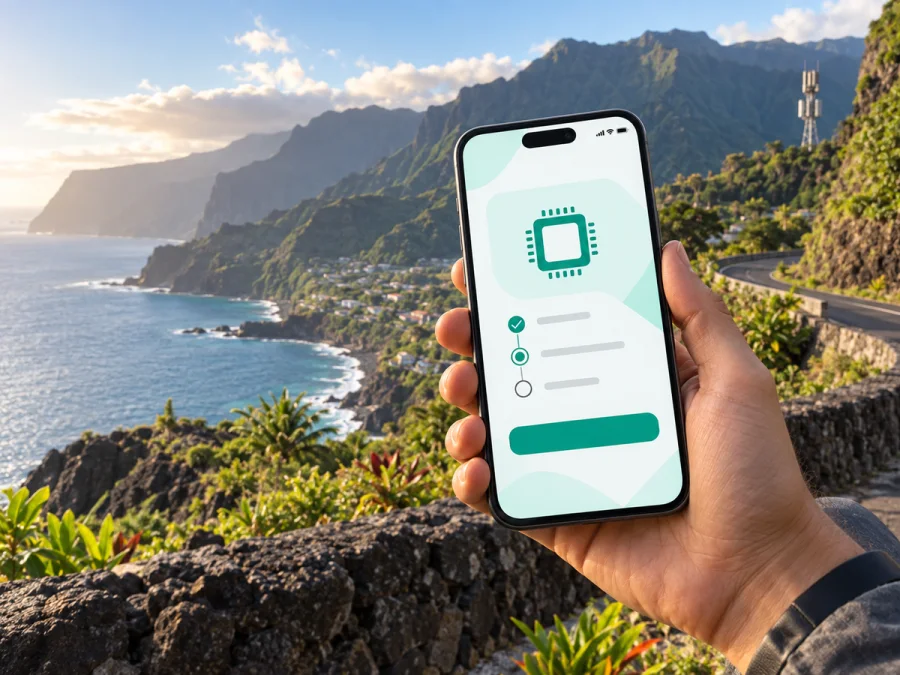
SFR eSIM in Reunion: activation, coverage and travel checks
If you are planning a trip to Reunion and are looking for an SFR eSIM, check more than phone compatibility: activation, visitor eligibility, local technologies and the possible alternative of a travel eSIM.
SFR’s current public eSIM page confirms general eSIM support for compatible devices. It describes activation in an SFR space with help from an adviser. This confirms the general SFR eSIM service in Reunion, but it does not mean that every visitor can obtain every local service. Eligibility and current conditions should be checked with SFR before you travel.
This information was checked on September 20, 2026 against current public SFR eSIM, coverage, prepaid, travel and network-notice pages and Kaspersky’s official Reunion destination page.
Quick answer: is SFR eSIM available in Reunion?
Yes. SFR’s current public eSIM page confirms eSIM support for SFR mobile service in Reunion on compatible devices. The page says that an adviser activates the eSIM and associates it with the SFR service on the phone. Activation is therefore presented as an assisted process in an SFR space rather than as an entirely self-service visitor download.
Keep three qualifications in mind:
- the phone must support eSIM and must not be blocked by another operator;
- the exact service and eligibility rules depend on the customer’s situation;
- general eSIM support does not prove that a dedicated tourist eSIM is available for every short stay.
As of the verification date, I found a current SFR page confirming eSIM and a current SFR page describing prepaid service, but I did not find a public SFR page that clearly confirms a dedicated tourist eSIM designed specifically for visitors arriving in Reunion. If you are visiting for a limited period, ask SFR whether a suitable local service can be activated for you and what documents or local eligibility conditions apply.
SFR in the Reunion mobile market
SFR serves the Reunion mobile market. Its local website presents mobile service, support, coverage and activation information for residents and travelers.
For a resident, a local SFR line can bring together a number, voice service, messages and mobile data. A visitor may only need maps, transport apps, reservations and messengers without changing the everyday line. A local eSIM helps only if its activation route, eligibility and device conditions fit the trip.
SFR’s public pages show that eSIM and prepaid service are separate parts of the local offer. Prepaid availability does not automatically mean traveler eligibility, and eSIM support does not automatically make a resident service a tourist product.
How SFR eSIM activation works
The operator’s “Discover eSIM” page describes a digital, QR-code-based activation flow. An adviser helps activate the eSIM and associate it with the SFR service on the compatible phone. In practice, you should expect to complete the customer and service steps first, receive the profile information, and then install it while following SFR’s instructions.
The activation location matters to a traveler. If the process must be completed in an SFR space, plan time for it during opening hours. Do not assume that a QR code can be requested remotely, installed before departure and activated without any in-person step. The public page describes the general process; confirm the route for a new or temporary customer with SFR.
An eSIM is installed inside the phone rather than inserted as a removable card. It still depends on service conditions, device settings and local coverage. Some phones store several profiles or use more than one line, but the active-line limit depends on the device.
Compatibility checks before departure
SFR’s eSIM page provides an updated supported-device list and suggests checking the phone settings for an “Add eSIM” option in mobile-network or SIM management.
Before contacting SFR or preparing a travel eSIM, check:
- the exact phone model and regional version;
- whether the settings show “Add eSIM” or an equivalent option;
- whether the phone is unlocked for another operator;
- whether the operating system is current enough for eSIM functions;
- whether you can use Wi-Fi or another working connection during installation;
- whether your existing line will remain available after the profile is added.
Regional versions can differ. Confirm the exact model in the settings and against SFR’s list or with support. If the phone is locked, a profile may not work with another service; unlocking depends on the original operator, not on the eSIM format.
Prepaid access and visitor restrictions
SFR’s public prepaid page confirms that prepaid service is available through local customer channels. Its current standardized information also describes eligibility conditions for the prepaid service, including an adult customer domiciled in Reunion. Separate SFR subscription guidance lists an original valid identity document among the documents used for prepaid activation.
Those conditions matter for travelers: a tourist should not assume that prepaid service is available simply because it exists in the market. Contact or visit SFR before relying on it for arrival day, and ask about visitor status, accepted identity documents, address requirements and eSIM activation. Confirm close to the trip because procedures can change.
The phrase “tourist eSIM” also needs care. It can describe a travel product, a short-term local arrangement or a marketing label. In the current SFR information checked for this article, eSIM support and prepaid service are confirmed in general, but a dedicated visitor-only SFR eSIM has not been clearly confirmed. That uncertainty is a reason to check, not to assume that a local offer will be activated at the airport.
Choose an eSIM plan for Reunion if you prefer to prepare mobile data separately from the local SFR activation process.
SFR network technologies and coverage
SFR’s public coverage page provides a mobile coverage map and distinguishes voice and messaging coverage from mobile-data coverage. It describes 4G and 5G coverage and includes 3G information. The page says the map is indicative rather than contractual and that coverage can vary because of weather, season, obstacles and the number of people using a cell.
For a traveler, a technology label is not a guarantee at every viewpoint, road, building or beach. Terrain and indoor conditions can affect the result. Check the SFR coverage map for your itinerary and keep essential directions offline on remote or mountainous routes.
SFR’s current network notice says that 2G is scheduled to close on November 30, 2026. The notice explains that phones or connected equipment relying only on 2G will no longer support calls, messages or mobile data after the closure. For an eSIM traveler phone, this is mainly a reminder to use a device compatible with current technologies; it may matter more for older handsets and connected equipment.
The coverage page and network notice do not support an unlimited coverage claim or the idea that one technology is available throughout Reunion. The careful summary is that SFR publishes local coverage information, 4G and 5G are part of the current network picture, and the actual service depends on area, device, indoor conditions and network availability at the time.
Local SFR eSIM or travel eSIM?
The two options solve different problems. A local SFR eSIM follows SFR’s local activation process and may suit an eligible customer who needs a local number. A travel eSIM can be prepared for Reunion before departure and used as a separate mobile-data profile on an unlocked device. It normally does not replace an ordinary number, voice line or SMS service. SFR’s travel guidance also says that roaming outside Reunion depends on destination, visited network, coverage, technologies and service conditions.
In short, a local SFR eSIM means checking local eligibility, documents, an SFR-space activation and the local service conditions. A travel eSIM means checking destination availability, device support and activation instructions before using a separate data profile. This is a functional distinction, not a ranking; the suitable choice depends on whether you need a local number or want to prepare data before arrival.
Kaspersky eSIM Store as a travel alternative
Kaspersky eSIM Store is an application and website that helps a traveler choose, arrange and activate an eSIM with a plan for mobile internet during an overseas trip. It is not a mobile operator, does not own the SFR network or provide SFR coverage.
The official Kaspersky destination page for Reunion describes choosing the destination, confirming the travel eSIM purchase and finding the eSIM in the app or website profile. Product information also directs users to check the device and follow activation instructions.
It can be useful when local SFR eligibility is uncertain, but it does not turn the service into a local SFR line. The travel eSIM may be for data while your usual line handles calls and messages; read its conditions before installation.
How to prepare and install a travel eSIM
Use this general workflow for an eSIM selected for Reunion, following the particular profile’s instructions if they differ.
1. Check the device
Confirm eSIM support, the exact regional model and an unlocked device. If the settings do not show an option to add an eSIM, verify compatibility first.
2. Arrange the travel eSIM
Choose Reunion in Kaspersky eSIM Store and review the current activation and mobile-data conditions. Make sure the destination and device match.
3. Keep a connection ready
Use reliable Wi-Fi or another working connection while adding the eSIM. Keep the QR code or instructions available on a second screen when possible.
4. Add the profile
Open mobile-network settings, choose “Add eSIM,” scan the QR code or follow the profile instructions, and wait for installation to finish.
5. Choose the data line
Select the travel eSIM for mobile data in Reunion. Keep your regular line for calls or messages only if you understand its roaming conditions, and disable automatic switching if you want predictable control.
6. Check roaming settings
Some travel eSIMs require data roaming for that profile. Follow the selected plan’s instructions and leave its mobile-data line off until arrival if you want to delay use.
7. Allow time to connect
Connection can take a few minutes. If the phone does not register, check that the profile is on, the correct data line is selected, airplane mode is off and the location has coverage.
For a device-specific reminder, check eSIM compatibility before installation; follow the instructions for your phone model as well.
Arrival checklist
Before departure or on arrival, save essential maps offline, confirm that the phone is unlocked and updated, keep the QR code accessible, choose the data line, check data roaming, and turn off automatic data switching on the regular line if needed. Test the connection before a remote drive or hike, and do not delete an installed profile until transfer conditions are clear.
If you use a local SFR eSIM instead, confirm the SFR-space activation step, required identity or eligibility documents, the compatible-device list and the current service conditions before relying on it.
Common questions
Does SFR support eSIM in Reunion?
Yes. SFR’s current public eSIM page confirms support for compatible devices and describes adviser-assisted activation in an SFR space. It does not confirm visitor eligibility for every local service.
Can a tourist automatically activate an SFR prepaid eSIM?
No automatic entitlement should be assumed. SFR’s prepaid information includes eligibility conditions, while its eSIM page directs activation through an SFR space. Ask whether your status, documents and device are accepted.
Do I need a compatible and unlocked phone?
Yes. The phone must support eSIM, and an operator lock can prevent a profile from working with another service. Check the exact model and mobile settings.
Does an SFR eSIM guarantee coverage across Reunion?
No. SFR publishes an indicative map and explains that coverage changes with location, weather, obstacles and usage. 4G and 5G are part of the current network picture, but technology depends on the device and place of use.
Is a travel eSIM the same as an SFR local line?
No. A travel eSIM is a separate mobile-data profile. It does not automatically provide an SFR number or local SFR customer relationship. Keep your normal line for calls and messages only if your operator allows it.
What if the eSIM does not connect?
Check compatibility, operator lock, profile activation, the selected data line, data roaming and local coverage. If the issue remains, contact the relevant support team: SFR for local activation or the travel service for its profile.
Final takeaway
SFR eSIM support in Reunion is publicly confirmed for compatible devices, with activation described through an SFR space and adviser. SFR also publishes local prepaid information, but a visitor should not assume that a prepaid eSIM or dedicated tourist offer is available without verification. Coverage depends on location, device and current conditions; SFR has published a schedule for 2G closure later in 2026.
If eligible for local SFR service, confirm documents, device and shop process before travelling. If you prefer not to depend on local visitor eligibility, Kaspersky eSIM Store can help you choose and activate a separate travel eSIM for Reunion. It is not an operator or owner of the SFR network.
This article is not affiliated with SFR and does not represent SFR. Names belong to their owners. Verify current network, device, eligibility and eSIM details before activation.


