Travel connectivity guide
Shakhrisabz eSIM: Mobile Internet in Uzbekistan
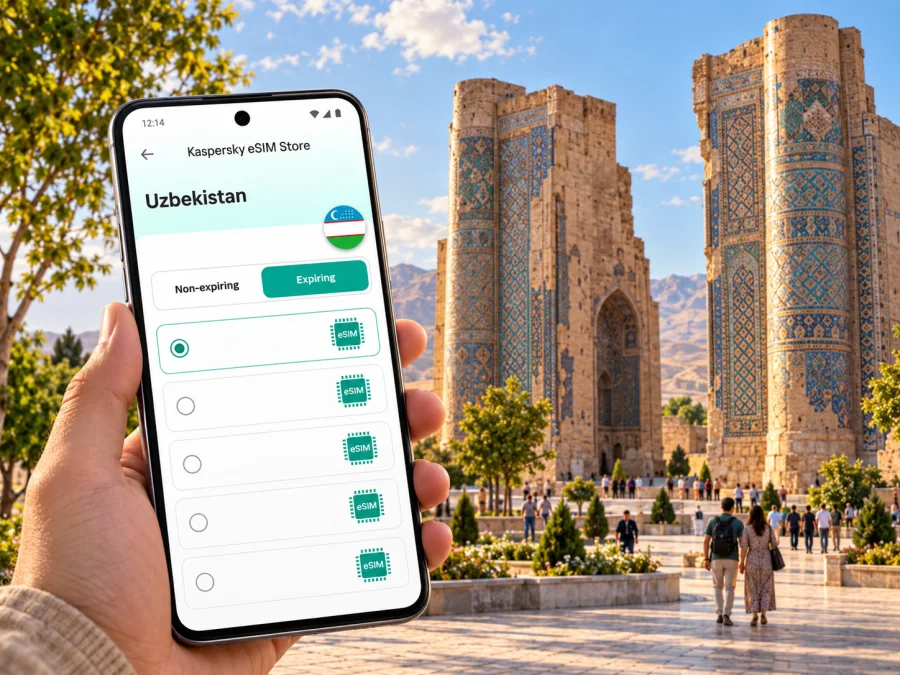
Shakhrisabz eSIM: Mobile Connection and Internet for Your Trip
Shakhrisabz is a historic city in southern Uzbekistan, known for the monumental remains of Ak-Saray Palace and its Timurid-era heritage. If your itinerary brings you here from Samarkand, Qarshi, or another city, mobile internet can help with the practical parts of the journey: checking the transfer details, finding your accommodation, navigating the historic centre, and keeping in touch as plans change. An eSIM can provide mobile data without replacing the physical SIM already in your phone.
The city is not a large metropolitan transport hub, so it is useful to prepare for the journey as well as the sightseeing. Save your hotel address, confirm how you will reach Shakhrisabz, and choose a data plan for Uzbekistan that fits your full route. Network availability and performance depend on the local network, your device, location, and the selected plan; no single connection can be assumed in every street or building.
Why mobile internet is useful in Shakhrisabz
Much of a short visit revolves around the historic centre. You may want to check a map between the Ak-Saray Palace site, the Dorus Saodat complex, the Kok-Gumbaz Mosque, and the covered Chor-su bazaar; message a driver; translate a sign or menu; or confirm opening and access information before walking across town. With mobile data available, these tasks do not have to wait until you return to a hotel or find a public Wi-Fi network.
Connectivity is useful before you arrive, too. Shakhrisabz is about 80 km from Samarkand according to Uzbekistan’s official tourism portal, but the drive time depends on the route and current conditions. Confirm details with your transport provider and keep your accommodation address available offline.
A travel eSIM is a digital SIM profile for mobile data, installed on a compatible, unlocked device. Unless the plan says otherwise, do not assume it includes a local number, standard calls, or SMS. Keep your usual SIM for its number and use internet messaging when data is available.
From arrival to the historic centre
Many visitors approach Shakhrisabz from elsewhere in Uzbekistan. Your arrival airport and onward transport depend on the wider itinerary, so confirm the full route before departure. If you travel from Samarkand, agree on the pickup point and destination with your transfer provider.
Share your hotel pin with the driver before departure and keep its address in text as a backup. A mobile map can help you follow the route; download an offline map in case the connection drops between towns.
On arrival, confirm the accommodation entrance: a map pin may land on a nearby lane or courtyard. A quick message can clarify the last turn. Save your reservations and the route back before heading out.
A simple arrival checklist
- Save your hotel name, address, and map pin before travelling.
- Confirm the pickup location and transfer arrangement with the driver or provider.
- Keep the address in a screenshot or note that works offline.
- Check the route before setting out, then use live navigation when a connection is available.
- Carry a power bank if you rely on your phone for maps, translation, photos, and messages throughout the day.
Getting around and planning a day in town
Shakhrisabz’s best-known monuments are concentrated around its historic centre, but your exact route depends on where you stay and which sites are open to visitors. Use a map to understand the distances before walking, especially in hot weather or if you are travelling with children or older relatives. For a longer cross-town trip, ask your accommodation about current local transport options rather than relying on an old timetable or a route suggestion that may no longer apply.
A useful day plan is to group places by area. Start with the Ak-Saray Palace remains and square, then check the route to the Dorus Saodat complex and nearby monuments. The city’s tourism information also highlights the Kok-Gumbaz Mosque and Dor-ut Tilovat memorial complex. Landmark names may appear in different transliterations, so check a second spelling if a map search fails.
The historic centre is a heritage site, and preservation work or visitor arrangements can change. UNESCO’s 2026 decision retains the Historic Centre of Shakhrisyabz on the List of World Heritage in Danger. This designation concerns conservation of the site; it does not by itself describe whether a particular monument is open on the day you visit. Check current local information about access, any temporary closures, and photography rules before you set out. Follow signs and staff directions around protected structures.
Leave room for temporary access changes. If your onward transfer has a fixed time, save the driver’s details and agree on a meeting point before sightseeing.
Choosing an eSIM plan for a Shakhrisabz trip
For Shakhrisabz, check the country and route coverage first: the destination to select is Uzbekistan, because Shakhrisabz is a city within Uzbekistan. A city guide does not imply a separate city-specific network or tariff. If the trip also includes Samarkand, Tashkent, Bukhara, or a cross-border leg, verify that the plan’s stated destination or region matches every part of your itinerary. A country plan and a regional plan may have different terms, so read the plan details before purchase.
Estimate your use before choosing: maps, messaging, and translation differ from video calls, streaming, or frequent photo uploads. Actual consumption varies by app and settings. If you plan to work remotely or use a hotspot, check whether the plan permits it.
Consider the plan’s validity period and when usage begins. Some plans start when installed or activated, while others begin when the eSIM first connects to a supported network. The exact trigger depends on the selected plan. If you are installing the eSIM before departure, read its activation instructions so you do not start the validity period earlier than intended. Check the listed data amount, duration, supported destination, top-up options if any, and any restrictions on tethering or network selection.
Kaspersky eSIM Store is an app and website where travellers can choose, arrange, and activate an eSIM with a suitable plan for mobile internet abroad. To review current options for the country rather than assume a Shakhrisabz-specific offer, choose an eSIM plan for Uzbekistan. The available plans and their terms can change, so use the details shown for the plan you select.
Match the plan to your travel style
| Travel pattern | What to plan for | Useful preparation |
|---|---|---|
| One-day visit from Samarkand | Navigation, messaging, and transfer coordination during a day away | Keep the return pickup time and location saved offline |
| Overnight stay in Shakhrisabz | Data use across arrival, sightseeing, and the next transfer | Compare plan validity with the full stay and onward journey |
| Multi-city Uzbekistan itinerary | Service in every city on the route, not only Shakhrisabz | Confirm all destinations and the overall validity period |
| Work trip | Messaging, document access, and possibly meetings | Check expected data use, hotspot terms, and a backup Wi-Fi option |
| Low-data sightseeing | Maps, translation, messages, and occasional searches | Turn off automatic video playback and large background downloads |
This comparison is a planning aid, not a promise about local speed or coverage. The network used, signal strength, congestion, indoor conditions, and the eSIM’s terms can affect what you experience. If being reachable is essential, keep a second way to contact your host or driver.
Check your phone before you travel
Before choosing a plan, verify that your exact phone model and regional version support eSIM and that the device is not locked to a mobile operator. Product names can cover variants with different capabilities, and eSIM support may vary by market. Check your phone’s settings or manufacturer documentation, then check whether your device supports eSIM. If you are unsure, confirm with the device seller or your current operator before purchase.
Also make sure you can access the email or account where installation details will arrive. Keep access to Wi-Fi during setup, such as at home or at your accommodation, because an eSIM profile may need an internet connection to download. Do not delete a profile as a troubleshooting shortcut unless the instructions or support team tell you to; depending on the plan, it may not be possible to install the same profile again.
Install before departure or after arrival
Install before departure over reliable Wi-Fi if the plan instructions allow it; you can select the eSIM for mobile data when you are ready. If installing after arrival, arrange Wi-Fi and leave time for setup.
- Check that your phone supports eSIM and is not operator-locked.
- Review the selected plan’s destination, data allowance, validity, and activation trigger.
- Open the installation details in the app or account, or use the provided QR code if the instructions specify one.
- Follow the phone’s prompts to add the eSIM profile; keep the screen and code available until setup is complete.
- Label the new line clearly, for example “Uzbekistan data,” so you can distinguish it from your usual SIM.
- When you want to use the plan, select the eSIM for mobile data and follow any plan-specific roaming instructions.
- If the eSIM does not connect, check that the profile is enabled, the chosen data line is correct, and the plan is active; then consult the setup guidance or support.
Use the device-specific steps for your phone: eSIM installation instructions for Android and eSIM installation instructions for iPhone. Menu names can differ between manufacturers and operating-system versions. A connection may take several minutes and depends on the phone, plan, and local network.
Keep data use predictable
A few settings can help manage data use:
- Set the travel eSIM as the mobile-data line only when you want to use it.
- Turn off automatic app updates and cloud-photo uploads over mobile data if you do not need them.
- Download maps, translation languages, tickets, and hotel details over Wi-Fi before leaving.
- Use audio or text messages instead of video when a light data session is enough.
- Check the plan’s balance or usage information through the available account tools.
- Keep your home SIM’s roaming settings under control; charges from that SIM depend on your home operator.
An eSIM for mobile data does not automatically replace your home number. If you leave your original SIM enabled for calls or SMS, check its roaming terms with your operator. You can use internet messaging apps over the travel data connection, but ordinary calls and texts require the relevant service and plan conditions.
Common situations and practical responses
The map works at the hotel but not on the road. Use the offline map and check the next meeting point with your driver in advance. Signal can vary along the route.
The eSIM installed but mobile data does not work. Confirm that the correct line is selected for data, mobile data is enabled, and any required data-roaming setting for that eSIM is enabled. Check the plan’s activation conditions and restart the phone if its instructions recommend doing so. If the issue continues, use Wi-Fi to contact support and provide your device model and the steps already tried.
You are leaving Shakhrisabz for another city. Check that the plan is valid for the next destination and remains within its validity period. Save the next hotel address and transport details before departure, and do not assume that a plan for one country will cover a border crossing.
Quick checklist before setting out
- [ ] Your phone supports eSIM, is unlocked, and the selected plan covers your route for the dates you need.
- [ ] You understand when validity begins and which SIM handles mobile data.
- [ ] Addresses, transfer details, reservations, and a map are saved offline.
- [ ] You have checked current visitor access for the monuments on your itinerary.
Frequently asked questions
Is Shakhrisabz in Uzbekistan?
Yes. Shakhrisabz is a city in the Kashkadarya region of southern Uzbekistan. For a country eSIM plan, select Uzbekistan and confirm the plan’s own destination terms.
Will the eSIM give me a local phone number?
Usually a travel data eSIM is for internet access only, unless the chosen plan explicitly includes voice or SMS. Check its terms. Internet messaging apps can work over data, while standard calls and SMS depend on the relevant mobile line.
Should I install the eSIM before travelling?
You can install it before departure if the plan instructions allow it and you have a stable Wi-Fi connection. Read when validity starts; installation and plan activation are not always the same event. If the instructions require installation after arrival, follow those instead.
Does every phone support eSIM?
No. Support depends on the exact model and sometimes its regional variant, and a carrier lock can also prevent use. Check your device settings or manufacturer information and confirm compatibility before buying.
Prepare your connection for Shakhrisabz
Before departure, check your device, read the plan terms, and save your route and accommodation details. Kaspersky eSIM Store helps you choose, arrange, and activate an eSIM for mobile data during an overseas trip. Review the current eSIM options for Uzbekistan, then follow the selected plan’s installation guidance and keep an offline backup of the details you may need in Shakhrisabz.


