
Travel connectivity guide
Shamakhi eSIM: Mobile Internet for Travel
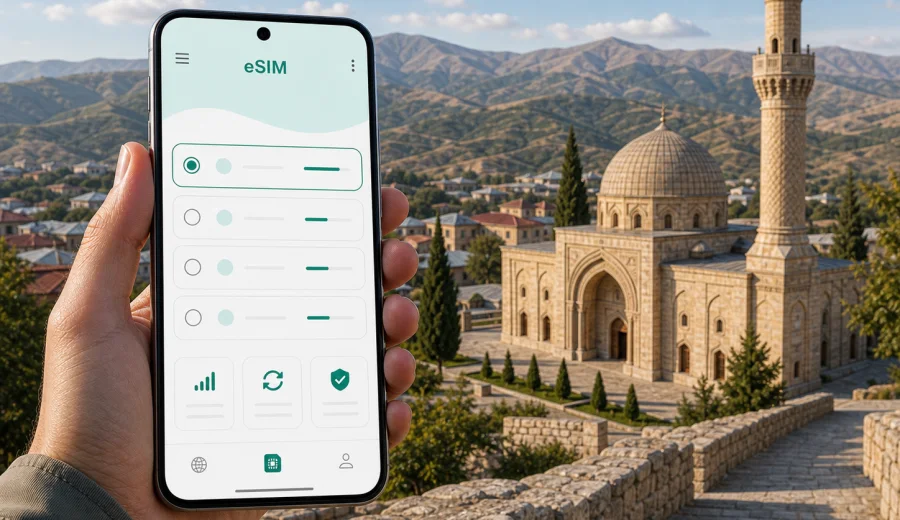
Shamakhi eSIM: mobile connection and internet for your trip
Shamakhi is a city where mobile internet matters more than it may seem from a map. The trip often starts in Baku, continues by road through changing foothill landscapes, and then becomes a mix of hotel check-ins, mountain viewpoints, historic sites, wineries, short drives, and quiet streets where a stable map can save time. An eSIM can help you prepare mobile connection for Shamakhi before you arrive, without looking for a physical SIM card during the first hours of the trip.
For many visitors, Shamakhi is not a single fixed point. You may use it as a base for the Juma Mosque, Yeddi Gumbaz, the Pirgulu area, nearby villages, a winery visit, or a longer Azerbaijan route toward Lahij, Gabala, or Baku. That means your internet needs are practical: navigation, ride coordination, hotel messages, weather checks, translation, card notifications, and keeping family or colleagues updated.
Kaspersky eSIM Store is an app and website where you can choose, arrange, and activate an eSIM with a suitable mobile data plan for an international trip. It does not replace a local mobile operator and does not include a regular phone number unless the selected plan states otherwise. For Shamakhi, the main benefit is simple: you can plan your mobile internet for Azerbaijan before the road journey begins.
Why eSIM is useful in Shamakhi
Shamakhi is smaller and quieter than Baku, but it is not a place where you want to depend only on hotel Wi-Fi. Many travel moments happen between fixed points: on the road from the airport, at a viewpoint, outside a mosque, near a guesthouse, in a taxi, or during a stop between towns. Mobile data helps you keep those moments manageable.
An eSIM can be useful in Shamakhi when you need to:
- follow a route from Baku or Heydar Aliyev International Airport;
- message a hotel, host, driver, or tour guide before arrival;
- use maps around the center, the Juma Mosque, Yeddi Gumbaz, and nearby villages;
- check opening hours, weather, and travel timing before mountain drives;
- translate menus, signs, or short local messages;
- use messengers for calls instead of relying on voice roaming;
- keep work apps available during a business trip or remote-work stop;
- avoid searching for a physical SIM card after a long transfer.
The city article should not be treated like a general Azerbaijan guide. The mobile internet scenario is local: Shamakhi is a road-trip city, a historical stop, a weekend base, and a practical midpoint for travelers who move between Baku and the mountains.
Arrival: the first hours after Baku or the airport
Most international travelers reach Shamakhi through Baku. The drive can be part of the travel experience, but it also creates the first connectivity challenge. If your roaming is expensive or disabled, you may have no mobile data while coordinating the transfer, checking the hotel address, or changing plans on the road.
Before leaving Baku, mobile internet is useful for:
| Moment | Why data helps |
|---|---|
| Airport arrival | Message your driver, confirm pickup details, check route time |
| Baku departure | Load the route, share your location, compare stops |
| Road transfer | Monitor weather, traffic, and arrival estimates |
| Hotel check-in | Contact the property if you arrive late or need directions |
| First walk | Use maps without waiting for Wi-Fi access |
If you install an eSIM before the trip, you can keep your primary SIM for calls or banking messages and use the eSIM profile for mobile data. On many phones, this setup is convenient because you can choose which SIM handles data and which SIM remains active for your usual number. Device menus vary, so it is worth checking the settings before departure rather than during the transfer.
Local movement: maps, taxis, hotels, and short walks
Shamakhi is not a city where every visitor follows the same route. One traveler may stay near the center and visit the Juma Mosque. Another may continue toward Pirgulu, a mountain resort, an observatory visit, or a winery. A third may arrive for a short business meeting and leave the same day. In each case, mobile connection helps with small decisions that happen repeatedly.
Useful Shamakhi data tasks include saving hotel coordinates, finding the right entrance, translating a short address, confirming a taxi price in a messaging app, and checking whether a route continues on paved roads. Even if your hotel has Wi-Fi, you usually need internet before you reach the lobby and after you leave it.
For a calm arrival, prepare three things before the road trip:
- download an offline map as a backup;
- save hotel and meeting addresses in your notes;
- set up mobile data through your eSIM profile before you need it.
Offline maps are helpful, but they do not replace mobile data for live traffic, updated route choices, messenger calls, payment confirmations, weather alerts, or last-minute hotel communication. An eSIM is most useful when it fills that gap between offline preparation and real-time travel.
How much data you may need in Shamakhi
Your data use depends less on the city size and more on how you travel. A short cultural stop needs much less traffic than a weekend with video calls, remote work, and social media uploads from the mountains.
| Travel style | Typical online behavior | Plan logic |
|---|---|---|
| Day trip from Baku | Maps, messenger, photos sent later | Small data plan may be enough |
| Weekend in Shamakhi | Navigation, restaurant search, hotel messages, light sharing | Medium plan gives more flexibility |
| Mountain and village route | Maps, weather, route changes, messenger calls | Choose more data for time outside Wi-Fi |
| Business visit | Email, documents, calls, hotspot for laptop | Prioritize data volume and validity period |
| Family trip | Several devices, photos, videos, entertainment | Consider higher data allowance or separate plans |
Avoid choosing a plan only by price. Look at the amount of traffic, the validity period, the destination, and whether the plan fits your full Azerbaijan route. If Shamakhi is one stop before Gabala, Lahij, Ismayilli, or a return to Baku, your mobile data plan should cover the whole route, not just the hotel nights.
Choosing an eSIM plan for Shamakhi
For a city trip to Shamakhi, choose the country destination first: Azerbaijan. Then match the plan to the length of your trip and the amount of data you expect to use. If you will be mostly on hotel Wi-Fi and only need maps and messages, a smaller plan can work. If you plan to navigate between districts, upload photos, use video calls, or work from a laptop, choose more data.
A practical decision sequence looks like this:
1. Confirm that your phone supports eSIM and is not locked to one carrier.
2. Choose Azerbaijan as the destination for the trip.
3. Check data volume, validity period, and activation conditions.
4. Install the eSIM while you still have reliable Wi-Fi.
5. Use the eSIM profile for mobile data when you arrive or before leaving Baku.
6. Monitor your balance and top up if the selected plan allows it.
Before choosing a plan, check your device. eSIM support depends on the exact phone model, region, and carrier lock status. A phone can look modern and still have eSIM disabled in some market versions, so this check is not a formality.
Using Kaspersky eSIM Store for an Azerbaijan trip
Kaspersky eSIM Store helps you prepare mobile internet for an international trip by choosing an eSIM plan for the destination, reviewing its conditions, and activating it on a compatible device. For Shamakhi, that means you can set up your mobile data plan while planning the route from Baku, rather than waiting until you need internet on the road.
When you are ready to compare available options, you can choose an eSIM plan for your Shamakhi trip in Azerbaijan. Check the plan details carefully: destination, data allowance, validity period, price, activation timing, and any relevant limitations. Conditions can differ between plans, so read the plan screen before confirming your choice.
This is especially helpful if your trip includes several locations. You may spend one night in Shamakhi, visit Pirgulu, continue toward Lahij, return through Baku, or combine the city with a business meeting. One country-level Azerbaijan plan can be simpler than treating every stop as a separate connectivity problem, provided the selected plan fits your route and expected use.
Installation before departure or after arrival
The most comfortable option is to install the eSIM before leaving home or while you have stable Wi-Fi in Baku. You do not need to activate data usage too early if the plan rules allow later activation, but you should understand the timing before you travel. Some plans start validity after installation, some after first network connection, and some have other conditions shown in the plan details.
The usual preparation flow is:
1. Open the eSIM plan after purchase in the app, website profile, or email instructions.
2. Install the eSIM by following the on-screen steps or scanning the QR code if the flow requires it.
3. Keep your primary SIM active if you need your usual number for banking messages or calls.
4. Choose the eSIM profile for mobile data when you are ready to use it.
5. Enable data roaming for the eSIM profile if the instructions for your device and plan require it.
6. Test that mobile data works before relying on it for navigation.
For step-by-step setup, use the Android installation guide or the iOS installation guide. The exact menu names can vary by phone model and operating system version, so follow the instructions for your device rather than guessing in the settings menu.
Shamakhi scenarios where mobile data saves time
The strongest reason to prepare eSIM before Shamakhi is not constant browsing. It is the small, practical online tasks that prevent travel friction.
Road trip from Baku
You may need live navigation, arrival estimates, driver messages, and a backup route. Mobile data is useful if you stop for food, change the route, or need to update the hotel about a late arrival.
Historic center and Juma Mosque
Around central Shamakhi and the Juma Mosque, mobile internet helps with walking directions, translation, restaurant searches, and sharing location with companions. It is also useful if your group separates briefly and needs to meet again.
Yeddi Gumbaz and viewpoints
Short drives outside the center can still create navigation uncertainty. Data helps you confirm the route, check weather, and decide whether to continue to another stop or return to town.
Pirgulu and mountain routes
Mountain trips make weather and timing more important. A data connection helps with forecasts, route changes, and keeping a contact informed if plans shift.
Hotel and guesthouse stays
Wi-Fi quality can vary between properties. Even when hotel Wi-Fi is good, mobile data remains useful during arrival, check-out, restaurant searches, taxi coordination, and walks away from the property.
Business travel
For a work visit, eSIM helps keep email, maps, messengers, calendar updates, and document access available between meetings. If you plan to use hotspot for a laptop, choose a plan with enough data and confirm whether hotspot use is supported by the selected plan and device settings.
Practical data-saving tips for Shamakhi
Data can disappear quickly if your phone treats travel days like home Wi-Fi days. Before you leave Baku or arrive in Shamakhi, adjust a few settings.
- Download offline maps for Azerbaijan as a backup.
- Disable automatic app updates on mobile data.
- Set photo and video backups to Wi-Fi only.
- Preload hotel confirmations and tickets.
- Use lower video quality for calls if the signal is weak.
- Close cloud sync apps you do not need during the trip.
- Check which SIM is selected for mobile data before starting navigation.
- Monitor data balance during long route days.
These small steps matter if you choose a compact plan. They also help during mountain drives, where you want data available for navigation and messages rather than background uploads.
eSIM, roaming, local SIM, and Wi-Fi in Shamakhi
There is no single best connection method for every traveler. The right choice depends on your route, budget, device, and comfort with setup.
| Option | Strength | Trade-off |
|---|---|---|
| eSIM | Prepare before arrival, no physical SIM, clear plan conditions | Requires compatible unlocked device |
| Home roaming | Uses your existing number and carrier relationship | Can be expensive depending on your plan |
| Local physical SIM | May suit long stays or local calling needs | Requires in-person purchase and setup time |
| Public or hotel Wi-Fi | Useful for heavy downloads and backups | Not available during transfers and outdoor routes |
For Shamakhi, eSIM is often about convenience and continuity. You can leave the airport, travel from Baku, check in, navigate, and message without building your day around Wi-Fi or a SIM card shop. Still, keep expectations realistic: signal quality and speed depend on local mobile networks, geography, device settings, and the selected plan.
What to check before you rely on eSIM
Before you travel, confirm the details that can affect activation and daily use:
- your device supports eSIM;
- your device is not locked to one carrier;
- the selected plan covers Azerbaijan;
- the data volume matches your route and usage;
- the validity period covers every day you need data;
- you understand when plan validity starts;
- you know whether data roaming must be enabled for the eSIM profile;
- you have Wi-Fi available for initial installation if required;
- your primary SIM remains configured the way you need for calls or messages.
If you use two SIM profiles, label them clearly in the phone settings. For example, keep your main number as “Primary” and the travel eSIM as “Travel data”. This helps avoid accidentally using the wrong profile for mobile data.
A simple Shamakhi connectivity checklist
Use this checklist the day before departure or before leaving Baku:
- eSIM installed on the phone;
- Azerbaijan selected as the destination in the plan;
- device compatibility confirmed;
- mobile data profile checked;
- data roaming setting reviewed for the eSIM profile;
- hotel address saved offline;
- maps downloaded for backup;
- key contacts saved in messengers;
- chargers and power bank packed;
- plan validity period reviewed.
This is not busywork. It reduces the chance that you will be solving phone settings while a driver is waiting, a hotel is trying to contact you, or the route changes near the mountains.
Common questions about eSIM in Shamakhi
Does eSIM give me a local Azerbaijani phone number?
Usually, travel eSIM plans are for mobile data. They do not include a regular phone number, voice calls, or SMS unless the selected plan specifically states otherwise. For calls and messages, use internet-based apps over mobile data.
Can I install eSIM after arriving in Shamakhi?
Yes, if you have Wi-Fi or another internet connection for setup and your device supports eSIM. Installing before travel is often easier because you can complete the setup calmly and avoid depending on hotel Wi-Fi or a borrowed connection.
Will eSIM work in the mountains around Shamakhi?
Coverage and speed depend on local mobile networks, terrain, weather, and your device. Avoid assuming universal coverage. For mountain routes, keep offline maps and essential addresses saved as a backup.
Is eSIM better than public Wi-Fi?
It solves a different problem. Wi-Fi can be useful at a hotel or cafe, especially for large downloads. eSIM gives you mobile data while moving around, navigating, messaging, and coordinating travel outside Wi-Fi zones.
Can I use hotspot with eSIM?
It depends on the selected plan and your phone settings. If you need to connect a laptop during a business trip, check plan conditions and choose enough data for email, documents, and video calls.
What if I run out of data?
Check the plan conditions in your profile or app. Some plans may support top-up or another purchase, while others may require choosing a new plan. It is better to monitor usage before a long route day.
Final advice for Shamakhi travelers
Treat mobile internet as part of your route planning, not as a detail to solve later. Shamakhi rewards flexible movement: a mosque visit, a mountain road, a winery stop, a quiet hotel evening, a business meeting, or a return drive to Baku. Each of those moments becomes easier when maps, messages, booking details, and translation are available without waiting for Wi-Fi.
If Shamakhi is part of your Azerbaijan itinerary, prepare your phone before the trip: check compatibility, install the eSIM on a stable connection, review the plan conditions, and keep offline backups for mountain areas. Then use mobile data where it is most valuable: arrival, navigation, transport, hotel communication, and route changes.
When your dates and route are clear, prepare an eSIM plan for your Azerbaijan trip through Kaspersky eSIM Store. Choose the data amount and validity period that fit your Shamakhi plans, install the eSIM on a compatible device, and keep your mobile internet ready for the road from Baku, the city center, and the trips beyond Shamakhi.