
Travel connectivity guide
Shoal Bay Village eSIM for Anguilla Travel
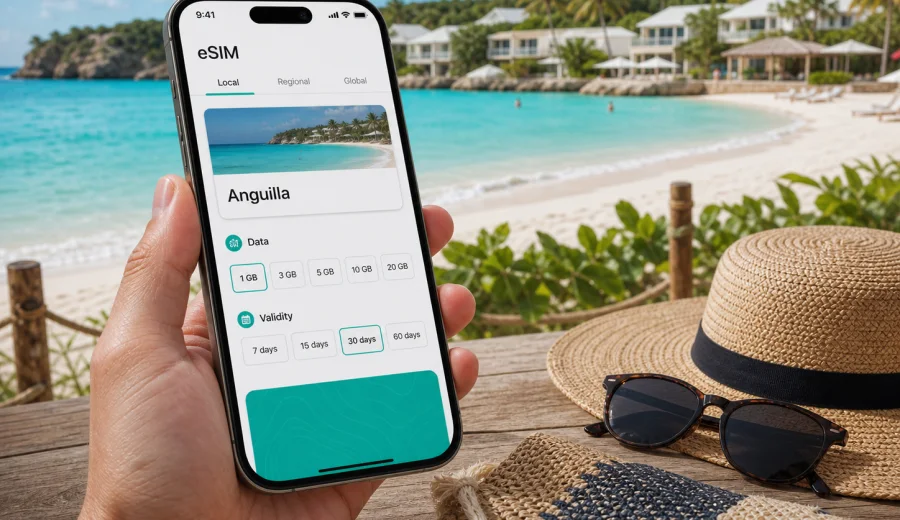
Shoal Bay Village eSIM: mobile connection and internet for an Anguilla trip
Shoal Bay Village is a beach base where mobile internet setup matters more than it may seem. Many trips here are built around the same simple rhythm: arrive in Anguilla, get to the north coast, check in near Shoal Bay East, then move between beaches, restaurants, villas, and short island routes. When your phone is ready for maps, messages, ride coordination, hotel check-in details, and travel updates, arrival feels easier.
An eSIM is useful in Shoal Bay Village because the destination is relaxed but the logistics are not always completely spontaneous. You may need to message a driver after landing, confirm a villa access code, check the ferry schedule before returning to St. Martin, send a location pin to friends, or look up a beach restaurant before walking along the shore. Public Wi-Fi can help at hotels and cafes, but it is not the same as having mobile data while you are moving.
This guide focuses on practical mobile connection planning for Shoal Bay Village: arrival routes, local movement, hotel stays, beach days, work calls, stopovers, and short trips across Anguilla.
Why mobile internet is important in Shoal Bay Village
Shoal Bay Village is not a dense city with a subway system, a grid of business districts, and a shop on every corner. It is a coastal village near one of Anguilla's best-known beaches, and the travel pattern is different. You spend less time navigating long avenues and more time moving between beaches, hotels, rental homes, restaurants, boat trips, and scenic stops.
That makes mobile internet useful in several everyday situations:
- finding your accommodation after arriving from the airport or ferry terminal;
- sharing your live location with a taxi driver or villa host;
- checking restaurant hours before going out in the evening;
- using maps when roads are quiet and landmarks are more useful than street numbers;
- messaging family or colleagues without waiting for hotel Wi-Fi;
- managing boarding passes, ferry confirmations, and travel documents;
- checking weather changes before boat trips or beach plans;
- using a translator or currency converter when needed.
Plans can change during the day. You may start on Shoal Bay East, continue to Island Harbour or Sandy Ground, then return for dinner near your hotel. A prepared eSIM gives you a practical backup whenever you leave a known Wi-Fi network.
Arrival scenarios: airport, ferry, and the first transfer
Most visitors reach Shoal Bay Village after one of two common arrival routes. Some fly into Anguilla and continue by taxi or rental car. Others arrive through nearby St. Martin, take a ferry or boat connection to Anguilla, then continue by road to the north coast. In both cases, the first transfer is the moment when mobile data is especially useful.
If you arrive by air, you may want to open your booking confirmation, message your accommodation, and confirm the pickup point. If you arrive by ferry, you may need to coordinate timing after immigration, contact a driver, or check whether your accommodation expects a later arrival. In a resort village, this coordination can matter because reception desks, villa managers, and taxi drivers often rely on clear messaging.
Before departure, save the key details offline:
| Trip detail | Why it helps in Shoal Bay Village |
|---|---|
| Hotel or villa address | Some places are easier to find with a map pin than with a street description |
| Host or reception contact | Useful if your ferry or flight timing changes |
| Driver details | Helps with pickup coordination after arrival |
| Ferry or flight confirmation | Keeps your return route easy to check |
| Offline map area | Useful backup if mobile data is temporarily unavailable |
Mobile data does not replace preparation. It makes preparation easier to use when you are carrying luggage or coordinating the last part of the route.
What an eSIM changes for a beach-village trip
An eSIM is a digital SIM profile installed on a compatible phone or tablet. For a Shoal Bay Village trip, it helps you prepare mobile internet without looking for a physical SIM card after arrival. You choose a destination and a suitable data package, install the eSIM on your device, and use mobile data according to the selected tariff conditions.
The biggest benefit is timing. You can prepare the setup before your trip, keep your regular SIM in the phone, and activate mobile data when you are ready to use the travel eSIM.
An eSIM can also reduce dependence on public Wi-Fi. Hotel Wi-Fi is helpful, but you may not be at the hotel when you need to contact a driver, load a route, or receive a message from your group. A separate mobile data setup keeps the trip more flexible.
Important limits should be clear before you buy any travel eSIM:
- many travel eSIM options are for mobile data, not a local phone number;
- voice calls and SMS are not included unless the selected tariff says so;
- calls and messages can usually be handled through internet-based apps;
- device compatibility must be checked before purchase;
- data speed and availability depend on the selected tariff, local networks, location, and conditions;
- some devices may require data roaming to be enabled for the eSIM profile.
How much data might you need in Shoal Bay Village?
Shoal Bay Village is not usually a destination where travelers need data for long daily commutes. Instead, data use comes from maps, messaging, photos, restaurant searches, remote work, and video calls. Your needs depend on whether you are staying mostly near the beach or using Shoal Bay Village as a base for the whole island.
Use this planning guide as a practical starting point:
| Travel style | Typical mobile data use | Planning note |
|---|---|---|
| Short beach stay | Low to moderate | Maps, messages, restaurant searches, occasional uploads |
| Family vacation | Moderate | Group chats, shared location, booking apps, photo backups |
| Remote work stay | Moderate to high | Video calls and hotspot use can increase usage quickly |
| Island-hopping route | Moderate | Transfers, maps, ferry updates, messaging across locations |
| Content-heavy trip | High | Photo and video uploads are the main data driver |
For a quiet beach holiday, you may use less data than in a major city. For a workation or social-media-heavy trip, you may use more than expected because mobile data becomes the backup whenever Wi-Fi is weak, busy, or limited to certain areas of the property.
The safest habit is to match the package to your real behavior, not to the destination size. A small village can still create high data use if you upload videos, join video calls, or use your phone as a hotspot.
Choosing an eSIM for Anguilla with Shoal Bay Village in mind
For this itinerary, the correct destination is Anguilla because mobile data packages are selected for the country rather than for one beach area. If Shoal Bay Village is your base, look at the package size, validity period, and destination coverage before you travel.
When you compare options, focus on five checks:
1. Data volume: choose enough GB for maps, messaging, browsing, and any work tasks.
2. Validity period: match the duration to your stay, including arrival and departure days.
3. Destination: make sure the selected option is for Anguilla or a suitable regional route if your itinerary requires it.
4. Device compatibility: confirm your phone supports eSIM and is not restricted by a carrier lock.
5. Activation details: read when the validity period starts and what steps are needed before departure.
Kaspersky eSIM Store is an app and website where you can quickly choose, arrange, and activate an eSIM with a suitable mobile data tariff for an international trip. For Shoal Bay Village, you can use it to prepare an eSIM data option for Anguilla before you leave or while organizing the final details of your arrival.
Where mobile data helps around Shoal Bay Village
Shoal Bay Village is built around beach movement, accommodation logistics, and short trips. A prepared mobile data setup can help in small moments that are easy to underestimate.
On the beach
Beach days often involve meeting points, restaurant decisions, weather checks, and photo sharing. Mobile data helps you message your group without depending on a nearby Wi-Fi network. It also helps if you need to confirm a boat trip, call a taxi through a messaging app, or check whether a restaurant is open before walking over.
Between hotels, villas, and restaurants
Many accommodations around Anguilla use precise directions, landmarks, or map pins. Mobile internet helps you move between a villa, a beach bar, and another part of the island without repeatedly asking for directions. If you rent a car, maps are especially useful after dark or when you are taking smaller roads.
For taxis and transfers
Taxi coordination can be simple, but you still need a way to confirm pickup times and locations. Mobile data is useful after dinner, after a boat trip, or during a return transfer to the airport or ferry terminal. If your driver asks for a location pin, you can send it immediately.
For work calls and urgent tasks
Shoal Bay Village is a calm place for a remote break, but work still requires stable planning. Hotel Wi-Fi may be enough for many tasks, yet a mobile data backup helps with messages, authentication codes through apps, documents, and urgent calls when you are away from your room.
Local movement: rental car, taxi, walking, and short drives
Shoal Bay Village is not a destination where every useful place is within a quick walk. You can walk around the immediate beach area, but many island plans involve a taxi or rental car. Mobile internet helps you decide when to walk, when to book a ride, and when to drive.
For rental cars, mobile data supports:
- navigation to beaches and restaurants outside Shoal Bay;
- route checks before returning to the airport or ferry terminal;
- messaging the rental office about pickup or return;
- finding fuel stops and parking areas;
- sharing location with other travelers in your group.
For taxis, mobile data supports:
- confirming pickup points;
- sending hotel or restaurant names clearly;
- checking whether your group is ready before calling the driver;
- coordinating late returns from dinner;
- keeping contact with your accommodation if plans change.
Walking still matters in the village, especially around beach areas. But even then, mobile data helps with simple tasks: checking a menu, finding a nearby shop, or confirming the safest return route after sunset.
A practical setup checklist before you leave
Use this checklist a few days before your Shoal Bay Village trip:
- Confirm your phone supports eSIM. You can check your device before choosing a tariff.
- Make sure your phone is not locked to one carrier if that would prevent eSIM use.
- Decide whether your regular SIM should stay active for calls or banking messages.
- Choose a data package that matches your stay length and expected use.
- Install the eSIM while you still have a reliable internet connection.
- Save your hotel, villa, driver, and ferry details offline.
- Download an offline map area as a backup.
- Read the activation rules so you know when data validity starts.
- Keep the QR code or installation details available until setup is complete.
Compatibility is the most important early check. If your device does not support eSIM, or if it is carrier-locked, buying a data package will not solve the problem. Check first, then choose.
How to install and activate an eSIM for the trip
The exact steps depend on your device and the selected tariff instructions, but the general process is straightforward:
1. Choose the destination and data package.
2. Complete the order through the app or website.
3. Install the eSIM profile on a compatible device.
4. Keep your primary SIM settings as needed for calls and messages.
5. Activate mobile data for the travel eSIM according to the instructions.
6. Test the setup before relying on it during transfers.
If you need device-specific setup steps, use the official installation guides for Android or iOS. Follow the sequence carefully, especially the parts about selecting the eSIM for mobile data and enabling data roaming if the instructions for your tariff require it.
Do not delete the eSIM profile casually after installation. Some profiles cannot be moved or reinstalled freely after activation. If something looks wrong, check the instructions and support options before removing the profile from your device.
Data-saving habits for a longer stay
Even if your package looks generous, it is sensible to manage mobile data during a beach trip. Anguilla is a place where photo and video sharing can increase usage quickly, especially if your phone uploads media automatically.
Simple habits help:
- use hotel Wi-Fi for large app updates and cloud backups;
- turn off automatic video previews in social apps;
- download playlists, maps, and documents before travel;
- send compressed photos in group chats when quality is not critical;
- avoid using mobile hotspot for laptops unless you planned for it;
- check your data balance during the trip, not only near the end;
- keep video calls on Wi-Fi when possible.
The goal is not to avoid mobile data. The goal is to reserve it for the moments when it is most useful: moving around the island, coordinating plans, checking travel details, and staying reachable away from Wi-Fi.
Business, stopovers, and trips from Shoal Bay Village
Shoal Bay Village is better known for beach stays than business travel, but many visitors still combine work, family plans, and island movement. A mobile data plan is useful when you need login confirmations, chat apps, email, maps, and short calls while away from your room. If you expect video meetings or laptop hotspot use, choose a data package with that workload in mind and keep hotel Wi-Fi for large transfers.
For a short stopover, mobile data is mainly about speed and coordination. You may need to confirm a taxi, reach the beach, check a restaurant, message your next accommodation, and return to the ferry or airport without spending time on connectivity setup. Preparing the eSIM before the trip makes a one- or two-day visit easier to use well.
Shoal Bay Village also works as a calm base for other Anguilla routes. Mobile data can support short trips to Island Harbour, Sandy Ground, The Valley, Rendezvous Bay, Meads Bay, and boat departure points. Before you leave, save the route, check your data balance, keep your accommodation pin available, and make sure your phone battery can handle maps and messaging for the return journey.
Common mistakes to avoid
The most common eSIM mistakes are not technical failures. They are planning gaps.
Avoid these issues:
- buying a package before checking device compatibility;
- assuming every eSIM includes calls and SMS;
- waiting until the airport or ferry terminal to read setup instructions;
- deleting the eSIM profile when troubleshooting;
- using mobile data for large backups by accident;
- choosing a validity period that ends before the departure day;
- forgetting to switch mobile data to the travel eSIM after installation.
Also avoid treating Shoal Bay Village like a place where you can solve every mobile issue after arrival. The village is relaxed, and that is part of its appeal. Prepare the essentials before you travel so your first day can focus on the beach, not phone settings.
FAQ: eSIM and mobile internet in Shoal Bay Village
Is an eSIM useful if my hotel has Wi-Fi?
Yes, because hotel Wi-Fi only helps when you are at the property or within its coverage area. An eSIM is useful for transfers, maps, messaging, beach plans, restaurant checks, and short trips around Anguilla.
Can I use an eSIM for regular phone calls?
Many travel eSIM options are focused on mobile data. Voice calls and SMS are included only if the selected tariff says so. For many trips, travelers use internet-based calling and messaging apps over mobile data.
Should I install the eSIM before arriving in Anguilla?
It is usually more comfortable to install it before travel while you have a stable internet connection. Read the activation rules first, because validity timing can depend on the selected tariff and setup flow.
Is Shoal Bay Village enough for a country-specific Anguilla option?
For this type of trip, the relevant destination is Anguilla. Shoal Bay Village is the local base, but the data option should match the country or route where you will use mobile internet.
What should I check before choosing a tariff?
Check device compatibility, data volume, validity period, destination coverage, activation rules, and whether you need only phone data or also hotspot use for a laptop or tablet.
Final preparation before your Shoal Bay Village trip
Shoal Bay Village is an easy place to enjoy when the practical details are handled early. Before departure, confirm your accommodation, save your transfer information, download offline maps, and decide how much mobile data you need for the way you actually travel. If you expect only maps and messages, your needs may be modest. If you plan to work remotely, upload media, or use a hotspot, choose more carefully.
Kaspersky eSIM Store helps you choose, arrange, and activate an eSIM with a suitable mobile data tariff for an international trip. Before you fly or take the ferry to Anguilla, you can choose an eSIM data option for your Shoal Bay Village trip and keep your phone ready for arrival, beach days, local routes, and the return journey.