Travel connectivity guide
Siauliai eSIM: Mobile Internet for Your Trip
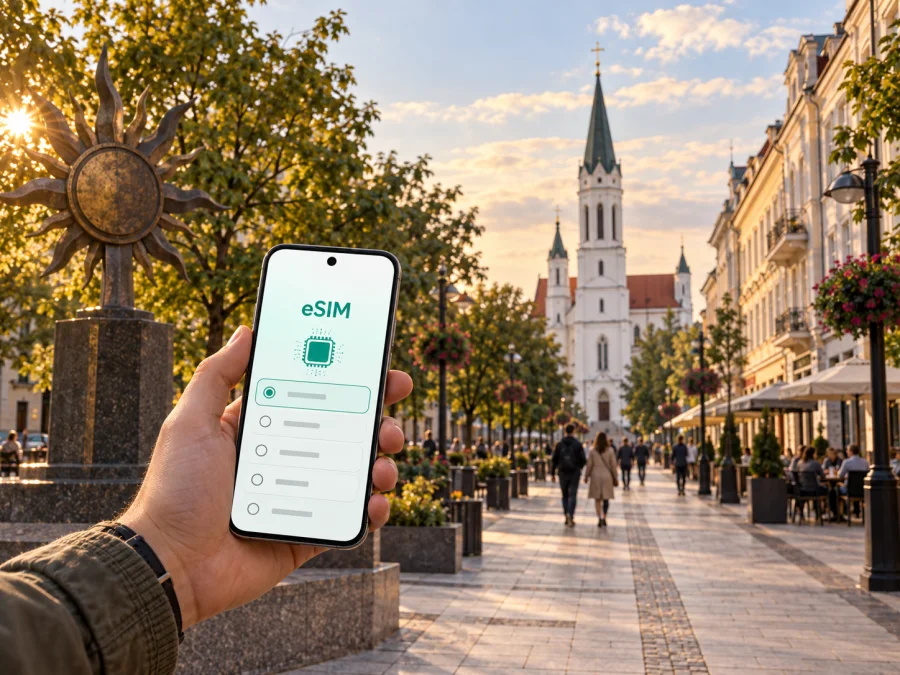
Siauliai eSIM: mobile connection and internet for your trip
Planning a trip to Siauliai, Lithuania, is easier when mobile data is ready before you need it. A digital SIM card, or eSIM, can help you use maps, transport information, messages, bookings and work tools without looking for a physical SIM card immediately after arrival. It is practical for a weekend in the city, a business visit, a short stopover or a wider route through Lithuania.
Kaspersky eSIM Store is an app and website where you can choose, arrange and activate an eSIM with a suitable plan for mobile internet during an international trip. The eSIM is intended for data use; it does not automatically replace your usual phone number, voice calls or SMS unless the selected plan says otherwise. This guide focuses on Siauliai: arrival, local movement, places to visit, work scenarios and trips beyond the city.
Why an eSIM can be useful in Siauliai
Even a compact city itinerary can involve several online tasks. You may check a train or bus detail, walk from the station area to a hotel, search for a museum, order a ride, translate a message or confirm a restaurant booking. A working data connection keeps these small decisions from becoming a search for public Wi-Fi.
An eSIM can be prepared before departure and used alongside a regular physical SIM, depending on your phone and operator. You can keep your usual line available for calls while selecting the eSIM for mobile data in Lithuania. Check the terms of both lines so that the data connection and roaming settings are deliberate.
For a Siauliai visit, mobile data is most useful for:
- opening a map between the railway station, bus station, hotel and centre;
- checking local transport information when accommodation is farther away;
- confirming a booking or sending a location to a companion;
- using translation, banking, authentication and work applications;
- saving a route to Lake Talksa, the Cathedral, museums or a nearby excursion;
- staying reachable during a brief stop without arranging a physical SIM.
Choose a plan for the country and trip length, review its conditions and activate it on a compatible device.
Arrival in Siauliai: prepare the first hour
Before departure, save your accommodation address, booking details and a basic route. If you are travelling by train or intercity bus, keep the station name and the next connection available offline too. Online access is useful, but a backup helps when the phone battery is low or a platform is crowded.
The railway and bus stations are useful starting points for a city visit. After getting off, compare walking, city-bus and taxi options with your luggage in mind. The centre may be comfortable on foot, while accommodation farther away can make public transport or a ride more convenient. Open the saved accommodation pin, send your arrival location and check the next connection before leaving the station area.
Siauliai as one stop on a longer route
If you continue to other Lithuanian cities or visit the Hill of Crosses, choose a plan for the complete route. Verify where it is valid, how long it lasts and when data use begins.
Moving around the city
The centre is well suited to a walking day built around the pedestrian boulevard, museums, churches, cafés and public spaces. Walking still uses data when you recalculate a route, find an entrance or share a location. Saved maps and addresses are a useful backup; live data helps when plans change.
City buses can be useful when your hotel, meeting place or destination is outside the walking core. Check the stop name and direction rather than relying only on a route number. If you change buses, leave time to find the next stop. Use current transport information and keep a screenshot of the key part of the route.
Taxis and ride services can help late in the evening, with luggage or in bad weather. Mobile data lets you verify the pickup point, read a driver’s message and avoid confusing similar street names. Keep the accommodation address in text as well as on the map.
| Situation | Prepare on your phone | Why data helps |
|---|---|---|
| Station to hotel | Address, pin and walking alternative | You can adjust the route after seeing the luggage and weather |
| Museum or city walk | Saved sights and next stop | You can navigate without returning to the hotel |
| Bus trip | Stop name, direction and backup screenshot | You can check changes and identify the correct stop |
| Evening return | Accommodation address and pickup point | You can coordinate a safe meeting place |
| Day trip | Outbound and return points | You can keep the return plan visible if plans change |
Check current details shortly before each journey and leave time for walking between stops.
How to choose a plan for Siauliai
Start with the route, not the largest package. A two-day city break has a different data pattern from a week of remote work or a multi-city journey. Choose a plan whose validity period and allowance match what you expect to do, with reasonable room for maps, messages and changes.
Ask four questions:
- How long will you use data? Count from the moment the plan can start under its conditions, not only the number of hotel nights.
- Will you leave Siauliai? If you will continue to Vilnius, Kaunas, Klaipeda or another country, verify that the destination or region covers the route. Do not assume a city page covers every stop.
- What will consume data? Maps and messages differ from video calls, cloud uploads, streaming and hotspot use. Your work routine may matter more than the distance travelled.
- Is top-up available? Review how additional data works before activation if your usage may change.
Light use may be enough when you have reliable hotel Wi-Fi and save routes in advance. A work trip needs room for meetings, documents and authentication. A Hill of Crosses excursion adds navigation and messaging, while a regional loop makes geographic coverage especially important.
When you are ready to compare the destination and conditions, choose an eSIM plan for a trip to Lithuania. Review the current allowance, duration, price and activation rules before completing your choice.
Install the eSIM before departure or after arrival
Installation is easiest when your phone has power, a stable internet connection and the QR code or profile information for the selected plan. Installing before departure lets you work calmly at home. If you wait until Siauliai, use hotel Wi-Fi or another trusted connection first, then switch the data line after checking the settings.
Use the appropriate guide: Android installation instructions or iOS installation instructions.
Basic sequence
- Check the device. Make sure it supports eSIM and is not operator-locked. Check your device compatibility before purchase or installation.
- Choose the destination and plan. Confirm that Lithuania is included and that the validity period matches the itinerary.
- Open mobile network settings. Select the option to add a mobile plan or eSIM.
- Scan or enter the profile details. Use the QR code or activation information supplied with the plan.
- Label the line. A name such as “Lithuania travel” helps prevent selecting the wrong line later.
- Select the eSIM for mobile data. Keep the regular line for calls or messages if you want to.
- Enable data roaming for the eSIM if required. Follow the plan and device guidance; do not change every line indiscriminately.
- Test a simple task. Open a map or send a message. Connection may take a few minutes, so do not repeat installation immediately.
If you want the plan to start later, keep the eSIM installed but follow its activation and validity rules. Installation and activation are not always the same event. Read the conditions so you know when the allowance begins.
Siauliai places where a connection is practical
Siauliai is known as the City of the Sun. Its tourism information service highlights a mix of museums, the central boulevard, churches, Lake Talksa and distinctive public art. These stops create different movement patterns, so a city guide should not be limited to hotel-to-station directions.
The central boulevard and Cathedral of Saints Peter and Paul are useful reference points for a first walk. The Lake Talksa area, Iron Fox sculpture and museums such as the Museum of Cats and Bicycle Museum add routes beyond the centre. Save the next address, return route and meeting point before leaving a hotel or entering a building.
The Hill of Crosses as a trip from Siauliai
The Hill of Crosses is outside the city, in Siauliai District, so treat it as a separate journey rather than a central neighbourhood. Local tourism information describes it as roughly 12 kilometres north of Siauliai and notes access by road and by bus to the Domantai stop, followed by a walk. Check current departure and return details before leaving; an older timetable may no longer apply.
Keep four items visible for this excursion:
- the outbound stop and direction;
- the walking section after getting off;
- the return departure window;
- a backup plan if you miss the intended connection.
The route may be part of a religious, historical or photographic itinerary, but the mobile-data decision is the same: cover the whole excursion and keep enough battery for maps and messages outside the city.
Match the plan to your travel style
Weekend visitor
Use data for arrival directions, maps, messages, tickets and bookings. Save the hotel address and return route before your first walk; a short-validity option may be sufficient if its conditions match the trip timing.
Business traveller
Email, authentication, video meetings, cloud documents and hotspot use can increase consumption. Identify where you will work, download essential files and choose an allowance with room for an unplanned call.
Short stopover or group trip
Prepare the eSIM before departure, save the station and next connection, and share essential addresses with another traveller. A small suitable plan may be more practical than a long-term arrangement, while a power bank provides a useful backup.
Plan data use without guesswork
There is no universal allowance for Siauliai. Usage depends on screen time, work tools, navigation and hotel Wi-Fi. Use previous trips as a baseline and add room for planned activities.
| Activity | Check before choosing |
|---|---|
| Walking and messaging | Route recalculation and photo sharing |
| Museums and translation | Whether pages can be saved in advance |
| Remote work or hotspot | Meetings, files, authentication and tethering |
| Hill of Crosses trip | Route, return information and battery use |
Turn off automatic updates and large backups over the travel line. Download documents and entertainment before the journey, use trusted Wi-Fi for large files and monitor the allowance in the app or profile where that information is available.
What to check before you leave
- [ ] The phone supports eSIM and is not operator-locked.
- [ ] The plan covers Lithuania and the travel dates.
- [ ] You understand the allowance, duration, price and top-up conditions.
- [ ] The QR code or activation details are accessible.
- [ ] Your usual SIM is labelled and the data line is clear.
- [ ] Accommodation, stations and meeting points are saved.
- [ ] The excursion return route and tickets have an offline backup.
- [ ] You know whether data roaming must be enabled for the eSIM.
Do not delete a working profile simply because you have returned to your home line. Follow the conditions for reuse, transfer and removal. An activated eSIM may not be transferable to another device.
If mobile data does not work after activation
Change one setting at a time:
- Confirm that the eSIM line is turned on.
- Check that it is selected for mobile data.
- Verify the destination and data-roaming settings required by the plan.
- Move to another location if you are indoors or in a crowded building.
- Restart the phone and allow a few minutes for registration.
- Compare the settings with the installation guide.
- Contact support with the device model, the failed step and the relevant plan details.
Avoid deleting the profile during troubleshooting unless the instructions or support team tell you to do so.
Frequently asked questions
Is an eSIM suitable for a short visit to Siauliai?
It can be useful for maps, messages and bookings during a brief stay. Choose a plan whose duration and conditions fit the stopover rather than paying for a longer period only because it is available.
Will the eSIM give me a Lithuanian phone number?
Not necessarily. A travel eSIM is commonly intended for mobile internet and may not include a regular number, voice calls or SMS. Review the plan conditions. Internet messaging and calls may work when you have data and the relevant accounts.
Prepare your Siauliai connection
The simplest preparation is a short sequence: check device compatibility, save your arrival and return routes, choose a Lithuania plan that fits the journey, then install and test the eSIM while you have power and a reliable connection. In Siauliai, that can cover a station transfer, a central walk, a museum day, a business meeting and a trip beyond the city without adding a search for a physical SIM to your schedule.
When you are ready, choose an eSIM plan for your Lithuania itinerary, review the conditions and follow the installation guide for your device. Keep the final settings simple: the intended eSIM for mobile data, the regular line configured as you prefer, and a saved route for the next step of your Siauliai trip.


